
best membership plugin wordpress


If you’re running a WordPress site and need to manage subscriptions, restrict content, or sell memberships, you’ll need a solid membership plugin. The right one depends on your specific needs—whether you want simple access control, recurring payments, or advanced community features. Some plugins are built for basic paywalls, while others offer full-fledged membership management with integrations for email marketing, forums, and course delivery.
The best membership plugins balance ease of use with powerful functionality. You don’t want something so complex it slows down your site, but you also don’t want a stripped-down tool that forces you to hack together workarounds. Performance, scalability, and support matter just as much as the feature list. Below, I’ve put together a straightforward breakdown of the top options to help you decide which one fits your setup. Here’s the list of the best membership plugins for WordPress.
📋 Table of Contents
1. MemberPress
MemberPress is one of the most popular and powerful membership plugins for WordPress, trusted by thousands of businesses and creators. It allows you to create, manage, and track membership subscriptions with ease, making it ideal for online courses, digital products, and subscription-based content. MemberPress integrates seamlessly with popular payment gateways like PayPal, Stripe, and Authorize.net, ensuring smooth transactions for your members. The plugin also offers advanced features like drip content, access rules, and detailed reporting, giving you full control over your membership site. Whether you’re a blogger, educator, or entrepreneur, MemberPress provides the tools you need to monetize your content effectively. Its user-friendly interface and extensive documentation make it accessible even for beginners, while its robust features cater to advanced users looking for scalability.
- Content Restriction: Easily restrict access to posts, pages, categories, tags, and even custom post types based on membership levels.
- Drip Content: Schedule content to be released over time to keep members engaged and coming back for more.
- Payment Gateways: Supports PayPal, Stripe, Authorize.net, and offline payments for flexible billing options.
- Membership Levels: Create unlimited membership levels with different pricing, access rules, and trial periods.
- Coupons and Discounts: Generate and manage coupons to offer discounts or special promotions to your members.
2. Paid Memberships Pro

Paid Memberships Pro is a flexible and open-source membership plugin that offers a wide range of features to create and manage membership sites. It’s particularly well-suited for non-profits, associations, and businesses that need a customizable solution. The plugin supports unlimited membership levels, recurring payments, and content restriction, making it a versatile choice for any membership-based website. One of its standout features is its extensive library of free and premium add-ons, which allow you to extend functionality without needing to code. Paid Memberships Pro also integrates with popular email marketing services like Mailchimp and Constant Contact, helping you grow your member base. Its active community and regular updates ensure that the plugin stays secure and up-to-date with the latest WordPress standards.
- Unlimited Membership Levels: Create as many membership levels as you need with custom pricing and access rules.
- Recurring Payments: Set up recurring billing cycles for subscriptions with support for multiple payment gateways.
- Content Restriction: Restrict access to posts, pages, and custom post types based on membership status.
- Add-Ons Library: Access a vast library of free and premium add-ons to extend functionality, such as email marketing integrations and advanced reporting.
- Developer-Friendly: Open-source code and hooks allow developers to customize and extend the plugin to fit specific needs.
3. Restrict Content Pro

Restrict Content Pro is a lightweight yet powerful membership plugin designed to help you create and manage subscription-based content with ease. It’s an excellent choice for bloggers, online magazines, and small businesses looking to monetize their content without overwhelming complexity. The plugin offers essential features like content restriction, membership levels, and payment gateway integrations, all wrapped in a clean and intuitive interface. Restrict Content Pro also includes built-in reporting tools to track membership sign-ups, renewals, and revenue, giving you valuable insights into your business. One of its unique features is the ability to offer free trials and discounts, which can help attract new members. With its focus on simplicity and performance, Restrict Content Pro is a great option for those who want a no-fuss membership solution.
- Content Restriction: Restrict access to posts, pages, and custom post types based on membership levels.
- Membership Levels: Create unlimited membership levels with custom pricing, access rules, and trial periods.
- Payment Gateways: Supports PayPal, Stripe, 2Checkout, and Authorize.net for flexible payment options.
- Free Trials and Discounts: Offer free trials or discounts to attract new members and boost conversions.
- Built-In Reporting: Track membership sign-ups, renewals, and revenue with detailed reports and analytics.
4. LearnDash

LearnDash is a premium WordPress plugin designed specifically for creating and selling online courses, making it a top choice for educators, trainers, and businesses in the e-learning space. While it’s primarily known as a learning management system (LMS), LearnDash also functions as a powerful membership plugin, allowing you to restrict access to courses and content based on membership levels. The plugin offers advanced features like drip-feed content, quizzes, certificates, and course progression tracking, which are essential for delivering a structured learning experience. LearnDash integrates seamlessly with popular membership plugins like MemberPress and Paid Memberships Pro, giving you even more flexibility in managing your courses. Its intuitive drag-and-drop course builder and robust reporting tools make it easy to create and manage engaging online courses, whether you’re teaching a single class or running a full-fledged academy.
- Course Builder: Create and manage online courses with a drag-and-drop interface, making it easy to organize lessons, topics, and quizzes.
- Drip-Feed Content: Schedule lessons to be released over time to keep students engaged and prevent overwhelm.
- Quizzes and Certificates: Create interactive quizzes and award certificates upon course completion to enhance the learning experience.
- Membership Integration: Works seamlessly with membership plugins like MemberPress and Paid Memberships Pro to restrict course access.
- Advanced Reporting: Track student progress, quiz scores, and course completion rates with detailed analytics and reports.
5. Ultimate Member
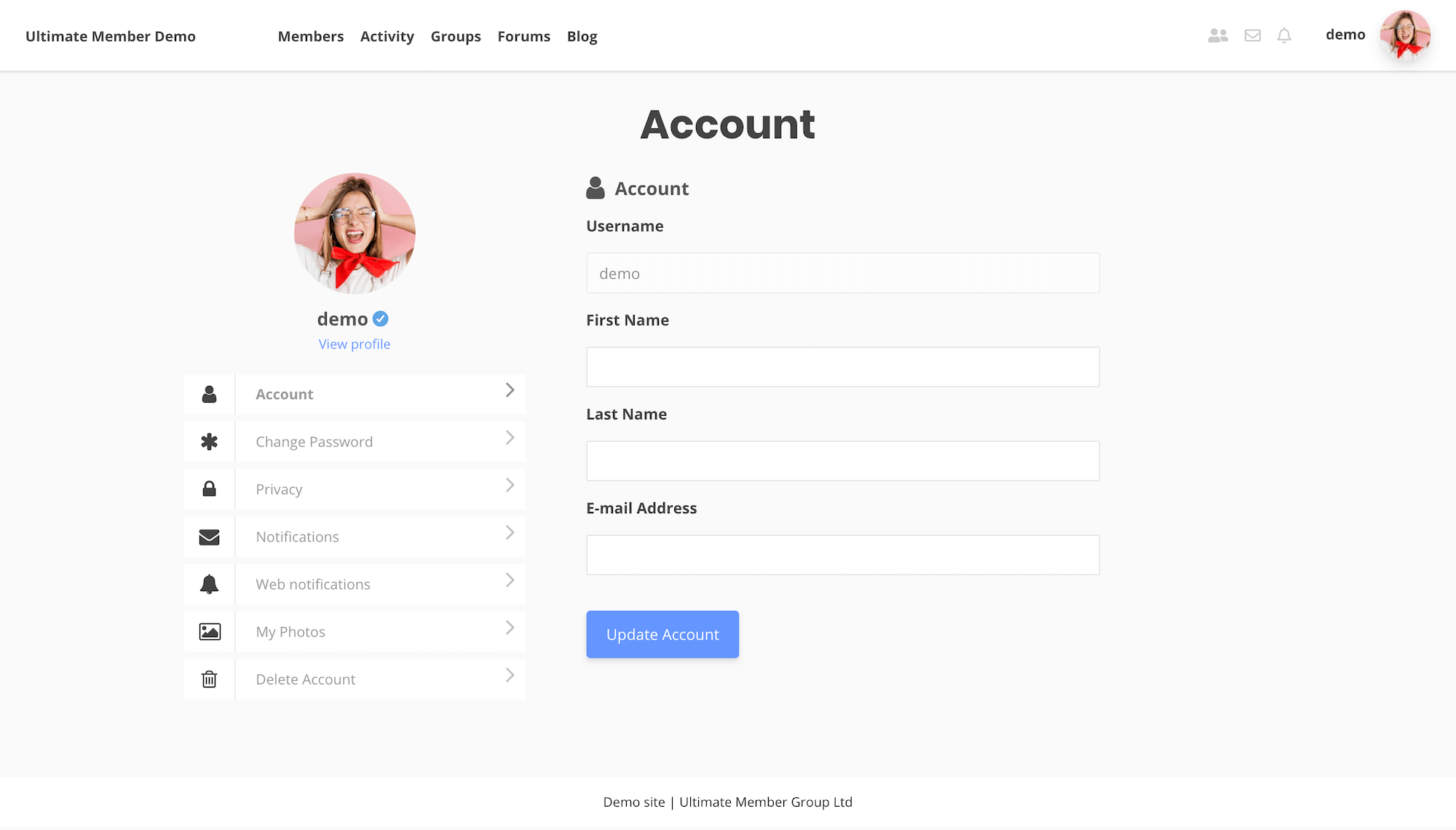
Ultimate Member is a free and highly customizable membership plugin that allows you to create beautiful and functional user profiles, registration forms, and login pages. It’s an excellent choice for community-driven websites, social networks, and membership sites that require a high level of user interaction. The plugin offers a wide range of features, including custom user roles, front-end user profiles, and content restriction, all of which can be extended with premium add-ons. Ultimate Member also includes built-in tools for user registration, login, and account management, making it easy for members to interact with your site. Its drag-and-drop form builder and extensive customization options allow you to create a unique and engaging user experience without needing to write a single line of code. Whether you’re building a niche social network or a professional membership site, Ultimate Member provides the flexibility and tools you need to succeed.
- User Profiles: Create customizable front-end user profiles with avatars, cover photos, and social media links.
- Registration and Login Forms: Design beautiful and functional registration and login forms with a drag-and-drop builder.
- Content Restriction: Restrict access to posts, pages, and custom post types based on user roles or membership levels.
- Custom User Roles: Create and manage custom user roles with specific permissions and access levels.
- Premium Add-Ons: Extend functionality with premium add-ons for features like private messaging, user reviews, and social login.
6. WooCommerce Memberships

WooCommerce Memberships is a powerful extension for WooCommerce that allows you to create and manage membership plans directly from your online store. It’s an ideal solution for businesses that already use WooCommerce and want to add membership functionality without switching to a new platform. The plugin integrates seamlessly with WooCommerce, enabling you to sell memberships as products, restrict content based on membership levels, and offer exclusive discounts to members. WooCommerce Memberships also supports drip content, allowing you to release content over time to keep members engaged. One of its standout features is the ability to tie memberships to physical or digital products, making it a great choice for subscription boxes, online courses, or exclusive content libraries. With its robust features and WooCommerce integration, this plugin is perfect for e-commerce businesses looking to expand into memberships.
- WooCommerce Integration: Sell memberships as products and manage them directly from your WooCommerce store.
- Content Restriction: Restrict access to posts, pages, and products based on membership levels.
- Drip Content: Schedule content to be released over time to keep members engaged and coming back for more.
- Member Discounts: Offer exclusive discounts to members on products, categories, or your entire store.
- Product Tying: Tie memberships to specific products, allowing members to access exclusive content or perks.
7. S2Member

S2Member is a free and feature-rich membership plugin that offers a wide range of tools for creating and managing membership sites. It’s particularly well-suited for developers and advanced users who need a high level of customization and control. The plugin supports unlimited membership levels, content restriction, and payment gateway integrations, making it a versatile choice for any membership-based website. S2Member also includes advanced features like drip content, custom capabilities, and API integrations, which allow you to create a truly unique membership experience. One of its standout features is its support for PayPal Pro, which enables you to accept credit card payments directly on your site without redirecting users to PayPal. While S2Member’s interface may not be as polished as some of its competitors, its extensive documentation and active community make it a reliable and powerful option for those willing to dive into its features.
- Unlimited Membership Levels: Create as many membership levels as you need with custom pricing and access rules.
- Content Restriction: Restrict access to posts, pages, categories, tags, and even custom post types based on membership levels.
- Payment Gateways: Supports PayPal, Stripe, and PayPal Pro for flexible payment options, including on-site credit card processing.
- Drip Content: Schedule content to be released over time to keep members engaged and prevent content overload.
- Custom Capabilities: Assign custom capabilities to users, allowing for granular control over what members can access and do on your site.
8. ProfilePress
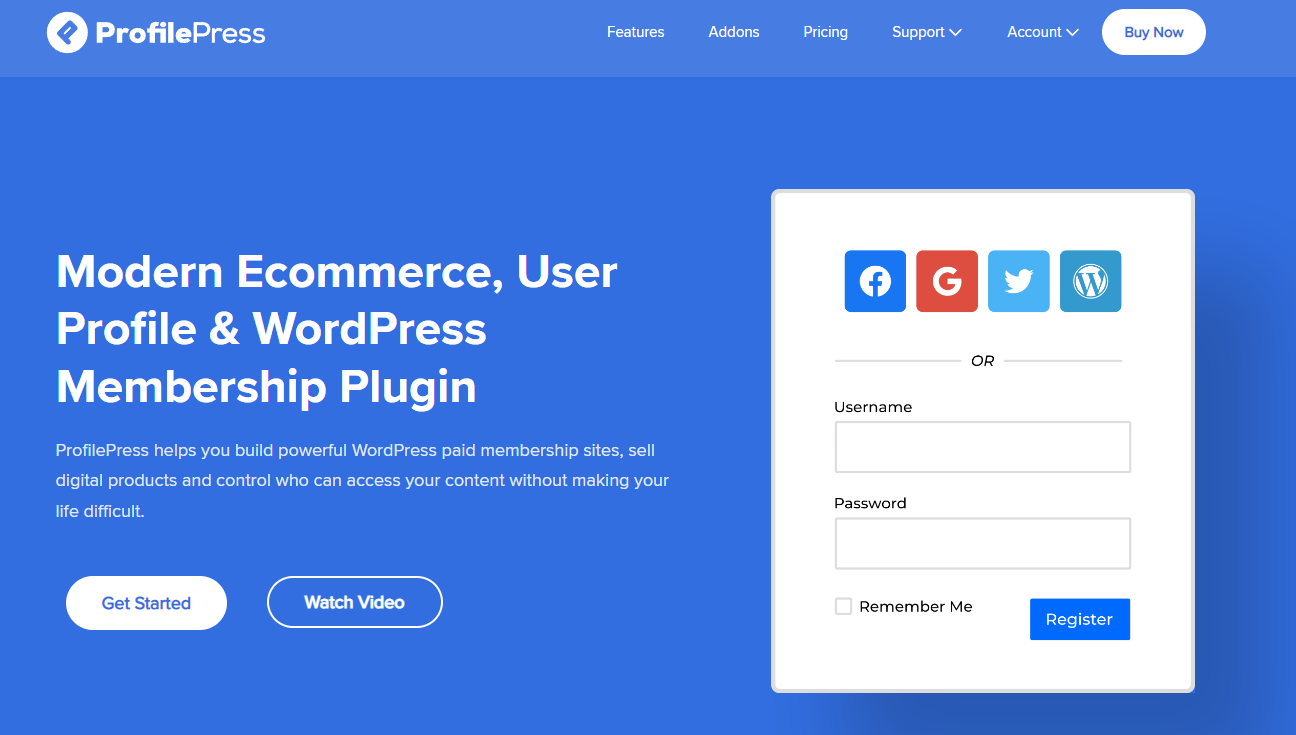
ProfilePress is a versatile WordPress plugin that allows you to create custom registration forms, login pages, and user profiles with ease. While it’s not a traditional membership plugin, it offers powerful membership and content restriction features that make it a great choice for building membership sites. ProfilePress includes a drag-and-drop form builder, which makes it easy to design beautiful and functional registration and login forms without any coding knowledge. The plugin also supports content restriction, custom user roles, and integration with popular payment gateways like PayPal and Stripe. One of its unique features is the ability to create front-end user profiles, which can be customized to match your site’s branding. ProfilePress is ideal for businesses, bloggers, and community sites that need a flexible and user-friendly solution for managing members and restricting content.
- Drag-and-Drop Form Builder: Create custom registration, login, and password reset forms with a user-friendly drag-and-drop interface.
- Content Restriction: Restrict access to posts, pages, and custom post types based on user roles or membership levels.
- Front-End User Profiles: Design customizable front-end user profiles with avatars, cover photos, and social media links.
- Payment Gateway Integration: Supports PayPal, Stripe, and other payment gateways for selling memberships and subscriptions.
- Custom User Roles: Create and manage custom user roles with specific permissions and access levels.
9. ARMember
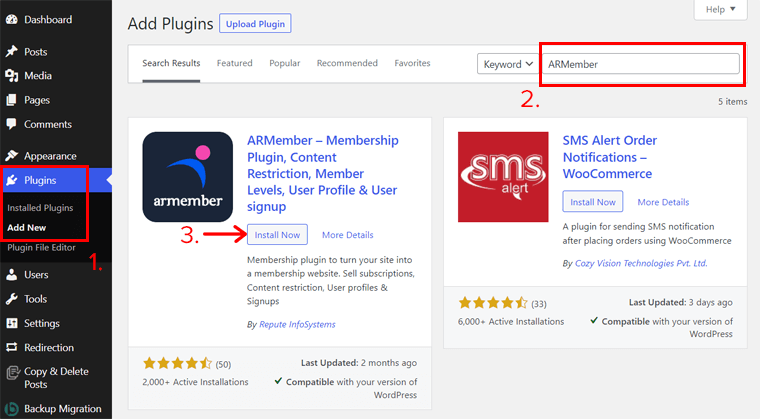
ARMember is a comprehensive membership plugin that offers a wide range of features for creating and managing membership sites. It’s designed to be user-friendly while still providing advanced tools for content restriction, payment integration, and member management. ARMember supports unlimited membership levels, drip content, and custom registration forms, making it a versatile choice for any membership-based website. The plugin also includes built-in tools for managing member directories, private messaging, and social login, which can help enhance the user experience. One of its standout features is the ability to create multi-step registration forms, which can improve conversion rates by making the sign-up process more engaging. ARMember is ideal for businesses, bloggers, and community sites that need a robust and flexible membership solution without the complexity of some other plugins.
- Unlimited Membership Levels: Create as many membership levels as you need with custom pricing, access rules, and trial periods.
- Drip Content: Schedule content to be released over time to keep members engaged and coming back for more.
- Multi-Step Registration Forms: Design engaging multi-step registration forms to improve conversion rates and user experience.
- Member Directories: Create searchable member directories to foster community interaction and networking.
- Payment Gateway Integration: Supports PayPal, Stripe, 2Checkout, and other payment gateways for flexible billing options.
10. Membership by Supsystic

Membership by Supsystic is a free and easy-to-use membership plugin that offers essential features for creating and managing membership sites. It’s a great choice for beginners and small businesses that need a simple yet effective solution for restricting content and managing members. The plugin supports unlimited membership levels, content restriction, and custom registration forms, all of which can be set up with just a few clicks. Membership by Supsystic also includes built-in tools for managing member profiles, private messaging, and social login, which can help enhance the user experience. One of its unique features is the ability to create custom member directories, which can be useful for community-driven websites. While it may not offer as many advanced features as some of its competitors, Membership by Supsystic is a reliable and user-friendly option for those looking to get started with membership sites without a steep learning curve.
- Unlimited Membership Levels: Create as many membership levels as you need with custom pricing and access rules.
- Content Restriction: Restrict access to posts, pages, and custom post types based on membership levels.
- Custom Registration Forms: Design custom registration forms with fields tailored to your membership site’s needs.
- Member Directories: Create searchable member directories to foster community interaction and networking.
- Social Login: Allow members to register and log in using their social media accounts for a seamless user experience.
Frequently Asked Questions
What is a membership plugin for WordPress?
A membership plugin for WordPress is a tool that allows you to create and manage a membership-based website. These plugins enable you to restrict access to content, sell subscriptions, and manage member accounts. They are commonly used for online courses, digital products, community sites, and subscription-based services. Membership plugins typically include features like content restriction, payment gateway integration, membership levels, and user management tools. They help you monetize your content and build a loyal community around your website.
How do I choose the best membership plugin for my WordPress site?
Choosing the best membership plugin depends on your specific needs and goals. Here are some factors to consider: 1) Ease of Use: If you’re a beginner, look for a plugin with a user-friendly interface and good documentation. 2) Features: Consider what features are essential for your site, such as content restriction, drip content, payment gateways, and membership levels. 3) Integration: Ensure the plugin integrates with other tools you use, like email marketing services, payment gateways, and LMS plugins. 4) Pricing: Compare the pricing plans and choose one that fits your budget while offering the features you need. 5) Support: Look for plugins with good customer support and an active community for troubleshooting and advice.
Can I use a membership plugin to sell online courses?
Yes, many membership plugins are designed to work seamlessly with online courses. Plugins like LearnDash, MemberPress, and Paid Memberships Pro are specifically built to handle course creation, content restriction, and membership management. These plugins allow you to drip-feed content, track student progress, and award certificates, making them ideal for selling online courses. Some membership plugins also integrate with popular LMS plugins, giving you even more flexibility in creating and managing your courses.
Do membership plugins support recurring payments?
Yes, most membership plugins support recurring payments, which are essential for subscription-based membership sites. Plugins like MemberPress, Paid Memberships Pro, and Restrict Content Pro integrate with popular payment gateways like PayPal, Stripe, and Authorize.net to handle recurring billing. This allows you to set up automatic payments for your members, ensuring a steady revenue stream for your business. Some plugins also offer features like trial periods and coupons to help attract new members.
Can I restrict content based on membership levels?
Absolutely! One of the core features of membership plugins is the ability to restrict content based on membership levels. This means you can create different tiers of access, such as free, basic, and premium, and assign specific content to each level. For example, you might offer basic members access to introductory content while reserving advanced tutorials or exclusive resources for premium members. Plugins like MemberPress, Restrict Content Pro, and ARMember make it easy to set up and manage these restrictions.
Are there free membership plugins for WordPress?
Yes, there are several free membership plugins available for WordPress, though they may offer limited features compared to premium options. Some popular free membership plugins include Paid Memberships Pro (with a free core plugin and premium add-ons), Ultimate Member, and Membership by Supsystic. These plugins provide essential features like content restriction, user registration, and basic membership levels. However, if you need advanced features like drip content, payment gateway integrations, or detailed reporting, you may need to upgrade to a premium version or consider a paid plugin.
How do I set up a membership site with WordPress?
Setting up a membership site with WordPress involves a few key steps: 1) Choose a Membership Plugin: Select a plugin that fits your needs, such as MemberPress, Paid Memberships Pro, or Restrict Content Pro. 2) Install and Configure the Plugin: Install the plugin on your WordPress site and configure its settings, including membership levels, payment gateways, and content restriction rules. 3) Create Membership Levels: Set up different membership tiers with varying access levels and pricing. 4) Restrict Content: Use the plugin’s tools to restrict access to posts, pages, or custom post types based on membership levels. 5) Set Up Payment Gateways: Integrate payment gateways like PayPal or Stripe to accept payments from members. 6) Design Registration and Login Pages: Customize the registration and login forms to match your site’s branding. 7) Launch and Promote: Once everything is set up, launch your membership site and promote it to attract members.


