best wordpress woocommerce automations


Running a WooCommerce store means juggling a lot of moving parts—orders, inventory, customer follow-ups, and marketing. The more you can automate, the less time you waste on repetitive tasks and the more you can focus on growing your business. The right automations don’t just save time; they reduce errors, improve customer experience, and keep your store running smoothly without constant oversight.
WordPress and WooCommerce have plenty of tools to handle these automations, but not all of them are created equal. Some plugins are clunky, some require too much setup, and others just don’t integrate well with the rest of your workflow. The key is finding the ones that actually work without overcomplicating things. Below, I’ve put together a list of the best options for automating your WooCommerce store efficiently.
📋 Table of Contents
1. Uncanny Automator

Uncanny Automator is one of the most powerful automation tools for WordPress and WooCommerce, acting as a bridge between your plugins, apps, and websites. It allows you to create automated workflows without any coding, connecting WooCommerce with over 100 other plugins and services like Mailchimp, Slack, Google Sheets, and more. Whether you want to automate order processing, customer follow-ups, or inventory management, Uncanny Automator makes it seamless. It’s particularly useful for store owners who want to save time by eliminating repetitive tasks, such as sending personalized emails after a purchase or syncing customer data with CRM tools. The plugin is beginner-friendly but also offers advanced features for developers who want to customize workflows further.
- No-Code Automation: Create complex workflows using a simple drag-and-drop interface without writing a single line of code.
- 100+ Integrations: Connect WooCommerce with popular tools like Mailchimp, Zapier, Slack, Google Sheets, and more.
- Conditional Logic: Set up rules based on customer behavior, order details, or other conditions to trigger specific actions.
- User Role Automation: Automatically assign or change user roles based on purchases, form submissions, or other triggers.
- Scheduled Actions: Delay or schedule actions to run at specific times, such as sending follow-up emails days after a purchase.
2. Zapier for WooCommerce
Zapier is a well-known automation tool that connects WooCommerce with over 3,000 apps, including Gmail, Trello, QuickBooks, and more. With Zapier, you can automate tasks like sending order details to your accounting software, adding new customers to your email list, or even posting WooCommerce sales to Slack. The setup is straightforward, and you don’t need any technical skills to create Zaps (automated workflows). Zapier is ideal for store owners who rely on multiple third-party tools and want to streamline their workflows without hiring a developer. While it’s not a WordPress plugin, it integrates seamlessly with WooCommerce via webhooks or the official WooCommerce Zapier extension.
- 3,000+ App Integrations: Connect WooCommerce with apps like Google Sheets, Mailchimp, Slack, and more.
- Pre-Built Templates: Use ready-made Zaps to automate common tasks like sending order confirmations or syncing customer data.
- Multi-Step Workflows: Create complex automations with multiple actions triggered by a single event.
- Conditional Logic: Set up filters to ensure actions only run when specific conditions are met.
- Real-Time Sync: Automatically update data across platforms as soon as changes occur in WooCommerce.
3. WooCommerce AutomateWoo
AutomateWoo is a premium WooCommerce plugin designed specifically to automate marketing and customer engagement tasks. It helps you send personalized emails, SMS messages, and follow-ups based on customer behavior, such as abandoned carts, first-time purchases, or subscription renewals. The plugin includes powerful features like dynamic content, which allows you to personalize emails with customer names, order details, and product recommendations. AutomateWoo is perfect for store owners who want to boost sales through targeted, automated campaigns without relying on external tools. It also integrates with popular email marketing services like Mailchimp and ActiveCampaign for even more flexibility.
- Abandoned Cart Recovery: Automatically send emails or SMS messages to customers who leave items in their cart without completing the purchase.
- Personalized Emails: Use dynamic content to include customer names, order details, and product recommendations in emails.
- Customer Win-Back Campaigns: Target inactive customers with special offers or discounts to encourage repeat purchases.
- Wishlist Reminders: Send automated reminders to customers about items they’ve added to their wishlist.
- SMS Notifications: Send SMS messages for order confirmations, shipping updates, and promotional offers.
4. WooCommerce Follow-Ups

WooCommerce Follow-Ups is a powerful plugin designed to help store owners automate customer communication and boost sales through targeted email campaigns. It allows you to send follow-up emails based on customer behavior, such as purchases, abandoned carts, or product views. The plugin includes features like email scheduling, segmentation, and A/B testing to optimize your campaigns. You can also create automated sequences for upselling, cross-selling, and re-engaging inactive customers. Follow-Ups is ideal for store owners who want to build long-term relationships with their customers and increase repeat purchases without manual effort. It integrates seamlessly with WooCommerce and other popular email marketing tools.
- Behavior-Based Emails: Send emails triggered by customer actions, such as purchases, cart abandonment, or product views.
- Email Scheduling: Schedule emails to be sent at specific times or after a delay, such as a week after purchase.
- Customer Segmentation: Target specific groups of customers based on their purchase history, location, or other criteria.
- A/B Testing: Test different email subject lines, content, and send times to optimize performance.
- Coupon Integration: Include personalized discount codes in emails to incentivize purchases.
5. WP Fusion

WP Fusion is a powerful automation tool that connects WooCommerce with popular CRM and marketing automation platforms like ActiveCampaign, HubSpot, and Infusionsoft. It allows you to sync customer data, track purchases, and automate workflows based on customer behavior. For example, you can automatically tag customers in your CRM when they make a purchase, send abandoned cart emails, or trigger follow-up sequences. WP Fusion is ideal for store owners who rely on CRM tools to manage customer relationships and want to automate their marketing efforts. The plugin also includes advanced features like lead scoring, user role synchronization, and conditional content display based on CRM tags.
- CRM Integration: Sync WooCommerce customer data with popular CRM platforms like ActiveCampaign, HubSpot, and Salesforce.
- Automated Tagging: Automatically tag customers in your CRM based on their purchases, behavior, or other criteria.
- Lead Scoring: Assign scores to customers based on their interactions with your store to prioritize follow-ups.
- Conditional Content: Display different content to users based on their CRM tags or purchase history.
- User Role Sync: Automatically update user roles in WordPress based on CRM data or purchase history.
6. WooCommerce Zapier Extension
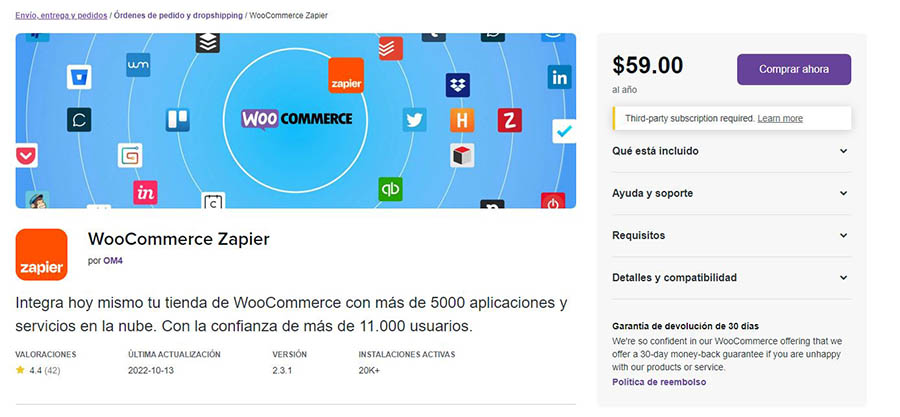
The WooCommerce Zapier Extension is an official plugin that allows you to connect WooCommerce with Zapier, enabling automation between WooCommerce and over 3,000 apps. With this extension, you can automate tasks like sending order details to Google Sheets, adding new customers to your email list, or posting sales notifications to Slack. The setup is simple, and you can create Zaps (automated workflows) without any coding. This extension is perfect for store owners who want to streamline their workflows and reduce manual data entry. It’s especially useful for integrating WooCommerce with tools that don’t have native integrations, such as project management apps or custom databases.
- Official WooCommerce Integration: Developed by WooCommerce, ensuring compatibility and reliability with your store.
- 3,000+ App Connections: Connect WooCommerce with apps like Trello, QuickBooks, Mailchimp, and more.
- Real-Time Triggers: Automatically trigger actions in other apps as soon as events occur in WooCommerce, such as new orders or customer sign-ups.
- Multi-Step Workflows: Create complex automations with multiple actions and conditions.
- No Coding Required: Set up automations using a simple, user-friendly interface.
7. WooCommerce Subscriptions

WooCommerce Subscriptions is a premium plugin that allows you to sell subscription-based products and services on your WooCommerce store. It automates recurring payments, subscription renewals, and customer notifications, making it easy to manage recurring revenue streams. The plugin supports multiple billing schedules, free trials, and sign-up fees, giving you flexibility in how you structure your subscriptions. It also includes features like automatic retries for failed payments, subscription switching, and detailed reporting. WooCommerce Subscriptions is ideal for store owners who want to offer memberships, software-as-a-service (SaaS), or any other recurring billing model without manual intervention.
- Recurring Payments: Automatically charge customers on a weekly, monthly, or yearly basis for subscription products.
- Multiple Billing Schedules: Offer subscriptions with different billing intervals, such as monthly, quarterly, or annually.
- Free Trials and Sign-Up Fees: Provide free trials or charge a one-time sign-up fee for new subscribers.
- Automatic Retries for Failed Payments: Automatically retry failed payments to reduce subscription cancellations.
- Subscription Switching: Allow customers to upgrade or downgrade their subscription plans without manual intervention.
8. WooCommerce Bookings

WooCommerce Bookings is a premium plugin that allows you to sell bookable products and services on your WooCommerce store. It automates the booking process, including availability management, customer notifications, and payment collection. The plugin supports features like buffer times, minimum and maximum booking durations, and custom pricing based on time slots or customer groups. It’s perfect for businesses that offer appointments, rentals, or events, such as salons, hotels, or fitness classes. WooCommerce Bookings integrates seamlessly with WooCommerce and other plugins, making it easy to manage your bookings without manual effort.
- Automated Booking Management: Automatically manage availability, confirm bookings, and send notifications to customers.
- Customizable Time Slots: Set up specific time slots, buffer times, and minimum/maximum booking durations.
- Customer Notifications: Send automated emails or SMS messages to confirm bookings, reminders, and follow-ups.
- Dynamic Pricing: Adjust pricing based on time slots, customer groups, or booking duration.
- Calendar Sync: Sync bookings with Google Calendar or other calendar apps to avoid double bookings.
9. WooCommerce Memberships

WooCommerce Memberships is a premium plugin that allows you to create and manage membership plans on your WooCommerce store. It automates the process of granting access to members-only content, products, or discounts based on their membership level. The plugin integrates seamlessly with WooCommerce Subscriptions, allowing you to offer recurring membership plans. You can also restrict content, such as blog posts or product pages, to specific membership tiers. WooCommerce Memberships is ideal for store owners who want to offer exclusive content, products, or services to their members without manual management. It’s perfect for online courses, digital products, or community-based businesses.
- Membership Plans: Create multiple membership tiers with different access levels and benefits.
- Content Restriction: Restrict access to pages, posts, or products based on membership status.
- Automated Access Control: Automatically grant or revoke access to members based on their subscription status.
- Member Discounts: Offer exclusive discounts to members on specific products or categories.
- Integration with Subscriptions: Combine with WooCommerce Subscriptions to offer recurring membership plans.
10. HubSpot for WooCommerce

HubSpot for WooCommerce is a free plugin that connects your WooCommerce store with HubSpot’s powerful CRM and marketing automation tools. It allows you to sync customer data, track purchases, and automate marketing campaigns based on customer behavior. For example, you can send personalized emails to customers who abandon their carts, segment customers based on their purchase history, or trigger follow-up sequences after a purchase. The plugin also includes features like lead scoring, live chat, and detailed analytics to help you grow your business. HubSpot for WooCommerce is ideal for store owners who want to leverage HubSpot’s CRM and marketing tools to automate their customer engagement and drive sales.
- CRM Integration: Sync WooCommerce customer data with HubSpot’s CRM for a unified view of your customers.
- Abandoned Cart Recovery: Automatically send emails to customers who leave items in their cart without completing the purchase.
- Customer Segmentation: Segment customers based on their purchase history, behavior, or other criteria for targeted marketing.
- Lead Scoring: Assign scores to customers based on their interactions with your store to prioritize follow-ups.
- Live Chat: Engage with customers in real-time using HubSpot’s live chat feature.
Frequently Asked Questions
What are the best WooCommerce automations for beginners?
For beginners, the best WooCommerce automations are those that are easy to set up and provide immediate value. Start with tools like AutomateWoo for abandoned cart recovery and personalized email campaigns. Uncanny Automator is also great for connecting WooCommerce with other plugins without coding. If you use external tools like Mailchimp or Slack, Zapier for WooCommerce is a simple way to automate workflows. These tools require minimal setup and can significantly reduce manual work while boosting sales and customer engagement.
How can I automate abandoned cart recovery in WooCommerce?
Automating abandoned cart recovery in WooCommerce is easy with plugins like AutomateWoo or WooCommerce Follow-Ups. These tools allow you to send automated emails or SMS messages to customers who leave items in their cart without completing the purchase. You can customize the timing, content, and even include discount codes to incentivize them to return. For example, you can send a reminder email 1 hour after abandonment, followed by a discount offer 24 hours later. These plugins also track recovery rates, so you can measure the effectiveness of your campaigns.
Can I automate customer follow-ups after a purchase?
Yes, you can automate customer follow-ups after a purchase using plugins like AutomateWoo, WooCommerce Follow-Ups, or HubSpot for WooCommerce. These tools allow you to send personalized thank-you emails, request reviews, or offer upsell recommendations based on the customer’s purchase. For example, you can set up a sequence that sends a thank-you email immediately after purchase, followed by a review request a week later, and a discount offer for related products two weeks after that. Automating follow-ups helps build customer loyalty and increases the chances of repeat purchases.
What is the best way to automate WooCommerce with CRM tools?
The best way to automate WooCommerce with CRM tools is by using plugins like WP Fusion or HubSpot for WooCommerce. WP Fusion connects WooCommerce with popular CRMs like ActiveCampaign, HubSpot, and Infusionsoft, allowing you to sync customer data, track purchases, and automate workflows. HubSpot for WooCommerce offers a free integration with HubSpot’s CRM, enabling you to segment customers, send automated emails, and track interactions. Both tools allow you to automate tasks like tagging customers based on their purchases, sending follow-up sequences, and syncing user roles with CRM data.
How can I automate recurring payments in WooCommerce?
To automate recurring payments in WooCommerce, use the WooCommerce Subscriptions plugin. This premium plugin allows you to create subscription-based products with automated billing, renewals, and customer notifications. You can set up different billing schedules (e.g., weekly, monthly, yearly), offer free trials, and charge sign-up fees. The plugin also handles failed payment retries and subscription switching, making it easy to manage recurring revenue streams without manual intervention. It’s ideal for businesses that offer memberships, SaaS products, or any other recurring billing model.
Are there free WooCommerce automation tools available?
Yes, there are free WooCommerce automation tools available, though they may have limited features compared to premium options. For example, Uncanny Automator offers a free version that allows you to create basic automations between WooCommerce and other plugins. HubSpot for WooCommerce is free to install and includes CRM integration, abandoned cart recovery, and basic email automation. Zapier also offers a free plan with limited tasks, which can be used to connect WooCommerce with other apps. While these free tools are a great starting point, you may need to upgrade to a paid plan for advanced features.
How do I choose the right WooCommerce automation tool for my store?
Choosing the right WooCommerce automation tool depends on your specific needs and goals. Start by identifying the tasks you want to automate, such as abandoned cart recovery, customer follow-ups, or CRM integration. If you need a no-code solution, Uncanny Automator or Zapier are great choices. For email marketing automation, consider AutomateWoo or WooCommerce Follow-Ups. If you rely on a CRM, WP Fusion or HubSpot for WooCommerce are excellent options. Also, consider your budget and whether you need a free or premium tool. Finally, check reviews and compatibility with your existing plugins to ensure a smooth integration.