best wordpress themes for blogs


Choosing the right WordPress theme for your blog can make a big difference in how your content looks and performs. The best themes balance clean design, speed, and customization without overwhelming you with unnecessary features. Whether you’re running a personal blog, a business site, or a niche content hub, the theme you pick should align with your goals—whether that’s readability, SEO, or monetization.
A good blog theme should load quickly, work well on mobile, and offer enough flexibility to match your brand without requiring coding skills. Some themes come packed with built-in tools like drag-and-drop editors, while others keep things minimal for better performance. The key is finding one that fits your style and technical comfort level.
I’ve assembled a list below of the best options for WordPress themes for blogs. These picks cover a range of needs, from lightweight frameworks to feature-rich designs, so you can find something that works for you.
📋 Table of Contents
1. Astra

Astra is one of the most popular WordPress themes for bloggers, known for its lightning-fast performance and lightweight design. It’s a versatile theme that works well for personal blogs, business websites, and even eCommerce stores. Astra is highly customizable, offering pre-built starter templates that can be imported with just a few clicks, making it ideal for beginners and experienced users alike. The theme is also SEO-friendly, ensuring your blog ranks well on search engines. Astra’s compatibility with popular page builders like Elementor, Beaver Builder, and Brizy makes it a flexible choice for anyone looking to create a unique blog without coding.
- Lightweight and Fast: Astra is built for speed, with a minimal footprint that ensures your blog loads quickly, improving user experience and SEO rankings.
- Pre-Built Starter Templates: Choose from hundreds of professionally designed templates that can be imported and customized to match your brand.
- SEO Optimized: Astra is built with clean code and follows best SEO practices, helping your blog rank higher in search engine results.
- Page Builder Compatibility: Works seamlessly with popular page builders like Elementor, Beaver Builder, and Gutenberg, giving you full control over your blog’s design.
- WooCommerce Ready: If you plan to monetize your blog with an online store, Astra is fully compatible with WooCommerce, offering a smooth shopping experience for your readers.
2. GeneratePress

GeneratePress is a lightweight and highly customizable WordPress theme that’s perfect for bloggers who prioritize speed and performance. It’s built with a focus on simplicity, making it easy to use while still offering advanced customization options for those who need them. GeneratePress is compatible with all major page builders and follows WordPress coding standards, ensuring your blog remains secure and stable. The theme is also fully responsive, meaning your blog will look great on any device, from desktops to smartphones. With its modular approach, you can enable or disable features as needed, keeping your site lean and fast.
- Lightweight and Fast: GeneratePress is one of the fastest WordPress themes, with a small file size that ensures quick loading times.
- Modular Design: Enable or disable features as needed, keeping your site lightweight and optimized for performance.
- Responsive and Mobile-Friendly: Your blog will look great on any device, thanks to GeneratePress’s fully responsive design.
- SEO-Friendly: Built with clean code and best SEO practices, helping your blog rank higher in search engine results.
- Page Builder Compatibility: Works seamlessly with popular page builders like Elementor, Beaver Builder, and Gutenberg.
3. Divi
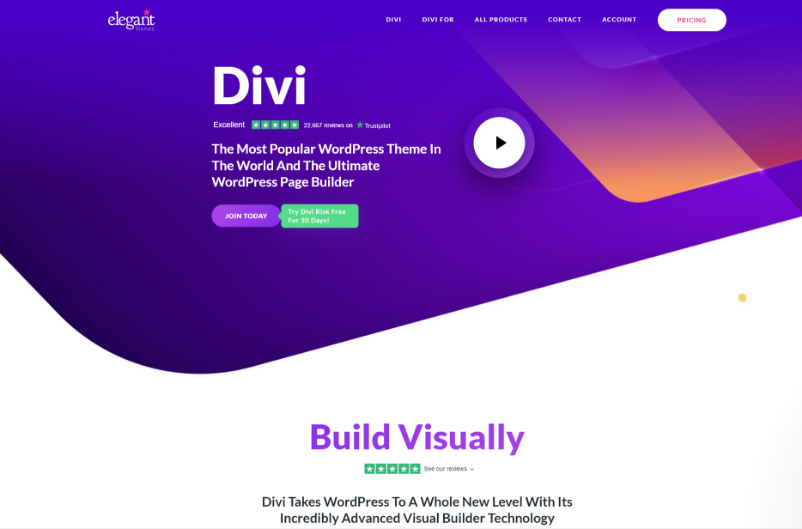
Divi is a powerful and versatile WordPress theme that comes with its own built-in page builder, making it a great choice for bloggers who want full control over their site’s design. Unlike other themes, Divi doesn’t require any additional plugins to create stunning layouts—everything is built into the theme itself. It offers a drag-and-drop interface, allowing you to customize every aspect of your blog without touching a single line of code. Divi also includes hundreds of pre-made templates, making it easy to get started quickly. Whether you’re a beginner or an experienced blogger, Divi’s flexibility and ease of use make it a top choice for creating a professional-looking blog.
- Built-In Page Builder: Divi comes with its own drag-and-drop page builder, eliminating the need for additional plugins like Elementor or Beaver Builder.
- Hundreds of Pre-Made Templates: Choose from a vast library of professionally designed templates to kickstart your blog’s design.
- Fully Customizable: Customize every aspect of your blog’s design, from fonts and colors to layouts and animations, without any coding.
- Responsive Design: Divi ensures your blog looks great on all devices, from desktops to smartphones.
- SEO Optimized: Built with clean code and best SEO practices, helping your blog rank higher in search engine results.
4. OceanWP
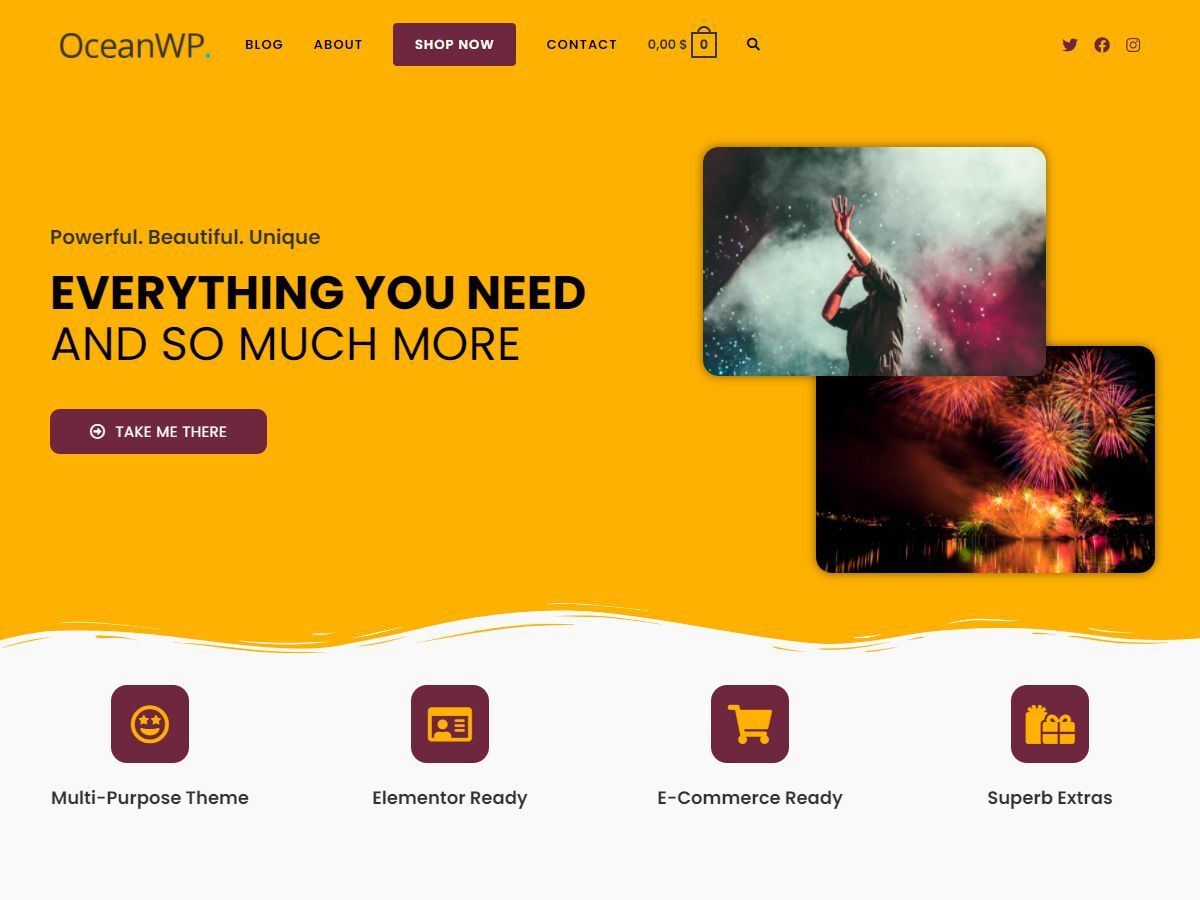
OceanWP is a multipurpose WordPress theme that’s perfect for bloggers who want a flexible and feature-rich design. It offers a wide range of customization options, including multiple header styles, blog layouts, and WooCommerce integration, making it suitable for both personal and professional blogs. OceanWP is also lightweight and fast, ensuring your blog loads quickly and provides a great user experience. The theme is compatible with popular page builders like Elementor and Beaver Builder, giving you the freedom to create a unique blog without any coding. With its extensive library of extensions and demos, OceanWP is a great choice for bloggers who want a theme that can grow with their needs.
- Multipurpose Design: OceanWP is versatile enough to work for any type of blog, from personal journals to professional business sites.
- Lightweight and Fast: Optimized for speed, ensuring your blog loads quickly and provides a smooth user experience.
- Extensive Customization Options: Choose from multiple header styles, blog layouts, and color schemes to create a unique look for your blog.
- WooCommerce Integration: Fully compatible with WooCommerce, making it easy to monetize your blog with an online store.
- Page Builder Compatibility: Works seamlessly with popular page builders like Elementor, Beaver Builder, and Gutenberg.
5. Neve
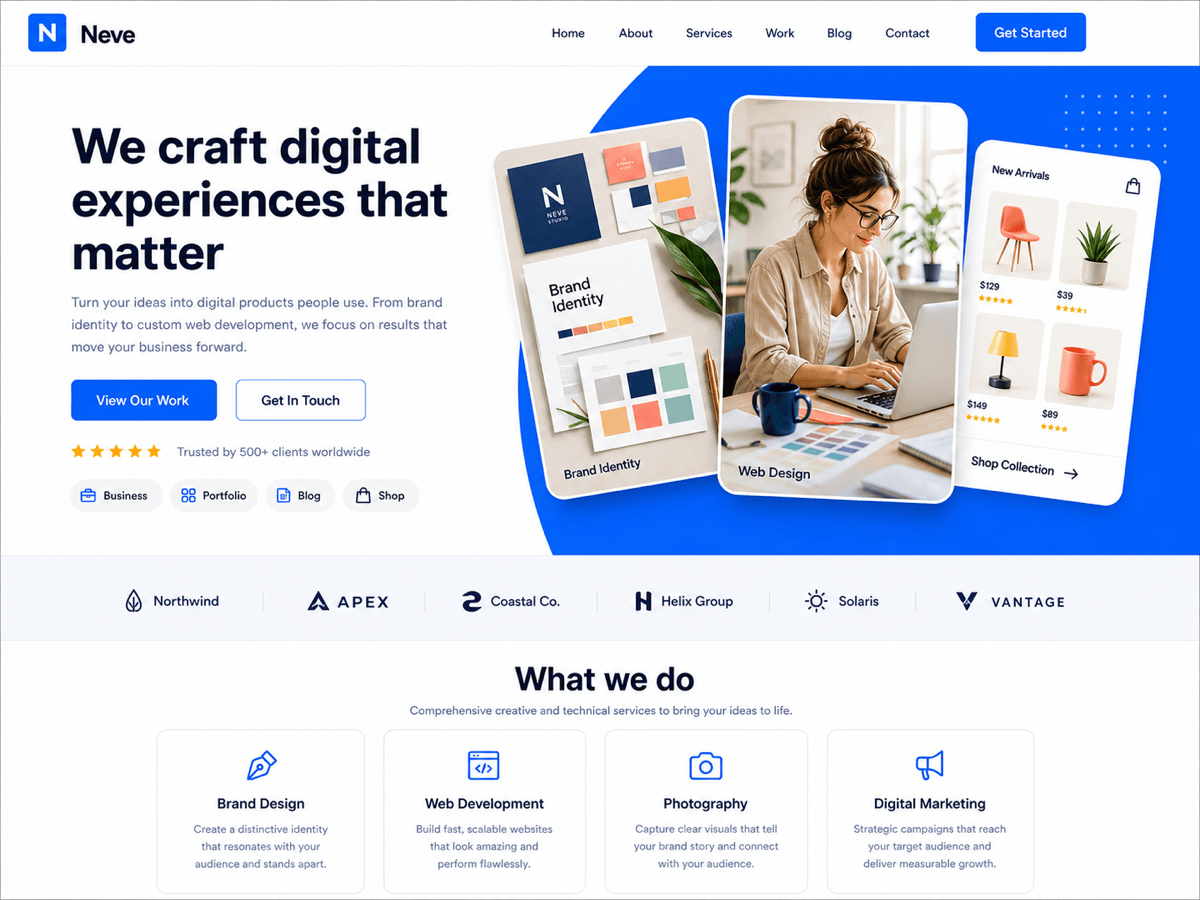
Neve is a lightweight and fast WordPress theme designed for bloggers who want a clean and modern design. It’s built with a mobile-first approach, ensuring your blog looks great on all devices, from smartphones to desktops. Neve is also highly customizable, offering a range of starter sites and compatibility with popular page builders like Elementor and Beaver Builder. The theme is SEO-friendly and optimized for speed, helping your blog rank higher in search engine results. Neve’s simplicity and ease of use make it a great choice for beginners, while its advanced customization options cater to more experienced bloggers.
- Mobile-First Design: Neve is built with a mobile-first approach, ensuring your blog looks great on all devices.
- Lightweight and Fast: Optimized for speed, ensuring your blog loads quickly and provides a smooth user experience.
- Starter Sites: Choose from a range of pre-made starter sites to quickly set up your blog’s design.
- Page Builder Compatibility: Works seamlessly with popular page builders like Elementor, Beaver Builder, and Gutenberg.
- SEO-Friendly: Built with clean code and best SEO practices, helping your blog rank higher in search engine results.
6. Kadence
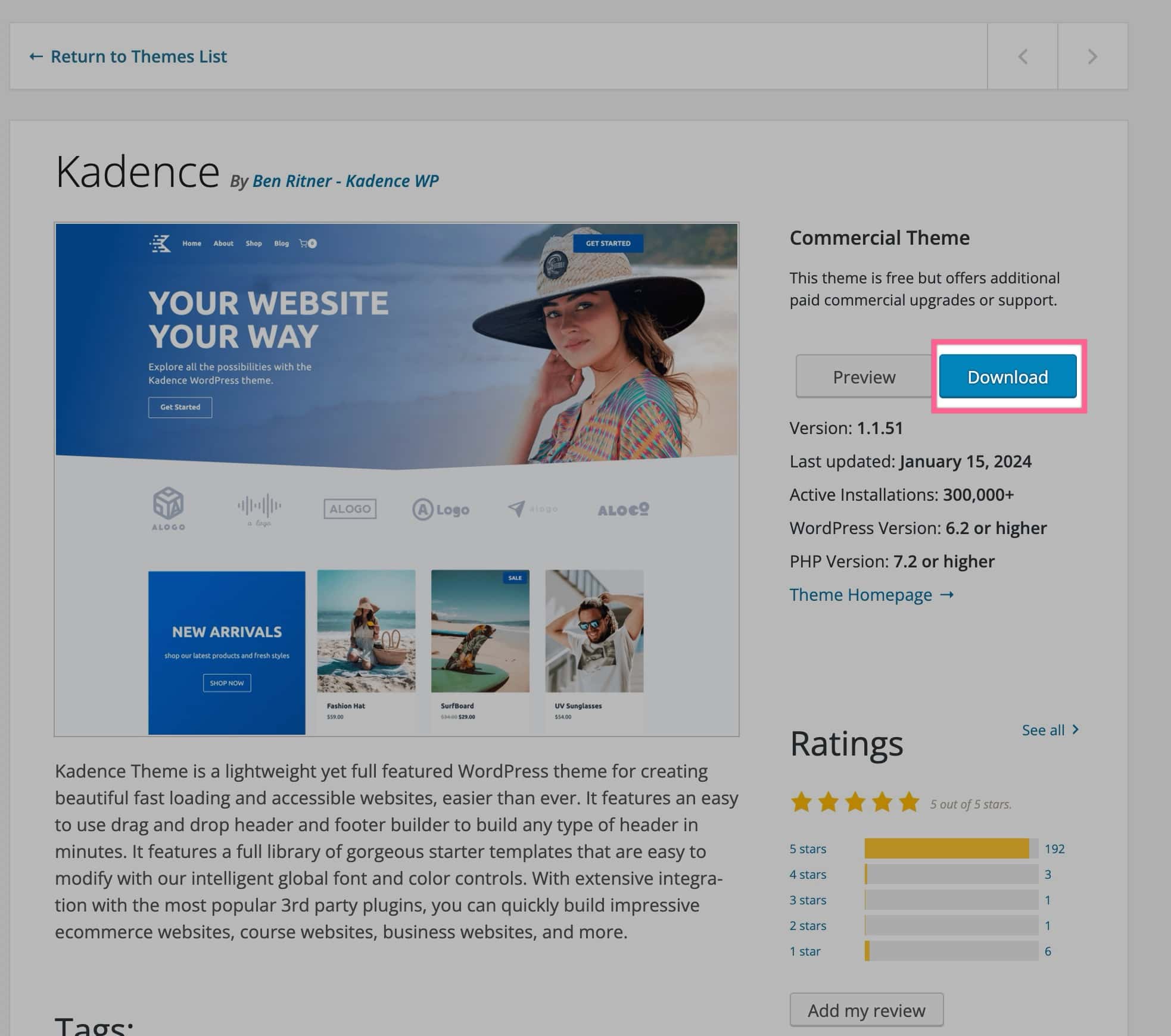
Kadence is a modern and flexible WordPress theme that’s perfect for bloggers who want a clean and professional design. It offers a range of customization options, including a drag-and-drop header and footer builder, making it easy to create a unique look for your blog. Kadence is also lightweight and fast, ensuring your blog loads quickly and provides a great user experience. The theme is compatible with popular page builders like Elementor and Beaver Builder, giving you the freedom to customize your blog without any coding. With its extensive library of starter templates and advanced features, Kadence is a great choice for bloggers who want a theme that can grow with their needs.
- Drag-and-Drop Header and Footer Builder: Easily customize your blog’s header and footer with a drag-and-drop interface, without any coding.
- Lightweight and Fast: Optimized for speed, ensuring your blog loads quickly and provides a smooth user experience.
- Starter Templates: Choose from a range of pre-made starter templates to quickly set up your blog’s design.
- Page Builder Compatibility: Works seamlessly with popular page builders like Elementor, Beaver Builder, and Gutenberg.
- SEO-Friendly: Built with clean code and best SEO practices, helping your blog rank higher in search engine results.
7. Hestia

Hestia is a modern and stylish WordPress theme designed for bloggers who want a clean and professional design. It offers a range of customization options, including a live customizer that allows you to see changes in real-time. Hestia is also lightweight and fast, ensuring your blog loads quickly and provides a great user experience. The theme is compatible with popular page builders like Elementor and Beaver Builder, giving you the freedom to customize your blog without any coding. With its one-page design and WooCommerce integration, Hestia is a great choice for bloggers who want a theme that’s both stylish and functional.
- Live Customizer: See changes in real-time with Hestia’s live customizer, making it easy to customize your blog’s design.
- Lightweight and Fast: Optimized for speed, ensuring your blog loads quickly and provides a smooth user experience.
- One-Page Design: Hestia’s one-page design is perfect for bloggers who want a clean and modern look.
- WooCommerce Integration: Fully compatible with WooCommerce, making it easy to monetize your blog with an online store.
- Page Builder Compatibility: Works seamlessly with popular page builders like Elementor, Beaver Builder, and Gutenberg.
8. Soledad
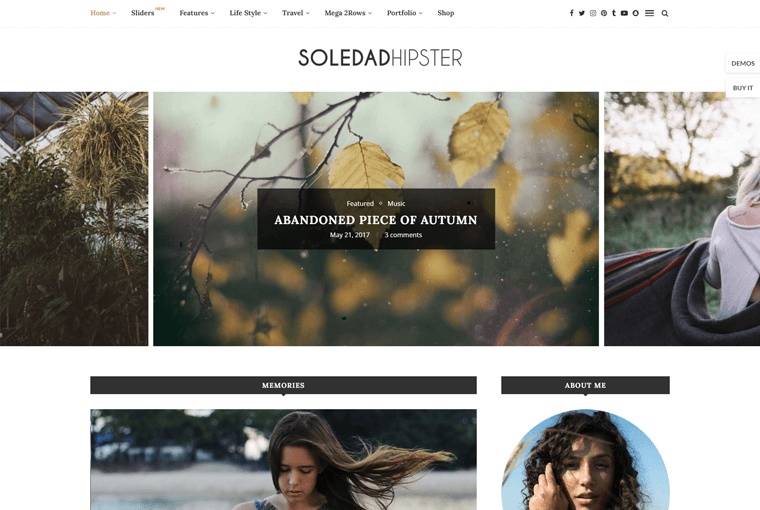
Soledad is a multipurpose WordPress theme designed specifically for bloggers and online magazines. It offers a wide range of customization options, including over 6,800 homepage demos and multiple blog layouts, making it one of the most versatile themes available. Soledad is also optimized for speed and SEO, ensuring your blog ranks well in search engine results. The theme is compatible with popular page builders like Elementor and WPBakery, giving you the freedom to create a unique blog without any coding. With its extensive library of features and demos, Soledad is a great choice for bloggers who want a theme that can handle any type of content.
- 6,800+ Homepage Demos: Choose from a vast library of pre-made homepage demos to quickly set up your blog’s design.
- Multiple Blog Layouts: Soledad offers a variety of blog layouts, allowing you to create a unique look for your blog.
- SEO Optimized: Built with clean code and best SEO practices, helping your blog rank higher in search engine results.
- Page Builder Compatibility: Works seamlessly with popular page builders like Elementor and WPBakery.
- WooCommerce Integration: Fully compatible with WooCommerce, making it easy to monetize your blog with an online store.
9. Newspaper
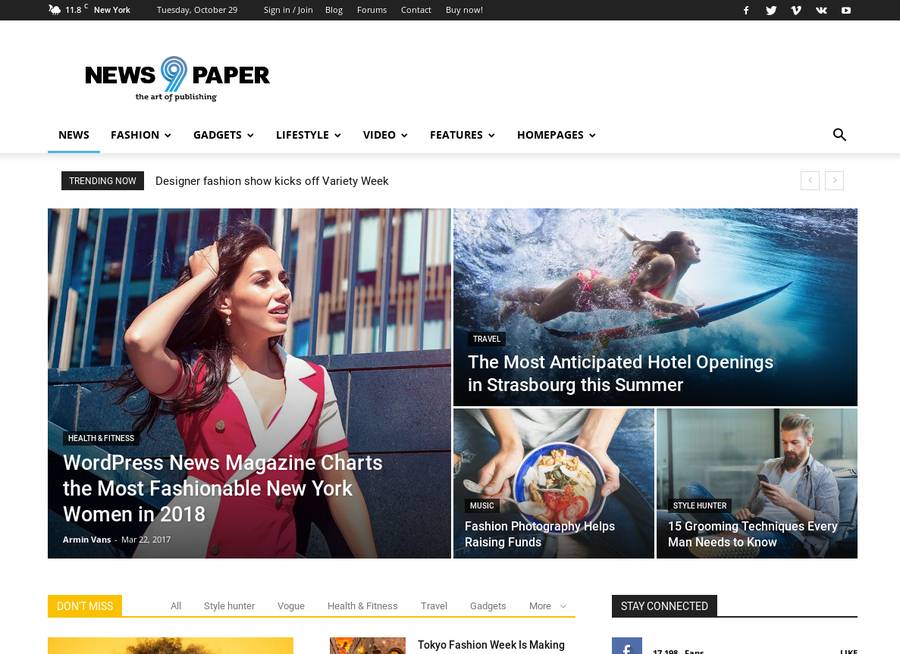
Newspaper is a popular WordPress theme designed for bloggers and online magazines. It offers a range of customization options, including multiple blog layouts, header styles, and color schemes, making it easy to create a unique look for your blog. Newspaper is also optimized for speed and SEO, ensuring your blog ranks well in search engine results. The theme is compatible with popular page builders like Elementor and WPBakery, giving you the freedom to customize your blog without any coding. With its extensive library of features and demos, Newspaper is a great choice for bloggers who want a theme that’s both stylish and functional.
- Multiple Blog Layouts: Newspaper offers a variety of blog layouts, allowing you to create a unique look for your blog.
- SEO Optimized: Built with clean code and best SEO practices, helping your blog rank higher in search engine results.
- Page Builder Compatibility: Works seamlessly with popular page builders like Elementor and WPBakery.
- WooCommerce Integration: Fully compatible with WooCommerce, making it easy to monetize your blog with an online store.
- Responsive Design: Newspaper ensures your blog looks great on all devices, from desktops to smartphones.
10. Authority Pro
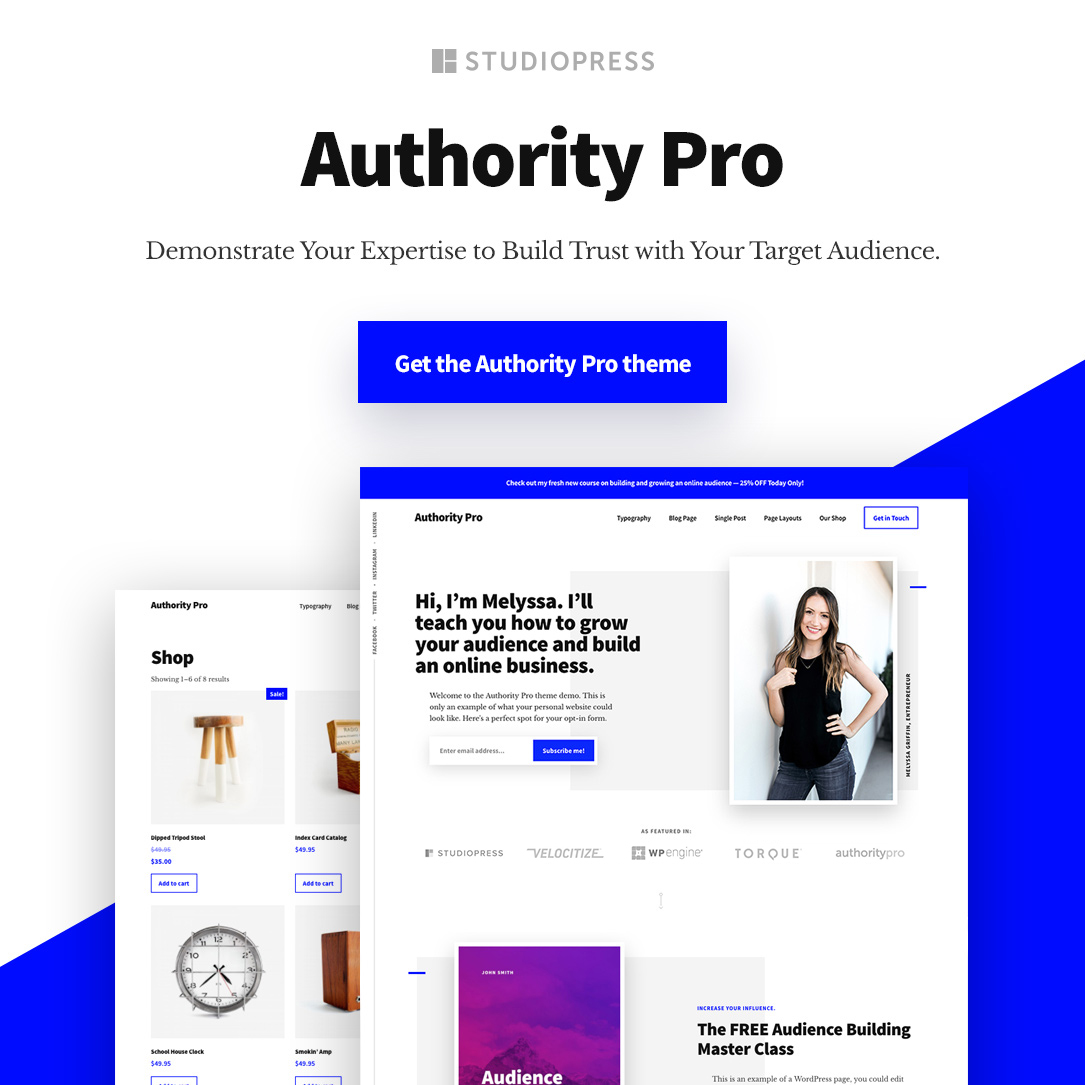
Authority Pro is a premium WordPress theme designed for bloggers who want to establish themselves as authorities in their niche. It offers a clean and professional design, with a focus on readability and user experience. Authority Pro is built on the Genesis Framework, which is known for its speed, security, and SEO optimization. The theme is also fully responsive, ensuring your blog looks great on all devices. With its customizable homepage and blog layouts, Authority Pro is a great choice for bloggers who want a theme that’s both stylish and functional. It’s particularly well-suited for bloggers in the business, finance, and self-improvement niches.
- Genesis Framework: Built on the Genesis Framework, which is known for its speed, security, and SEO optimization.
- Clean and Professional Design: Authority Pro offers a clean and professional design, perfect for bloggers who want to establish themselves as authorities in their niche.
- Fully Responsive: Your blog will look great on all devices, from desktops to smartphones.
- Customizable Homepage and Blog Layouts: Easily customize your blog’s homepage and blog layouts to match your brand.
- SEO-Friendly: Built with clean code and best SEO practices, helping your blog rank higher in search engine results.
Frequently Asked Questions
What is the best WordPress theme for a personal blog?
The best WordPress theme for a personal blog depends on your specific needs, but Astra and GeneratePress are two of the most popular choices. Both themes are lightweight, fast, and highly customizable, making them ideal for personal bloggers who want a clean and professional design. Astra offers a wide range of pre-built starter templates, while GeneratePress is known for its modular design and advanced customization options. Both themes are also SEO-friendly and compatible with popular page builders like Elementor and Beaver Builder.
Are free WordPress themes good for blogging?
Yes, free WordPress themes can be a great choice for blogging, especially if you’re just starting out. Many free themes, like Astra, GeneratePress, and OceanWP, offer a range of customization options and are optimized for speed and SEO. However, free themes may have limited features compared to their premium counterparts. If you need advanced customization options, additional templates, or premium support, you might want to consider upgrading to a premium theme. It’s also important to choose a theme from a reputable developer to ensure it’s well-coded and regularly updated.
How do I choose the right WordPress theme for my blog?
Choosing the right WordPress theme for your blog involves considering several factors. First, think about your blog’s niche and the type of content you’ll be publishing. For example, if you’re running a personal blog, you might want a theme with a clean and minimalist design, while a business blog might benefit from a more professional and feature-rich theme. Next, consider the theme’s customization options, speed, and SEO optimization. It’s also important to choose a theme that’s compatible with popular page builders like Elementor or Beaver Builder, as this will give you more flexibility in designing your blog. Finally, read reviews and check the theme’s update history to ensure it’s well-maintained and supported by the developer.
Can I switch WordPress themes without losing content?
Yes, you can switch WordPress themes without losing your content. Your blog posts, pages, and media are stored in your WordPress database, not in the theme itself. However, switching themes may affect the appearance of your blog, as different themes have different layouts, styles, and features. To minimize disruption, it’s a good idea to back up your site before switching themes and to test the new theme in a staging environment first. You may also need to reconfigure some settings, such as menus, widgets, and custom CSS, after switching themes.
What are the key features to look for in a WordPress blogging theme?
When choosing a WordPress theme for your blog, there are several key features to look for. First, ensure the theme is lightweight and fast, as this will improve your blog’s loading speed and user experience. Next, look for a theme that’s SEO-friendly, as this will help your blog rank higher in search engine results. Customization options are also important, as they allow you to create a unique look for your blog. Compatibility with popular page builders like Elementor or Beaver Builder is another key feature, as it gives you more flexibility in designing your blog. Finally, consider the theme’s responsiveness, as this ensures your blog looks great on all devices, from desktops to smartphones.
Is it worth paying for a premium WordPress theme?
Whether it’s worth paying for a premium WordPress theme depends on your specific needs and budget. Premium themes often offer more advanced features, customization options, and support than free themes. They may also include additional templates, plugins, and integrations that can enhance your blog’s functionality. If you’re serious about blogging and want a professional-looking site with advanced features, a premium theme can be a worthwhile investment. However, if you’re just starting out or have a limited budget, a free theme can still provide a great foundation for your blog. It’s also important to choose a premium theme from a reputable developer to ensure it’s well-coded and regularly updated.
How do I install a WordPress theme on my blog?
Installing a WordPress theme on your blog is a straightforward process. First, log in to your WordPress dashboard and navigate to Appearance > Themes. Click the Add New button at the top of the page, and you’ll be taken to the WordPress theme directory. Here, you can browse and search for themes, or upload a theme you’ve downloaded from a third-party site. Once you’ve found a theme you like, click the Install button, and WordPress will install the theme for you. After installation, click the Activate button to make the theme live on your blog. You can then customize the theme’s settings and appearance under Appearance > Customize.