
best broken link checker for wordpress


Broken links are a silent killer for WordPress sites. They frustrate visitors, hurt SEO rankings, and make your content look outdated. Even if you’re diligent about maintaining your site, links break over time—pages get deleted, domains expire, or URLs change without warning. That’s why a reliable broken link checker is essential for any WordPress user who cares about performance and user experience.
The right tool should scan your site efficiently, flag dead links without slowing you down, and offer straightforward fixes. Some plugins do this automatically, while others give you more control over how and when repairs happen. The best options balance accuracy, speed, and ease of use, so you’re not wasting time sifting through false positives or dealing with clunky interfaces.
I’ve tested the top broken link checkers for WordPress to see which ones actually deliver. Below is the list of the best options available right now.
📋 Table of Contents
1. Broken Link Checker by WPMU DEV

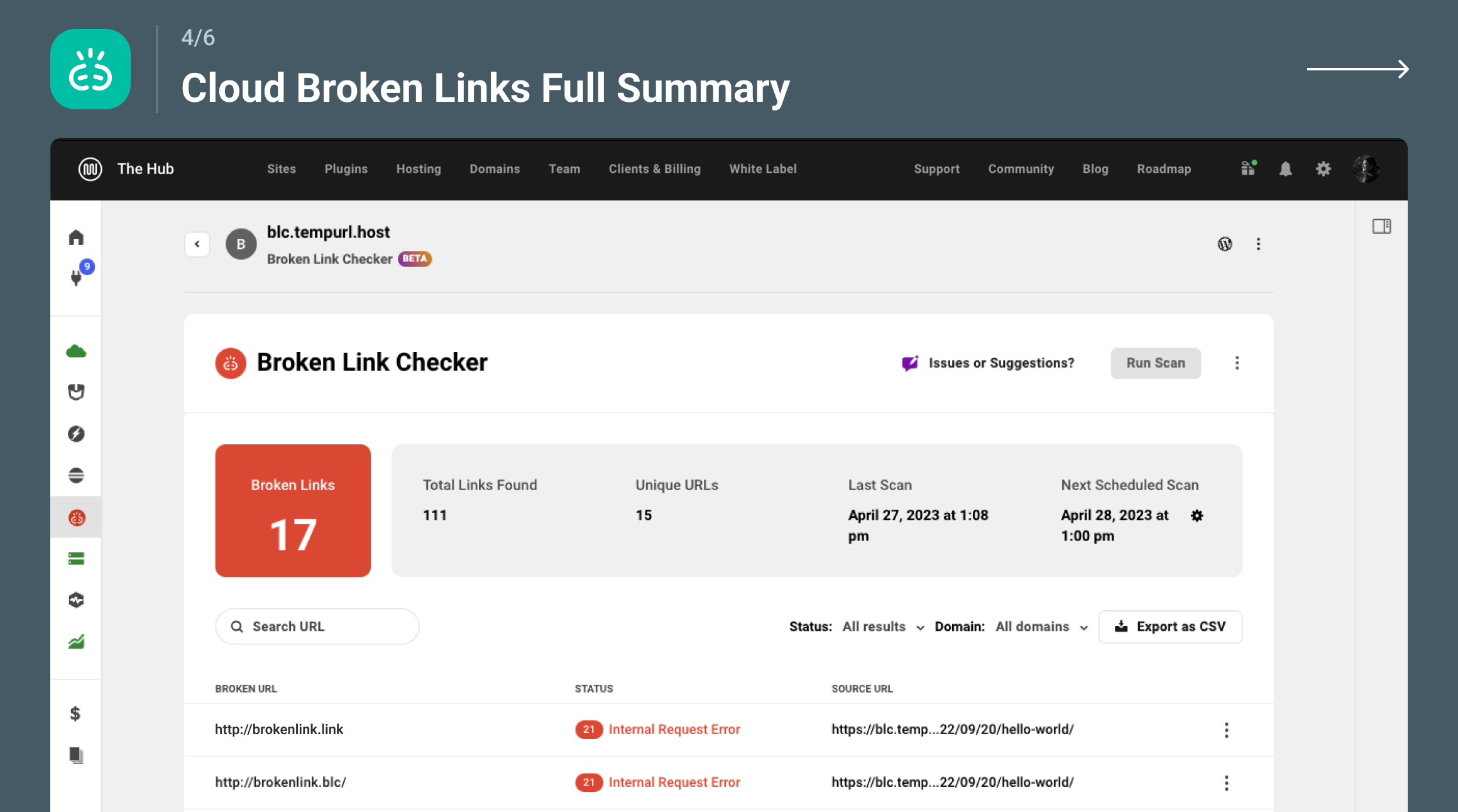
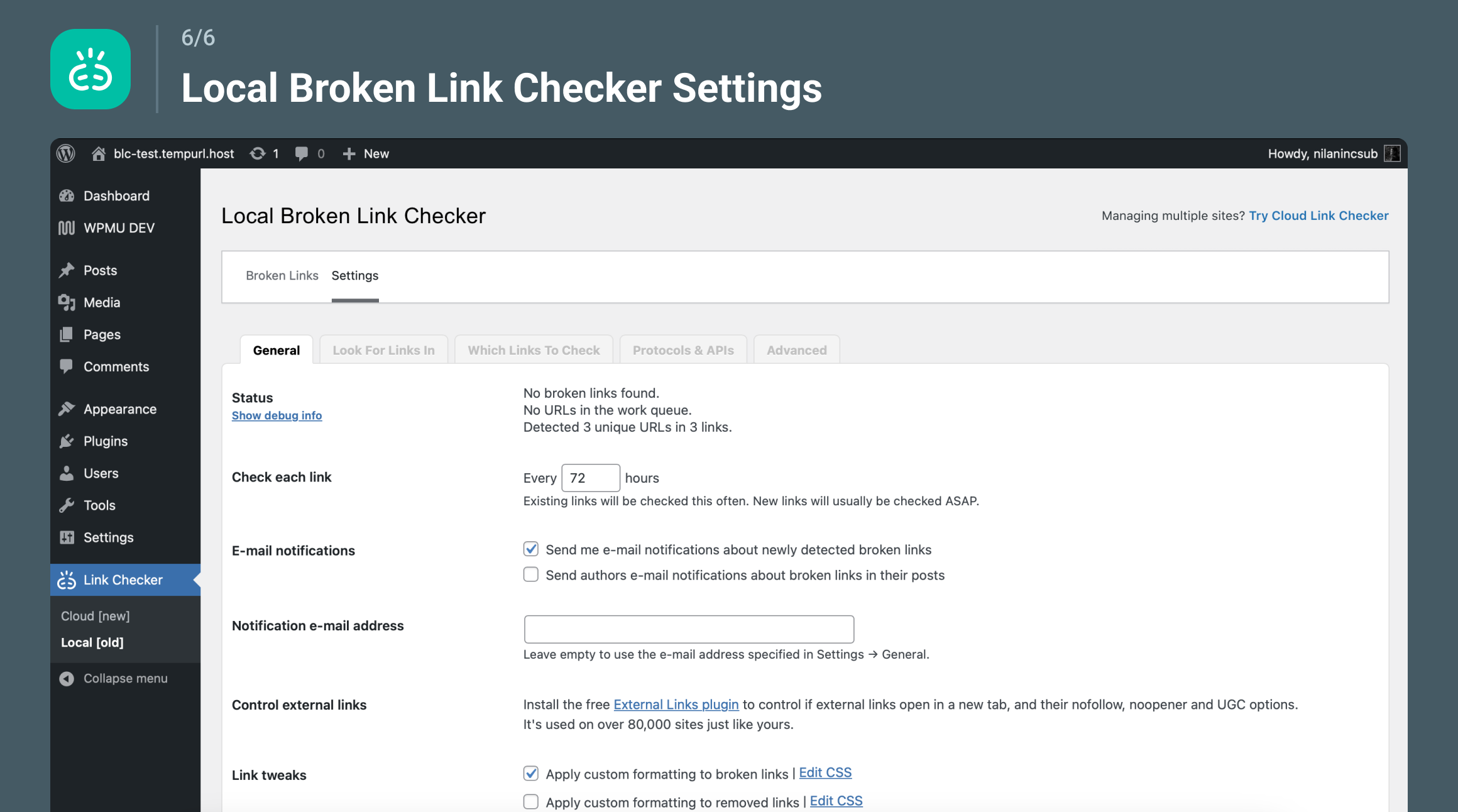
Broken Link Checker by WPMU DEV is one of the most popular and reliable plugins for detecting broken links on WordPress websites. This plugin scans your entire site, including posts, pages, comments, and even custom fields, to identify links that no longer work. It’s particularly useful for large websites with extensive content, as it can handle thousands of links efficiently. The plugin notifies you via email or the WordPress dashboard when it finds broken links, allowing you to fix them before they negatively impact your SEO or user experience. It also offers bulk editing features, so you can update or remove broken links in just a few clicks. This tool is ideal for bloggers, businesses, and agencies that need a robust solution to maintain their site’s health.
- Comprehensive Scanning: Scans posts, pages, comments, and custom fields to detect broken links, ensuring no area of your site is overlooked.
- Email and Dashboard Notifications: Sends alerts via email or directly in your WordPress dashboard when broken links are detected, so you can take immediate action.
- Bulk Editing: Allows you to edit or remove multiple broken links at once, saving time and effort, especially for large websites.
- Redirect Management: Helps you set up 301 redirects for broken links, ensuring visitors and search engines are directed to the correct pages.
- Customizable Search Settings: Lets you exclude specific domains or URLs from scans, giving you control over which links are checked.
2. Rank Math SEO

Rank Math SEO is a powerful all-in-one SEO plugin for WordPress that includes a built-in broken link checker as part of its suite of tools. While it’s primarily known for its SEO capabilities, its link management features are equally impressive. The plugin scans your site for broken links and provides detailed reports within the WordPress dashboard. It also offers suggestions for fixing these links, such as updating URLs or setting up redirects. Rank Math is perfect for users who want an all-in-one solution for SEO and site maintenance. Its user-friendly interface makes it accessible for beginners, while its advanced features cater to experienced users. The plugin is particularly useful for those who want to streamline their workflow by managing SEO and broken links in one place.
- Integrated SEO and Link Management: Combines broken link checking with advanced SEO tools, making it a comprehensive solution for site optimization.
- Detailed Reports: Provides in-depth reports on broken links, including their location and status codes, so you can quickly identify and fix issues.
- Automatic Redirects: Allows you to set up 301 redirects for broken links directly from the dashboard, improving user experience and SEO.
- Schema Markup Support: Enhances your site’s search engine visibility with built-in schema markup, which works alongside link management.
- User-Friendly Interface: Offers a clean and intuitive dashboard that makes it easy for beginners to manage broken links and SEO settings.
3. SEOPress
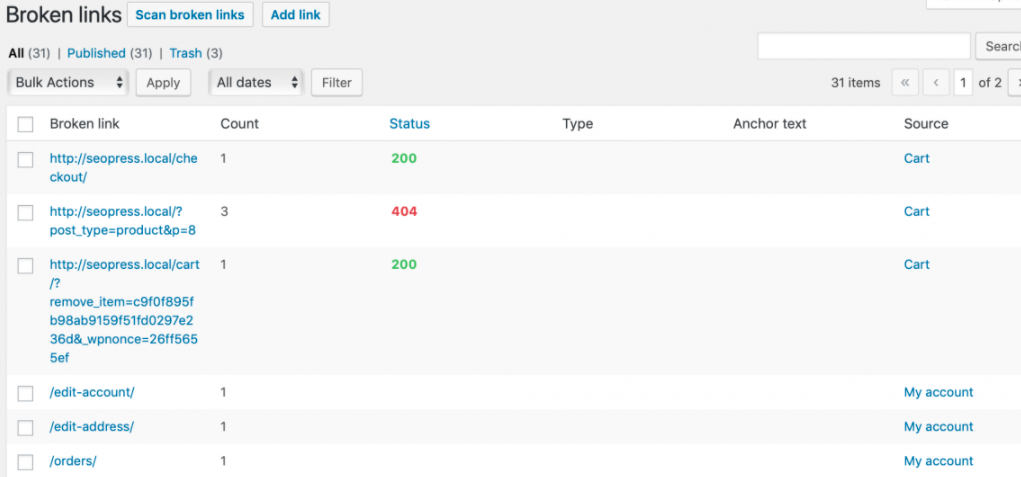
SEOPress is another all-in-one SEO plugin that includes a robust broken link checker. It’s designed to help WordPress users optimize their sites for search engines while also maintaining link health. The plugin scans your entire website for broken links and provides a detailed report, including the status codes of each link. SEOPress is known for its lightweight design and fast performance, making it a great choice for users who want a plugin that won’t slow down their site. It also offers features like XML sitemap generation, meta title and description management, and social media integration. SEOPress is ideal for bloggers, small businesses, and agencies that need a reliable and efficient tool for both SEO and link management.
- Lightweight and Fast: Designed to be lightweight, ensuring it doesn’t slow down your website while scanning for broken links.
- Comprehensive Link Reports: Provides detailed reports on broken links, including their location and HTTP status codes, so you can quickly address issues.
- XML Sitemap Generation: Automatically generates XML sitemaps to help search engines crawl your site more efficiently, complementing your link management efforts.
- Social Media Integration: Allows you to optimize your content for social media sharing, enhancing your site’s visibility alongside link management.
- White-Label Option: Offers a white-label option for agencies, allowing you to rebrand the plugin for client use.
4. Link Whisper
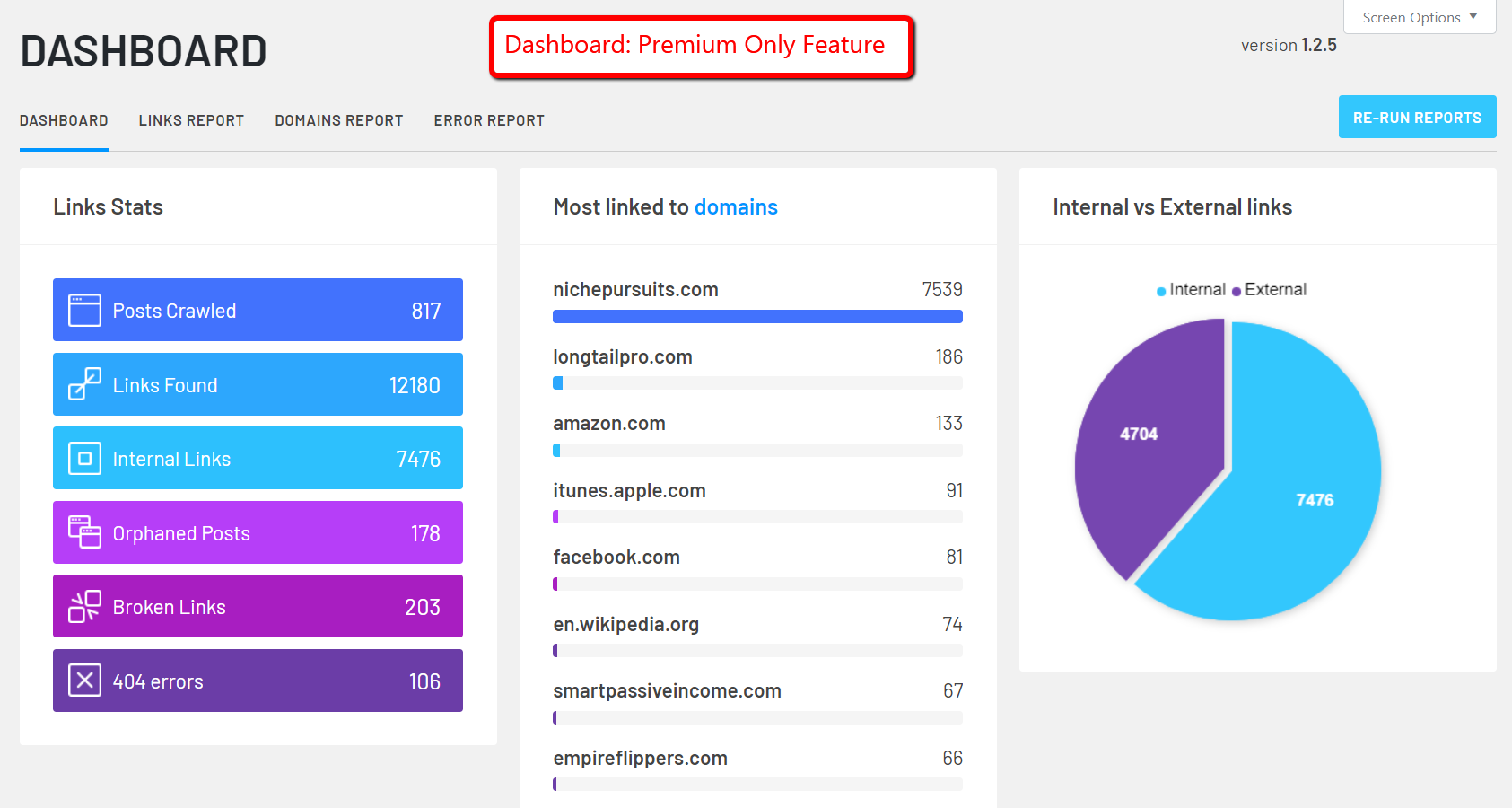
Link Whisper is a unique WordPress plugin that focuses on internal link building and broken link detection. Unlike traditional broken link checkers, Link Whisper uses AI to suggest relevant internal links as you write content, helping you improve your site’s SEO. It also scans your site for broken links and provides a detailed report, making it easy to fix issues. The plugin is particularly useful for content-heavy websites, such as blogs and news sites, where internal linking is crucial for SEO. Link Whisper’s intuitive interface and AI-driven suggestions make it a standout choice for users who want to enhance their site’s structure while keeping it free of broken links. It’s a great tool for bloggers, content marketers, and SEO professionals.
- AI-Powered Internal Link Suggestions: Uses artificial intelligence to suggest relevant internal links as you create content, improving your site’s SEO and structure.
- Broken Link Detection: Scans your site for broken links and provides a detailed report, so you can quickly identify and fix issues.
- Detailed Reports: Offers in-depth reports on broken links, including their location and status codes, making it easy to address problems.
- User-Friendly Interface: Features a clean and intuitive dashboard that simplifies the process of managing internal and broken links.
- Bulk Editing: Allows you to edit or remove multiple broken links at once, saving time and effort.
5. Ahrefs Broken Link Checker
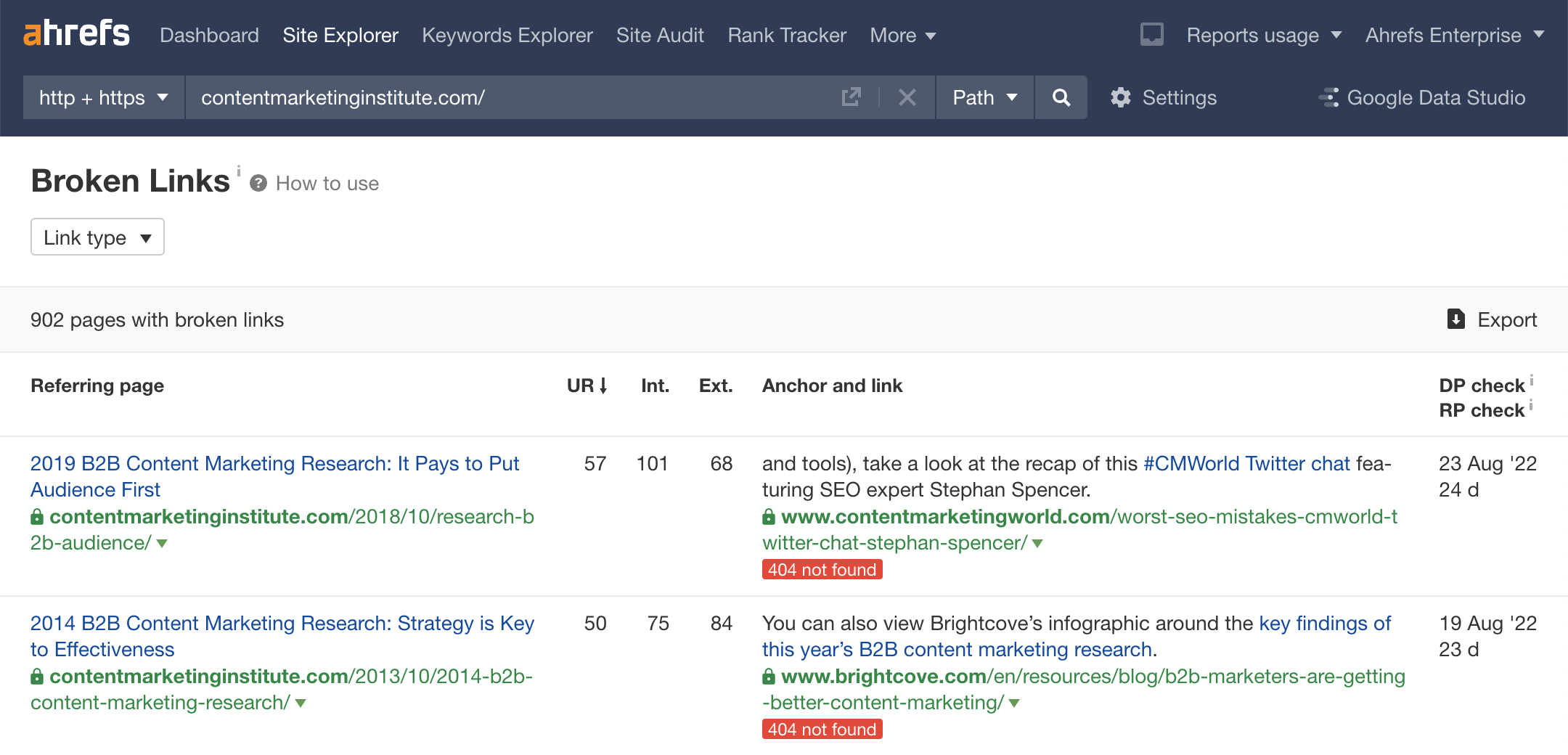
Ahrefs Broken Link Checker is a powerful online tool that helps you identify broken links on your WordPress site. While it’s not a WordPress plugin, it’s one of the most comprehensive tools available for link analysis. Ahrefs scans your site for broken links and provides a detailed report, including the status codes and referring pages. It’s particularly useful for SEO professionals and agencies that need a deep dive into their site’s link profile. The tool also offers insights into backlinks, allowing you to see which external sites are linking to your broken pages. Ahrefs is ideal for users who want a professional-grade tool for link management and SEO analysis. It’s a bit more advanced than some of the other options, but its features make it worth the investment for serious users.
- Comprehensive Link Analysis: Scans your entire site for broken links and provides a detailed report, including status codes and referring pages.
- Backlink Insights: Shows which external sites are linking to your broken pages, helping you prioritize fixes based on backlink value.
- Advanced SEO Tools: Includes a suite of SEO tools, such as keyword research and competitor analysis, making it a versatile choice for professionals.
- User-Friendly Dashboard: Offers a clean and intuitive dashboard that makes it easy to navigate and understand your link data.
- Regular Updates: Provides regular updates and new features, ensuring you always have access to the latest tools for link management.
6. Screaming Frog SEO Spider
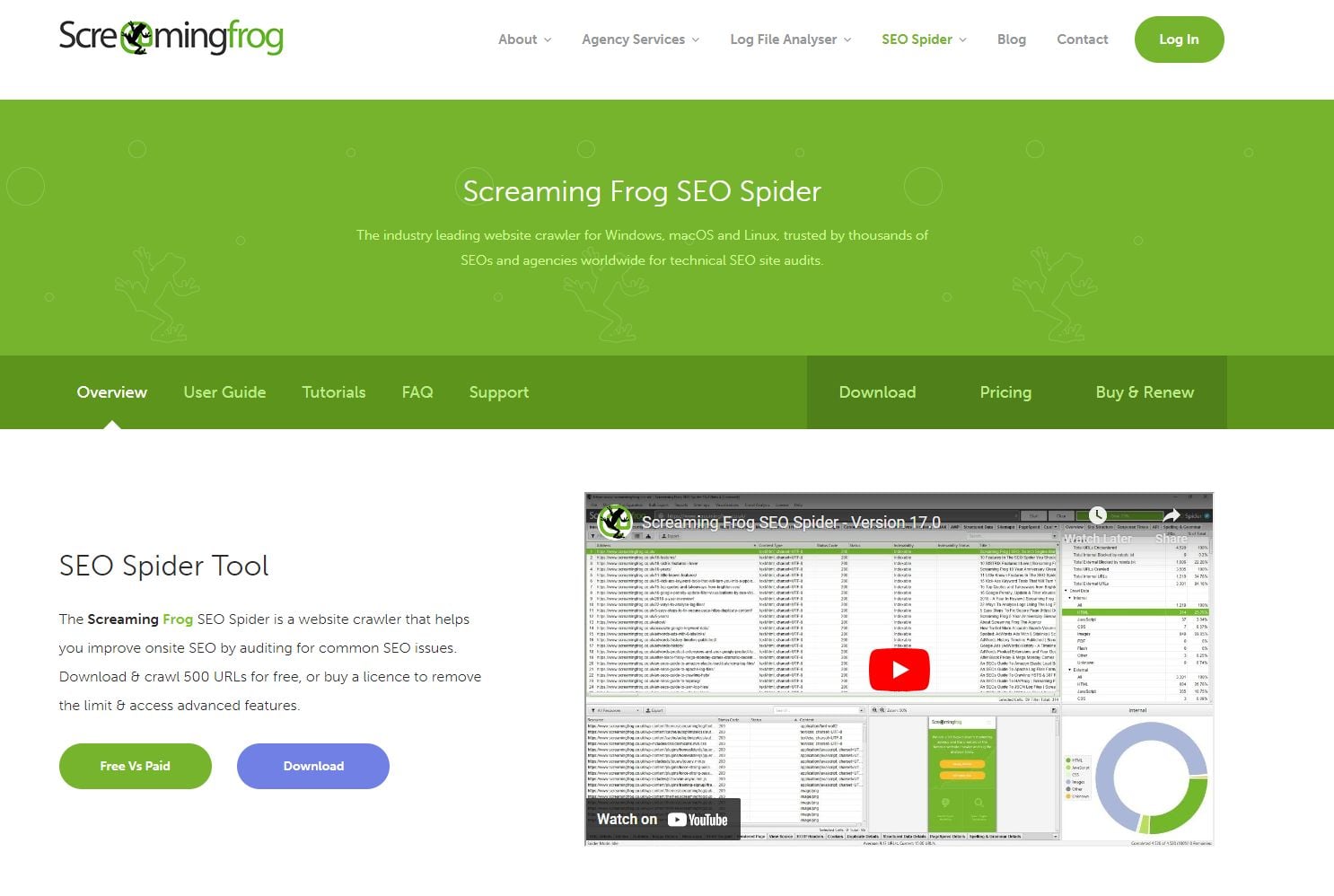
Screaming Frog SEO Spider is a desktop-based tool that crawls your WordPress site to identify broken links, among other SEO issues. While it’s not a WordPress plugin, it’s one of the most powerful tools available for technical SEO. The tool scans your entire site, including internal and external links, and provides a detailed report with status codes. It’s particularly useful for large websites with complex structures, as it can handle thousands of pages efficiently. Screaming Frog is ideal for SEO professionals, agencies, and advanced users who need a deep dive into their site’s technical health. The tool also offers features like XML sitemap generation, meta data analysis, and duplicate content detection, making it a comprehensive solution for site optimization.
- Deep Site Crawling: Crawls your entire site, including internal and external links, to identify broken links and other SEO issues.
- Detailed Reports: Provides in-depth reports on broken links, including their location, status codes, and referring pages.
- XML Sitemap Generation: Automatically generates XML sitemaps to help search engines crawl your site more efficiently.
- Meta Data Analysis: Analyzes meta titles, descriptions, and other on-page elements to ensure they’re optimized for SEO.
- Duplicate Content Detection: Identifies duplicate content on your site, helping you improve your SEO and user experience.
7. Dr. Link Check
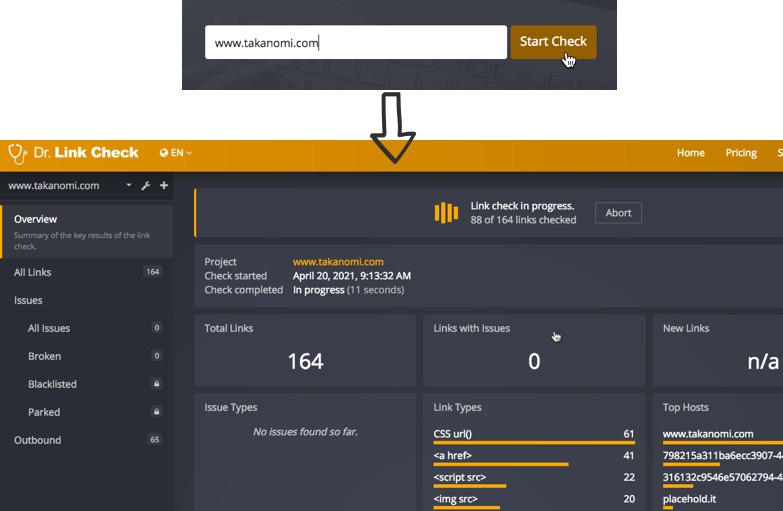
Dr. Link Check is an online tool that scans your WordPress site for broken links and provides a detailed report. It’s a simple yet effective solution for users who want a quick and easy way to identify broken links without installing a plugin. The tool scans your entire site, including internal and external links, and provides a report with status codes and referring pages. Dr. Link Check is particularly useful for small businesses, bloggers, and non-technical users who need a straightforward tool for link management. It’s also a great option for users who prefer not to install additional plugins on their WordPress site. The tool offers a free plan with limited scans, as well as paid plans for more extensive use.
- Easy-to-Use Interface: Offers a simple and intuitive interface that makes it easy to scan your site for broken links.
- Detailed Reports: Provides in-depth reports on broken links, including their location, status codes, and referring pages.
- No Plugin Required: Works as an online tool, so you don’t need to install a plugin on your WordPress site.
- Free Plan Available: Offers a free plan with limited scans, making it accessible for users with small sites or budgets.
- Scheduled Scans: Allows you to schedule regular scans, ensuring your site is always free of broken links.
8. All in One SEO (AIOSEO)
All in One SEO (AIOSEO) is a popular WordPress plugin that includes a built-in broken link checker as part of its suite of SEO tools. The plugin scans your site for broken links and provides a detailed report within the WordPress dashboard. It also offers features like XML sitemap generation, meta title and description management, and social media integration. AIOSEO is known for its user-friendly interface and comprehensive features, making it a great choice for beginners and experienced users alike. The plugin is particularly useful for bloggers, small businesses, and agencies that need a reliable tool for both SEO and link management. With its broken link checker, you can ensure your site remains healthy and optimized for search engines.
- Integrated SEO and Link Management: Combines broken link checking with advanced SEO tools, making it a comprehensive solution for site optimization.
- Detailed Reports: Provides in-depth reports on broken links, including their location and status codes, so you can quickly identify and fix issues.
- XML Sitemap Generation: Automatically generates XML sitemaps to help search engines crawl your site more efficiently.
- Social Media Integration: Allows you to optimize your content for social media sharing, enhancing your site’s visibility alongside link management.
- User-Friendly Interface: Offers a clean and intuitive dashboard that makes it easy for beginners to manage broken links and SEO settings.
9. WP Broken Link Status Checker
WP Broken Link Status Checker is a lightweight and efficient WordPress plugin designed specifically for detecting broken links. The plugin scans your site for broken links and provides a detailed report, including the status codes and referring pages. It’s particularly useful for users who want a simple and focused tool for link management without the extra features of an all-in-one SEO plugin. WP Broken Link Status Checker is ideal for bloggers, small businesses, and non-technical users who need a straightforward solution for keeping their site free of broken links. The plugin is easy to install and use, making it a great choice for users who want a no-fuss tool for link management.
- Lightweight and Fast: Designed to be lightweight, ensuring it doesn’t slow down your website while scanning for broken links.
- Detailed Reports: Provides in-depth reports on broken links, including their location, status codes, and referring pages.
- Simple Interface: Offers a clean and intuitive dashboard that makes it easy to manage broken links without unnecessary features.
- Customizable Scan Settings: Allows you to exclude specific domains or URLs from scans, giving you control over which links are checked.
- Regular Scans: Lets you schedule regular scans, ensuring your site is always free of broken links.
10. Google Search Console
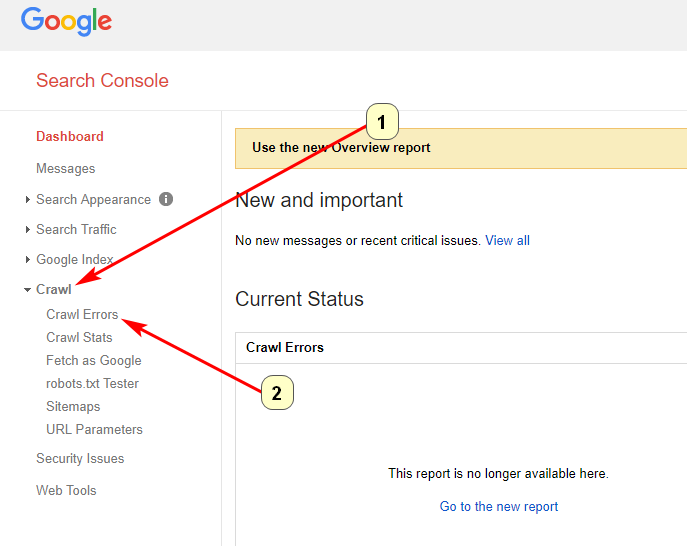
Google Search Console is a free tool provided by Google that helps you monitor and maintain your site’s presence in Google search results. While it’s not a WordPress plugin, it includes a broken link checker that identifies crawl errors, including 404 (not found) errors. The tool provides a detailed report of broken links, including their location and referring pages. Google Search Console is particularly useful for users who want to ensure their site is optimized for search engines and free of technical issues. It’s a great choice for bloggers, businesses, and agencies that need a reliable and free tool for link management. While it doesn’t offer the same level of detail as some paid tools, it’s an excellent starting point for users who want to keep their site healthy.
- Free and Reliable: Provided by Google, this tool is free to use and offers reliable data on your site’s crawl errors.
- Detailed Crawl Error Reports: Provides in-depth reports on broken links, including their location and referring pages, so you can quickly address issues.
- Integration with Google Analytics: Works seamlessly with Google Analytics, allowing you to track your site’s performance alongside link management.
- Index Coverage Reports: Offers insights into which pages are indexed by Google, helping you identify and fix issues that may affect your search rankings.
- Mobile Usability Reports: Provides reports on mobile usability issues, ensuring your site is optimized for all devices.
Frequently Asked Questions
Why is it important to check for broken links on my WordPress site?
Broken links can negatively impact your site’s SEO, user experience, and credibility. Search engines like Google penalize sites with broken links because they provide a poor user experience. When visitors encounter broken links, they may leave your site, increasing your bounce rate and reducing engagement. Additionally, broken links can harm your site’s reputation, making it appear outdated or poorly maintained. Regularly checking for broken links ensures your site remains healthy, user-friendly, and optimized for search engines.
How often should I check for broken links on my WordPress site?
The frequency of broken link checks depends on the size and activity of your site. For small blogs or business sites with infrequent updates, checking for broken links once a month is usually sufficient. For larger sites or e-commerce platforms with frequent content updates, weekly or even daily checks may be necessary. Many broken link checker tools offer scheduled scans, so you can automate the process and ensure your site is always free of broken links. Regular checks help you catch and fix issues before they impact your SEO or user experience.
Can broken links affect my site’s SEO?
Yes, broken links can significantly affect your site’s SEO. Search engines like Google use crawlers to index your site, and when they encounter broken links, it disrupts the crawling process. This can lead to lower rankings in search results because search engines may view your site as less reliable or poorly maintained. Additionally, broken links create a poor user experience, which can increase your bounce rate and reduce engagement. Both of these factors can negatively impact your SEO. Fixing broken links ensures your site remains optimized for search engines and provides a positive experience for visitors.
What’s the difference between internal and external broken links?
Internal broken links are links that point to other pages within your own website but no longer work. These can occur if you delete or move a page without updating the links that point to it. External broken links, on the other hand, are links that point to pages on other websites but no longer work because the external page has been deleted or moved. Both types of broken links can harm your site’s SEO and user experience, but internal broken links are generally easier to fix since you have control over your own site. External broken links may require you to find alternative sources or remove the links entirely.
Are there any free broken link checker tools for WordPress?
Yes, there are several free broken link checker tools available for WordPress. Some of the best free options include the Broken Link Checker by WPMU DEV, WP Broken Link Status Checker, and Google Search Console. These tools offer basic features for detecting and fixing broken links, making them ideal for small sites or users on a budget. While free tools may not offer the same level of detail or advanced features as paid tools, they are a great starting point for maintaining your site’s health. For larger sites or more comprehensive link management, you may want to consider upgrading to a premium tool.
How do I fix broken links on my WordPress site?
Fixing broken links on your WordPress site involves a few simple steps. First, use a broken link checker tool to identify the broken links on your site. Once you have a list of broken links, you can take the following actions: 1) Update the link to point to the correct URL if the page has been moved. 2) Remove the link if the page no longer exists and there’s no suitable replacement. 3) Set up a 301 redirect to direct visitors and search engines to a relevant page if the original page has been deleted. Many broken link checker tools offer bulk editing features, allowing you to fix multiple links at once. Regularly checking and fixing broken links ensures your site remains healthy and user-friendly.
Can I automate the process of checking for broken links on my WordPress site?
Yes, many broken link checker tools for WordPress offer automation features that allow you to schedule regular scans. For example, plugins like Broken Link Checker by WPMU DEV and WP Broken Link Status Checker let you set up automated scans on a daily, weekly, or monthly basis. This ensures your site is always free of broken links without requiring manual checks. Automating the process saves time and effort, especially for large sites with frequent content updates. Additionally, some tools send email notifications when broken links are detected, so you can take immediate action to fix them.


