
best booking plugin wordpress


If you run a business that relies on appointments, reservations, or bookings—whether it’s a salon, consulting firm, or event space—you need a reliable way to let customers schedule time with you online. A good WordPress booking plugin streamlines the process, reduces back-and-forth emails, and keeps your calendar organized. The right tool should be easy to set up, integrate with your existing site, and offer the features you actually need without overwhelming you with unnecessary options.
Not all booking plugins are created equal. Some are clunky, slow, or packed with features that sound great but just get in the way. Others are too basic, forcing you to piece together multiple tools to get the job done. The best options strike a balance—flexible enough to handle different types of bookings but simple enough that you don’t waste hours configuring them. They should also play nice with payment processors, email notifications, and other tools you already use.
I’ve tested a lot of these plugins over the years, and most of them fall short in one way or another. Some are overpriced for what they offer, while others lack basic functionality like buffer times between appointments or customizable confirmation emails. Below, I’ve assembled a list of the best options for WordPress booking plugins that actually work.
📋 Table of Contents
1. Amelia
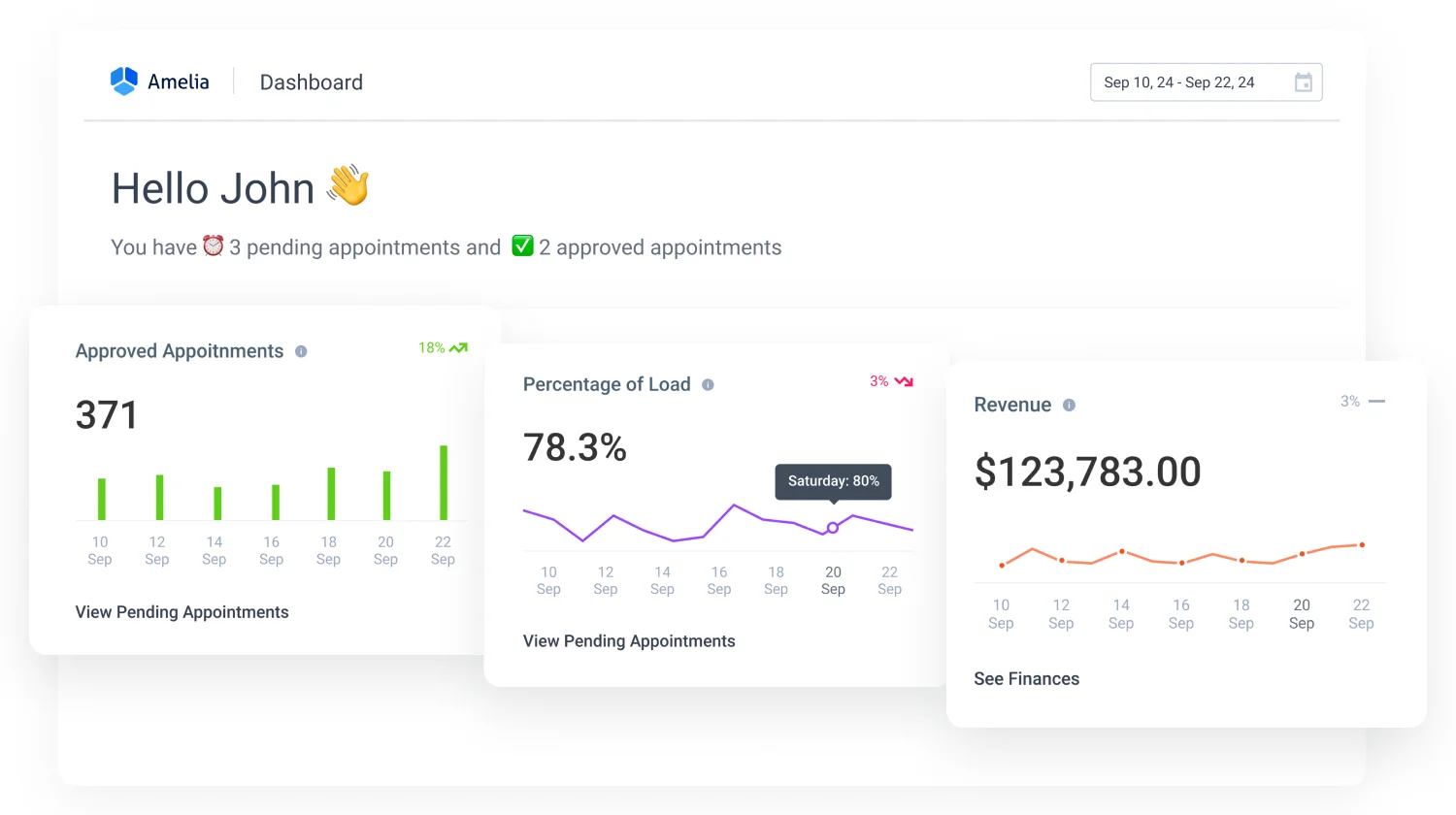
Amelia is a powerful WordPress booking plugin designed to simplify appointment scheduling for businesses of all sizes. It stands out for its user-friendly interface and robust automation features, making it ideal for service-based businesses like salons, spas, fitness centers, and medical clinics. Amelia integrates seamlessly with WordPress and offers a sleek, modern design that enhances the user experience for both business owners and their clients. One of its most notable features is its ability to handle complex booking scenarios, such as recurring appointments, group bookings, and multi-step services. Amelia also supports multiple payment gateways, ensuring secure and flexible transactions. With its real-time calendar synchronization, businesses can avoid double bookings and manage their schedules effortlessly. The plugin is highly customizable, allowing businesses to tailor the booking process to their specific needs, from custom fields to personalized notifications.
- Automated Notifications: Sends automatic email and SMS reminders to clients and staff, reducing no-shows and keeping everyone informed.
- Multi-Step Services: Allows businesses to create complex booking workflows, such as consultations followed by treatments or classes.
- Group Bookings: Supports booking for multiple participants, ideal for workshops, classes, or group sessions.
- Payment Integration: Works with PayPal, Stripe, and WooCommerce, offering flexible payment options for clients.
- Real-Time Calendar Sync: Syncs with Google Calendar, Outlook, and other platforms to prevent double bookings and streamline scheduling.
2. Bookly
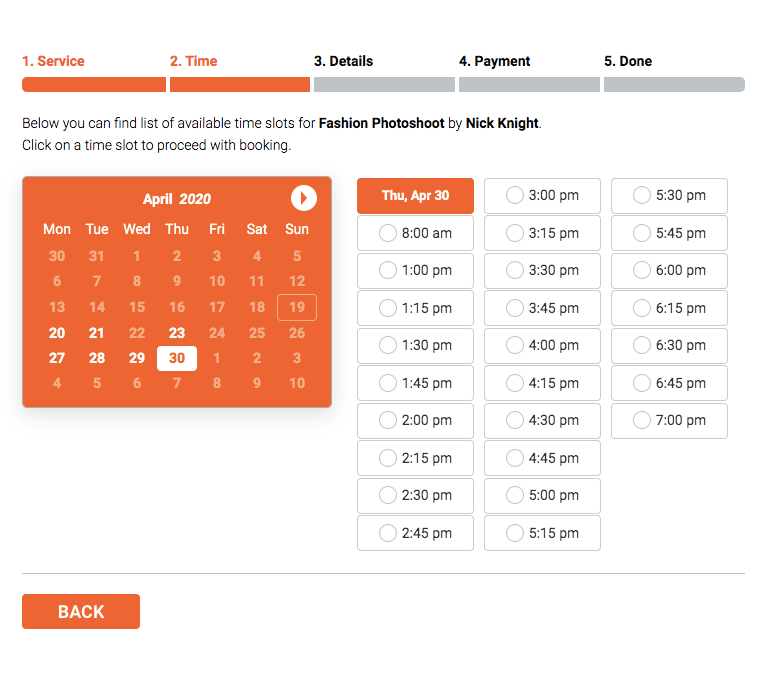
Bookly is one of the most popular WordPress booking plugins, known for its flexibility and extensive feature set. It caters to a wide range of businesses, from small freelancers to large enterprises, offering a seamless booking experience for both clients and administrators. Bookly’s standout feature is its customizable booking form, which allows businesses to collect specific information from clients during the booking process. The plugin also supports unlimited services, staff members, and locations, making it scalable for growing businesses. With its built-in payment processing, clients can pay for appointments directly through the booking form, and businesses can manage refunds and discounts with ease. Bookly also includes a powerful reporting tool, helping businesses track bookings, revenue, and client data. Its mobile-friendly design ensures that clients can book appointments from any device, enhancing accessibility and convenience.
- Customizable Booking Forms: Allows businesses to create tailored booking forms with custom fields to collect specific client information.
- Unlimited Services and Staff: Supports an unlimited number of services, staff members, and locations, making it ideal for scaling businesses.
- Built-In Payment Processing: Integrates with PayPal, Stripe, and other payment gateways for secure and convenient transactions.
- Automated Notifications: Sends email and SMS notifications to clients and staff to confirm bookings and reminders.
- Reporting and Analytics: Provides detailed reports on bookings, revenue, and client data to help businesses make informed decisions.
3. WPForms with Booking Addon
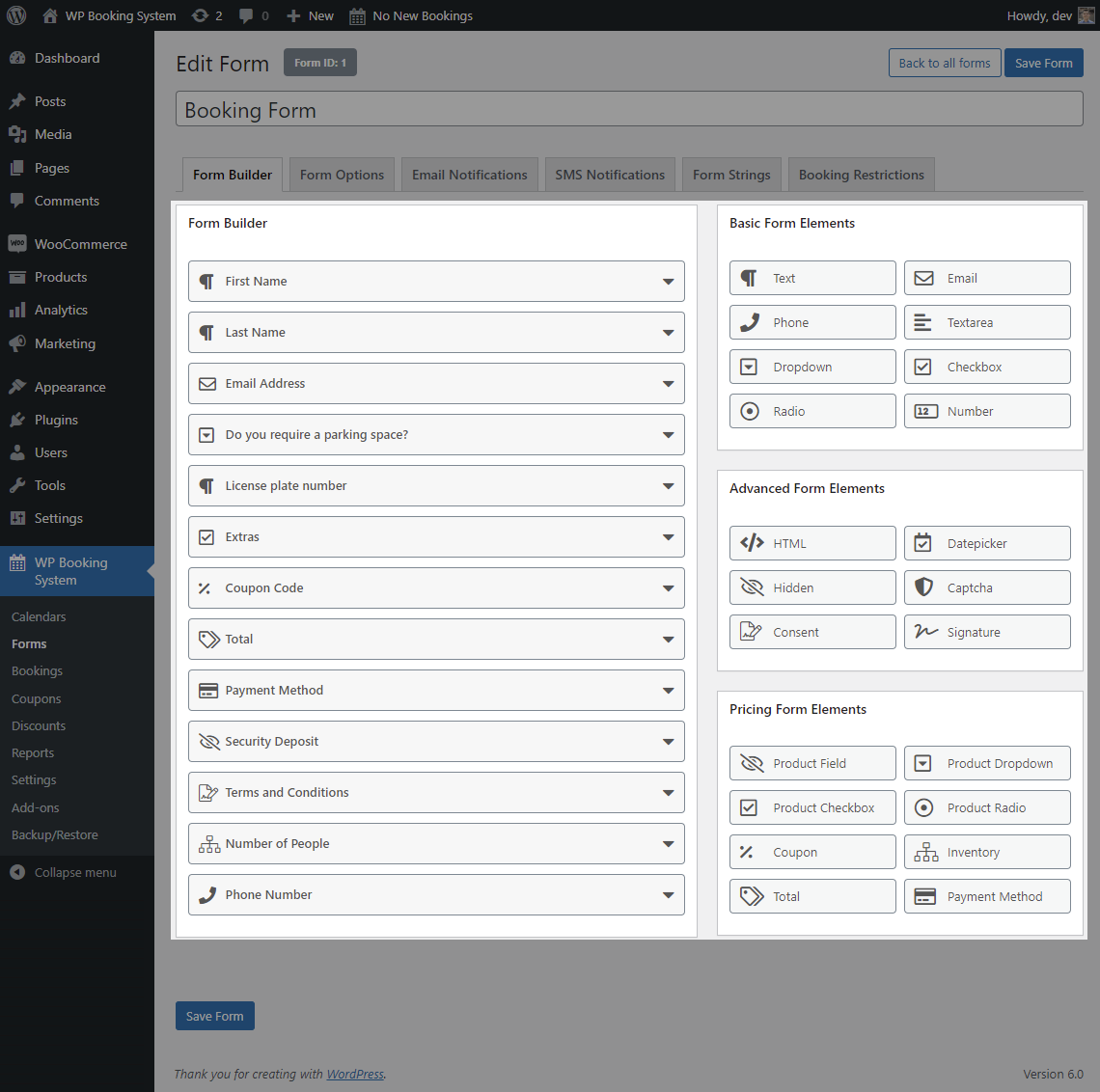
WPForms is primarily known as a drag-and-drop form builder for WordPress, but its booking addon transforms it into a powerful appointment scheduling tool. This plugin is perfect for businesses that already use WPForms and want to add booking functionality without switching to a dedicated booking plugin. The booking addon allows users to create custom booking forms with ease, integrating seamlessly with WPForms’ existing features like conditional logic, multi-page forms, and spam protection. Businesses can set up appointment slots, define availability, and accept payments through PayPal or Stripe. WPForms also offers excellent customer support and a vast library of pre-built templates, making it a great choice for beginners and non-technical users. While it may not have all the advanced features of dedicated booking plugins, its simplicity and integration with other WPForms features make it a versatile option for small businesses and freelancers.
- Drag-and-Drop Form Builder: Easily create custom booking forms with a user-friendly drag-and-drop interface.
- Conditional Logic: Show or hide form fields based on user responses, creating a dynamic booking experience.
- Payment Integration: Accept payments through PayPal, Stripe, and other gateways directly within the booking form.
- Spam Protection: Includes reCAPTCHA and honeypot anti-spam features to protect against fraudulent bookings.
- Pre-Built Templates: Offers a variety of templates to quickly set up booking forms for different industries.
4. BirchPress Scheduler
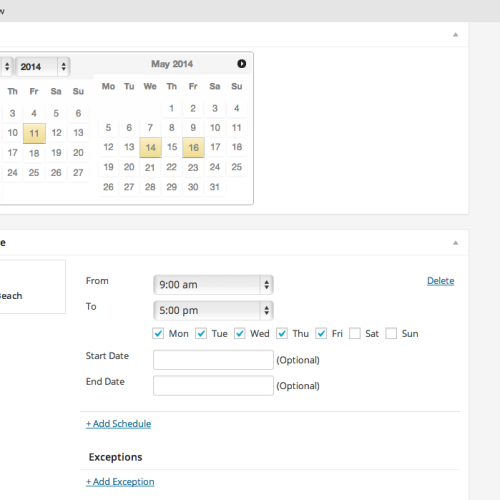
BirchPress Scheduler is a comprehensive WordPress booking plugin designed for businesses that need a reliable and customizable scheduling solution. It is particularly well-suited for service-based businesses like salons, medical practices, and fitness studios. BirchPress offers a clean, intuitive interface that makes it easy for clients to book appointments online, while administrators can manage bookings, staff schedules, and payments from a centralized dashboard. One of its standout features is its ability to handle complex scheduling scenarios, such as recurring appointments, buffer times between bookings, and multi-location support. The plugin also integrates with popular payment gateways like PayPal and Stripe, allowing businesses to accept payments during the booking process. BirchPress is highly customizable, with options to tailor the booking form, notifications, and calendar display to match the business’s branding. Its responsive design ensures that the booking experience is seamless across all devices.
- Customizable Booking Forms: Create tailored booking forms with custom fields to collect specific client information.
- Recurring Appointments: Supports recurring bookings, making it ideal for businesses with regular clients or classes.
- Buffer Times: Add buffer times between appointments to prevent scheduling conflicts and allow for preparation.
- Multi-Location Support: Manage bookings for multiple locations from a single dashboard, perfect for businesses with multiple branches.
- Payment Integration: Accept payments through PayPal, Stripe, and other gateways during the booking process.
5. StartBooking

StartBooking is a modern and intuitive WordPress booking plugin that focuses on simplicity and ease of use. It is designed for small to medium-sized businesses that need a straightforward yet powerful scheduling tool. StartBooking offers a clean, mobile-friendly interface that makes it easy for clients to book appointments, while businesses can manage their schedules, staff, and payments from a centralized dashboard. One of its key features is its real-time availability calendar, which updates instantly to prevent double bookings. The plugin also supports automated email and SMS notifications, ensuring that clients and staff are always informed about upcoming appointments. StartBooking integrates with popular payment gateways like Stripe and PayPal, allowing businesses to accept payments during the booking process. Its customizable booking forms and branding options make it easy to create a professional and cohesive booking experience for clients.
- Real-Time Availability Calendar: Displays real-time availability to prevent double bookings and ensure accurate scheduling.
- Automated Notifications: Sends email and SMS reminders to clients and staff to reduce no-shows and keep everyone informed.
- Mobile-Friendly Design: Ensures that the booking experience is seamless and accessible on all devices.
- Customizable Booking Forms: Create tailored booking forms with custom fields to collect specific client information.
- Payment Integration: Accept payments through Stripe, PayPal, and other gateways during the booking process.
6. Booking Calendar
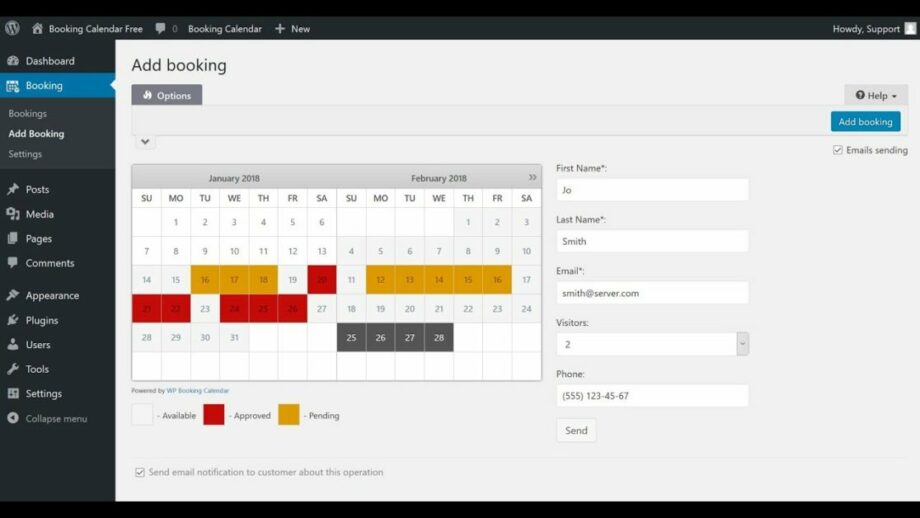
Booking Calendar is one of the oldest and most reliable WordPress booking plugins, trusted by thousands of businesses worldwide. It is a versatile tool that caters to a wide range of industries, from hotels and vacation rentals to service-based businesses like salons and medical clinics. The plugin offers a simple yet powerful interface that allows businesses to create and manage bookings with ease. One of its standout features is its flexible calendar display, which can be customized to show availability in daily, weekly, or monthly views. Booking Calendar also supports multiple payment gateways, including PayPal, Stripe, and Authorize.Net, making it easy for businesses to accept payments during the booking process. The plugin is highly customizable, with options to tailor the booking form, notifications, and calendar display to match the business’s branding. Its responsive design ensures that the booking experience is seamless across all devices.
- Flexible Calendar Display: Customize the calendar to show availability in daily, weekly, or monthly views.
- Multiple Payment Gateways: Accept payments through PayPal, Stripe, Authorize.Net, and other gateways during the booking process.
- Customizable Booking Forms: Create tailored booking forms with custom fields to collect specific client information.
- Automated Notifications: Sends email and SMS reminders to clients and staff to confirm bookings and reduce no-shows.
- Responsive Design: Ensures that the booking experience is seamless and accessible on all devices.
7. Appointments by WPMU DEV
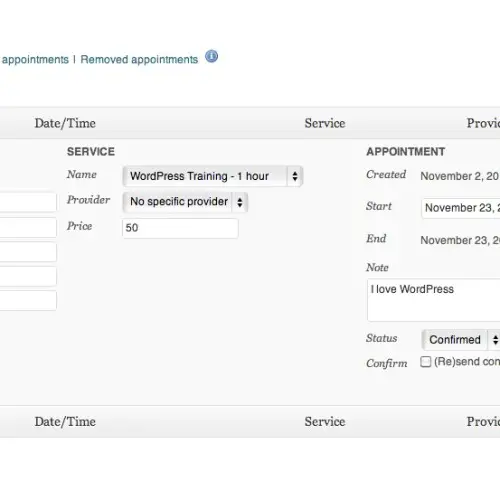
Appointments by WPMU DEV is a robust and feature-rich WordPress booking plugin designed for businesses that need a comprehensive scheduling solution. It is part of the WPMU DEV suite of plugins, which are known for their reliability and excellent customer support. Appointments offers a wide range of features, including customizable booking forms, automated notifications, and multi-staff support. One of its standout features is its ability to handle complex scheduling scenarios, such as recurring appointments, buffer times, and multi-location support. The plugin also integrates with popular payment gateways like PayPal and Stripe, allowing businesses to accept payments during the booking process. Appointments is highly customizable, with options to tailor the booking form, notifications, and calendar display to match the business’s branding. Its responsive design ensures that the booking experience is seamless across all devices, making it a great choice for businesses of all sizes.
- Customizable Booking Forms: Create tailored booking forms with custom fields to collect specific client information.
- Recurring Appointments: Supports recurring bookings, making it ideal for businesses with regular clients or classes.
- Multi-Staff Support: Manage bookings for multiple staff members from a single dashboard, perfect for businesses with multiple employees.
- Payment Integration: Accept payments through PayPal, Stripe, and other gateways during the booking process.
- Automated Notifications: Sends email and SMS reminders to clients and staff to confirm bookings and reduce no-shows.
8. Simply Schedule Appointments
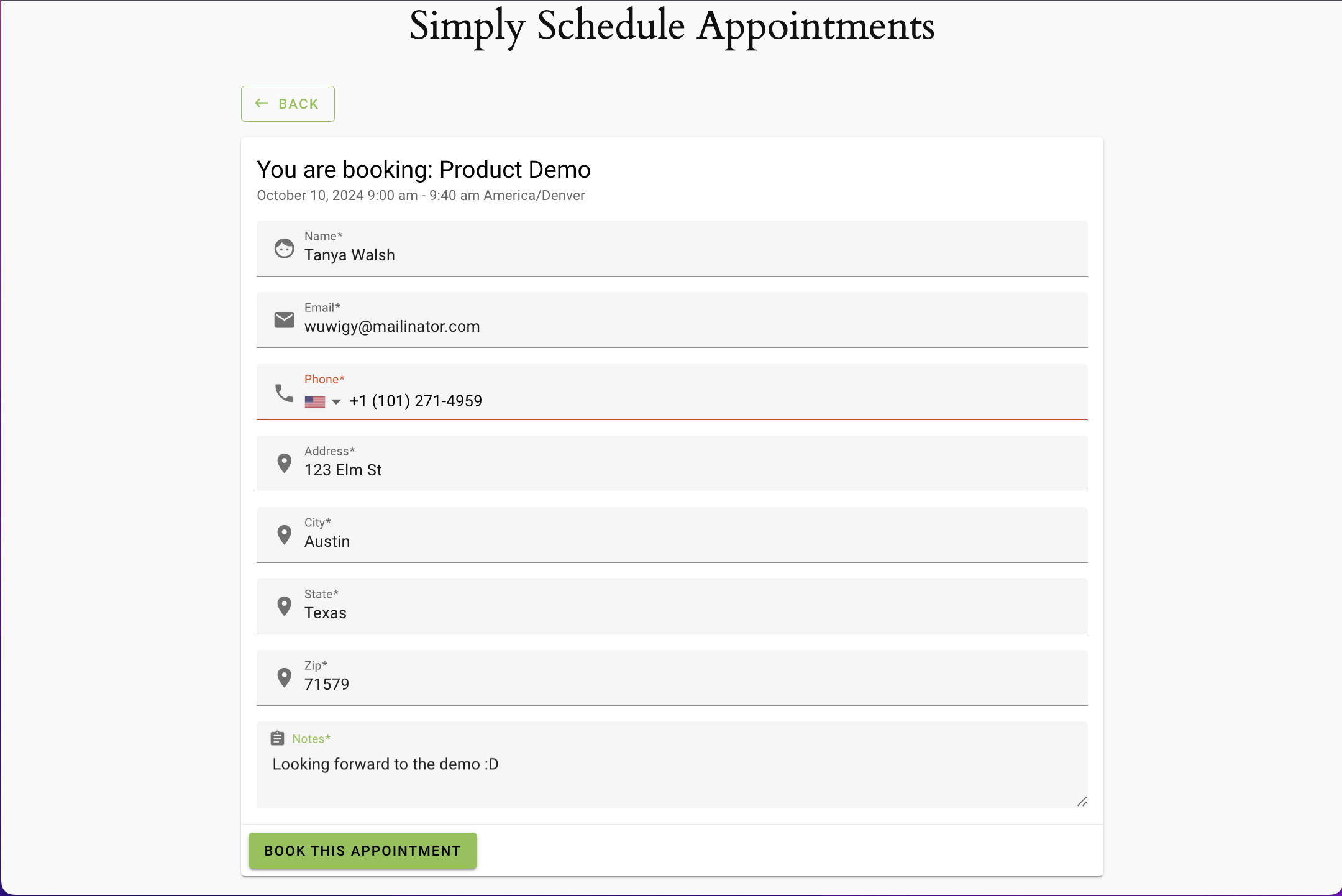
Simply Schedule Appointments is a user-friendly WordPress booking plugin designed for small businesses and freelancers who need a simple yet powerful scheduling tool. It offers a clean, intuitive interface that makes it easy for clients to book appointments, while businesses can manage their schedules, staff, and payments from a centralized dashboard. One of its standout features is its customizable booking forms, which allow businesses to collect specific information from clients during the booking process. The plugin also supports automated email and SMS notifications, ensuring that clients and staff are always informed about upcoming appointments. Simply Schedule Appointments integrates with popular payment gateways like Stripe and PayPal, allowing businesses to accept payments during the booking process. Its responsive design ensures that the booking experience is seamless across all devices, making it a great choice for businesses that prioritize simplicity and ease of use.
- Customizable Booking Forms: Create tailored booking forms with custom fields to collect specific client information.
- Automated Notifications: Sends email and SMS reminders to clients and staff to confirm bookings and reduce no-shows.
- Payment Integration: Accept payments through Stripe, PayPal, and other gateways during the booking process.
- Mobile-Friendly Design: Ensures that the booking experience is seamless and accessible on all devices.
- Multi-Staff Support: Manage bookings for multiple staff members from a single dashboard, perfect for businesses with multiple employees.
9. Team Booking
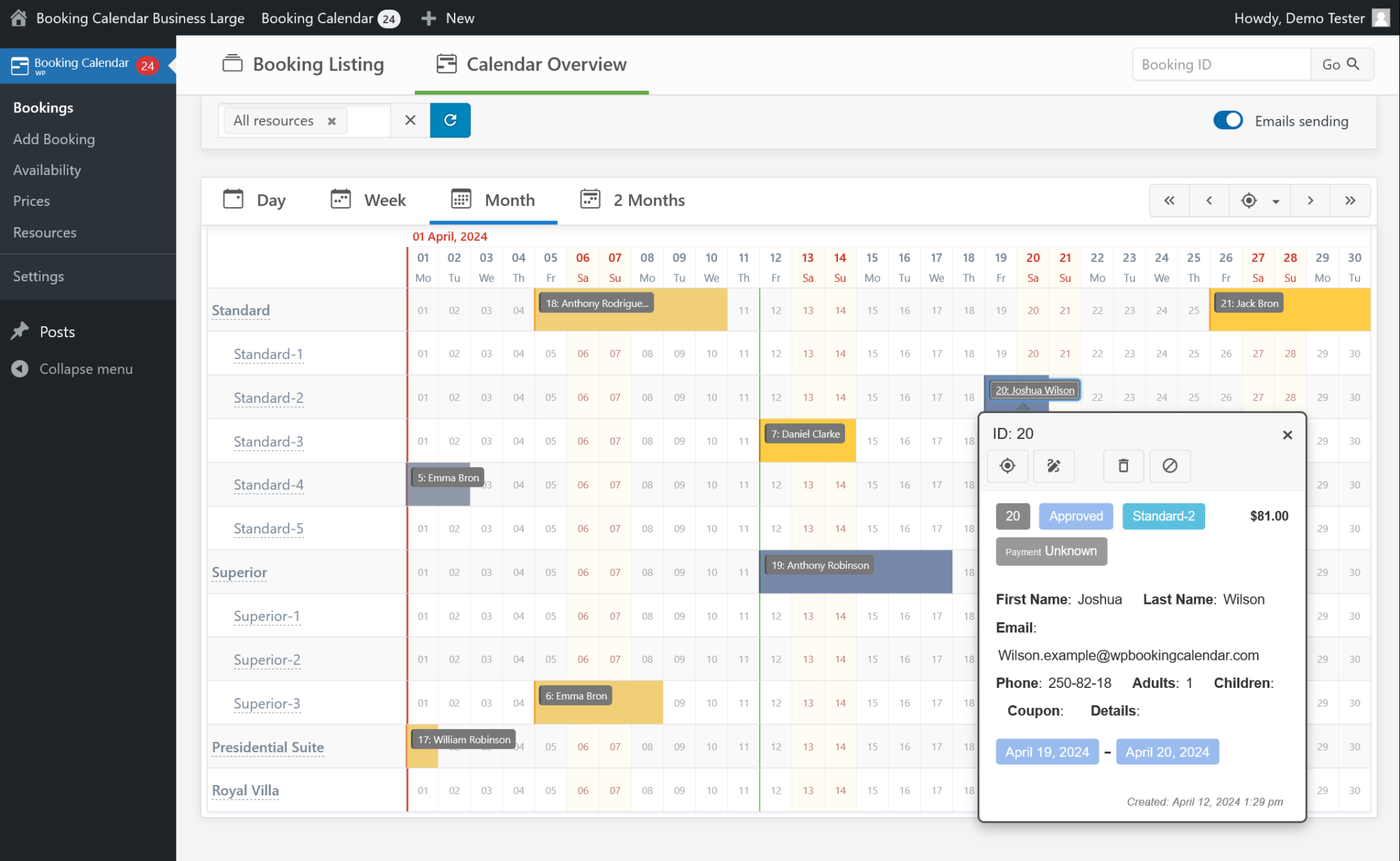
Team Booking is a versatile WordPress booking plugin designed for businesses that need a flexible and customizable scheduling solution. It is particularly well-suited for service-based businesses like salons, medical practices, and fitness studios. Team Booking offers a clean, intuitive interface that makes it easy for clients to book appointments online, while administrators can manage bookings, staff schedules, and payments from a centralized dashboard. One of its standout features is its ability to handle complex scheduling scenarios, such as recurring appointments, buffer times, and multi-location support. The plugin also integrates with popular payment gateways like PayPal and Stripe, allowing businesses to accept payments during the booking process. Team Booking is highly customizable, with options to tailor the booking form, notifications, and calendar display to match the business’s branding. Its responsive design ensures that the booking experience is seamless across all devices, making it a great choice for businesses of all sizes.
- Customizable Booking Forms: Create tailored booking forms with custom fields to collect specific client information.
- Recurring Appointments: Supports recurring bookings, making it ideal for businesses with regular clients or classes.
- Multi-Location Support: Manage bookings for multiple locations from a single dashboard, perfect for businesses with multiple branches.
- Payment Integration: Accept payments through PayPal, Stripe, and other gateways during the booking process.
- Automated Notifications: Sends email and SMS reminders to clients and staff to confirm bookings and reduce no-shows.
10. Booked

Booked is a premium WordPress booking plugin that offers a sleek and modern solution for businesses looking to streamline their appointment scheduling. It is designed with both clients and administrators in mind, offering a user-friendly interface that makes booking and managing appointments a breeze. Booked stands out for its customizable calendar views, which can be tailored to display availability in daily, weekly, or monthly formats. The plugin also supports multiple staff members, allowing businesses to manage bookings for different employees from a single dashboard. One of its key features is its ability to handle custom time slots, making it ideal for businesses with unique scheduling needs. Booked integrates with popular payment gateways like PayPal and Stripe, enabling businesses to accept payments during the booking process. Its responsive design ensures that the booking experience is seamless across all devices, and its extensive customization options allow businesses to create a cohesive and professional booking experience for their clients.
- Customizable Calendar Views: Display availability in daily, weekly, or monthly formats to suit your business needs.
- Custom Time Slots: Create custom time slots for appointments, making it ideal for businesses with unique scheduling requirements.
- Multi-Staff Support: Manage bookings for multiple staff members from a single dashboard, perfect for businesses with multiple employees.
- Payment Integration: Accept payments through PayPal, Stripe, and other gateways during the booking process.
- Automated Notifications: Sends email and SMS reminders to clients and staff to confirm bookings and reduce no-shows.
Frequently Asked Questions
What is the best WordPress booking plugin for small businesses?
The best WordPress booking plugin for small businesses depends on your specific needs. If you’re looking for a simple and affordable solution, Simply Schedule Appointments or StartBooking are great choices. For businesses that need more advanced features like multi-staff support and payment integration, Amelia or Bookly are excellent options. Consider your budget, the complexity of your scheduling needs, and the level of customization you require when choosing a plugin.
Can I accept payments through a WordPress booking plugin?
Yes, most WordPress booking plugins support payment integration, allowing you to accept payments during the booking process. Popular payment gateways like PayPal, Stripe, and Authorize.Net are commonly supported. Plugins like Amelia, Bookly, and BirchPress Scheduler offer built-in payment processing, making it easy for clients to pay for appointments directly through the booking form. Be sure to check the plugin’s documentation to confirm which payment gateways are supported.
How do I prevent double bookings with a WordPress booking plugin?
Preventing double bookings is a key feature of most WordPress booking plugins. Plugins like Amelia, Bookly, and Booking Calendar offer real-time calendar synchronization, which updates availability instantly to prevent overlapping appointments. Additionally, many plugins allow you to set buffer times between appointments to avoid scheduling conflicts. It’s also a good idea to sync your booking calendar with external calendars like Google Calendar or Outlook to ensure all appointments are accounted for.
Are there free WordPress booking plugins available?
Yes, there are several free WordPress booking plugins available, though they often come with limited features. For example, Booking Calendar and Bookly offer free versions that include basic booking functionality. However, if you need advanced features like payment integration, multi-staff support, or automated notifications, you may need to upgrade to a premium version. Free plugins are a great way to test the waters before committing to a paid solution.
Can I customize the booking form in a WordPress booking plugin?
Absolutely! Most WordPress booking plugins allow you to customize the booking form to collect specific information from clients. Plugins like Amelia, Bookly, and WPForms with the booking addon offer drag-and-drop form builders, custom fields, and conditional logic to create a tailored booking experience. You can add fields for client details, service preferences, and even payment information. Customizing the booking form ensures that you gather all the necessary information to provide a seamless service.
How do I send automated reminders to clients using a WordPress booking plugin?
Sending automated reminders is a standard feature in most WordPress booking plugins. Plugins like Amelia, Bookly, and StartBooking allow you to set up email and SMS notifications that are sent to clients and staff at specified intervals before an appointment. For example, you can send a confirmation email immediately after booking and a reminder 24 hours before the appointment. This helps reduce no-shows and keeps everyone informed. Be sure to check the plugin’s settings to customize the timing and content of these notifications.
What is the best WordPress booking plugin for multi-location businesses?
For multi-location businesses, plugins like BirchPress Scheduler, Team Booking, and Bookly are excellent choices. These plugins allow you to manage bookings for multiple locations from a single dashboard, making it easy to keep track of appointments across different branches. They also offer features like location-specific availability, staff management, and customizable booking forms. If your business operates in multiple locations, look for a plugin that supports multi-location scheduling and provides a centralized management system.


