best chat plugin for wordpress


If you run a WordPress site, adding a chat plugin can make a big difference in how you engage with visitors. Live chat helps answer questions in real time, reduces bounce rates, and can even boost conversions if used the right way. The problem is, there are a lot of options out there, and not all of them are worth your time. Some are bloated with features you’ll never use, others are slow or poorly supported, and a few just don’t play nice with the rest of your site.
The best chat plugins for WordPress should be easy to set up, reliable, and flexible enough to fit your needs—whether you’re running a small blog, an e-commerce store, or a business site. You don’t want something that slows down your pages or forces you into a complicated workflow. What you need is a tool that works without getting in the way, integrates smoothly with your existing setup, and actually helps you connect with your audience.
I’ve tested a bunch of them, and I’ve put together a list below of the best options for WordPress chat plugins. These are the ones that deliver on performance, features, and usability without the usual headaches.
📋 Table of Contents
1. Tawk.to
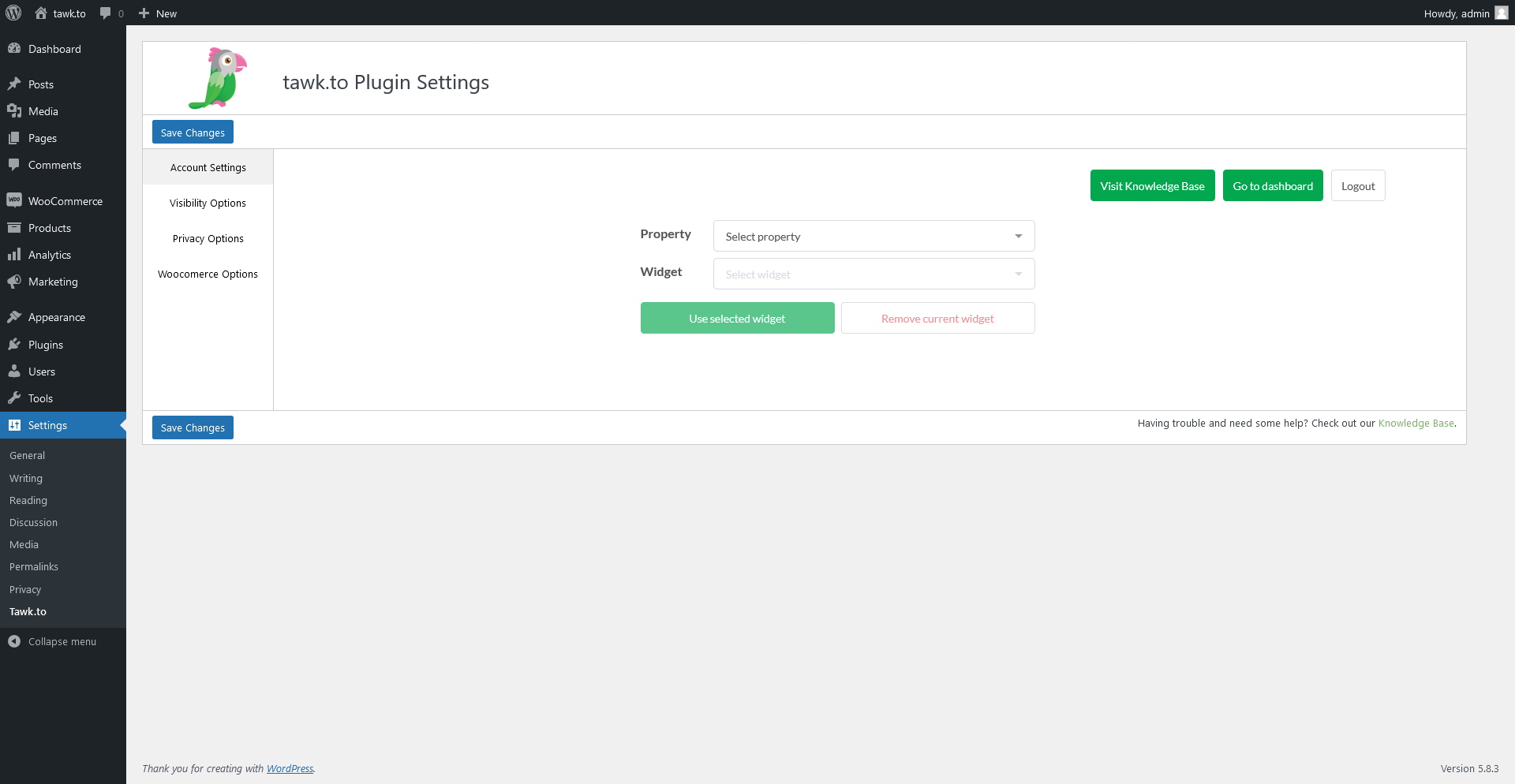
Tawk.to is one of the most popular free live chat plugins for WordPress, trusted by over 5 million users worldwide. It’s a cloud-based solution that allows you to monitor and chat with visitors on your website in real-time without any cost. What makes Tawk.to stand out is its simplicity and powerful features, even in the free version. You can customize the chat widget to match your brand, set up automated triggers, and even integrate it with popular CRM tools. The plugin is ideal for small businesses, e-commerce stores, and bloggers who want a reliable, no-frills chat solution without breaking the bank. Tawk.to also offers a mobile app, so you can respond to customer queries on the go. While the free version is feature-rich, premium add-ons like removing the Tawk.to branding or hiring live agents are available for those who need more.
- Free Forever Plan: Tawk.to offers a completely free plan with unlimited agents, chats, and basic features like chat history and visitor monitoring.
- Customizable Chat Widget: You can fully customize the chat widget’s appearance, including colors, position, and even the greeting message to match your brand.
- Automated Triggers: Set up automated messages based on visitor behavior, such as time spent on a page or exit intent, to engage users proactively.
- Mobile App Support: Respond to chats from anywhere using the Tawk.to mobile app for iOS and Android, ensuring you never miss a customer query.
- CRM and Help Desk Integrations: Integrate with tools like Zendesk, Salesforce, and HubSpot to streamline customer support and lead management.
2. LiveChat
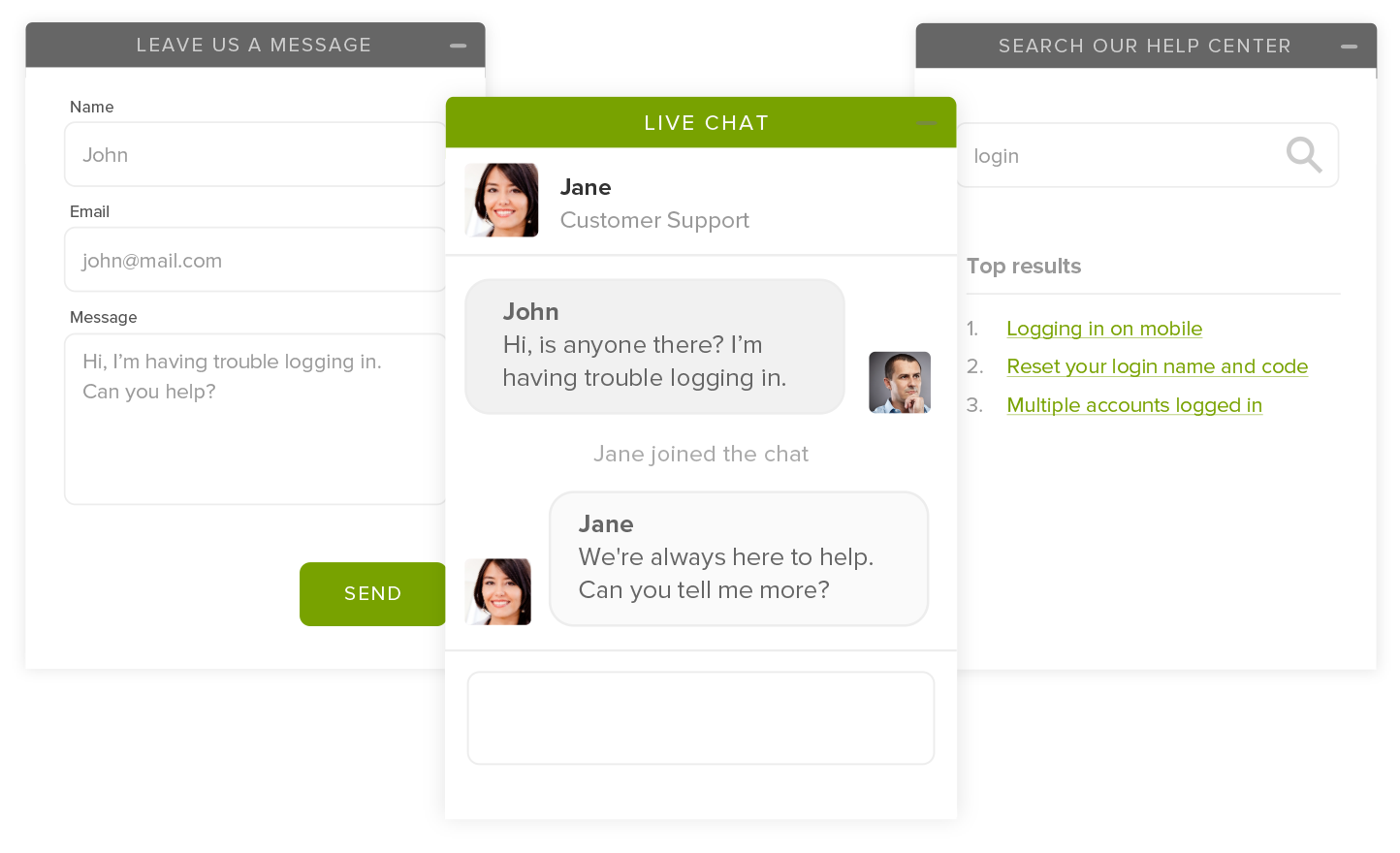
LiveChat is a premium live chat solution designed for businesses that prioritize customer support and sales. It’s a robust plugin that integrates seamlessly with WordPress and offers advanced features like chatbots, ticketing, and detailed analytics. LiveChat is particularly well-suited for e-commerce stores, SaaS companies, and enterprises that need a scalable solution. The plugin allows you to engage visitors in real-time, provide instant support, and even close sales directly from the chat window. One of its standout features is the ability to create chatbots that handle common queries, freeing up your team for more complex issues. LiveChat also offers a 14-day free trial, so you can test its features before committing to a plan. While it’s not the cheapest option, its reliability and feature set make it a top choice for businesses that need a professional chat solution.
- Advanced Chatbots: Create AI-powered chatbots to handle routine queries, qualify leads, and provide 24/7 support without human intervention.
- Ticketing System: Convert chat conversations into support tickets and track them through resolution, ensuring no customer query falls through the cracks.
- Detailed Analytics: Access in-depth reports on chat performance, customer satisfaction, and agent productivity to optimize your support strategy.
- E-commerce Integrations: Seamlessly integrate with platforms like Shopify, WooCommerce, and BigCommerce to provide product recommendations and process orders via chat.
- Customizable Chat Widget: Tailor the chat widget’s design, including colors, fonts, and positioning, to align with your brand’s identity.
3. Zendesk Chat
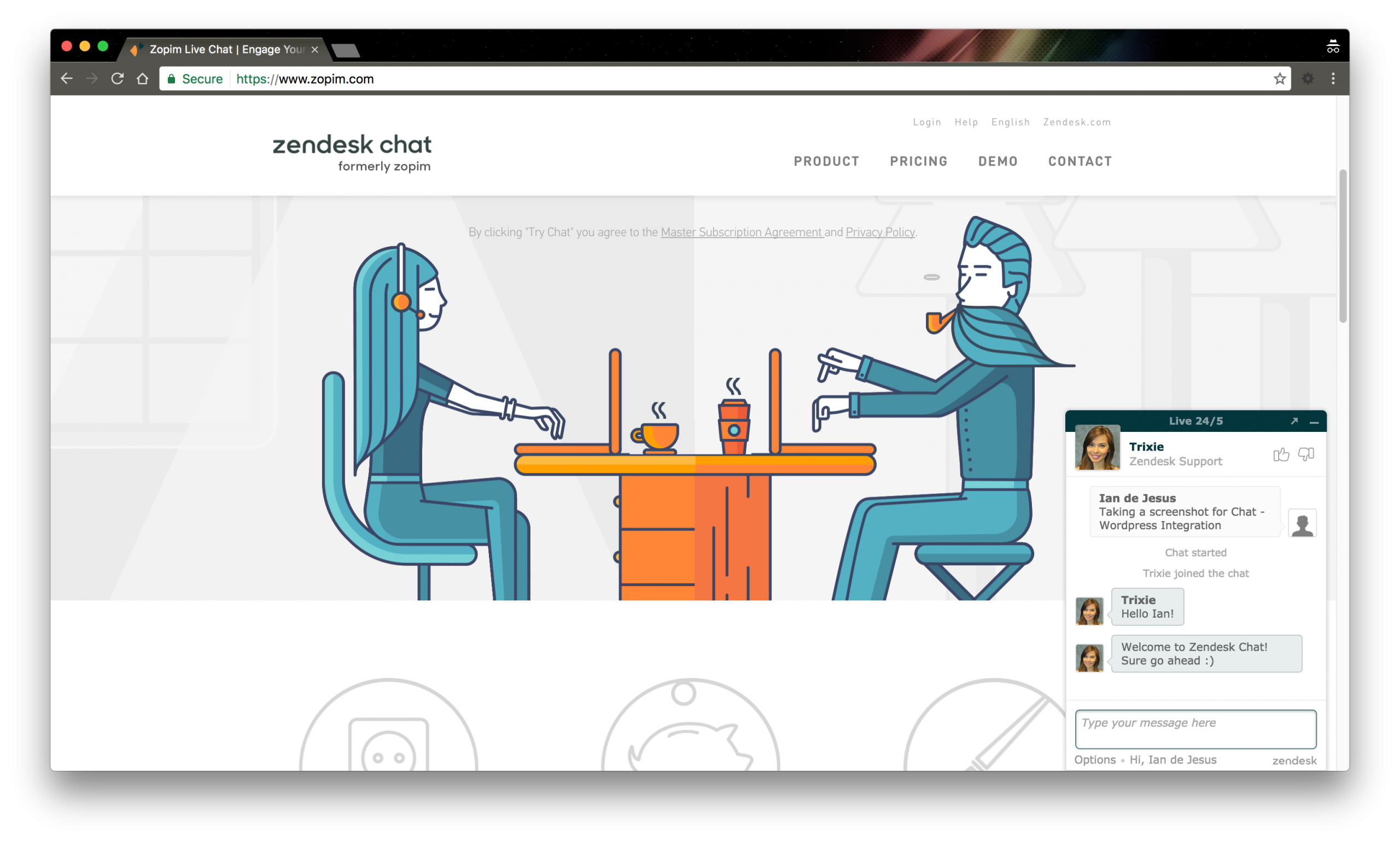
Zendesk Chat, formerly known as Zopim, is a powerful live chat plugin that’s part of the Zendesk suite of customer service tools. It’s designed for businesses that need a scalable, enterprise-grade chat solution with deep integrations into other Zendesk products like Support and Sell. Zendesk Chat offers features like real-time visitor monitoring, automated triggers, and a robust API for custom integrations. It’s particularly well-suited for companies that already use Zendesk for ticketing or CRM, as it provides a unified platform for managing all customer interactions. The plugin also includes a mobile app, so your team can respond to chats from anywhere. While Zendesk Chat is on the pricier side, its reliability and seamless integration with other business tools make it a top choice for larger organizations.
- Real-Time Visitor Monitoring: Track visitor behavior in real-time, including pages viewed, time spent on site, and past interactions, to provide personalized support.
- Automated Triggers: Set up automated messages based on visitor actions, such as abandoning a cart or spending a certain amount of time on a page.
- Zendesk Suite Integration: Seamlessly integrate with other Zendesk products like Support, Sell, and Guide for a unified customer service experience.
- Customizable Chat Widget: Design the chat widget to match your brand’s look and feel, including colors, fonts, and positioning.
- Mobile App Support: Respond to chats on the go with the Zendesk Chat mobile app for iOS and Android.
4. Intercom
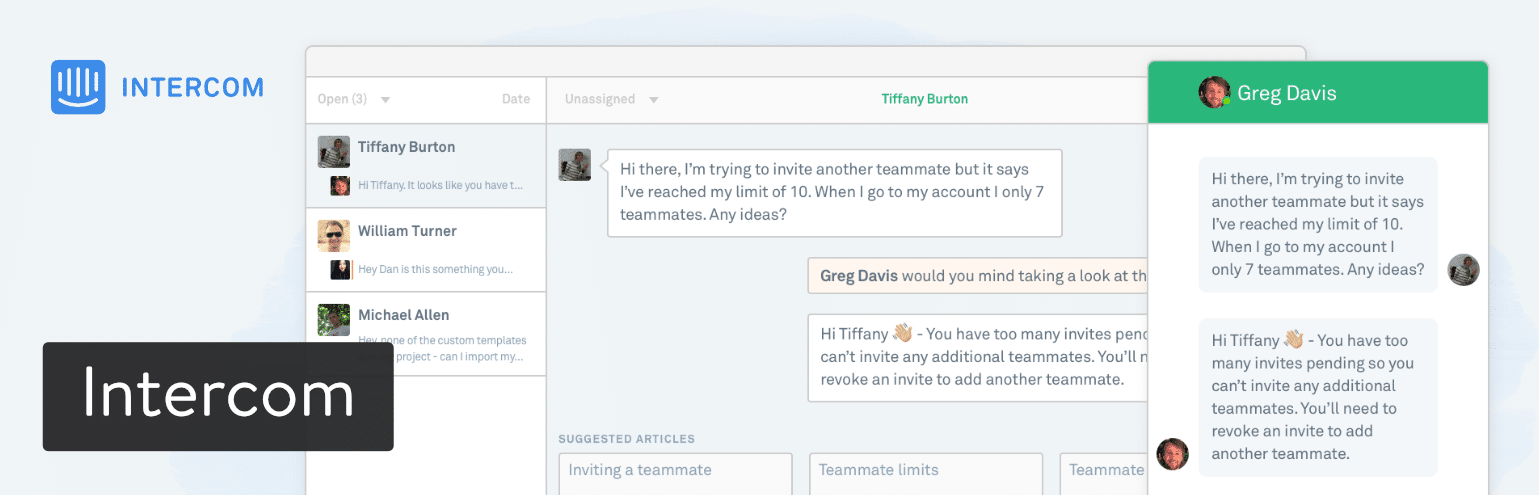
Intercom is a premium customer messaging platform that goes beyond traditional live chat. It’s designed for businesses that want to engage customers at every stage of their journey, from acquisition to retention. Intercom’s WordPress plugin allows you to integrate its powerful messaging tools directly into your website, enabling features like targeted messages, chatbots, and in-app messaging. What sets Intercom apart is its focus on personalized, contextual conversations. You can segment users based on behavior, demographics, or past interactions and deliver tailored messages to each group. Intercom is ideal for SaaS companies, e-commerce stores, and enterprises that need a sophisticated, data-driven approach to customer communication. While it’s one of the more expensive options, its advanced features and integrations make it a worthwhile investment for businesses that prioritize customer engagement.
- Targeted Messaging: Send personalized messages to specific user segments based on behavior, demographics, or past interactions.
- AI-Powered Chatbots: Use AI to automate responses to common queries, qualify leads, and route conversations to the right team members.
- In-App Messaging: Engage users directly within your app or website with contextual messages, announcements, and support.
- Customer Data Platform: Track and store customer data to create detailed user profiles and deliver hyper-personalized experiences.
- Integrations with Business Tools: Connect with tools like Salesforce, HubSpot, and Slack to streamline workflows and centralize customer data.
5. HubSpot Live Chat

HubSpot Live Chat is a free, easy-to-use chat plugin that integrates seamlessly with HubSpot’s CRM and marketing tools. It’s an excellent choice for businesses that already use HubSpot or want a simple, no-frills chat solution with powerful automation capabilities. The plugin allows you to engage visitors in real-time, capture leads, and route conversations to the right team members. One of its standout features is the ability to create chatbots that qualify leads, book meetings, and answer FAQs without any coding. HubSpot Live Chat also syncs with your CRM, so you can track all customer interactions in one place. While the free version is robust, upgrading to a paid HubSpot plan unlocks advanced features like custom reporting and automation workflows. It’s ideal for small businesses, startups, and marketers who want a chat solution that grows with their needs.
- Free CRM Integration: Sync chat conversations with HubSpot CRM to track customer interactions and manage leads in one place.
- Chatbot Builder: Create no-code chatbots to qualify leads, book meetings, and answer common questions automatically.
- Automated Routing: Route chats to the right team members based on rules you set, ensuring customers get the help they need quickly.
- Customizable Chat Widget: Design the chat widget to match your brand’s colors, fonts, and messaging style.
- Mobile App Support: Respond to chats on the go with the HubSpot mobile app for iOS and Android.
6. 3CX Live Chat

3CX Live Chat is a free, open-source chat plugin that’s part of the 3CX unified communications platform. It’s designed for businesses that need a cost-effective, self-hosted chat solution with advanced features like video calling, screen sharing, and call center integration. The plugin is ideal for companies that already use 3CX for VoIP or want a chat solution that integrates seamlessly with their phone system. 3CX Live Chat offers real-time visitor monitoring, automated triggers, and a customizable chat widget. It also includes a mobile app, so your team can respond to chats from anywhere. While the free version is feature-rich, upgrading to a paid 3CX plan unlocks additional capabilities like call center features and advanced reporting. It’s a great choice for businesses that want a unified communication solution without the high cost of premium tools.
- Self-Hosted Solution: Host the chat software on your own servers for greater control and security, ideal for businesses with strict data privacy requirements.
- Video and Voice Calling: Escalate chat conversations to video or voice calls directly from the chat window, providing a seamless customer experience.
- Call Center Integration: Integrate with 3CX’s call center features to manage phone and chat support from a single platform.
- Automated Triggers: Set up automated messages based on visitor behavior, such as time spent on a page or exit intent.
- Mobile App Support: Respond to chats and manage calls from the 3CX mobile app for iOS and Android.
7. Crisp

Crisp is a modern, all-in-one customer messaging platform that combines live chat, email, and CRM into a single tool. It’s designed for businesses that want a unified solution for managing customer conversations across multiple channels. The Crisp WordPress plugin allows you to integrate its chat widget into your website, enabling features like real-time messaging, chatbots, and shared inboxes. One of Crisp’s standout features is its ability to centralize all customer communications, including emails, social media messages, and live chats, in one place. The plugin also offers advanced automation tools, like chatbots and canned responses, to streamline customer support. Crisp is ideal for small to medium-sized businesses, e-commerce stores, and startups that need a flexible, affordable chat solution with powerful integrations. While the free plan is limited, its paid plans are competitively priced and packed with features.
- Unified Inbox: Manage all customer conversations, including emails, live chats, and social media messages, from a single inbox.
- AI-Powered Chatbots: Create chatbots to handle routine queries, qualify leads, and route conversations to the right team members.
- Shared Inbox: Collaborate with your team in real-time, assign conversations, and leave internal notes to streamline support.
- Customizable Chat Widget: Design the chat widget to match your brand’s identity, including colors, fonts, and positioning.
- Integrations with Business Tools: Connect with tools like Slack, Zapier, and Mailchimp to automate workflows and centralize customer data.
8. Olark

Olark is a user-friendly live chat plugin that’s designed to help businesses connect with customers in real-time. It’s known for its simplicity, powerful automation features, and seamless integrations with popular tools like Salesforce, HubSpot, and Mailchimp. Olark’s WordPress plugin allows you to add a customizable chat widget to your website, enabling features like real-time visitor monitoring, automated triggers, and detailed analytics. One of its standout features is the ability to create targeted messages based on visitor behavior, such as time spent on a page or exit intent. Olark also offers a mobile app, so you can respond to chats on the go. While it’s not the cheapest option, its ease of use and robust feature set make it a great choice for small to medium-sized businesses, e-commerce stores, and customer support teams.
- Real-Time Visitor Monitoring: Track visitor behavior in real-time, including pages viewed, time spent on site, and past interactions, to provide personalized support.
- Automated Triggers: Set up automated messages based on visitor actions, such as abandoning a cart or spending a certain amount of time on a page.
- Detailed Analytics: Access in-depth reports on chat performance, customer satisfaction, and agent productivity to optimize your support strategy.
- Customizable Chat Widget: Design the chat widget to match your brand’s look and feel, including colors, fonts, and positioning.
- Integrations with Business Tools: Connect with tools like Salesforce, HubSpot, and Mailchimp to streamline workflows and centralize customer data.
9. Pure Chat
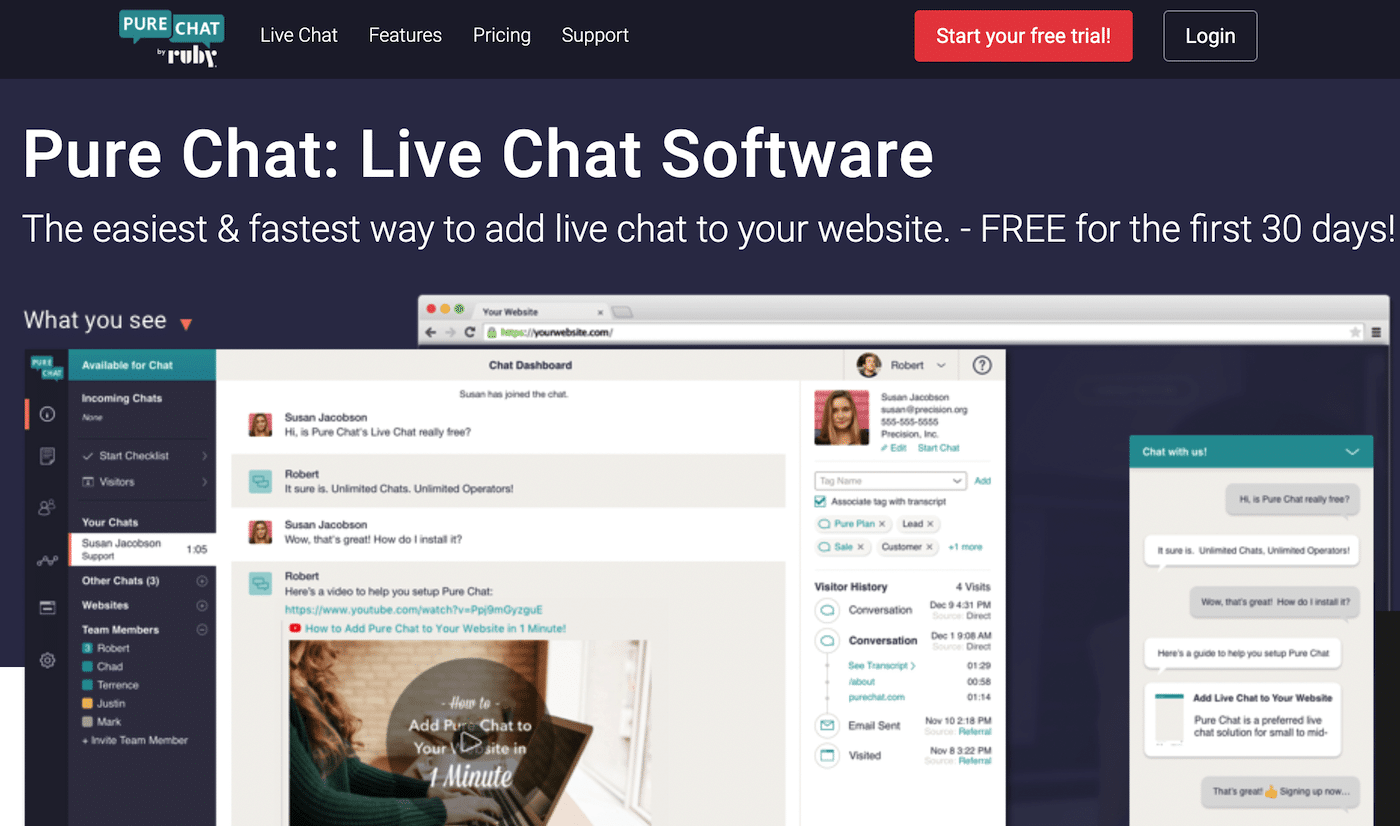
Pure Chat is a straightforward, no-frills live chat plugin designed for businesses that want a simple, effective way to engage with website visitors. It’s particularly well-suited for small businesses, startups, and e-commerce stores that need a reliable chat solution without the complexity of enterprise-grade tools. Pure Chat offers features like real-time visitor monitoring, automated triggers, and a customizable chat widget. One of its standout features is the ability to create unlimited chat widgets, which is useful for businesses with multiple websites or landing pages. The plugin also includes a mobile app, so you can respond to chats from anywhere. While Pure Chat lacks some of the advanced features of premium tools, its affordability and ease of use make it a great choice for businesses that need a basic, dependable chat solution.
- Unlimited Chat Widgets: Create and customize multiple chat widgets for different websites or landing pages, all from a single account.
- Real-Time Visitor Monitoring: Track visitor behavior in real-time, including pages viewed, time spent on site, and past interactions.
- Automated Triggers: Set up automated messages based on visitor actions, such as time spent on a page or exit intent.
- Customizable Chat Widget: Design the chat widget to match your brand’s identity, including colors, fonts, and positioning.
- Mobile App Support: Respond to chats on the go with the Pure Chat mobile app for iOS and Android.
10. Chaty
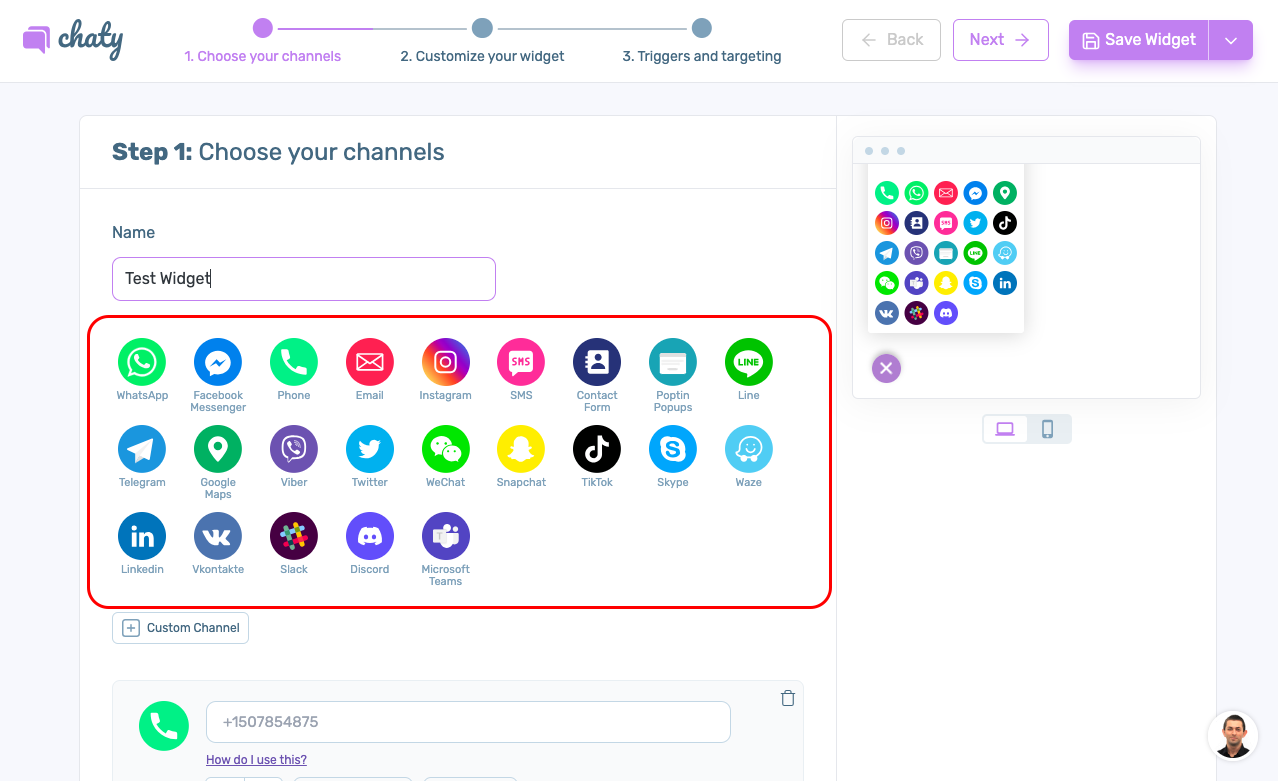
Chaty is a unique WordPress plugin that allows you to add multiple communication channels to your website, including live chat, WhatsApp, Facebook Messenger, and more. It’s designed for businesses that want to provide customers with multiple ways to get in touch, all from a single, customizable widget. Chaty is particularly well-suited for e-commerce stores, service-based businesses, and bloggers who want to offer a seamless, multi-channel communication experience. The plugin is easy to set up and offers a range of customization options, including colors, icons, and positioning. One of its standout features is the ability to add social media links, email, and phone numbers to the widget, making it a versatile tool for customer engagement. While Chaty doesn’t offer advanced features like chatbots or CRM integrations, its simplicity and affordability make it a great choice for businesses that need a basic, multi-channel communication tool.
- Multi-Channel Support: Add multiple communication channels to your website, including live chat, WhatsApp, Facebook Messenger, email, and phone.
- Customizable Widget: Design the widget to match your brand’s identity, including colors, icons, and positioning.
- Mobile-Friendly Design: The widget is fully responsive and works seamlessly on mobile devices, ensuring a great user experience for all visitors.
- Easy Setup: Install and configure the plugin in minutes, with no coding required.
- Social Media Integration: Add links to your social media profiles directly in the widget, making it easy for customers to connect with you on other platforms.
Frequently Asked Questions
What is the best free chat plugin for WordPress?
The best free chat plugin for WordPress depends on your needs, but Tawk.to is widely regarded as the top choice. It offers a completely free plan with unlimited agents, chats, and basic features like chat history and visitor monitoring. Other great free options include HubSpot Live Chat, which integrates with HubSpot’s CRM, and 3CX Live Chat, which is ideal for businesses that need a self-hosted solution. If you’re looking for a multi-channel tool, Chaty is a great free option that supports live chat, WhatsApp, Facebook Messenger, and more.
Can I use live chat plugins for e-commerce websites?
Absolutely! Live chat plugins are a fantastic tool for e-commerce websites. They allow you to engage with customers in real-time, answer questions about products, and even close sales directly from the chat window. Many chat plugins, like LiveChat, Zendesk Chat, and Olark, offer e-commerce-specific features such as cart abandonment triggers, product recommendations, and integrations with platforms like WooCommerce and Shopify. These features can help reduce cart abandonment, increase conversions, and improve customer satisfaction. If you run an e-commerce store, investing in a live chat plugin can significantly boost your sales and customer support.
Do live chat plugins slow down my WordPress site?
Most live chat plugins are designed to be lightweight and should not significantly slow down your WordPress site. However, the impact on performance depends on the plugin you choose and how it’s configured. Cloud-based solutions like Tawk.to, LiveChat, and HubSpot Live Chat are generally optimized for speed and won’t affect your site’s loading time. On the other hand, self-hosted solutions like 3CX Live Chat may require more server resources, especially if you have a high volume of chats. To minimize any potential slowdown, choose a reputable plugin, keep it updated, and avoid overloading it with unnecessary features or integrations. You can also use a caching plugin and a content delivery network (CDN) to further optimize your site’s performance.
How do I choose the right chat plugin for my business?
Choosing the right chat plugin for your business depends on several factors, including your budget, the size of your team, and your specific needs. Here are some key considerations to help you decide: 1) Budget: If you’re on a tight budget, look for free or affordable options like Tawk.to, HubSpot Live Chat, or Chaty. 2) Features: Consider what features are most important to you, such as chatbots, CRM integrations, or multi-channel support. 3) Ease of Use: If you’re not tech-savvy, choose a plugin with a user-friendly interface and easy setup, like Pure Chat or Olark. 4) Scalability: If you expect your business to grow, opt for a plugin that can scale with you, such as LiveChat or Intercom. 5) Integrations: Make sure the plugin integrates with the tools you already use, like your CRM, email marketing platform, or e-commerce store. 6) Mobile Support: If you need to respond to chats on the go, choose a plugin with a mobile app, like Tawk.to or Zendesk Chat.
Can I use chatbots with WordPress chat plugins?
Yes, many WordPress chat plugins support chatbots, which can help automate customer support, qualify leads, and engage visitors 24/7. Plugins like LiveChat, Intercom, HubSpot Live Chat, and Crisp offer built-in chatbot builders that allow you to create no-code bots for handling routine queries. These bots can answer FAQs, book meetings, and even process orders, freeing up your team for more complex tasks. Some plugins, like Tawk.to, also offer AI-powered chatbots that learn from past interactions to provide more accurate responses over time. If chatbots are a priority for your business, look for a plugin that offers robust automation features and easy-to-use bot builders.
Are there any privacy concerns with using live chat plugins?
Privacy is an important consideration when using live chat plugins, especially if you collect sensitive customer data. Here are some tips to ensure your chat plugin complies with privacy regulations like GDPR and CCPA: 1) Choose a Reputable Plugin: Opt for plugins from trusted providers that prioritize data security and compliance. 2) Use HTTPS: Ensure your website uses HTTPS to encrypt data transmitted between your site and the chat plugin. 3) Disclose Data Collection: Inform visitors about the data you collect and how it’s used, either in your privacy policy or during the chat. 4) Offer Opt-Out Options: Allow visitors to opt out of data collection or chat tracking if they prefer. 5) Self-Hosted Solutions: If privacy is a major concern, consider a self-hosted plugin like 3CX Live Chat, which gives you full control over your data. 6) Regular Updates: Keep your plugin updated to ensure it includes the latest security patches and compliance features.
How can I measure the success of my live chat plugin?
Measuring the success of your live chat plugin involves tracking key performance indicators (KPIs) that align with your business goals. Here are some metrics to consider: 1) Response Time: Track how quickly your team responds to chats. Faster response times generally lead to higher customer satisfaction. 2) Resolution Time: Measure how long it takes to resolve customer queries. Shorter resolution times indicate efficient support. 3) Customer Satisfaction: Use post-chat surveys to gauge customer satisfaction and identify areas for improvement. 4) Chat Volume: Monitor the number of chats you receive to understand peak times and staffing needs. 5) Conversion Rate: If your goal is sales, track how many chats result in conversions or purchases. 6) First Contact Resolution: Measure how often customer issues are resolved in the first chat, without the need for follow-ups. 7) Agent Productivity: Track metrics like chats handled per agent and average handle time to assess your team’s efficiency. Most chat plugins, like LiveChat, Zendesk Chat, and Olark, offer built-in analytics tools to help you track these metrics and optimize your support strategy.