
best wordpress directory plugin


If you need a directory plugin for WordPress, you’re looking for a way to organize listings, businesses, or services in a searchable, user-friendly format. The right plugin should handle custom fields, filtering, and front-end submissions without slowing down your site. Some plugins are built for general directories, while others specialize in niche use cases like real estate, job boards, or local business listings. Performance, ease of use, and scalability matter—especially if you plan to grow your directory over time.
Not all directory plugins are created equal. Some come with bloated features you’ll never use, while others lack essential functionality like payment gateways or advanced search. The best options balance flexibility with simplicity, letting you customize fields, manage user submissions, and monetize listings if needed. You’ll also want something that integrates well with your theme and other plugins without causing conflicts.
I’ve tested and compared the top WordPress directory plugins to narrow down the best choices. Below is the list of the most reliable options for different needs.
📋 Table of Contents
1. GeoDirectory

GeoDirectory is one of the most powerful and flexible WordPress directory plugins available, designed to help you create any type of directory website with ease. Whether you’re building a local business directory, a global travel guide, or a niche-specific listing site, GeoDirectory offers a robust set of tools to make the process seamless. It’s particularly well-suited for users who need advanced location-based features, such as maps, proximity search, and multi-location listings. The plugin is highly customizable, allowing you to tailor the design and functionality to match your brand. It also integrates smoothly with popular page builders like Elementor and Divi, making it a great choice for both beginners and experienced developers. With its scalability, GeoDirectory can handle directories of any size, from small local listings to massive global databases.
- Location-Based Search: GeoDirectory excels in location-based functionality, allowing users to search for listings by proximity, city, or region. It integrates with Google Maps and OpenStreetMap for accurate geolocation.
- Multi-Location Listings: Businesses or entities with multiple locations can add all their branches under a single listing, making it easier for users to find the nearest option.
- Custom Fields and Taxonomies: You can create custom fields and taxonomies to categorize listings in a way that fits your niche, whether it’s restaurants, real estate, or events.
- Monetization Options: GeoDirectory supports paid listings, featured placements, and subscription models, allowing you to monetize your directory effortlessly.
- SEO-Friendly: The plugin is optimized for search engines, with clean URLs, schema markup, and meta tags to help your directory rank higher in search results.
2. Business Directory Plugin
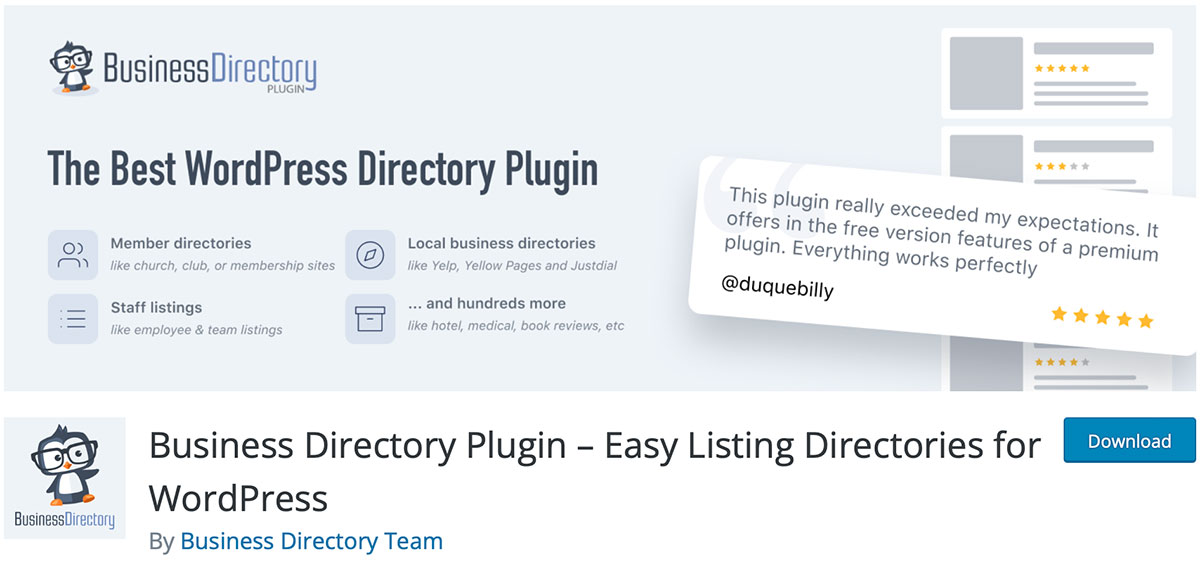
Business Directory Plugin is a user-friendly and feature-rich solution for creating professional directory websites on WordPress. It’s ideal for small to medium-sized directories, such as local business listings, classifieds, or member directories. The plugin is known for its simplicity and ease of use, making it a great choice for beginners who want to set up a directory without dealing with complex configurations. Despite its simplicity, it doesn’t skimp on features. You can customize listing fields, enable reviews and ratings, and even set up payment gateways for paid submissions. The plugin also offers a responsive design, ensuring your directory looks great on all devices. With its active development and strong community support, Business Directory Plugin is a reliable option for anyone looking to launch a directory quickly.
- Easy Setup: The plugin offers a straightforward setup process with a guided wizard, making it accessible even for non-technical users.
- Customizable Listing Fields: You can add, remove, or modify fields to tailor the directory to your specific needs, such as adding contact forms or social media links.
- Reviews and Ratings: Users can leave reviews and ratings for listings, which helps build trust and engagement within your directory.
- Payment Integration: Supports multiple payment gateways, including PayPal and Stripe, allowing you to charge for listings or featured placements.
- Responsive Design: The plugin ensures your directory looks great on desktops, tablets, and mobile devices, providing a seamless user experience.
3. Directorist
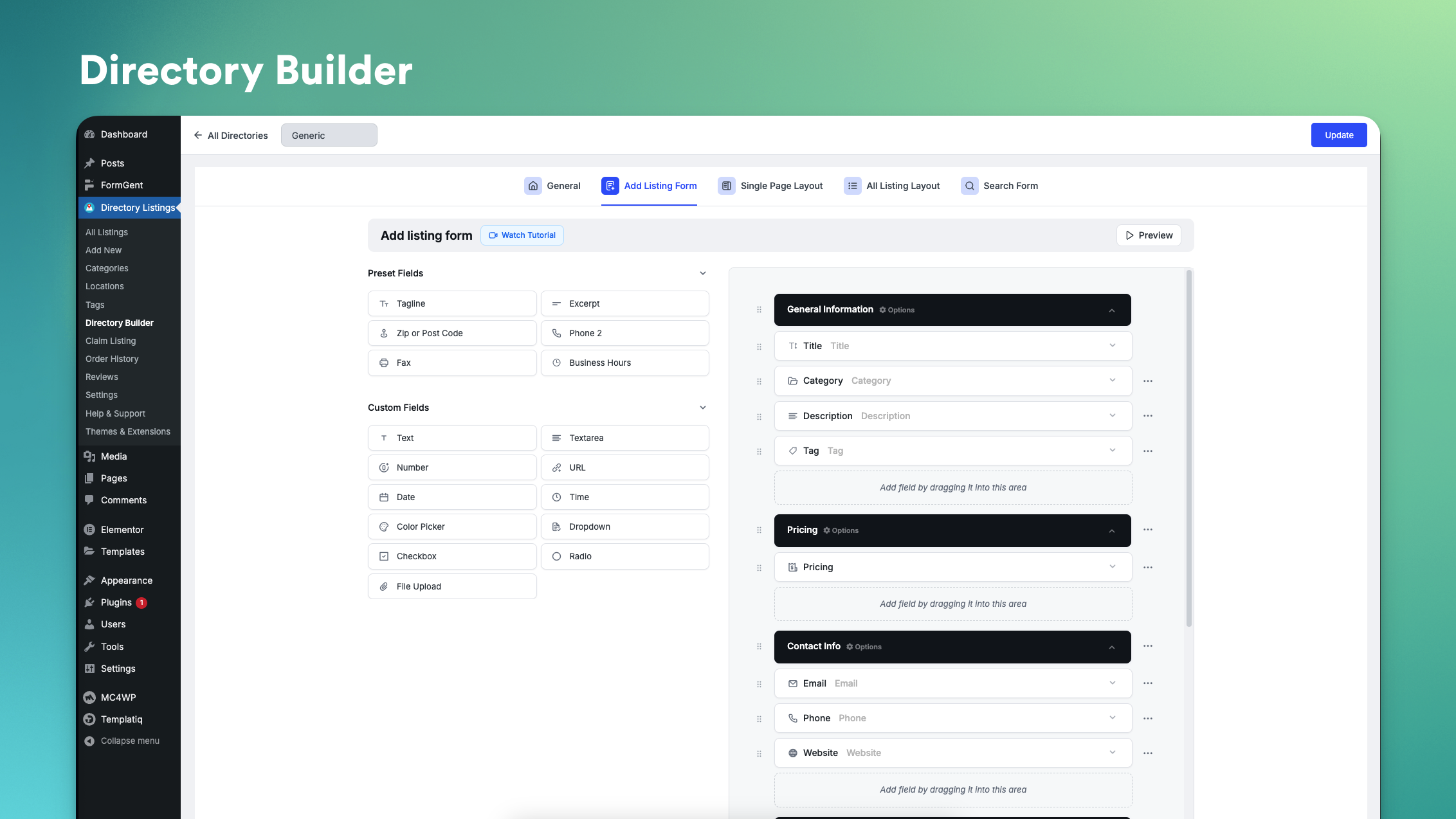
Directorist is a modern and versatile WordPress directory plugin that combines ease of use with powerful features. It’s designed to help you create any type of directory, from business listings to classified ads, with minimal effort. One of the standout features of Directorist is its drag-and-drop interface, which allows you to customize the layout of your directory pages without any coding knowledge. The plugin also includes a built-in monetization system, enabling you to charge for listings, featured placements, or even subscriptions. Directorist is highly extensible, with a wide range of add-ons available to enhance functionality, such as booking systems, WooCommerce integration, and advanced search filters. It’s a great choice for users who want a balance between simplicity and advanced features, making it suitable for both beginners and experienced developers.
- Drag-and-Drop Builder: Customize the layout of your directory pages with an intuitive drag-and-drop interface, making it easy to design without coding.
- Monetization Options: Charge for listings, featured placements, or subscriptions using built-in payment gateways like PayPal and Stripe.
- Advanced Search and Filters: Users can search and filter listings based on categories, locations, custom fields, and more, improving the user experience.
- WooCommerce Integration: Sell products or services directly from your directory by integrating with WooCommerce, turning your directory into an eCommerce platform.
- Booking System: Enable booking functionality for listings, allowing users to schedule appointments or reservations directly from your directory.
4. Sabai Directory

Sabai Directory is a premium WordPress plugin that offers a comprehensive solution for creating highly customizable directory websites. It’s particularly well-suited for users who need advanced features like interactive maps, user reviews, and customizable search filters. Sabai Directory stands out for its flexibility, allowing you to create directories for a wide range of niches, from real estate to job boards. The plugin includes a powerful search system that lets users filter listings by location, category, or custom fields, making it easy to find relevant results. It also supports user-generated content, enabling visitors to submit their own listings, which can help grow your directory organically. With its clean design and responsive layout, Sabai Directory ensures your site looks professional and functions smoothly across all devices.
- Interactive Maps: Integrates with Google Maps to display listings on interactive maps, allowing users to visualize locations and proximity.
- User Reviews and Ratings: Visitors can leave reviews and ratings for listings, which helps build credibility and engagement within your directory.
- Customizable Search Filters: Users can refine their search using advanced filters, such as location, category, price range, or custom fields, for more accurate results.
- User-Generated Listings: Visitors can submit their own listings, which can be moderated before publication, helping to grow your directory organically.
- Responsive Design: The plugin ensures your directory looks great on all devices, from desktops to smartphones, providing a seamless user experience.
5. Connections Business Directory
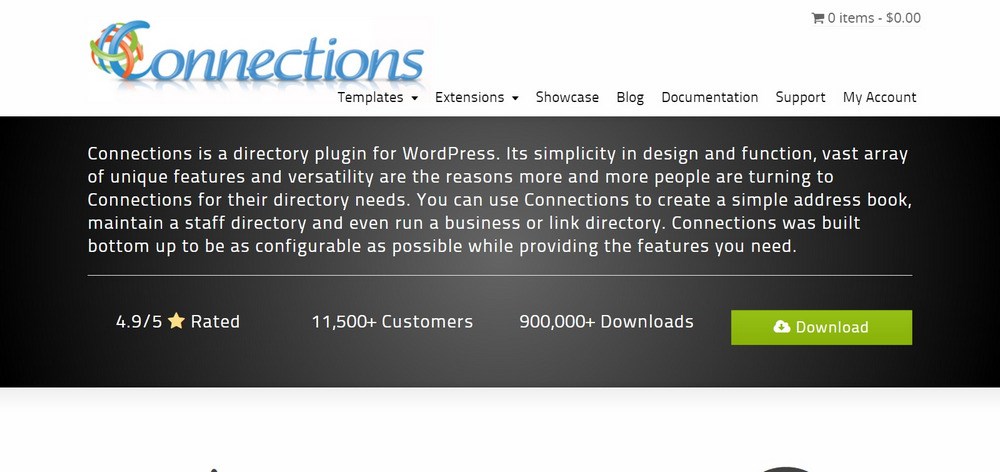
Connections Business Directory is a lightweight yet powerful WordPress plugin designed for creating simple and effective business directories. It’s an excellent choice for users who need a no-frills solution that’s easy to set up and manage. The plugin is particularly popular for creating employee directories, member directories, or local business listings. Connections offers a clean and intuitive interface, making it accessible to beginners while still providing enough customization options for advanced users. It supports custom fields, categories, and tags, allowing you to organize your directory in a way that fits your needs. The plugin also includes a shortcode system, making it easy to embed directory listings anywhere on your site. With its focus on simplicity and performance, Connections is a great option for users who want a straightforward directory solution.
- Lightweight and Fast: The plugin is optimized for performance, ensuring your directory loads quickly and doesn’t slow down your website.
- Custom Fields and Categories: You can create custom fields and categories to organize your directory in a way that suits your specific needs.
- Shortcode Support: Easily embed directory listings anywhere on your site using shortcodes, giving you flexibility in how you display your content.
- User-Friendly Interface: The plugin offers a clean and intuitive interface, making it easy for beginners to set up and manage their directory.
- SEO-Friendly: Connections includes built-in SEO features, such as clean URLs and meta tags, to help your directory rank higher in search results.
6. Toolset Directory
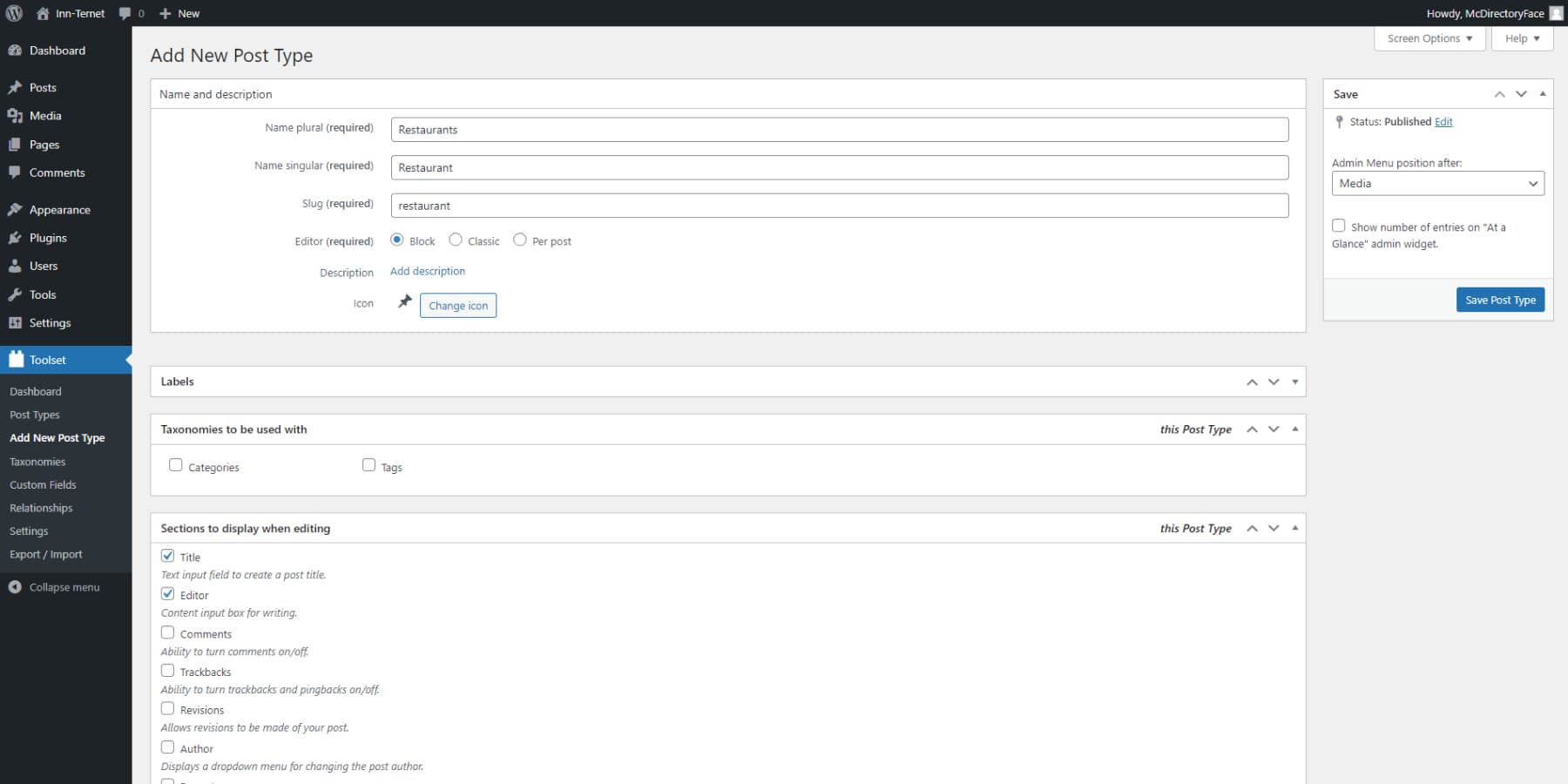
Toolset Directory is part of the Toolset suite, a collection of plugins designed to help you build custom WordPress sites without coding. While not a standalone directory plugin, Toolset offers powerful tools for creating highly customized directory websites. It’s ideal for users who need complete control over the design and functionality of their directory, as it allows you to create custom post types, fields, and taxonomies. Toolset integrates seamlessly with popular page builders like Elementor and Beaver Builder, making it easy to design beautiful directory pages. The plugin also includes advanced search and filtering options, enabling users to find listings based on specific criteria. With its focus on customization and flexibility, Toolset Directory is a great choice for developers or advanced users who want to create a unique directory experience.
- Custom Post Types and Fields: Create custom post types and fields to tailor your directory to your specific needs, whether it’s for real estate, events, or business listings.
- Advanced Search and Filters: Users can search and filter listings based on custom fields, categories, or taxonomies, making it easy to find relevant results.
- Page Builder Integration: Toolset works seamlessly with popular page builders like Elementor and Beaver Builder, allowing you to design directory pages without coding.
- Front-End Forms: Enable users to submit listings directly from the front end of your site, with customizable forms for different types of content.
- Dynamic Content Display: Display directory listings dynamically based on user input or search criteria, creating a personalized experience for visitors.
7. Listable
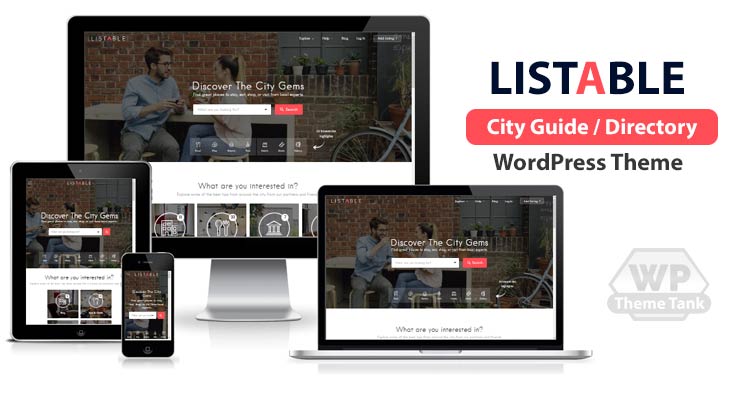
Listable is a premium WordPress theme that includes built-in directory functionality, making it a great all-in-one solution for creating directory websites. While it’s technically a theme, it comes with a powerful directory plugin that allows you to create and manage listings with ease. Listable is designed with a modern and clean aesthetic, making it ideal for directories that prioritize design and user experience. The theme includes features like interactive maps, customizable listing fields, and advanced search filters, ensuring your directory is both functional and visually appealing. It also supports monetization options, such as paid listings and featured placements, allowing you to generate revenue from your directory. With its focus on design and usability, Listable is a great choice for users who want a polished and professional directory site without the need for additional plugins.
- Modern and Clean Design: Listable offers a visually appealing design that ensures your directory looks professional and engaging to visitors.
- Interactive Maps: Integrates with Google Maps to display listings on interactive maps, helping users visualize locations and proximity.
- Customizable Listing Fields: You can add, remove, or modify fields to tailor your directory to your specific niche, such as restaurants, real estate, or events.
- Advanced Search and Filters: Users can refine their search using advanced filters, such as location, category, or custom fields, for more accurate results.
- Monetization Options: Charge for listings or featured placements using built-in payment gateways, allowing you to generate revenue from your directory.
8. WP Job Manager
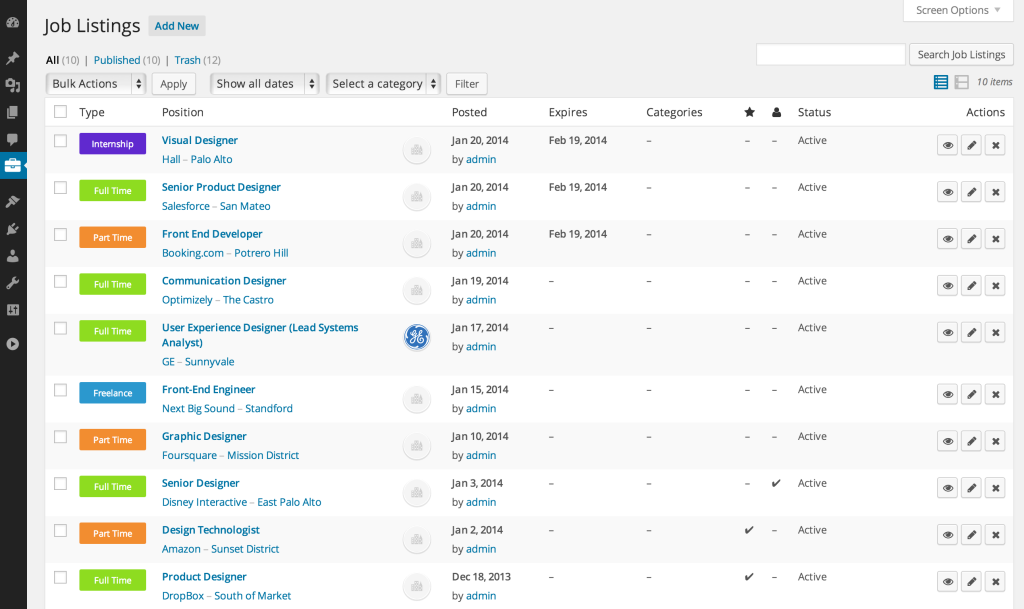
WP Job Manager is a popular WordPress plugin designed specifically for creating job boards, but its flexibility makes it a great option for other types of directories as well. Whether you’re building a job listing site, a classifieds board, or a business directory, WP Job Manager offers a robust set of features to help you get started. The plugin is lightweight and easy to use, making it accessible to beginners while still offering enough customization options for advanced users. It includes features like front-end submission forms, customizable listing fields, and advanced search filters, ensuring your directory is both functional and user-friendly. WP Job Manager also integrates with popular payment gateways, allowing you to monetize your directory by charging for listings or featured placements. With its active development and strong community support, it’s a reliable choice for anyone looking to create a directory website.
- Front-End Submission Forms: Users can submit listings directly from the front end of your site, making it easy for visitors to contribute to your directory.
- Customizable Listing Fields: You can add, remove, or modify fields to tailor your directory to your specific needs, whether it’s for jobs, businesses, or classifieds.
- Advanced Search and Filters: Users can search and filter listings based on categories, locations, or custom fields, improving the user experience.
- Payment Integration: Supports multiple payment gateways, including PayPal and Stripe, allowing you to charge for listings or featured placements.
- Responsive Design: The plugin ensures your directory looks great on all devices, from desktops to smartphones, providing a seamless user experience.
9. HivePress
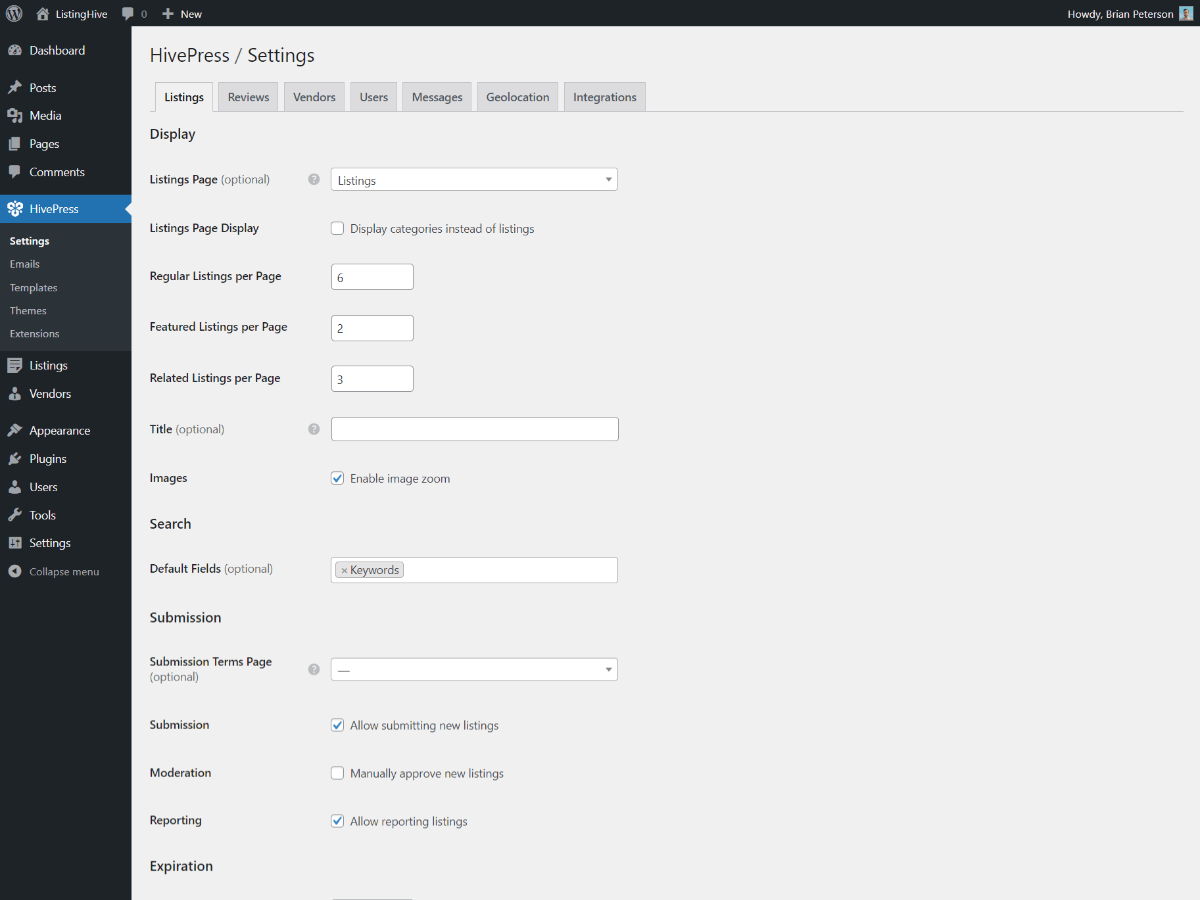
HivePress is a modern and flexible WordPress plugin designed for creating directory and classifieds websites. It’s built with a focus on performance and usability, making it a great choice for users who want a fast and reliable directory solution. HivePress offers a wide range of features, including customizable listing fields, advanced search filters, and interactive maps, ensuring your directory is both functional and user-friendly. The plugin also supports monetization options, such as paid listings and subscriptions, allowing you to generate revenue from your site. One of the standout features of HivePress is its integration with popular page builders like Elementor, making it easy to design beautiful directory pages without any coding knowledge. With its clean design and powerful features, HivePress is a great option for both beginners and experienced users.
- Customizable Listing Fields: You can create custom fields to tailor your directory to your specific niche, whether it’s for real estate, jobs, or events.
- Advanced Search and Filters: Users can search and filter listings based on categories, locations, or custom fields, making it easy to find relevant results.
- Interactive Maps: Integrates with Google Maps to display listings on interactive maps, helping users visualize locations and proximity.
- Monetization Options: Charge for listings, featured placements, or subscriptions using built-in payment gateways like PayPal and Stripe.
- Page Builder Integration: Works seamlessly with popular page builders like Elementor, allowing you to design directory pages without coding.
10. Advanced Classifieds & Directory Pro
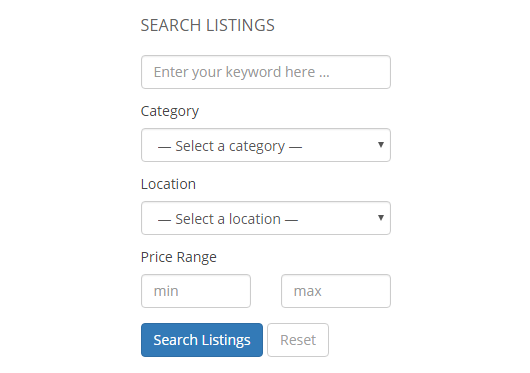
Advanced Classifieds & Directory Pro is a comprehensive WordPress plugin designed for creating classifieds and directory websites. It’s packed with features that make it easy to set up and manage a professional directory, whether you’re building a local business listing, a job board, or a classifieds site. The plugin includes customizable listing fields, advanced search filters, and interactive maps, ensuring your directory is both functional and user-friendly. It also supports monetization options, such as paid listings and featured placements, allowing you to generate revenue from your site. One of the standout features of Advanced Classifieds & Directory Pro is its support for user-generated content, enabling visitors to submit their own listings, which can help grow your directory organically. With its clean design and powerful features, it’s a great choice for users who want a versatile and reliable directory solution.
- Customizable Listing Fields: You can add, remove, or modify fields to tailor your directory to your specific needs, whether it’s for businesses, jobs, or classifieds.
- Advanced Search and Filters: Users can search and filter listings based on categories, locations, or custom fields, improving the user experience.
- Interactive Maps: Integrates with Google Maps to display listings on interactive maps, helping users visualize locations and proximity.
- Monetization Options: Charge for listings or featured placements using built-in payment gateways, allowing you to generate revenue from your directory.
- User-Generated Listings: Visitors can submit their own listings, which can be moderated before publication, helping to grow your directory organically.
Frequently Asked Questions
What is a WordPress directory plugin?
A WordPress directory plugin is a tool that allows you to create and manage a directory website on your WordPress site. These plugins provide features like customizable listing fields, search and filter options, interactive maps, and monetization tools. They are used to build a wide range of directory websites, such as business listings, job boards, real estate directories, and classifieds. Directory plugins make it easy to organize and display information in a structured and user-friendly way, helping visitors find what they’re looking for quickly and efficiently.
How do I choose the best WordPress directory plugin for my needs?
Choosing the best WordPress directory plugin depends on your specific needs and goals. Start by identifying the type of directory you want to create, such as a business listing, job board, or real estate directory. Then, consider the features you need, such as customizable fields, search filters, monetization options, and integration with other tools like page builders or payment gateways. It’s also important to think about your technical expertise—some plugins are more beginner-friendly, while others offer advanced customization options for developers. Finally, read reviews and check the plugin’s support and update history to ensure it’s reliable and well-maintained.
Can I monetize my directory website?
Yes, most WordPress directory plugins offer monetization options to help you generate revenue from your site. Common monetization methods include charging for listings, featured placements, or subscriptions. Some plugins also support payment gateways like PayPal and Stripe, making it easy to collect payments from users. Additionally, you can monetize your directory through advertising, affiliate marketing, or by offering premium services to your users. The key is to choose a plugin that supports the monetization features you need and aligns with your business model.
Are there free WordPress directory plugins available?
Yes, there are several free WordPress directory plugins available, such as GeoDirectory, Business Directory Plugin, and HivePress. These plugins offer basic directory functionality, including customizable listing fields, search filters, and responsive design. While free plugins are a great way to get started, they often come with limitations, such as fewer features or lack of support. If you need advanced functionality, such as monetization options or integration with other tools, you may need to upgrade to a premium version or purchase add-ons. It’s important to evaluate your needs and choose a plugin that offers the right balance of features and affordability.
How do I customize the design of my directory website?
Customizing the design of your directory website depends on the plugin you’re using. Many directory plugins offer built-in design options, such as customizable templates, color schemes, and layout settings. Some plugins also integrate with popular page builders like Elementor or Beaver Builder, allowing you to design your directory pages using a drag-and-drop interface. If you’re comfortable with coding, you can also customize the design using CSS or by creating custom templates. The key is to choose a plugin that offers the level of customization you need and aligns with your technical expertise.
Can I import or export listings in a WordPress directory plugin?
Yes, many WordPress directory plugins support importing and exporting listings, which can save you time and effort when setting up or migrating your directory. This feature is particularly useful if you have a large number of listings or need to transfer data from another platform. Most plugins allow you to import listings using CSV or Excel files, and some even offer tools to map your data to the correct fields in the plugin. Exporting listings is also useful for backing up your data or analyzing it in other tools. Be sure to check the documentation for your chosen plugin to understand its import and export capabilities.
What are the best practices for managing a directory website?
Managing a directory website effectively requires a combination of good organization, user engagement, and technical maintenance. Start by keeping your listings up to date and removing any outdated or irrelevant content. Encourage user engagement by enabling reviews, ratings, and comments, and respond to feedback to build trust with your audience. Use SEO best practices, such as optimizing your listings for search engines and using clean URLs, to improve your site’s visibility. Regularly back up your site and keep your plugins and themes updated to ensure security and performance. Finally, monitor your site’s analytics to understand user behavior and make data-driven decisions to improve your directory.


