
best form plugin wordpress


WordPress form plugins make it easy to collect user data, handle submissions, and integrate with other tools without writing a line of code. The right plugin depends on your needs—whether you need simple contact forms, advanced conditional logic, payment processing, or seamless CRM connections. Some prioritize ease of use with drag-and-drop builders, while others focus on performance, security, or deep customization. The best options balance functionality with reliability, ensuring forms load quickly and submissions don’t get lost in spam filters.
Not all form plugins are created equal. Some slow down your site with bloated code, others lack essential features like file uploads or multi-step forms, and a few have outdated interfaces that make setup frustrating. The top choices avoid these pitfalls by offering clean design, regular updates, and strong support. If you’re running a business, nonprofit, or personal site, picking the right plugin saves time and prevents headaches down the road.
I’ve assembled a list below of the best options for WordPress form plugins.
📋 Table of Contents
1. WPForms

WPForms is one of the most popular and user-friendly form plugins for WordPress, trusted by over 5 million users. It’s designed to help both beginners and advanced users create beautiful, functional forms without any coding knowledge. Whether you need a simple contact form, a survey, or a payment form, WPForms makes the process intuitive with its drag-and-drop builder. The plugin also integrates seamlessly with popular email marketing services, payment gateways, and CRM tools, making it a versatile choice for businesses of all sizes. WPForms is particularly well-suited for small businesses, bloggers, and non-profits looking for a reliable and easy-to-use solution.
- Drag-and-Drop Form Builder: Easily create forms by dragging and dropping fields, with no coding required. The interface is intuitive and beginner-friendly.
- Pre-Built Form Templates: Save time with over 100 pre-built form templates for contact forms, surveys, payment forms, and more.
- Smart Conditional Logic: Show or hide form fields based on user responses, making your forms more dynamic and personalized.
- Spam Protection: Built-in CAPTCHA, hCaptcha, and reCAPTCHA support to keep your forms secure from spam submissions.
- Payment Integrations: Accept payments via PayPal, Stripe, and Square directly through your forms, perfect for online stores and donations.
2. Gravity Forms
Gravity Forms is a powerful and flexible form plugin for WordPress, known for its advanced features and customization options. It’s a favorite among developers and businesses that need more than just basic forms. With Gravity Forms, you can create complex forms with conditional logic, multi-page forms, and even integrate with third-party services like Zapier, Mailchimp, and Salesforce. The plugin also supports file uploads, user registration, and payment processing, making it a robust solution for eCommerce, membership sites, and lead generation. While it has a steeper learning curve than some competitors, its flexibility and scalability make it worth the investment for serious users.
- Advanced Conditional Logic: Create dynamic forms that adapt based on user input, showing or hiding fields as needed.
- Multi-Page Forms: Break long forms into multiple pages for a better user experience and higher completion rates.
- File Uploads: Allow users to upload files directly through your forms, ideal for job applications or support requests.
- Third-Party Integrations: Connect with over 30 add-ons, including email marketing tools, CRM systems, and payment gateways.
- Developer-Friendly: Extensive hooks and filters for customization, making it a top choice for developers.
3. Formidable Forms

Formidable Forms is a versatile WordPress form plugin that goes beyond basic form creation. It’s designed for users who need advanced functionality, such as creating calculators, directories, and even custom web applications. The plugin offers a drag-and-drop builder, conditional logic, and a wide range of field types, including file uploads, signatures, and dynamic fields. Formidable Forms also excels in data management, allowing you to display form submissions in tables, graphs, or even as front-end content. This makes it an excellent choice for businesses that need to collect, analyze, and display data efficiently. It’s particularly popular among real estate agents, event planners, and online course creators.
- Advanced Data Management: Display form submissions as tables, graphs, or front-end content without any coding.
- Calculations and Quizzes: Create calculators, quizzes, and surveys with automatic scoring and results.
- Front-End Editing: Allow users to edit their submissions from the front end of your website.
- Signature Fields: Add signature fields to your forms for contracts, waivers, or approvals.
- API and Webhooks: Integrate with external services using API and webhooks for seamless automation.
4. Ninja Forms

Ninja Forms is a flexible and lightweight form plugin for WordPress that balances ease of use with powerful features. It’s a great choice for users who want a simple yet customizable form builder without overwhelming complexity. The plugin offers a drag-and-drop interface, pre-built templates, and a wide range of add-ons for extending functionality. Ninja Forms is particularly well-suited for small businesses, bloggers, and non-profits that need a reliable form solution without a steep learning curve. The free version is quite capable, but the premium add-ons unlock advanced features like conditional logic, payment processing, and CRM integrations. Its modular approach allows you to pay only for the features you need, making it a cost-effective option.
- Modular Add-Ons: Extend functionality with add-ons for payments, conditional logic, and integrations, paying only for what you need.
- User-Friendly Interface: Intuitive drag-and-drop builder that’s easy for beginners but powerful enough for advanced users.
- Pre-Built Templates: Get started quickly with templates for contact forms, surveys, and more.
- Front-End Post Submissions: Allow users to submit posts or content directly from the front end of your site.
- Multi-Part Forms: Break long forms into multiple steps for better user experience and higher completion rates.
5. Fluent Forms
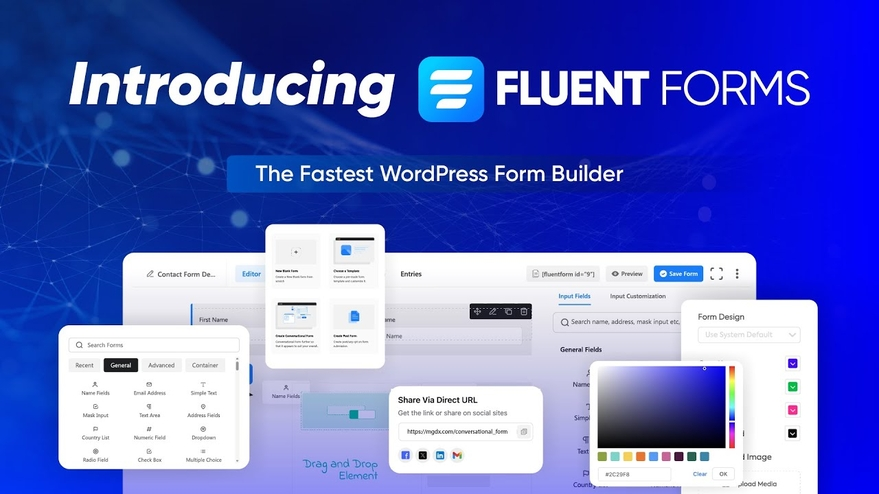
Fluent Forms is a fast and lightweight form plugin for WordPress that focuses on performance and ease of use. It’s designed to be intuitive and beginner-friendly while still offering advanced features like conditional logic, multi-step forms, and payment integrations. One of its standout features is its speed—Fluent Forms is optimized to load quickly, even on complex forms, which is great for improving user experience and SEO. The plugin also includes a conversational form feature, which turns traditional forms into interactive, chat-like experiences. This makes it ideal for lead generation, surveys, and feedback forms. Fluent Forms is a great choice for businesses, marketers, and developers who want a fast, reliable, and feature-rich form solution.
- Conversational Forms: Turn forms into interactive, chat-like experiences to boost engagement and completion rates.
- Conditional Logic: Show or hide fields based on user responses for a personalized form experience.
- Multi-Step Forms: Break long forms into multiple steps to reduce abandonment and improve user experience.
- Payment Integrations: Accept payments via Stripe, PayPal, and other gateways directly through your forms.
- Performance Optimized: Lightweight and fast-loading, ensuring your forms don’t slow down your website.
6. Contact Form 7

Contact Form 7 is one of the oldest and most widely used form plugins for WordPress, with over 5 million active installations. It’s a free, lightweight, and straightforward solution for creating simple contact forms. While it lacks some of the advanced features of premium plugins, its simplicity and reliability make it a favorite among users who need a no-frills form builder. Contact Form 7 uses a tag-based system for form creation, which can be a bit technical for beginners, but it’s highly customizable for those willing to learn. The plugin also supports CAPTCHA and Akismet integration for spam protection. It’s best suited for bloggers, small businesses, and anyone who needs a basic, functional contact form without extra bells and whistles.
- Simple and Lightweight: Minimalist design with no unnecessary bloat, ensuring fast performance.
- Tag-Based Form Builder: Create forms using simple tags, which can be customized with HTML and CSS for advanced users.
- Spam Protection: Integrates with CAPTCHA and Akismet to prevent spam submissions.
- File Uploads: Allow users to upload files through your forms, such as resumes or images.
- Extensible with Add-Ons: Enhance functionality with third-party add-ons for conditional logic, multi-step forms, and more.
7. Everest Forms
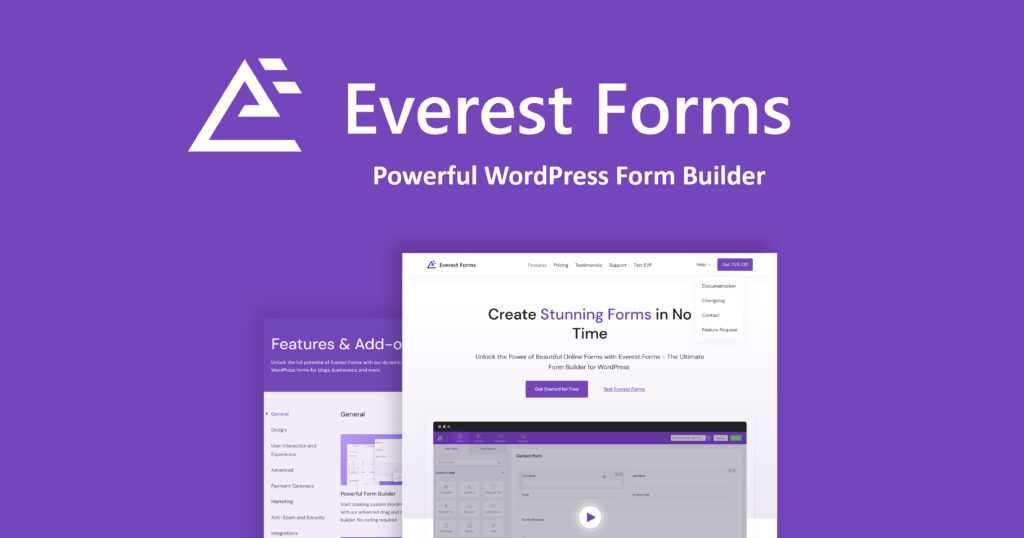
Everest Forms is a user-friendly and feature-rich form plugin for WordPress that’s perfect for beginners and advanced users alike. It offers a drag-and-drop builder, pre-built templates, and a wide range of field types, including file uploads, signatures, and payment fields. The plugin is highly customizable, allowing you to style your forms to match your website’s design. Everest Forms also includes advanced features like conditional logic, multi-step forms, and integrations with popular email marketing and payment services. It’s a great choice for businesses, bloggers, and non-profits that need a reliable and flexible form solution without a steep learning curve. The free version is quite capable, but the premium version unlocks even more features for power users.
- Drag-and-Drop Builder: Easily create forms with a simple drag-and-drop interface, no coding required.
- Pre-Built Templates: Get started quickly with templates for contact forms, surveys, and payment forms.
- Conditional Logic: Show or hide fields based on user responses for a more dynamic form experience.
- Multi-Step Forms: Break long forms into multiple steps to improve user experience and completion rates.
- Payment Integrations: Accept payments via PayPal and Stripe directly through your forms.
8. HappyForms

HappyForms is a modern and intuitive form plugin for WordPress that focuses on simplicity and user experience. It’s designed to be easy to use, even for beginners, with a drag-and-drop builder and pre-built templates. One of its standout features is its real-time preview, which allows you to see changes to your form as you make them. HappyForms also includes advanced features like conditional logic, multi-step forms, and integrations with popular email marketing services. It’s a great choice for small businesses, bloggers, and non-profits that want a hassle-free form solution. The plugin is lightweight and optimized for speed, ensuring your forms load quickly and don’t slow down your website.
- Real-Time Preview: See changes to your form in real-time as you build it, making the process faster and more intuitive.
- Drag-and-Drop Builder: Easily create forms with a simple drag-and-drop interface, no coding required.
- Conditional Logic: Show or hide fields based on user responses for a more personalized form experience.
- Multi-Step Forms: Break long forms into multiple steps to reduce abandonment and improve user experience.
- Email Marketing Integrations: Connect with popular email marketing services like Mailchimp, Constant Contact, and more.
9. Typeform
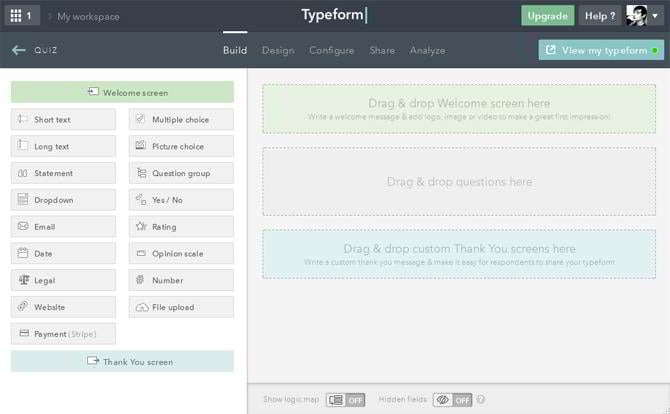
Typeform is a unique and visually appealing form builder that’s designed to create engaging, interactive forms. While it’s not a native WordPress plugin, it can be easily embedded into your WordPress site using a shortcode or iframe. Typeform is known for its conversational, chat-like forms that feel more like a conversation than a traditional form. This makes it ideal for surveys, quizzes, and lead generation, where user engagement is key. The platform offers a wide range of templates, customization options, and integrations with popular tools like Google Sheets, Mailchimp, and Zapier. Typeform is best suited for marketers, designers, and businesses that want to create visually stunning forms that stand out from the crowd.
- Conversational Forms: Create forms that feel like a natural conversation, boosting engagement and completion rates.
- Beautiful Templates: Choose from a wide range of visually appealing templates for surveys, quizzes, and more.
- Logic Jumps: Show or hide questions based on user responses for a personalized experience.
- Integrations: Connect with popular tools like Google Sheets, Mailchimp, and Zapier for seamless automation.
- Embeddable: Easily embed Typeform into your WordPress site using a shortcode or iframe.
10. Caldera Forms
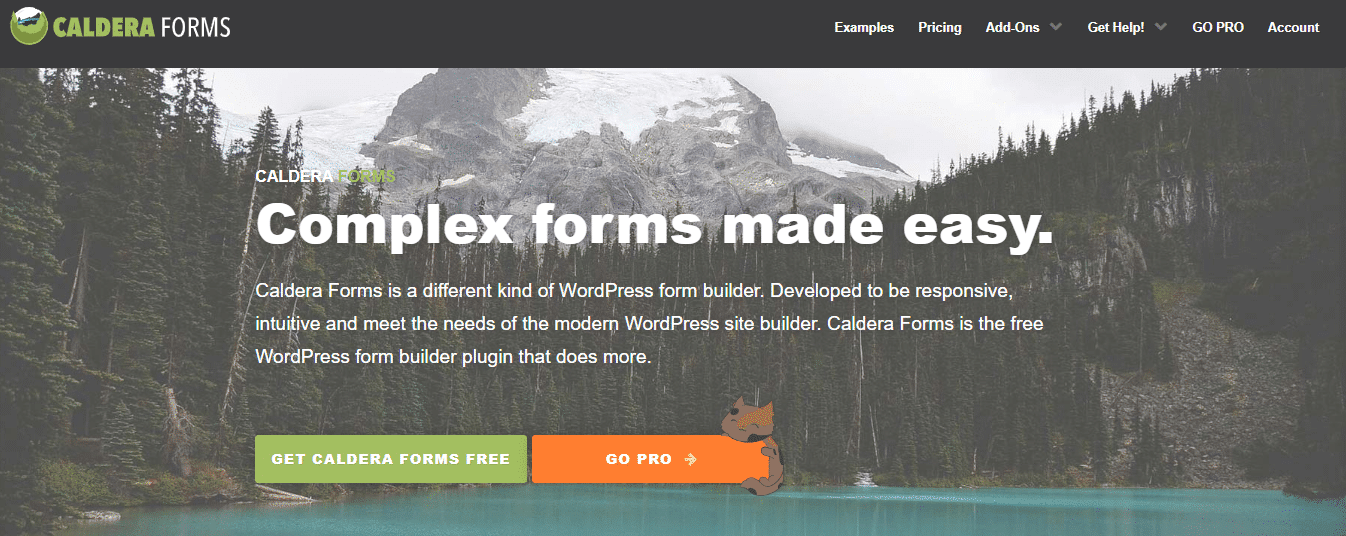
Caldera Forms is a powerful and flexible form plugin for WordPress that’s designed for users who need advanced functionality without the complexity. It offers a drag-and-drop builder, conditional logic, and a wide range of field types, including file uploads, calculations, and payment fields. One of its standout features is its ability to create multi-part forms, which can be broken into multiple steps for a better user experience. Caldera Forms also includes integrations with popular email marketing services, payment gateways, and CRM tools. It’s a great choice for businesses, developers, and marketers who need a robust form solution that can handle complex workflows. While the free version is quite capable, the premium version unlocks even more features for power users.
- Drag-and-Drop Builder: Easily create forms with a simple drag-and-drop interface, no coding required.
- Conditional Logic: Show or hide fields based on user responses for a more dynamic form experience.
- Multi-Part Forms: Break long forms into multiple steps to improve user experience and completion rates.
- Payment Integrations: Accept payments via PayPal and Stripe directly through your forms.
- Developer-Friendly: Extensive hooks and filters for customization, making it a top choice for developers.
Frequently Asked Questions
What is the best form plugin for WordPress?
The best form plugin for WordPress depends on your specific needs. If you’re a beginner looking for an easy-to-use solution, WPForms or HappyForms are great choices. For advanced users who need more customization, Gravity Forms or Formidable Forms are excellent options. If you’re on a tight budget, Contact Form 7 is a reliable free option. Consider factors like ease of use, features, integrations, and pricing when making your decision.
Are free form plugins for WordPress any good?
Yes, many free form plugins for WordPress are quite capable and can meet the needs of most users. For example, Contact Form 7 is a popular free plugin that’s simple and reliable for basic contact forms. WPForms and Ninja Forms also offer free versions with limited features, which can be a great starting point. However, if you need advanced features like conditional logic, payment integrations, or multi-step forms, you may need to upgrade to a premium version.
How do I choose the right form plugin for my WordPress site?
To choose the right form plugin for your WordPress site, start by identifying your needs. Do you need a simple contact form, a survey, or a payment form? Consider the features you require, such as conditional logic, multi-step forms, or integrations with other tools. Also, think about your budget—some plugins offer free versions, while others require a paid subscription. Finally, read reviews and test out a few plugins to see which one feels the most intuitive and meets your needs.
Can I use form plugins for WordPress to collect payments?
Yes, many form plugins for WordPress support payment integrations, allowing you to collect payments directly through your forms. Plugins like WPForms, Gravity Forms, and Formidable Forms offer integrations with popular payment gateways like PayPal, Stripe, and Square. This makes them ideal for online stores, donation forms, or any other scenario where you need to accept payments. Be sure to check the plugin’s documentation to see which payment gateways are supported.
What is conditional logic in form plugins?
Conditional logic is a feature in form plugins that allows you to show or hide form fields based on user responses. For example, if a user selects “Yes” to a question, you can show additional fields related to that answer. This makes your forms more dynamic and personalized, improving the user experience and increasing completion rates. Most premium form plugins, like WPForms, Gravity Forms, and Formidable Forms, offer conditional logic as a feature.
How do I prevent spam submissions in my WordPress forms?
Preventing spam submissions in your WordPress forms is essential for maintaining the quality of your data. Most form plugins offer built-in spam protection features, such as CAPTCHA, hCaptcha, or reCAPTCHA. You can also use third-party plugins like Akismet to filter out spam. Additionally, enabling form submission limits, using hidden fields (honeypot technique), and requiring user authentication can help reduce spam. Always check your form plugin’s documentation for specific spam protection options.
Can I create multi-step forms in WordPress?
Yes, many form plugins for WordPress allow you to create multi-step forms, which break long forms into multiple pages or steps. This improves the user experience by making forms less overwhelming and increasing completion rates. Plugins like WPForms, Gravity Forms, and Formidable Forms offer multi-step form functionality. Some plugins even allow you to add progress bars or step indicators to guide users through the form.


