
best free wordpress security plugin


WordPress powers over 40% of all websites, which makes it a prime target for hackers and malicious attacks. If you’re running a site on this platform, security should be one of your top priorities—even if you’re on a tight budget. The good news is that you don’t need to spend money to get solid protection. Free WordPress security plugins can handle most of the heavy lifting, from blocking brute-force attacks to scanning for malware and hardening your login process.
The key is choosing the right plugin for your needs. Some focus on firewall protection, while others specialize in malware scanning or login security. The best options strike a balance between effectiveness and performance, ensuring your site stays secure without slowing it down. Not all free plugins are created equal, though, so it’s important to pick one that’s regularly updated and well-supported by its developers.
Here’s a breakdown of the best free WordPress security plugins available right now.
📋 Table of Contents
1. Wordfence Security

Wordfence Security is one of the most popular and comprehensive free WordPress security plugins available. It offers a robust firewall, malware scanner, and live traffic monitoring to protect your site from threats in real time. Wordfence is ideal for both beginners and advanced users who want a powerful, all-in-one security solution without spending a dime. The plugin is regularly updated to defend against the latest vulnerabilities, making it a reliable choice for long-term security. Its user-friendly dashboard provides clear insights into security threats, blocked attacks, and login attempts, helping you stay informed about your site’s safety. Wordfence also includes two-factor authentication (2FA) to add an extra layer of protection to your login process.
- Firewall Protection: Wordfence includes a built-in web application firewall (WAF) that blocks malicious traffic before it reaches your site. The firewall is powered by Threat Defense Feed, which is updated in real time to protect against the latest threats.
- Malware Scanner: The plugin scans your WordPress core files, themes, and plugins for malware, bad URLs, backdoors, SEO spam, and code injections. It compares your files against the official WordPress repository to detect any unauthorized changes.
- Live Traffic Monitoring: Wordfence provides real-time visibility into traffic and hack attempts on your site. You can see who is visiting your site, their IP addresses, and whether they are human or a bot, helping you identify and block suspicious activity.
- Two-Factor Authentication (2FA): Enhance your login security with 2FA, which requires users to enter a code from their mobile device in addition to their password. This feature significantly reduces the risk of brute-force attacks.
- Login Security: Wordfence allows you to enforce strong passwords, limit login attempts, and block IP addresses after too many failed login tries. This helps prevent unauthorized access to your site.
2. Sucuri Security
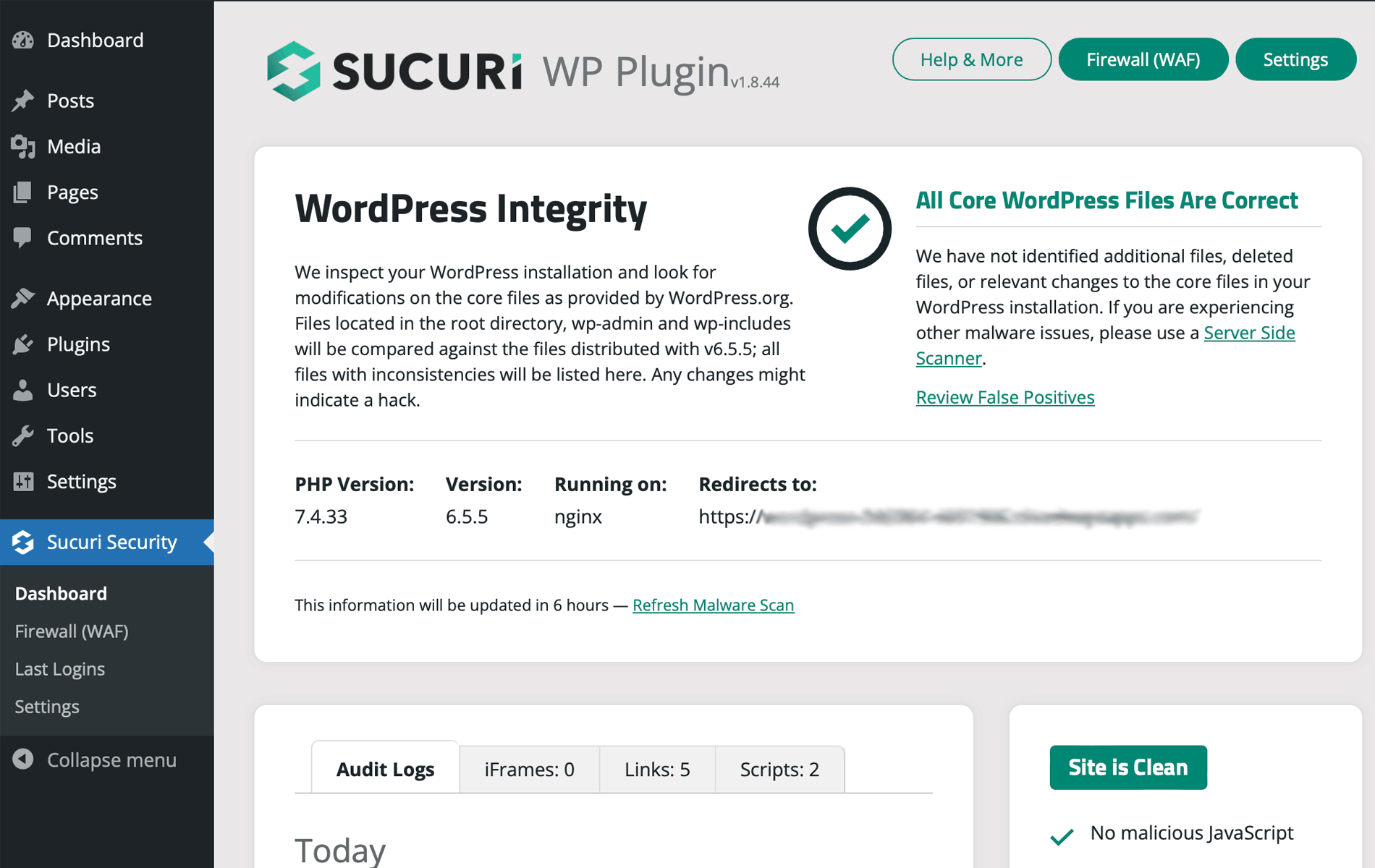
Sucuri Security is a trusted name in website security, and their free WordPress plugin is a fantastic option for site owners looking for a lightweight yet effective security solution. The plugin focuses on monitoring, malware scanning, and hardening your WordPress site to prevent attacks. Sucuri is particularly well-suited for users who want a hands-off approach to security, as it automates many of the essential security tasks. The plugin includes file integrity monitoring, which alerts you if any core files are modified, and a blacklist monitoring feature that checks if your site has been flagged by search engines or security authorities. While the free version is powerful, Sucuri also offers a premium service that includes a website firewall and malware removal.
- Security Activity Auditing: Sucuri logs all security-related events on your site, such as login attempts, file changes, and plugin updates. This helps you track any suspicious activity and take action if needed.
- File Integrity Monitoring: The plugin monitors your WordPress core files, themes, and plugins for unauthorized changes. If a file is modified, you’ll receive an alert so you can investigate and restore it if necessary.
- Malware Scanning: Sucuri scans your site for malware, backdoors, and other security threats. The scanner checks both your files and your database to ensure your site is clean.
- Blacklist Monitoring: Sucuri checks if your site has been blacklisted by search engines like Google or security authorities like Norton Safe Web. If your site is flagged, you’ll be notified so you can take corrective action.
- Post-Hack Security Actions: If your site is compromised, Sucuri provides step-by-step guidance to help you recover. This includes resetting passwords, updating security keys, and removing malicious code.
3. iThemes Security
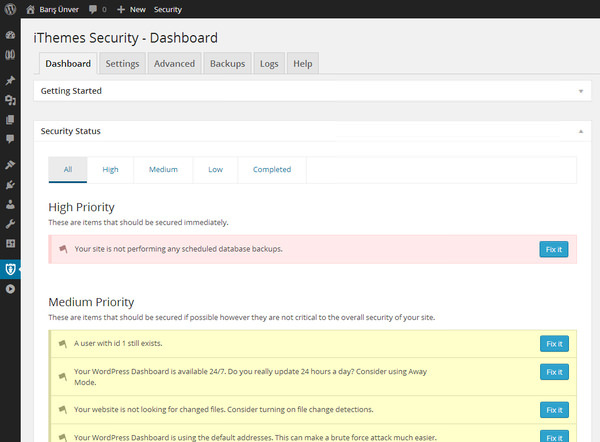
iThemes Security, formerly known as Better WP Security, is a comprehensive security plugin that offers over 30 ways to protect your WordPress site. The free version includes essential features like brute-force protection, file change detection, and strong password enforcement. iThemes Security is perfect for users who want a plugin that is easy to set up but still packed with powerful features. The plugin also includes a security dashboard that gives you a quick overview of your site’s security status, making it easy to identify and fix vulnerabilities. One of the standout features of iThemes Security is its ability to hide common WordPress security vulnerabilities, such as the login page and admin area, to make it harder for hackers to target your site.
- Brute Force Protection: iThemes Security limits the number of login attempts from a single IP address, preventing brute-force attacks. You can also ban users who try to guess passwords repeatedly.
- File Change Detection: The plugin monitors your site for file changes and alerts you if any unauthorized modifications are detected. This helps you catch malware or hacking attempts early.
- Strong Password Enforcement: iThemes Security forces users to create strong passwords, reducing the risk of weak passwords being cracked by attackers. You can also set password expiration policies for added security.
- Hide Login & Admin: The plugin allows you to change the default WordPress login URL and hide the admin area, making it harder for hackers to find and target your site.
- Database Backups: iThemes Security includes a feature to create database backups, ensuring you have a recent copy of your site’s data in case of an attack or accidental data loss.
4. All In One WP Security & Firewall
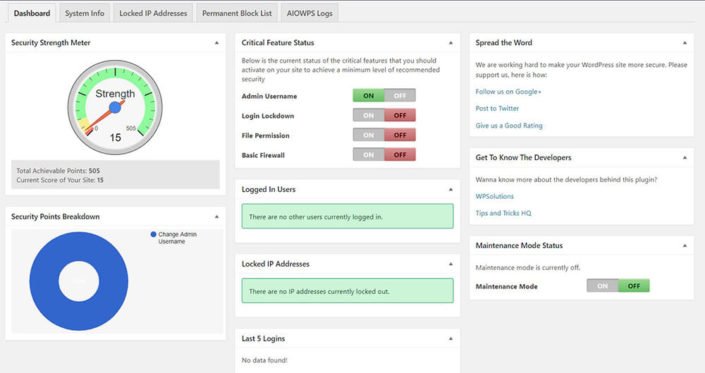
All In One WP Security & Firewall is a user-friendly and highly effective security plugin that offers a wide range of features to protect your WordPress site. The plugin is designed with beginners in mind, featuring a simple interface and a security strength meter that helps you gauge your site’s security level. All In One WP Security includes firewall protection, brute-force attack prevention, and file integrity monitoring, among other features. One of its standout features is the ability to schedule automatic database backups, ensuring you always have a recent copy of your site’s data. The plugin also includes a feature to blacklist suspicious IP addresses and block users who attempt to log in with invalid credentials.
- User Account Security: The plugin checks for weak passwords and enforces strong password policies. It also detects if any user accounts have default usernames like ‘admin,’ which are common targets for hackers.
- Brute Force Login Protection: All In One WP Security limits login attempts and locks out users who fail to log in after a set number of tries. You can also enable CAPTCHA on the login page for added security.
- Firewall Protection: The plugin includes a firewall that blocks malicious traffic and prevents common attacks like SQL injections and cross-site scripting (XSS). You can choose from basic, intermediate, or advanced firewall settings.
- File Integrity Monitoring: The plugin scans your WordPress files for changes and alerts you if any unauthorized modifications are detected. This helps you catch malware or hacking attempts early.
- Database Security: All In One WP Security allows you to schedule automatic database backups and change the default WordPress database prefix to make it harder for hackers to target your site.
5. MalCare Security

MalCare Security is a powerful and easy-to-use security plugin that focuses on malware detection and removal. The plugin uses a cloud-based scanner to detect malware and other security threats without slowing down your site. MalCare is ideal for users who want a hassle-free security solution that doesn’t require technical expertise. The free version includes malware scanning, firewall protection, and login security features. One of the standout features of MalCare is its one-click malware removal, which allows you to clean your site instantly if it’s infected. The plugin also includes a website hardening feature that helps you secure your site by disabling file editing and protecting sensitive files.
- Cloud-Based Malware Scanner: MalCare uses a cloud-based scanner to detect malware and other security threats without affecting your site’s performance. The scanner checks your site’s files and database for malicious code.
- One-Click Malware Removal: If your site is infected, MalCare allows you to remove malware with a single click. This feature is available in the free version and makes it easy to clean your site quickly.
- Firewall Protection: The plugin includes a firewall that blocks malicious traffic and prevents common attacks like SQL injections and cross-site scripting (XSS). The firewall is updated regularly to protect against the latest threats.
- Login Security: MalCare includes features like two-factor authentication (2FA), CAPTCHA, and IP blocking to protect your login page from brute-force attacks and unauthorized access.
- Website Hardening: The plugin helps you secure your site by disabling file editing, protecting sensitive files, and blocking PHP execution in untrusted directories. This makes it harder for hackers to exploit vulnerabilities.
6. BulletProof Security
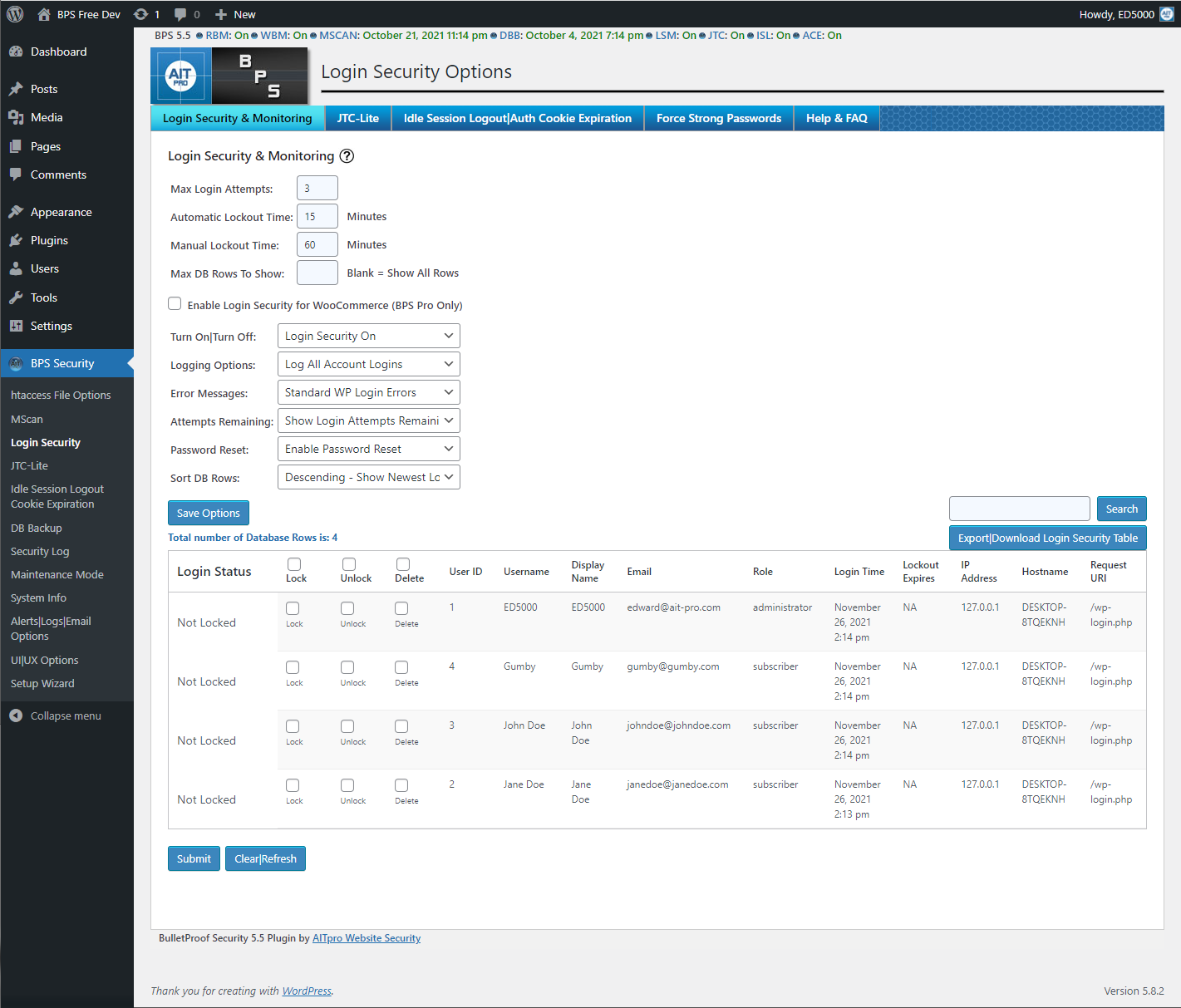
BulletProof Security is a robust and feature-rich security plugin that offers a wide range of tools to protect your WordPress site. The plugin includes a firewall, malware scanner, and login security features, making it a great choice for users who want a comprehensive security solution. BulletProof Security is particularly well-suited for advanced users, as it offers a high level of customization and control over your site’s security settings. The plugin includes features like .htaccess file protection, which helps secure your site’s root directory, and a maintenance mode that allows you to work on your site without exposing it to visitors. BulletProof Security also includes a feature to monitor your site’s security logs, helping you track and respond to potential threats.
- Firewall Protection: BulletProof Security includes a firewall that blocks malicious traffic and prevents common attacks like SQL injections and cross-site scripting (XSS). The firewall is customizable, allowing you to tailor it to your site’s needs.
- Malware Scanner: The plugin scans your site for malware, backdoors, and other security threats. The scanner checks both your files and your database to ensure your site is clean.
- Login Security: BulletProof Security includes features like two-factor authentication (2FA), CAPTCHA, and IP blocking to protect your login page from brute-force attacks and unauthorized access.
- .htaccess File Protection: The plugin helps secure your site’s root directory by protecting your .htaccess file. This makes it harder for hackers to exploit vulnerabilities in your site’s configuration.
- Security Log Monitoring: BulletProof Security logs all security-related events on your site, such as login attempts, file changes, and plugin updates. This helps you track any suspicious activity and take action if needed.
7. SecuPress

SecuPress is a modern and user-friendly security plugin that offers a wide range of features to protect your WordPress site. The plugin is designed to be easy to use, with a clean and intuitive interface that makes it accessible to beginners. SecuPress includes features like malware scanning, firewall protection, and login security, as well as a security audit tool that helps you identify and fix vulnerabilities on your site. One of the standout features of SecuPress is its ability to generate security reports, which provide a detailed overview of your site’s security status. The plugin also includes a feature to block bad bots and prevent spam, making it a great all-in-one security solution.
- Malware Scanner: SecuPress scans your site for malware, backdoors, and other security threats. The scanner checks both your files and your database to ensure your site is clean.
- Firewall Protection: The plugin includes a firewall that blocks malicious traffic and prevents common attacks like SQL injections and cross-site scripting (XSS). The firewall is updated regularly to protect against the latest threats.
- Login Security: SecuPress includes features like two-factor authentication (2FA), CAPTCHA, and IP blocking to protect your login page from brute-force attacks and unauthorized access.
- Security Audit: The plugin includes a security audit tool that scans your site for vulnerabilities and provides recommendations for fixing them. This helps you identify and address potential security risks.
- Bad Bot Blocking: SecuPress blocks bad bots and prevents spam, reducing the risk of your site being targeted by malicious bots and automated attacks.
8. Cerber Security
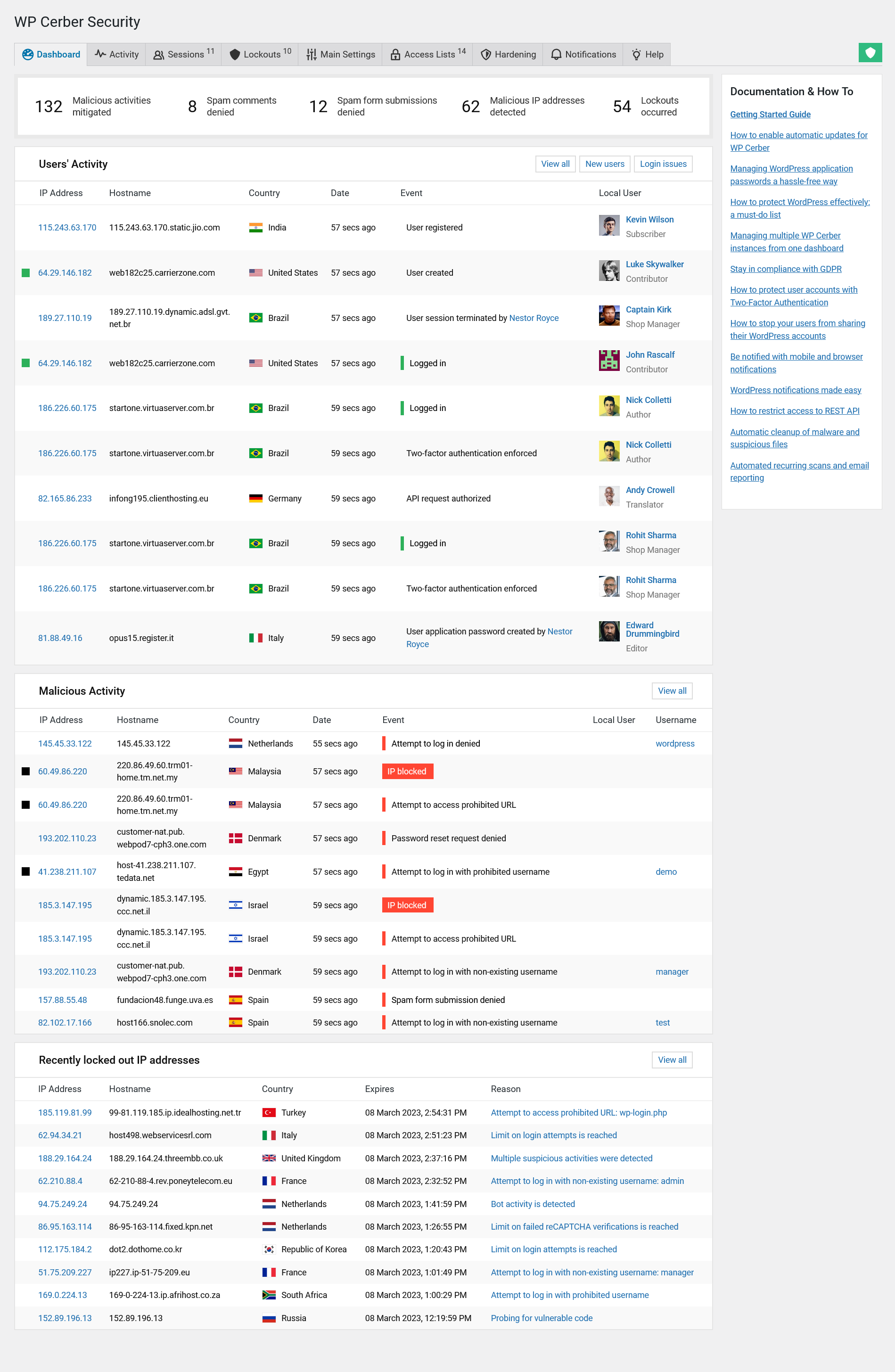
Cerber Security is a powerful and flexible security plugin that offers a wide range of features to protect your WordPress site. The plugin includes a firewall, malware scanner, and login security features, as well as a traffic inspector that helps you monitor and block suspicious activity. Cerber Security is ideal for users who want a high level of control over their site’s security settings, as it offers a wide range of customization options. The plugin includes features like IP blocking, which allows you to ban specific IP addresses or entire countries, and a feature to limit login attempts, which helps prevent brute-force attacks. Cerber Security also includes a feature to monitor your site’s security logs, helping you track and respond to potential threats.
- Traffic Inspector: Cerber Security includes a traffic inspector that monitors all incoming traffic to your site. The inspector helps you identify and block suspicious activity, such as bot traffic and hacking attempts.
- Malware Scanner: The plugin scans your site for malware, backdoors, and other security threats. The scanner checks both your files and your database to ensure your site is clean.
- Login Security: Cerber Security includes features like two-factor authentication (2FA), CAPTCHA, and IP blocking to protect your login page from brute-force attacks and unauthorized access.
- IP Blocking: The plugin allows you to block specific IP addresses or entire countries, reducing the risk of your site being targeted by malicious users or bots.
- Security Log Monitoring: Cerber Security logs all security-related events on your site, such as login attempts, file changes, and plugin updates. This helps you track any suspicious activity and take action if needed.
9. Defender Security
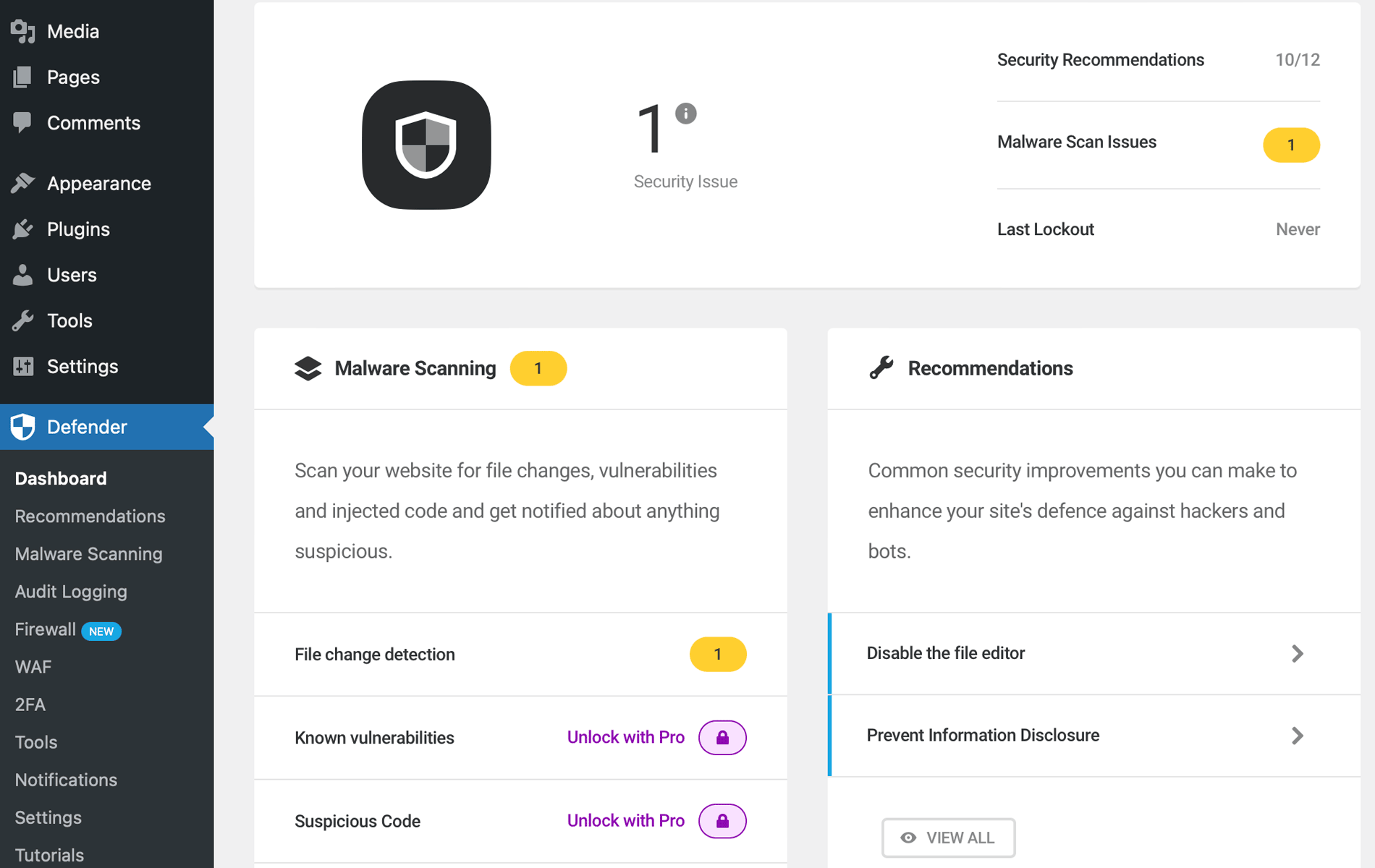
Defender Security is a comprehensive and easy-to-use security plugin developed by WPMU DEV. The plugin offers a wide range of features to protect your WordPress site, including malware scanning, firewall protection, and login security. Defender Security is ideal for users who want a plugin that is both powerful and user-friendly, with a clean and intuitive interface. The plugin includes features like two-factor authentication (2FA), which adds an extra layer of protection to your login process, and a feature to hide your login page, making it harder for hackers to target your site. Defender Security also includes a security audit tool that helps you identify and fix vulnerabilities on your site, as well as a feature to monitor your site’s security logs.
- Malware Scanner: Defender Security scans your site for malware, backdoors, and other security threats. The scanner checks both your files and your database to ensure your site is clean.
- Firewall Protection: The plugin includes a firewall that blocks malicious traffic and prevents common attacks like SQL injections and cross-site scripting (XSS). The firewall is updated regularly to protect against the latest threats.
- Two-Factor Authentication (2FA): Defender Security includes 2FA, which requires users to enter a code from their mobile device in addition to their password. This feature significantly reduces the risk of brute-force attacks.
- Login Page Hiding: The plugin allows you to change the default WordPress login URL and hide the admin area, making it harder for hackers to find and target your site.
- Security Audit: Defender Security includes a security audit tool that scans your site for vulnerabilities and provides recommendations for fixing them. This helps you identify and address potential security risks.
10. Shield Security
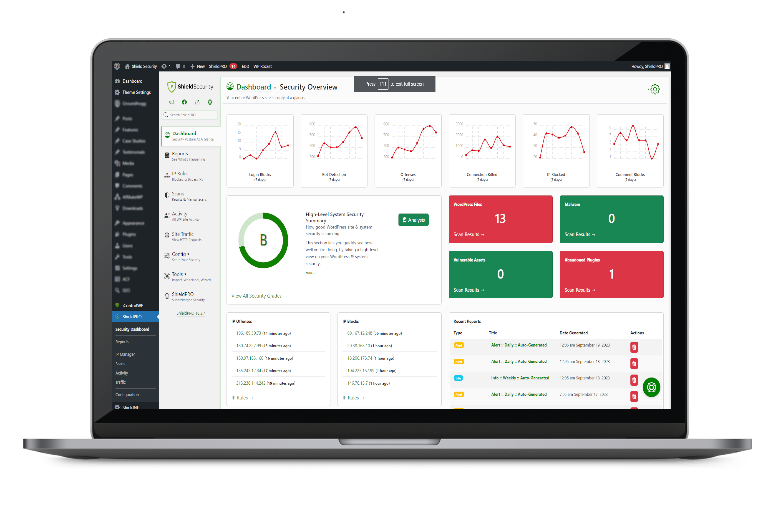
Shield Security is a lightweight and easy-to-use security plugin that offers a wide range of features to protect your WordPress site. The plugin is designed to be simple and unobtrusive, making it a great choice for users who want a security solution that doesn’t slow down their site. Shield Security includes features like malware scanning, firewall protection, and login security, as well as a feature to limit login attempts, which helps prevent brute-force attacks. The plugin also includes a security audit tool that helps you identify and fix vulnerabilities on your site, as well as a feature to monitor your site’s security logs. Shield Security is ideal for users who want a no-fuss security solution that gets the job done without overwhelming them with options.
- Malware Scanner: Shield Security scans your site for malware, backdoors, and other security threats. The scanner checks both your files and your database to ensure your site is clean.
- Firewall Protection: The plugin includes a firewall that blocks malicious traffic and prevents common attacks like SQL injections and cross-site scripting (XSS). The firewall is updated regularly to protect against the latest threats.
- Login Security: Shield Security includes features like two-factor authentication (2FA), CAPTCHA, and IP blocking to protect your login page from brute-force attacks and unauthorized access.
- Limit Login Attempts: The plugin limits the number of login attempts from a single IP address, preventing brute-force attacks. You can also ban users who try to guess passwords repeatedly.
- Security Audit: Shield Security includes a security audit tool that scans your site for vulnerabilities and provides recommendations for fixing them. This helps you identify and address potential security risks.
Frequently Asked Questions
Why do I need a security plugin for my WordPress site?
WordPress is the most popular content management system in the world, which makes it a prime target for hackers and malicious bots. A security plugin helps protect your site from common threats like brute-force attacks, malware, and SQL injections. Without a security plugin, your site is more vulnerable to being hacked, which can lead to data loss, downtime, and damage to your reputation. A good security plugin also provides peace of mind by monitoring your site for suspicious activity and alerting you to potential threats.
Are free WordPress security plugins as effective as premium ones?
Free WordPress security plugins can be highly effective, especially for small to medium-sized websites. Many free plugins offer essential features like malware scanning, firewall protection, and login security, which are sufficient for most users. However, premium plugins often include advanced features like real-time threat updates, automated malware removal, and priority support, which can be beneficial for larger or more complex sites. If you’re running a personal blog or a small business site, a free security plugin is likely all you need. For high-traffic or e-commerce sites, investing in a premium plugin may be worth the cost.
What are the most important features to look for in a WordPress security plugin?
When choosing a WordPress security plugin, look for the following key features: 1) Malware scanning and removal to detect and clean infected files; 2) Firewall protection to block malicious traffic; 3) Login security features like two-factor authentication (2FA) and brute-force protection; 4) File integrity monitoring to detect unauthorized changes; 5) Security logging to track suspicious activity; and 6) Regular updates to protect against the latest threats. Additional features like database backups, IP blocking, and security audits can also enhance your site’s protection.
Can I use multiple security plugins on my WordPress site?
It’s generally not recommended to use multiple security plugins on your WordPress site, as they can conflict with each other and cause performance issues. For example, running two firewalls or malware scanners simultaneously can slow down your site and create false positives. Instead, choose one comprehensive security plugin that meets all your needs. If you need additional features, look for a plugin that offers them as part of its core functionality or as add-ons. If you must use multiple plugins, ensure they complement each other and don’t overlap in functionality.
How often should I scan my WordPress site for malware?
The frequency of malware scans depends on the nature of your site and how often you update it. For most sites, scanning once a week is sufficient to catch any potential threats early. However, if your site is high-traffic, handles sensitive data, or is frequently updated, you may want to scan it daily. Many security plugins allow you to schedule automatic scans, so you don’t have to remember to run them manually. Additionally, it’s a good idea to scan your site after making significant changes, such as installing new plugins or themes, to ensure no vulnerabilities have been introduced.
What should I do if my WordPress site is hacked?
If your WordPress site is hacked, the first step is to stay calm and act quickly. Here’s what you should do: 1) Take your site offline temporarily to prevent further damage; 2) Change all passwords, including your WordPress admin, FTP, and database passwords; 3) Restore your site from a clean backup if you have one; 4) Use a security plugin to scan and remove malware; 5) Update all plugins, themes, and WordPress core to the latest versions; 6) Check for any unauthorized user accounts and remove them; and 7) Monitor your site closely for any signs of reinfection. If you’re unsure how to proceed, consider hiring a professional to help you clean and secure your site.
Do WordPress security plugins slow down my site?
Some WordPress security plugins can slow down your site, especially if they include resource-intensive features like real-time scanning or heavy firewall rules. However, most modern security plugins are designed to be lightweight and efficient, minimizing their impact on your site’s performance. To ensure your security plugin doesn’t slow down your site, choose one that is well-optimized and avoid running multiple security plugins simultaneously. You can also use a caching plugin to improve your site’s speed and reduce the load on your server. If you notice a significant slowdown after installing a security plugin, consider switching to a lighter alternative or adjusting the plugin’s settings.


