
best wordpress calendar plugin


Choosing the right WordPress calendar plugin can make or break how you manage events, bookings, or schedules on your site. The best options balance functionality with ease of use, whether you need a simple event display or a full-fledged booking system with payments and reminders. Not all plugins are created equal—some slow down your site, others lack essential features, and a few are just overcomplicated for what you actually need.
The key is matching the plugin to your specific requirements. If you’re running a small business, you might prioritize appointment scheduling and integrations with tools like Google Calendar. For a community site, recurring events and RSVP features could be more important. Performance matters too—clunky plugins can drag down your site speed, which hurts user experience and SEO.
I’ve tested and compared the top WordPress calendar plugins to cut through the noise. Below is a straightforward list of the best options, ranked by reliability, features, and real-world usability.
📋 Table of Contents
1. The Events Calendar
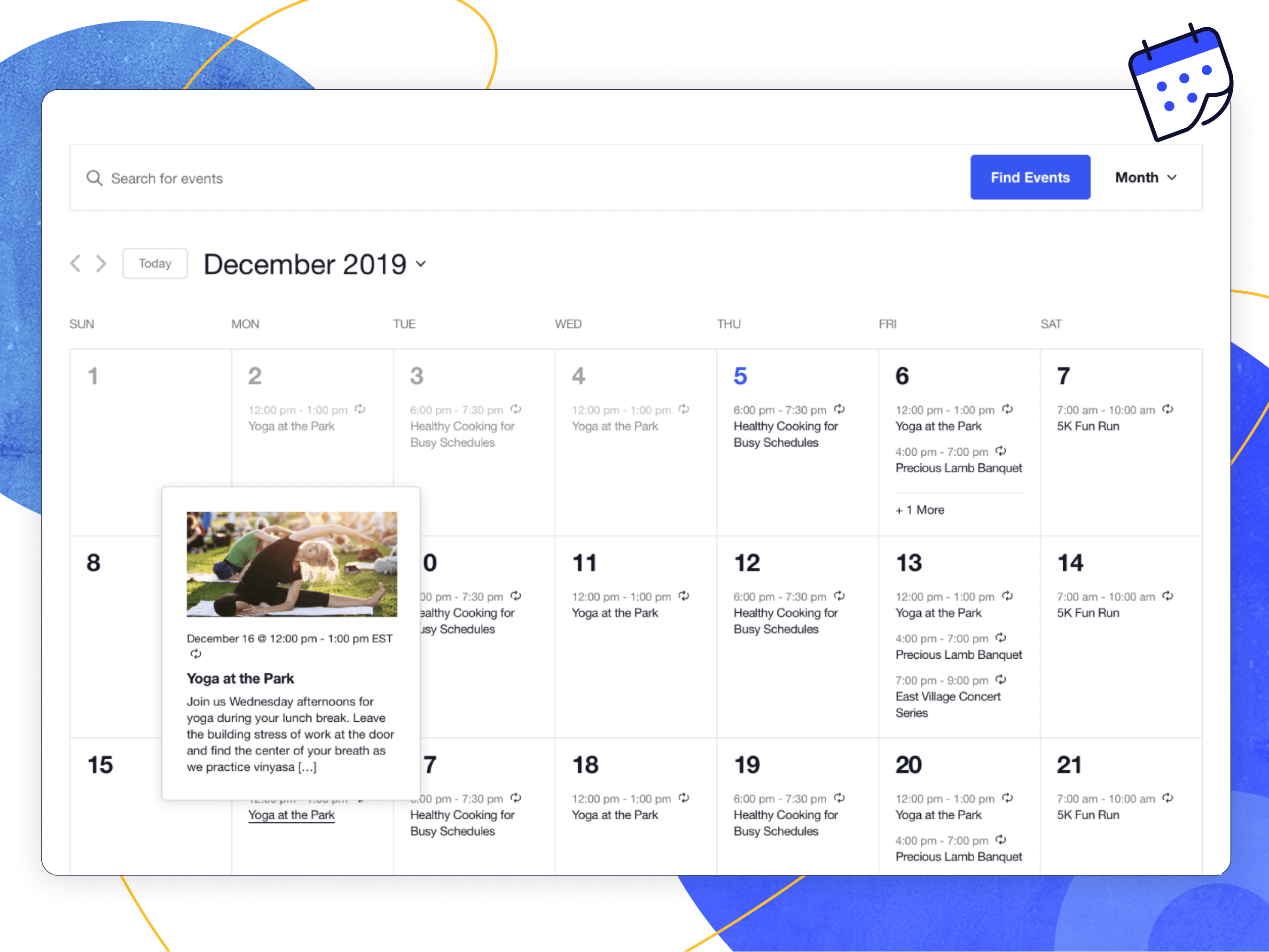
The Events Calendar is one of the most popular and feature-rich WordPress calendar plugins available. Developed by Modern Tribe, it offers a seamless way to create, manage, and display events on your WordPress site. Whether you’re running a small blog, a business website, or a large event directory, this plugin provides the flexibility and scalability you need. It’s particularly well-suited for users who want a professional-looking calendar with minimal setup time. The plugin integrates smoothly with popular page builders like Elementor and Divi, making it a favorite among developers and non-tech users alike. With its robust set of features, The Events Calendar is ideal for event organizers, community centers, schools, and businesses that frequently host or promote events.
- Customizable Views: Offers multiple views like month, list, day, and photo view, allowing users to display events in the most engaging way for their audience.
- Recurring Events: Supports complex recurring event patterns, including weekly, monthly, and custom intervals, making it easy to manage ongoing events.
- Google Maps Integration: Automatically embeds Google Maps for event locations, providing attendees with easy-to-follow directions.
- SEO-Friendly: Includes built-in SEO features like schema markup to help your events rank higher in search engine results.
- Ticketing and RSVP: Integrates with Event Tickets and Event Tickets Plus to sell tickets or collect RSVPs directly from your site.
2. WP Event Manager

WP Event Manager is a lightweight yet powerful WordPress plugin designed to simplify event management. It’s perfect for users who need a straightforward solution without overwhelming features. The plugin is highly customizable, allowing you to tailor the event submission and display process to fit your needs. WP Event Manager is particularly popular among job board owners, community websites, and small businesses that want to add event functionality without bloating their site. The plugin supports front-end event submissions, making it easy for users to add events without accessing the WordPress dashboard. It also includes AJAX-powered search and filtering, ensuring visitors can quickly find the events they’re interested in.
- Front-End Event Submission: Allows users to submit events directly from the front end of your website, improving user experience and engagement.
- AJAX Search and Filtering: Provides real-time search and filtering options, helping visitors find events by category, location, or date without page reloads.
- Shortcode Support: Offers a variety of shortcodes to display events in different formats, such as lists, calendars, or grids.
- Responsive Design: Ensures your event listings look great on all devices, from desktops to smartphones.
- Multilingual Support: Compatible with WPML and other multilingual plugins, making it ideal for international audiences.
3. EventON
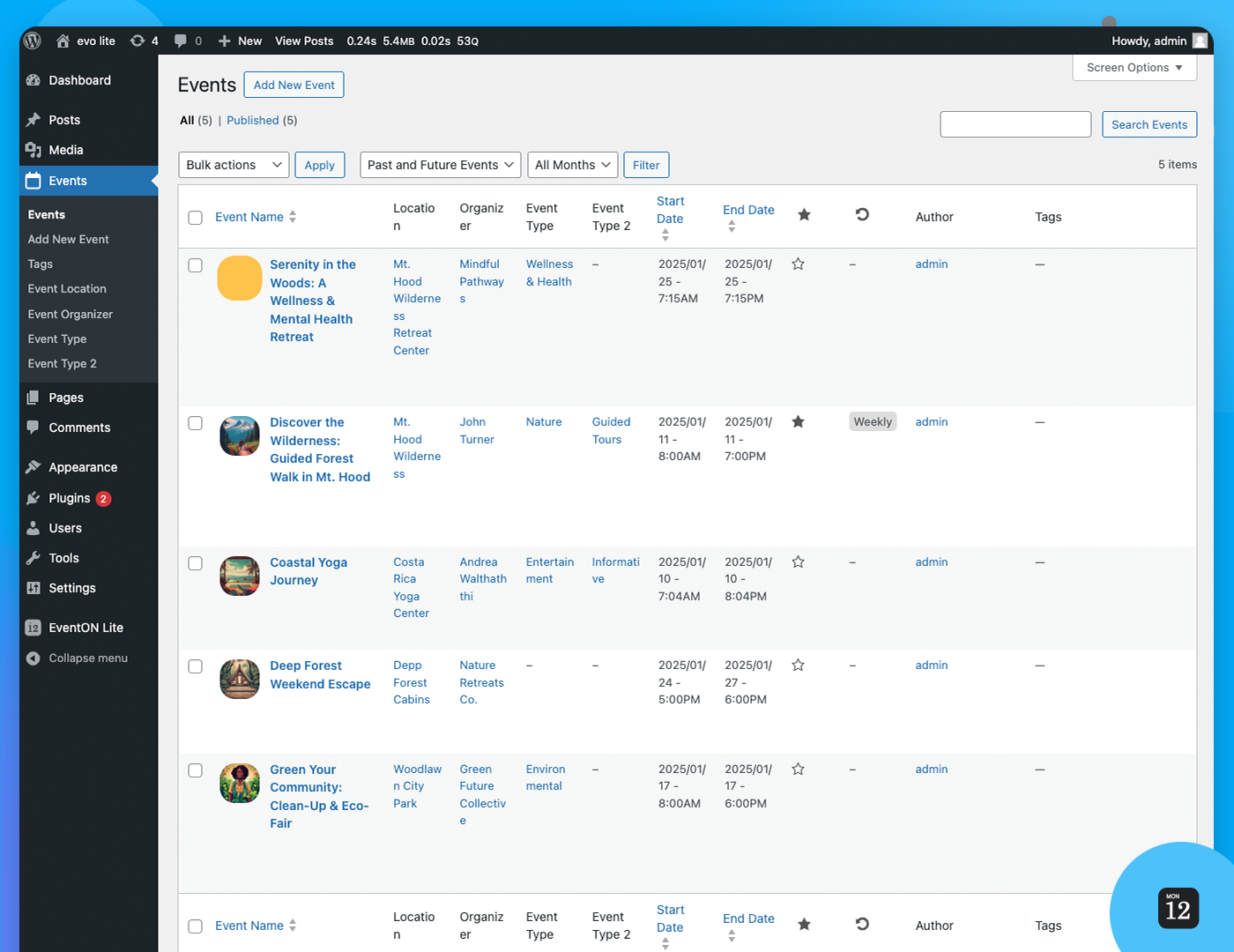
EventON is a premium WordPress calendar plugin known for its sleek, modern design and extensive customization options. It’s a top choice for users who prioritize aesthetics and want their event calendar to stand out. EventON offers a wide range of features, including multiple calendar layouts, color-coded events, and interactive elements like tooltips and pop-ups. The plugin is highly versatile and can be used for everything from corporate events to personal blogs. One of its standout features is the ability to create virtual events, which has become increasingly important in the digital age. EventON also supports recurring events, ticket sales, and integrations with popular tools like WooCommerce and Google Calendar.
- Modern and Customizable Design: Offers a variety of calendar layouts and color schemes to match your website’s branding and style.
- Virtual Event Support: Allows you to create and manage online events, complete with Zoom or other video conferencing links.
- Interactive Elements: Includes tooltips, pop-ups, and hover effects to enhance user engagement and provide more event details.
- WooCommerce Integration: Seamlessly integrates with WooCommerce to sell tickets or event-related products directly from your site.
- Social Media Sharing: Enables visitors to share events on social media platforms, increasing your event’s reach and visibility.
4. All-in-One Event Calendar by Time.ly
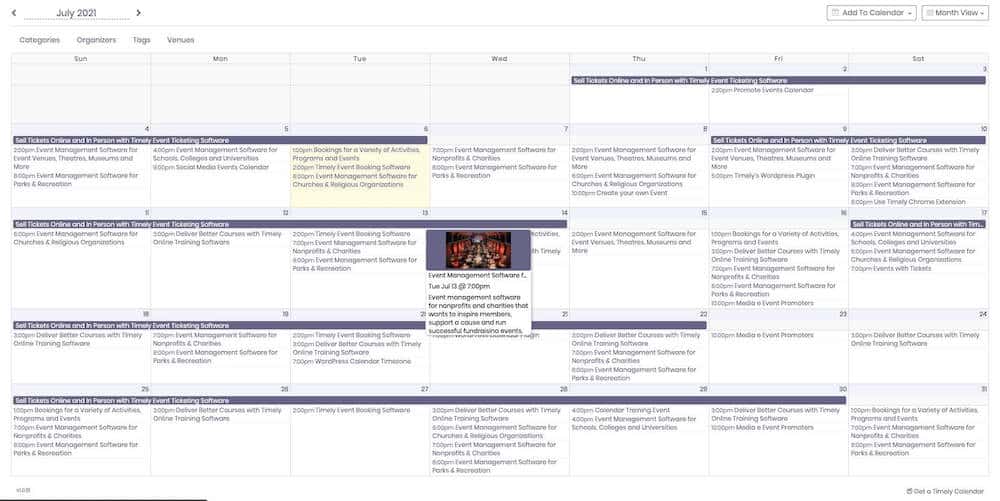
All-in-One Event Calendar by Time.ly is a comprehensive solution for managing and displaying events on your WordPress site. It’s designed to be user-friendly while offering advanced features for power users. The plugin supports multiple calendar views, including agenda, month, week, and posterboard, giving you flexibility in how you present your events. One of its standout features is the ability to import and export events from other calendars, such as Google Calendar or iCal, making it easy to sync events across platforms. The plugin also includes a robust filtering system, allowing visitors to sort events by category, location, or organizer. With its clean design and powerful functionality, All-in-One Event Calendar is ideal for businesses, nonprofits, and educational institutions.
- Multiple Calendar Views: Offers a variety of views, including agenda, month, week, and posterboard, to suit different display preferences.
- Import and Export Events: Supports importing and exporting events from Google Calendar, iCal, and other platforms, ensuring seamless synchronization.
- Advanced Filtering: Allows visitors to filter events by category, location, organizer, or custom taxonomies for a better user experience.
- Responsive and Mobile-Friendly: Ensures your calendar looks great on all devices, from desktops to smartphones and tablets.
- Customizable Themes: Includes multiple themes and color schemes to match your website’s design and branding.
5. Sugar Calendar
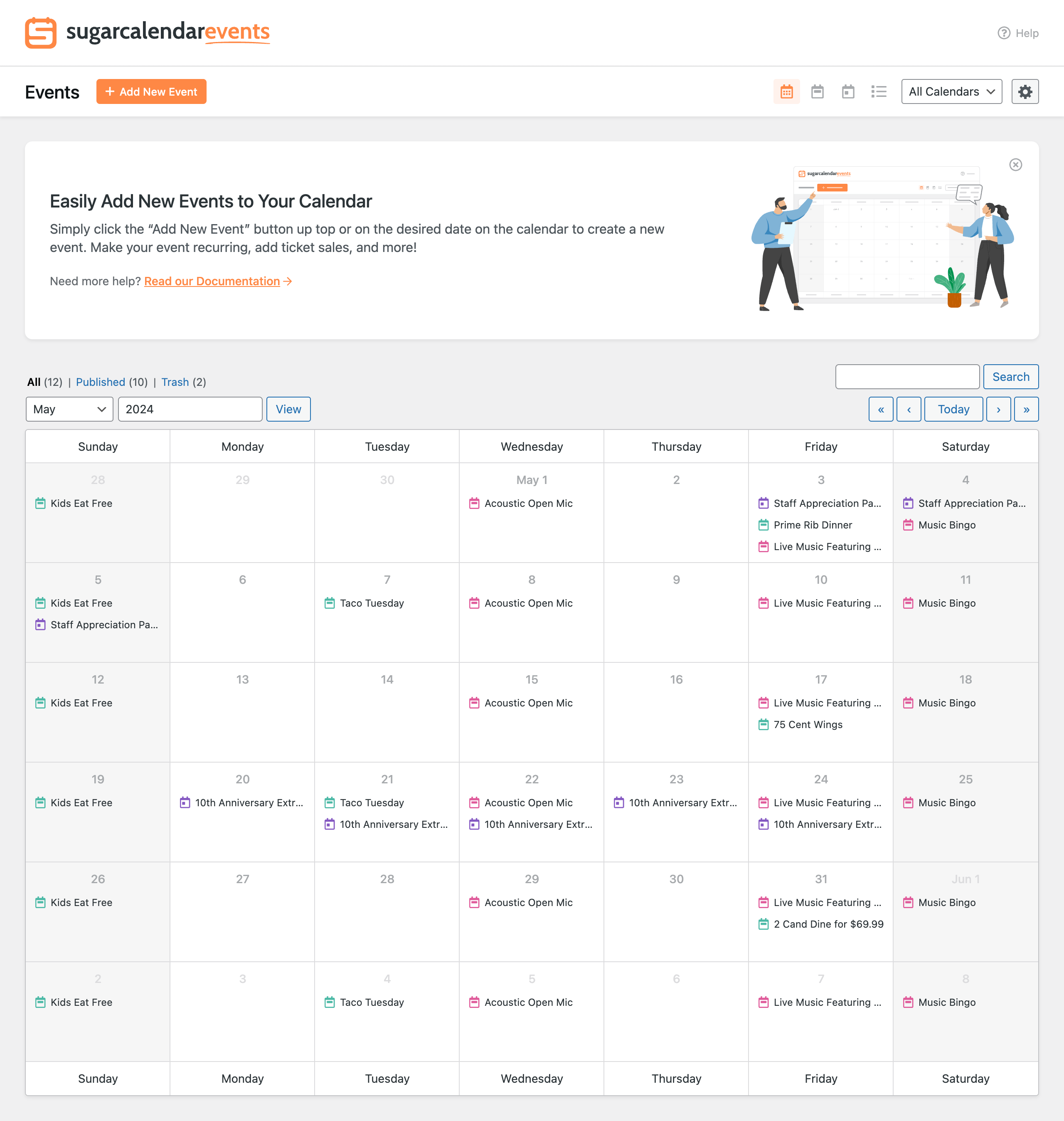
Sugar Calendar is a lightweight and easy-to-use WordPress calendar plugin that focuses on simplicity and performance. It’s perfect for users who want a no-fuss solution for displaying events without sacrificing functionality. The plugin offers a clean, minimalist design that blends seamlessly with any WordPress theme. Despite its simplicity, Sugar Calendar includes essential features like recurring events, event categories, and custom event fields. It also integrates with popular tools like WooCommerce and Gravity Forms, making it a versatile choice for small businesses, bloggers, and nonprofits. Sugar Calendar is particularly well-suited for users who prioritize speed and ease of use over complex features.
- Lightweight and Fast: Designed to be lightweight, ensuring your website remains fast and responsive even with multiple events.
- Recurring Events: Supports recurring events with customizable intervals, making it easy to manage ongoing events.
- WooCommerce Integration: Integrates with WooCommerce to sell tickets or event-related products directly from your site.
- Custom Event Fields: Allows you to add custom fields to your events, such as speaker names, event types, or additional details.
- Shortcode Support: Offers shortcodes to display events in various formats, including lists, grids, and calendars.
6. My Calendar
My Calendar is a flexible and accessible WordPress calendar plugin designed for users who need a customizable and inclusive event management solution. Developed by Joe Dolson, a well-known accessibility advocate, My Calendar prioritizes accessibility and usability. The plugin offers a wide range of features, including multiple calendar views, recurring events, and custom event templates. It also includes built-in support for accessibility standards like WCAG 2.1, making it an excellent choice for government websites, educational institutions, and organizations that prioritize inclusivity. My Calendar is highly customizable, allowing you to tailor the display and functionality to fit your specific needs. It’s also compatible with popular page builders like Beaver Builder and Elementor.
- Accessibility-Focused: Designed with accessibility in mind, ensuring your calendar is usable by everyone, including people with disabilities.
- Multiple Calendar Views: Offers a variety of views, including month, week, day, and list, to suit different display preferences.
- Recurring Events: Supports complex recurring event patterns, including weekly, monthly, and custom intervals.
- Custom Event Templates: Allows you to create custom templates for your events, giving you full control over the display and layout.
- Shortcode and Widget Support: Includes shortcodes and widgets to display events in various formats, making it easy to integrate into your site.
7. Events Manager
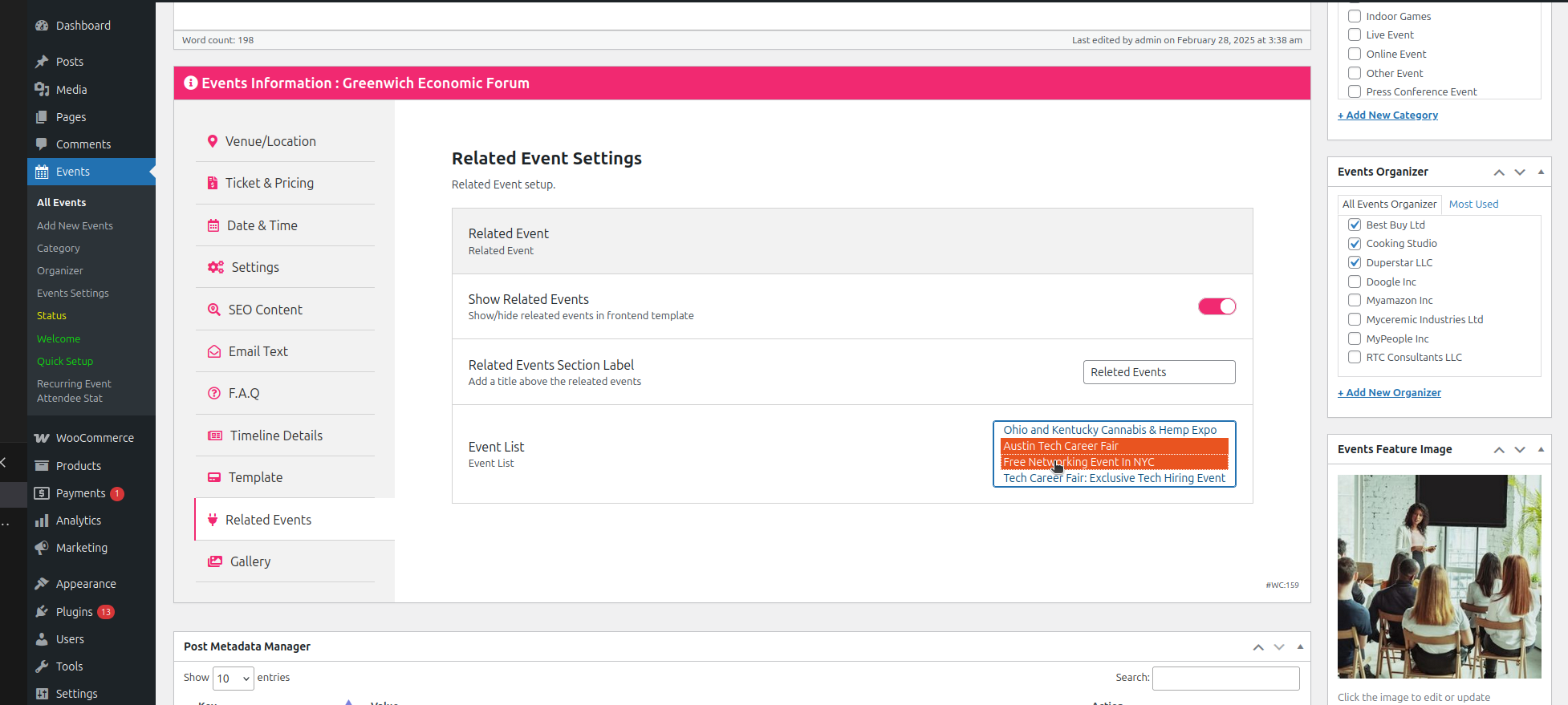
Events Manager is a powerful and feature-rich WordPress plugin that offers a comprehensive solution for event management. It’s ideal for users who need advanced functionality, such as booking management, ticket sales, and location mapping. The plugin supports both single and recurring events, making it suitable for a wide range of use cases, from small meetups to large conferences. Events Manager also includes a robust booking system, allowing visitors to reserve spots for events directly from your site. It integrates with popular payment gateways like PayPal and Stripe, making it easy to sell tickets or accept donations. With its extensive customization options and developer-friendly features, Events Manager is a top choice for businesses, nonprofits, and event organizers.
- Booking and Ticketing: Includes a built-in booking system with support for ticket sales, RSVPs, and attendee management.
- Recurring Events: Supports complex recurring event patterns, including weekly, monthly, and custom intervals.
- Location Mapping: Integrates with Google Maps to display event locations and provide directions to attendees.
- Payment Gateway Integration: Supports popular payment gateways like PayPal and Stripe, making it easy to sell tickets or accept donations.
- Customizable Event Pages: Allows you to create custom event pages with unique layouts and designs to match your branding.
8. Calendarize it!
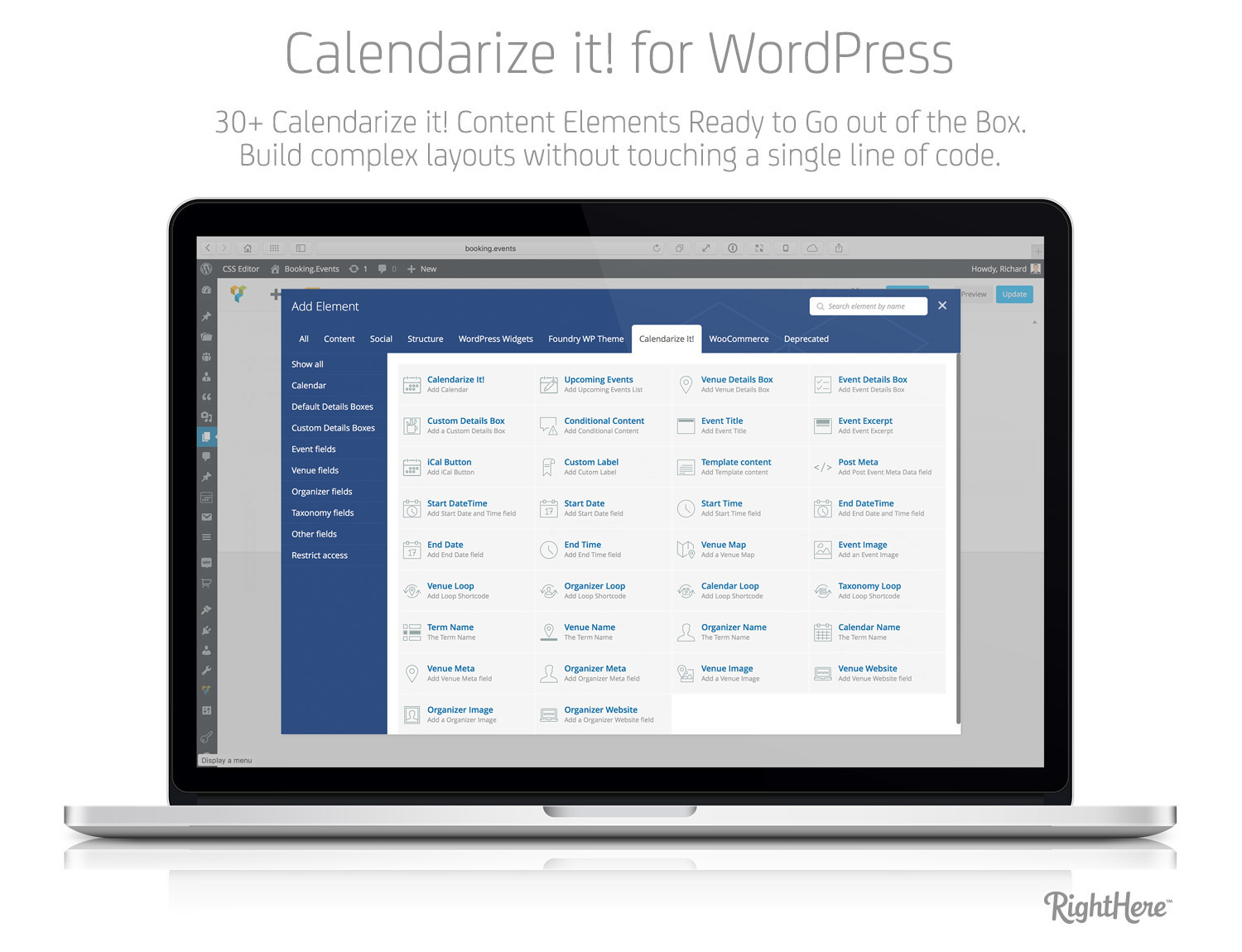
Calendarize it! is a premium WordPress calendar plugin that offers a wide range of features and customization options. It’s designed for users who need a highly flexible and visually appealing calendar solution. The plugin includes multiple calendar views, such as month, week, day, and list, and supports recurring events with customizable intervals. One of its standout features is the ability to create custom event fields, allowing you to add unique details to your events. Calendarize it! also integrates with popular tools like WooCommerce, Google Maps, and Eventbrite, making it a versatile choice for businesses, event organizers, and bloggers. With its modern design and extensive functionality, Calendarize it! is a top contender for users who want a premium calendar plugin.
- Multiple Calendar Views: Offers a variety of views, including month, week, day, and list, to suit different display preferences.
- Custom Event Fields: Allows you to add custom fields to your events, such as speaker names, event types, or additional details.
- WooCommerce Integration: Seamlessly integrates with WooCommerce to sell tickets or event-related products directly from your site.
- Google Maps Integration: Automatically embeds Google Maps for event locations, providing attendees with easy-to-follow directions.
- Eventbrite Integration: Supports integration with Eventbrite, allowing you to sync events and sell tickets through the platform.
9. Modern Events Calendar
Modern Events Calendar is a premium WordPress plugin that combines sleek design with powerful functionality. It’s ideal for users who want a visually stunning calendar that’s also easy to use. The plugin offers a variety of calendar views, including month, list, grid, and countdown, giving you flexibility in how you display your events. Modern Events Calendar also includes advanced features like recurring events, ticket sales, and social media integration. One of its standout features is the ability to create virtual events, complete with Zoom or other video conferencing links. The plugin is highly customizable, allowing you to tailor the design and functionality to fit your specific needs. With its modern design and extensive features, Modern Events Calendar is a top choice for businesses, event organizers, and bloggers.
- Multiple Calendar Views: Offers a variety of views, including month, list, grid, and countdown, to suit different display preferences.
- Virtual Event Support: Allows you to create and manage online events, complete with Zoom or other video conferencing links.
- Recurring Events: Supports complex recurring event patterns, including weekly, monthly, and custom intervals.
- Ticket Sales and RSVPs: Includes built-in support for ticket sales and RSVPs, making it easy to manage event registrations.
- Social Media Integration: Enables visitors to share events on social media platforms, increasing your event’s reach and visibility.
10. Amelia
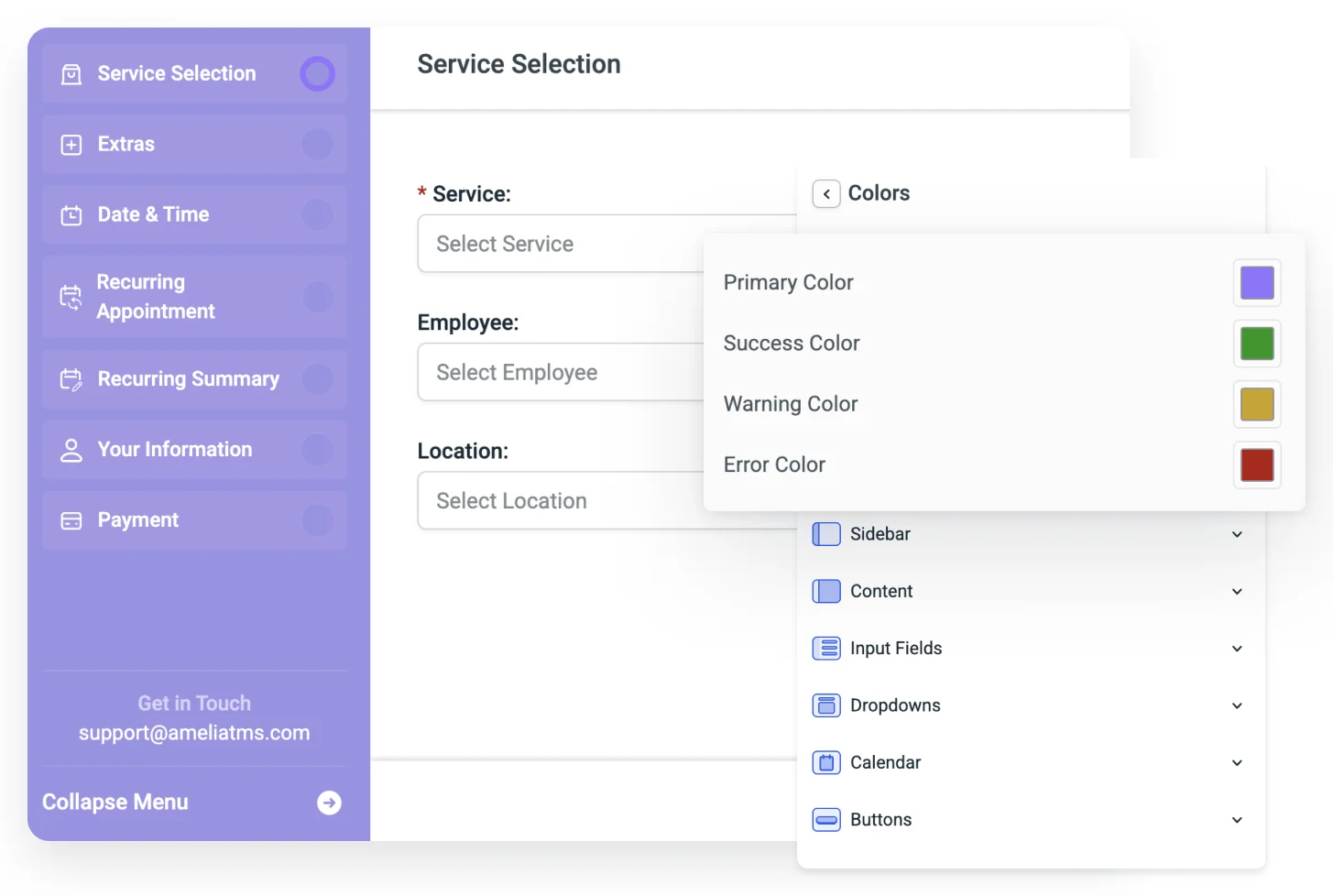
Amelia is a powerful WordPress booking plugin that also includes robust event management features. It’s designed for businesses that need a comprehensive solution for managing appointments, events, and bookings. Amelia offers a sleek, user-friendly interface that makes it easy to create and manage events, as well as track attendance and sales. The plugin includes features like recurring events, ticket sales, and payment gateway integrations, making it a versatile choice for businesses, salons, fitness centers, and event organizers. Amelia also includes a built-in calendar view, allowing visitors to browse and book events directly from your site. With its modern design and extensive functionality, Amelia is a top choice for users who need a booking and event management solution in one.
- Event and Appointment Management: Combines event management with appointment booking, making it ideal for businesses that offer both services.
- Recurring Events: Supports complex recurring event patterns, including weekly, monthly, and custom intervals.
- Ticket Sales and Payments: Includes built-in support for ticket sales and integrates with popular payment gateways like PayPal and Stripe.
- Calendar View: Offers a built-in calendar view, allowing visitors to browse and book events directly from your site.
- Automated Notifications: Sends automated email and SMS notifications to attendees, keeping them informed about event details and updates.
Frequently Asked Questions
What is the best WordPress calendar plugin for beginners?
For beginners, the best WordPress calendar plugin is one that is easy to set up and use without requiring technical knowledge. Sugar Calendar and WP Event Manager are excellent choices for beginners because they offer intuitive interfaces, straightforward customization options, and essential features like recurring events and shortcode support. Both plugins have free versions, allowing you to test them out before committing to a premium plan. Additionally, they provide clear documentation and support to help you get started quickly.
Can I sell tickets for events using a WordPress calendar plugin?
Yes, many WordPress calendar plugins support ticket sales and event registrations. Plugins like The Events Calendar, Events Manager, and Modern Events Calendar include built-in ticketing features or integrate with popular eCommerce platforms like WooCommerce. These plugins allow you to set up ticket types, pricing, and payment gateways, making it easy to sell tickets directly from your website. Some plugins also support RSVP functionality, allowing visitors to reserve spots for free events. If ticket sales are a priority, look for a plugin that offers seamless integration with payment gateways like PayPal or Stripe.
How do I choose the right WordPress calendar plugin for my needs?
Choosing the right WordPress calendar plugin depends on your specific needs and goals. Start by identifying the key features you require, such as recurring events, ticket sales, or virtual event support. Consider the size and complexity of your events—small businesses or personal blogs may not need advanced features, while large organizations might require robust booking and payment systems. Also, think about your technical expertise. If you’re a beginner, opt for a plugin with an intuitive interface and good documentation. Finally, check for compatibility with your WordPress theme and other plugins to ensure smooth integration. Reading user reviews and testing free versions can also help you make an informed decision.
Are there free WordPress calendar plugins that offer premium features?
Yes, several free WordPress calendar plugins offer premium-like features without requiring a paid upgrade. For example, The Events Calendar and All-in-One Event Calendar by Time.ly both have free versions that include essential features like recurring events, multiple calendar views, and Google Maps integration. While these free versions may lack some advanced features, they are often sufficient for small businesses, bloggers, and nonprofits. If you need additional functionality, such as ticket sales or custom event fields, you can upgrade to a premium plan or purchase add-ons for a more tailored solution.
Can I sync my WordPress calendar with Google Calendar?
Yes, many WordPress calendar plugins allow you to sync events with Google Calendar. Plugins like All-in-One Event Calendar by Time.ly, The Events Calendar, and Events Manager support importing and exporting events to and from Google Calendar. This feature is particularly useful if you manage events across multiple platforms or want to ensure your events are accessible to a wider audience. Syncing with Google Calendar also allows you to use Google’s built-in reminders and notifications, keeping attendees informed about upcoming events. Check the plugin’s documentation for specific instructions on setting up Google Calendar sync.
What is the best WordPress calendar plugin for virtual events?
For virtual events, the best WordPress calendar plugins are those that offer dedicated features for online gatherings. Modern Events Calendar and EventON are top choices because they include built-in support for virtual events, allowing you to add Zoom or other video conferencing links directly to your event listings. These plugins also offer features like recurring events, ticket sales, and social media integration, making them ideal for hosting webinars, online classes, or virtual conferences. Additionally, The Events Calendar and Events Manager support virtual events and integrate with popular video conferencing tools, providing a seamless experience for both organizers and attendees.
How do I customize the appearance of my WordPress calendar?
Customizing the appearance of your WordPress calendar depends on the plugin you’re using. Most plugins offer a range of customization options, including color schemes, calendar views, and event templates. For example, EventON and Modern Events Calendar provide extensive design options, allowing you to match the calendar’s appearance to your website’s branding. Many plugins also support custom CSS, giving you full control over the look and feel of your calendar. If you’re using a page builder like Elementor or Divi, check if the plugin offers dedicated widgets or modules for easier customization. Always refer to the plugin’s documentation for specific instructions on customizing its appearance.


