
best wordpress page builder

WordPress page builders make it easy to design professional-looking websites without needing to code. They offer drag-and-drop interfaces, pre-built templates, and customization options that save time and effort. Whether you’re a beginner or an experienced developer, the right page builder can streamline your workflow and help you create a site that fits your needs.
The best WordPress page builders balance flexibility, performance, and ease of use. Some prioritize speed and clean code, while others focus on advanced design features or seamless integrations. Choosing the right one depends on your specific goals, whether that’s building a simple blog, an e-commerce store, or a complex business site.
Below, I’ve put together a list of the best WordPress page builders available today. Each has its strengths, so you can pick the one that aligns with your project.
📋 Table of Contents
1. Elementor
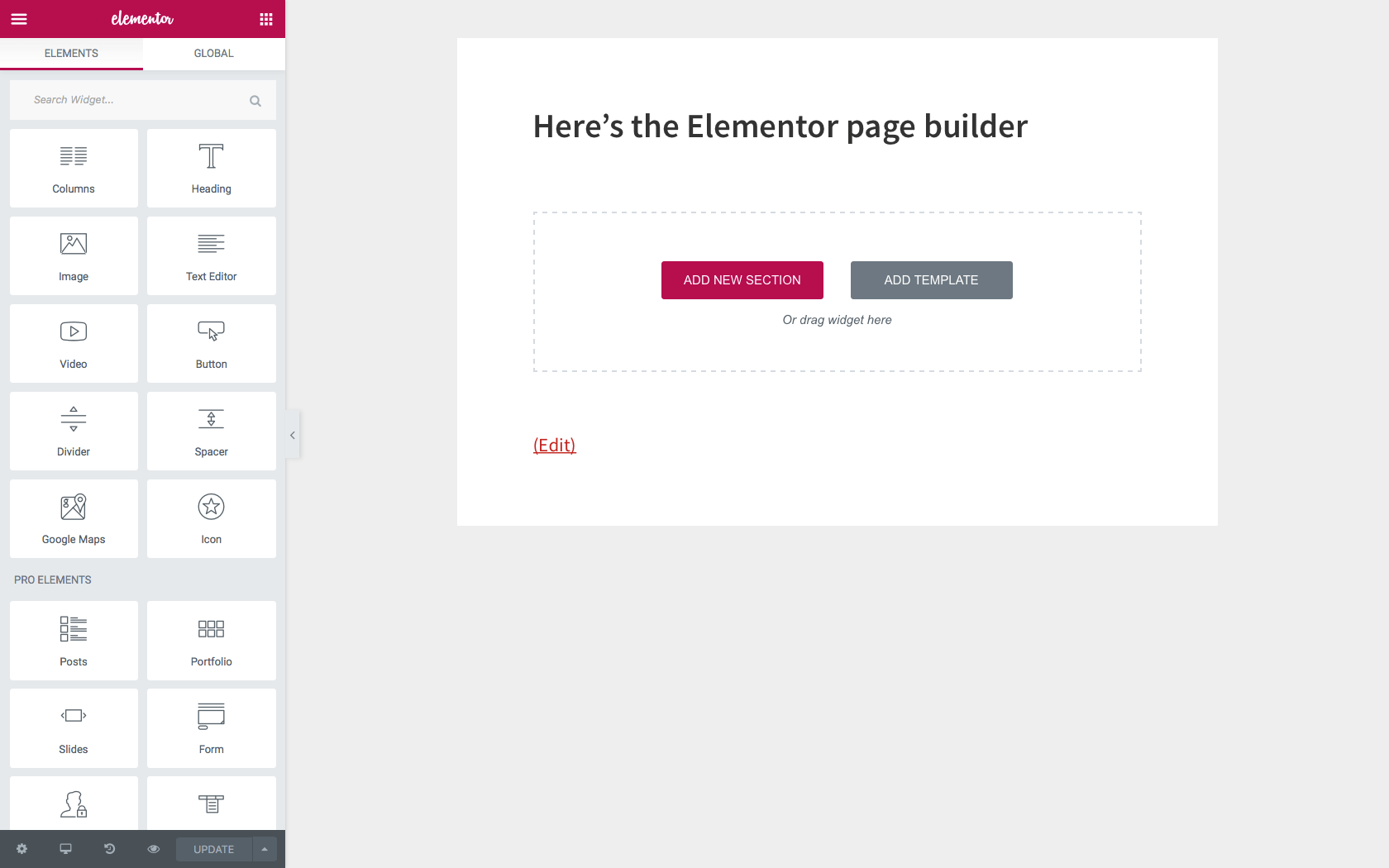
Elementor is one of the most popular WordPress page builders, known for its drag-and-drop interface and real-time editing capabilities. It’s a favorite among beginners and professionals alike because it eliminates the need for coding while offering advanced design features. Elementor comes with a vast library of pre-designed templates and widgets, making it easy to create stunning websites without starting from scratch. It’s also highly customizable, allowing users to tweak every aspect of their site’s design, from typography to animations. Whether you’re building a simple blog or a complex e-commerce site, Elementor provides the tools to bring your vision to life. Its active community and extensive documentation make it a reliable choice for anyone looking to enhance their WordPress experience.
- Drag-and-Drop Editor: Elementor’s intuitive drag-and-drop editor allows users to design pages in real-time without any coding knowledge. Simply drag widgets onto the page and customize them to fit your needs.
- Pre-Designed Templates: Access a vast library of professionally designed templates for various industries, including business, e-commerce, and portfolios. These templates are fully customizable to match your brand.
- Theme Builder: Create custom headers, footers, single post templates, and archive pages without touching a line of code. This feature gives you full control over your site’s design.
- Responsive Design: Elementor ensures your website looks great on all devices with responsive editing tools. You can adjust settings for desktop, tablet, and mobile views separately.
- WooCommerce Integration: Build and customize WooCommerce product pages, shop pages, and checkout pages with ease. Elementor’s WooCommerce widgets make it simple to create a professional online store.
2. Divi Builder
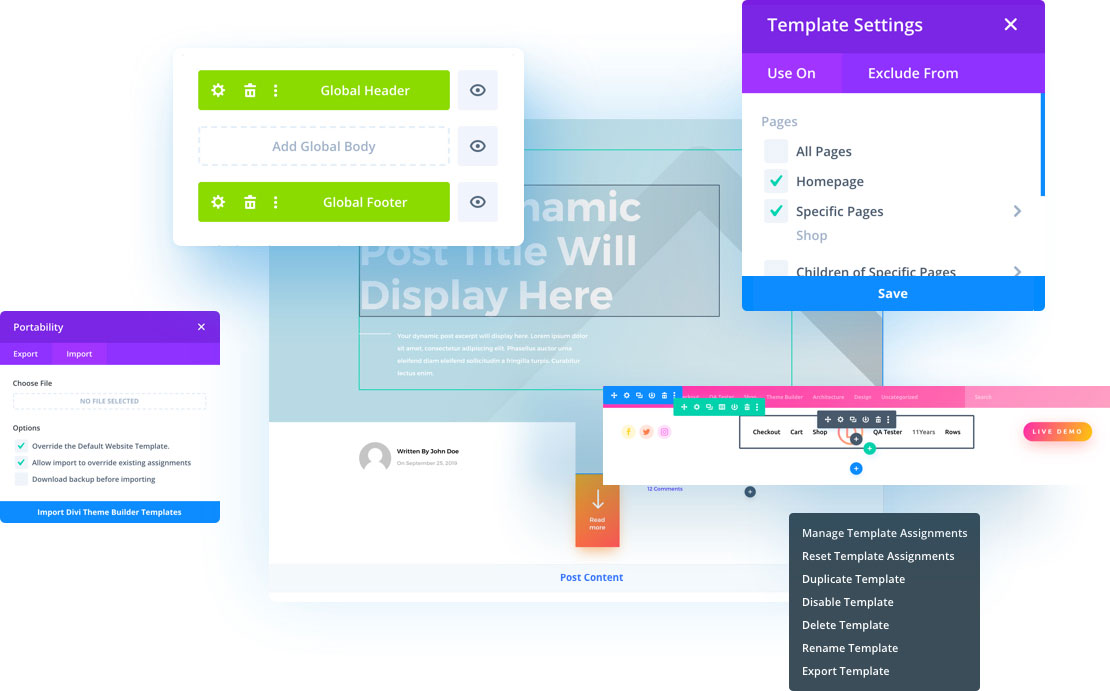
Divi Builder, developed by Elegant Themes, is a powerful and flexible WordPress page builder that offers both front-end and back-end editing. It’s known for its visual editing experience, which allows users to see changes in real-time as they design their pages. Divi comes with a built-in split-testing tool, making it a great choice for marketers and businesses looking to optimize their websites for conversions. The builder includes over 800 pre-made designs and 40+ website elements, giving users plenty of options to create unique layouts. Divi is also highly customizable, with advanced design settings for every module. Its lifetime access option makes it a cost-effective choice for long-term projects.
- Visual Drag-and-Drop Editor: Divi’s front-end editor lets you see changes as you make them, making the design process intuitive and efficient. No need to switch between the editor and preview mode.
- Pre-Made Layouts: Choose from over 800 pre-made layouts for various industries, including business, e-commerce, and creative portfolios. These layouts are fully customizable to fit your needs.
- Split Testing: Divi’s built-in A/B testing tool allows you to test different versions of your pages to see which performs better. This is a great feature for marketers and businesses.
- Global Elements: Save and reuse elements like headers, footers, and modules across your site. This feature ensures consistency and saves time when making global changes.
- Responsive Editing: Divi provides responsive editing tools to ensure your website looks great on all devices. You can adjust settings for desktop, tablet, and mobile views separately.
3. Beaver Builder
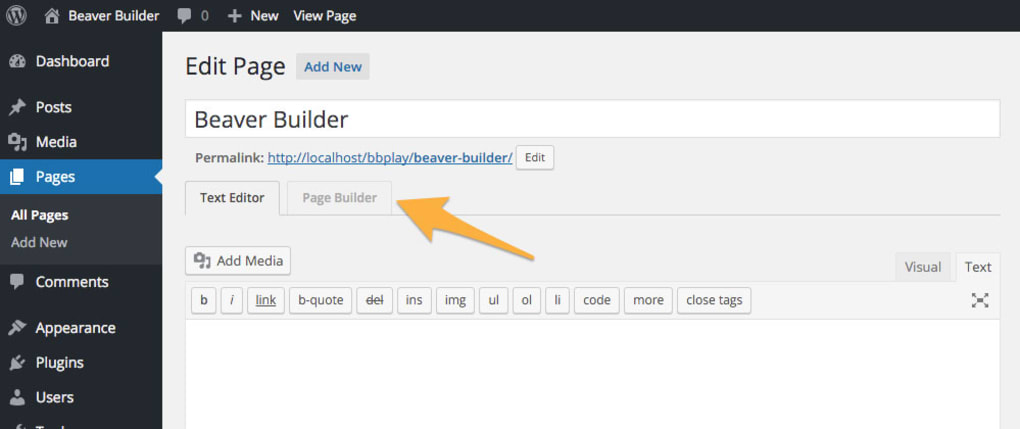
Beaver Builder is a user-friendly WordPress page builder that focuses on simplicity and performance. It’s a great choice for beginners and developers alike, thanks to its clean interface and reliable code output. Beaver Builder offers a front-end drag-and-drop editor, allowing users to design pages in real-time without any coding. It comes with a variety of pre-made templates and modules, making it easy to create professional-looking websites quickly. One of Beaver Builder’s standout features is its compatibility with almost any WordPress theme, ensuring flexibility and ease of use. It’s also known for its stability and speed, making it a reliable choice for businesses and agencies.
- Front-End Drag-and-Drop Editor: Beaver Builder’s front-end editor allows you to design pages in real-time, seeing changes as you make them. This makes the design process intuitive and efficient.
- Pre-Made Templates: Access a library of pre-made templates for various industries, including business, e-commerce, and portfolios. These templates are fully customizable to match your brand.
- Theme Compatibility: Beaver Builder works seamlessly with almost any WordPress theme, giving you the flexibility to choose the theme that best fits your needs.
- Clean Code Output: Beaver Builder generates clean, lightweight code, ensuring your website loads quickly and performs well. This is especially important for SEO and user experience.
- White Labeling: Beaver Builder offers white labeling options, making it a great choice for agencies and developers who want to brand the builder as their own.
4. Brizy

Brizy is a modern WordPress page builder designed with simplicity and speed in mind. It offers a clean, intuitive interface that makes it easy for beginners to create professional websites without any coding. Brizy comes with a variety of pre-designed blocks and templates, allowing users to build pages quickly. One of its standout features is the global styling system, which lets you apply consistent styles across your entire site with just a few clicks. Brizy also offers cloud hosting for your websites, making it a great all-in-one solution for users who want to manage everything in one place. Its focus on performance and ease of use makes it a strong contender in the WordPress page builder market.
- Intuitive Drag-and-Drop Editor: Brizy’s editor is designed to be simple and easy to use, with a clean interface that makes designing pages a breeze. No coding knowledge is required.
- Pre-Designed Blocks: Access a library of pre-designed blocks for various purposes, including headers, footers, testimonials, and more. These blocks are fully customizable to fit your needs.
- Global Styling: Apply consistent styles across your entire site with Brizy’s global styling system. Change fonts, colors, and other design elements in one place, and they’ll update site-wide.
- Cloud Hosting: Brizy offers cloud hosting for your websites, making it easy to manage everything in one place. This is a great feature for users who want an all-in-one solution.
- Responsive Design: Brizy ensures your website looks great on all devices with responsive editing tools. You can adjust settings for desktop, tablet, and mobile views separately.
5. Oxygen

Oxygen is a powerful WordPress page builder designed for developers and advanced users who want full control over their website’s design. Unlike other page builders, Oxygen replaces your WordPress theme entirely, giving you complete freedom to design every aspect of your site. It offers a visual drag-and-drop editor with advanced features like dynamic data integration, custom CSS, and JavaScript. Oxygen is known for its clean code output and performance optimization, making it a great choice for users who prioritize speed and efficiency. While it has a steeper learning curve than other builders, its flexibility and power make it a favorite among developers and agencies.
- Visual Drag-and-Drop Editor: Oxygen’s editor allows you to design pages visually, with real-time previews of your changes. It’s designed for advanced users who want full control over their site’s design.
- Theme Replacement: Oxygen replaces your WordPress theme entirely, giving you complete freedom to design every aspect of your site without any theme restrictions.
- Dynamic Data Integration: Oxygen allows you to integrate dynamic data from custom fields, WooCommerce, and other sources, making it a powerful tool for advanced users.
- Custom CSS and JavaScript: Add custom CSS and JavaScript to your pages, giving you full control over the design and functionality of your site.
- Performance Optimization: Oxygen generates clean, lightweight code, ensuring your website loads quickly and performs well. This is especially important for SEO and user experience.
6. Visual Composer
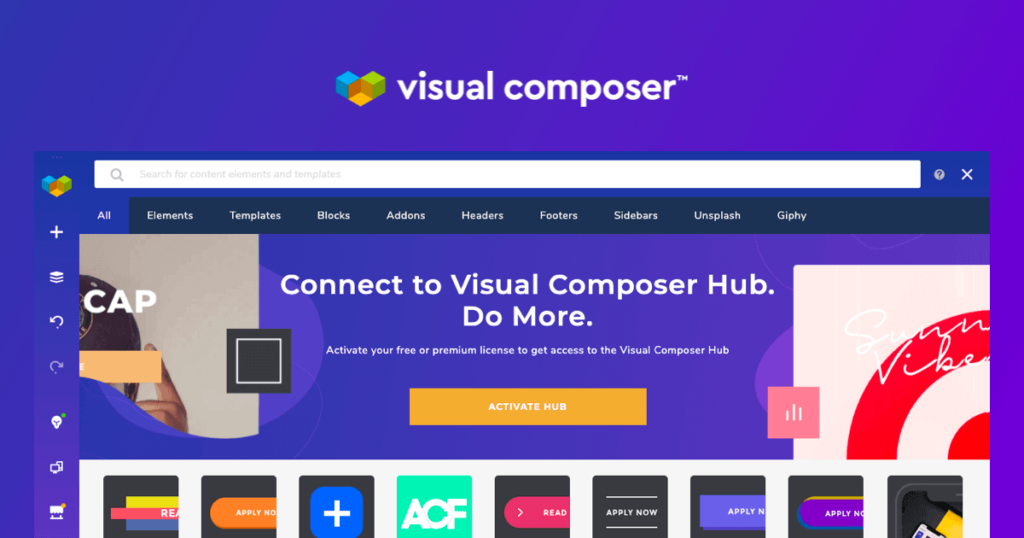
Visual Composer is a versatile WordPress page builder that offers both front-end and back-end editing. It’s designed to be user-friendly while providing advanced features for developers and designers. Visual Composer comes with a vast library of pre-designed templates, elements, and blocks, making it easy to create professional websites quickly. It also offers a theme builder, allowing users to design custom headers, footers, and other theme elements without coding. Visual Composer is compatible with most WordPress themes and plugins, ensuring flexibility and ease of use. Its cloud-based template library and regular updates make it a reliable choice for users who want a powerful and up-to-date page builder.
- Front-End and Back-End Editing: Visual Composer offers both front-end and back-end editing, giving you the flexibility to design pages in the way that works best for you.
- Pre-Designed Templates: Access a vast library of pre-designed templates, elements, and blocks for various industries. These templates are fully customizable to fit your needs.
- Theme Builder: Design custom headers, footers, and other theme elements without coding. This feature gives you full control over your site’s design.
- Cloud-Based Template Library: Visual Composer’s cloud-based template library is regularly updated with new designs, ensuring you always have access to the latest trends.
- Compatibility: Visual Composer is compatible with most WordPress themes and plugins, ensuring flexibility and ease of use. It also works well with WooCommerce for e-commerce sites.
7. Thrive Architect
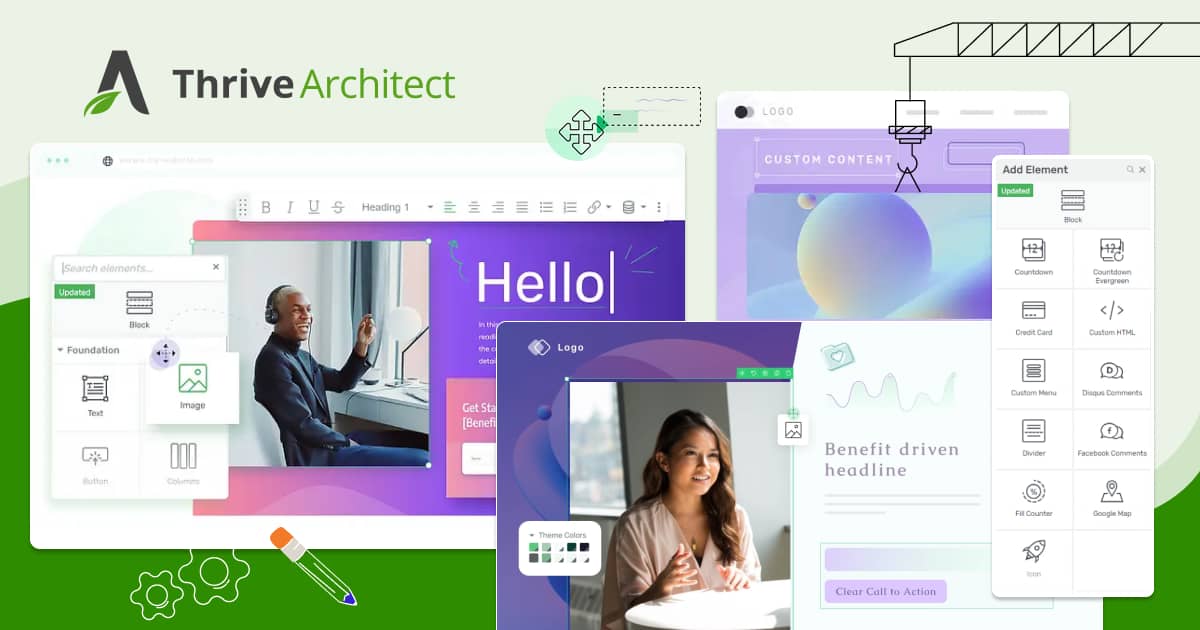
Thrive Architect is a WordPress page builder designed specifically for marketers and businesses focused on conversions. It offers a drag-and-drop editor with a variety of conversion-focused elements, such as lead generation forms, countdown timers, and testimonials. Thrive Architect comes with pre-designed landing page templates, making it easy to create high-converting pages quickly. It also integrates seamlessly with other Thrive Themes products, such as Thrive Leads and Thrive Optimize, for advanced marketing features. While it’s not as feature-rich as some other page builders, its focus on conversions makes it a great choice for businesses and marketers who want to grow their online presence.
- Drag-and-Drop Editor: Thrive Architect’s editor is designed for marketers, with a focus on creating high-converting pages. It’s intuitive and easy to use, even for beginners.
- Conversion-Focused Elements: Access a variety of conversion-focused elements, such as lead generation forms, countdown timers, and testimonials, to boost your site’s performance.
- Pre-Designed Landing Page Templates: Choose from a library of pre-designed landing page templates for various industries. These templates are fully customizable to fit your brand.
- Integration with Thrive Themes: Thrive Architect integrates seamlessly with other Thrive Themes products, such as Thrive Leads and Thrive Optimize, for advanced marketing features.
- Responsive Design: Thrive Architect ensures your website looks great on all devices with responsive editing tools. You can adjust settings for desktop, tablet, and mobile views separately.
8. SiteOrigin Page Builder

SiteOrigin Page Builder is a free and lightweight WordPress page builder that offers a simple and intuitive interface. It’s a great choice for beginners and users who want a no-frills page builder without the complexity of advanced features. SiteOrigin Page Builder works with any WordPress theme and offers a variety of widgets and pre-designed layouts to help you create professional-looking pages quickly. While it doesn’t have as many features as some other page builders, its simplicity and ease of use make it a popular choice for users who want a straightforward solution. It’s also compatible with most WordPress plugins, ensuring flexibility and ease of use.
- Drag-and-Drop Editor: SiteOrigin Page Builder’s editor is simple and intuitive, making it easy for beginners to design pages without any coding knowledge.
- Pre-Designed Layouts: Access a variety of pre-designed layouts for different purposes, including business, e-commerce, and portfolios. These layouts are fully customizable to fit your needs.
- Widget Bundle: SiteOrigin Page Builder comes with a variety of widgets, including buttons, sliders, and image grids, to enhance your pages.
- Theme Compatibility: SiteOrigin Page Builder works with any WordPress theme, giving you the flexibility to choose the theme that best fits your needs.
- Lightweight and Fast: SiteOrigin Page Builder is lightweight and generates clean code, ensuring your website loads quickly and performs well.
9. WPBakery Page Builder
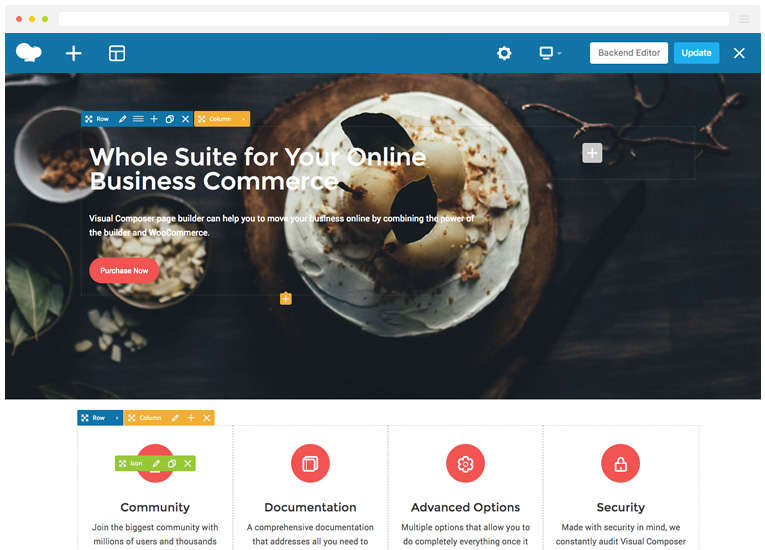
WPBakery Page Builder, formerly known as Visual Composer, is one of the most widely used WordPress page builders. It offers both front-end and back-end editing, making it a versatile choice for users of all skill levels. WPBakery comes with a vast library of pre-designed templates and elements, allowing users to create professional websites quickly. It’s also highly customizable, with advanced design options for every element. WPBakery is compatible with most WordPress themes and plugins, ensuring flexibility and ease of use. While it has a steeper learning curve than some other page builders, its power and versatility make it a popular choice for developers and agencies.
- Front-End and Back-End Editing: WPBakery offers both front-end and back-end editing, giving you the flexibility to design pages in the way that works best for you.
- Pre-Designed Templates: Access a vast library of pre-designed templates and elements for various industries. These templates are fully customizable to fit your needs.
- Advanced Design Options: WPBakery provides advanced design options for every element, allowing you to customize every aspect of your site’s design.
- Compatibility: WPBakery is compatible with most WordPress themes and plugins, ensuring flexibility and ease of use. It also works well with WooCommerce for e-commerce sites.
- Developer-Friendly: WPBakery offers a variety of developer-friendly features, such as custom CSS and JavaScript, making it a great choice for advanced users.
10. SeedProd
SeedProd is a WordPress page builder designed specifically for creating landing pages, coming soon pages, and maintenance mode pages. It’s a great choice for businesses and marketers who want to create high-converting pages quickly. SeedProd offers a drag-and-drop editor with a variety of pre-designed templates and blocks, making it easy to create professional-looking pages without any coding. It also integrates seamlessly with popular email marketing services, such as Mailchimp and ConvertKit, for lead generation. While it’s not as feature-rich as some other page builders, its focus on landing pages and ease of use make it a popular choice for businesses and marketers.
- Drag-and-Drop Editor: SeedProd’s editor is designed for creating landing pages, with a focus on simplicity and ease of use. It’s intuitive and easy to use, even for beginners.
- Pre-Designed Templates: Access a library of pre-designed landing page templates for various industries. These templates are fully customizable to fit your brand.
- Coming Soon and Maintenance Mode: SeedProd allows you to create coming soon pages and maintenance mode pages, making it a great choice for businesses and marketers.
- Email Marketing Integration: SeedProd integrates seamlessly with popular email marketing services, such as Mailchimp and ConvertKit, for lead generation.
- Responsive Design: SeedProd ensures your website looks great on all devices with responsive editing tools. You can adjust settings for desktop, tablet, and mobile views separately.
Frequently Asked Questions
What is a WordPress page builder?
A WordPress page builder is a plugin that allows you to create and customize pages on your WordPress website without writing any code. These builders typically offer drag-and-drop interfaces, pre-designed templates, and a variety of widgets or elements to help you design professional-looking pages quickly. They are designed to make the process of building a website more accessible to beginners while also providing advanced features for developers and designers.
Do I need a page builder if I already have a WordPress theme?
While WordPress themes provide a basic design framework for your website, a page builder gives you more flexibility and control over the layout and design of individual pages. If your theme’s customization options are limited or you want to create unique layouts without coding, a page builder can be a valuable tool. Many page builders also offer theme-building features, allowing you to design custom headers, footers, and other theme elements.
Are WordPress page builders SEO-friendly?
Most WordPress page builders are designed to be SEO-friendly, but the quality of the code they generate can vary. Builders like Elementor, Beaver Builder, and Oxygen are known for producing clean, lightweight code that doesn’t negatively impact your site’s performance or SEO. However, it’s always a good idea to test your site’s speed and performance after using a page builder to ensure it meets SEO best practices. Additionally, using an SEO plugin like Yoast SEO or Rank Math can help optimize your content further.
Can I switch between page builders without losing my content?
Switching between page builders can be tricky, as each builder stores its data differently. Some builders, like Elementor and Beaver Builder, offer import/export tools that make it easier to migrate content. However, you may still need to manually adjust some elements after switching. To minimize issues, it’s a good idea to back up your website before making any changes and test the new builder on a staging site first. If you’re unsure, consider hiring a developer to help with the transition.
Which WordPress page builder is best for beginners?
For beginners, page builders like Elementor, Brizy, and Beaver Builder are excellent choices because of their intuitive drag-and-drop interfaces and extensive libraries of pre-designed templates. These builders are designed to be user-friendly and require no coding knowledge. They also offer helpful documentation and active communities, making it easy to find support if you run into any issues. If you’re just starting out, it’s a good idea to try the free versions of these builders to see which one feels the most comfortable for you.
Are there any free WordPress page builders?
Yes, several WordPress page builders offer free versions with basic features. Elementor, Beaver Builder, Brizy, and SiteOrigin Page Builder all have free versions available in the WordPress plugin repository. While these free versions may have limitations compared to their premium counterparts, they are a great way to get started with page building without any upfront costs. If you find that you need more advanced features, you can always upgrade to a premium plan later.
How do I choose the best WordPress page builder for my needs?
Choosing the best WordPress page builder depends on your specific needs and skill level. Here are a few factors to consider: 1) Ease of use: If you’re a beginner, look for a builder with an intuitive interface and good documentation. 2) Features: Consider what features are most important to you, such as pre-designed templates, theme-building capabilities, or e-commerce integration. 3) Performance: Look for a builder that generates clean, lightweight code to ensure your site loads quickly. 4) Compatibility: Make sure the builder is compatible with your WordPress theme and other plugins. 5) Pricing: Consider your budget and whether the builder offers a free version or a one-time payment option. It’s also a good idea to read reviews and try out a few builders before making a decision.


