best free wordpress themes


Choosing the right WordPress theme can make or break your website. Free themes are a great starting point, especially if you’re on a budget or just testing ideas. The best ones balance design, performance, and flexibility without locking you into paid upgrades. They should load fast, work well on mobile, and give you enough customization options to make your site look professional without needing to code.
Not all free themes are created equal, though. Some are bloated with unnecessary features, while others lack basic functionality. The good ones keep things clean, follow WordPress coding standards, and get regular updates. They also play nice with popular plugins, so you can add features later without breaking your site.
I’ve gone through dozens of free WordPress themes to find the ones that actually deliver. Below is a list of the best options available right now.
📋 Table of Contents
1. Astra

Astra is one of the most popular free WordPress themes, known for its lightning-fast performance and flexibility. It’s a lightweight theme that works seamlessly with popular page builders like Elementor, Beaver Builder, and Brizy, making it ideal for both beginners and experienced developers. Astra offers a wide range of starter templates that can be imported with just one click, allowing users to set up a professional-looking website in minutes. The theme is also highly customizable, with options to tweak layouts, colors, typography, and more without touching a single line of code. Astra is fully compatible with WooCommerce, making it a great choice for online stores. Its clean code and SEO-friendly structure ensure that your website ranks well on search engines while delivering a smooth user experience.
- Lightweight and Fast: Astra is built for speed, with a file size of less than 50KB, ensuring your website loads quickly and performs well.
- Pre-Built Starter Templates: Access to over 100 free and premium starter templates that can be imported with a single click, saving time on design.
- Page Builder Compatibility: Works seamlessly with popular page builders like Elementor, Beaver Builder, and Gutenberg, giving you full control over your site’s design.
- WooCommerce Integration: Fully compatible with WooCommerce, allowing you to create a professional online store with ease.
- SEO-Friendly: Built with clean code and schema markup to help your website rank higher in search engine results.
2. OceanWP
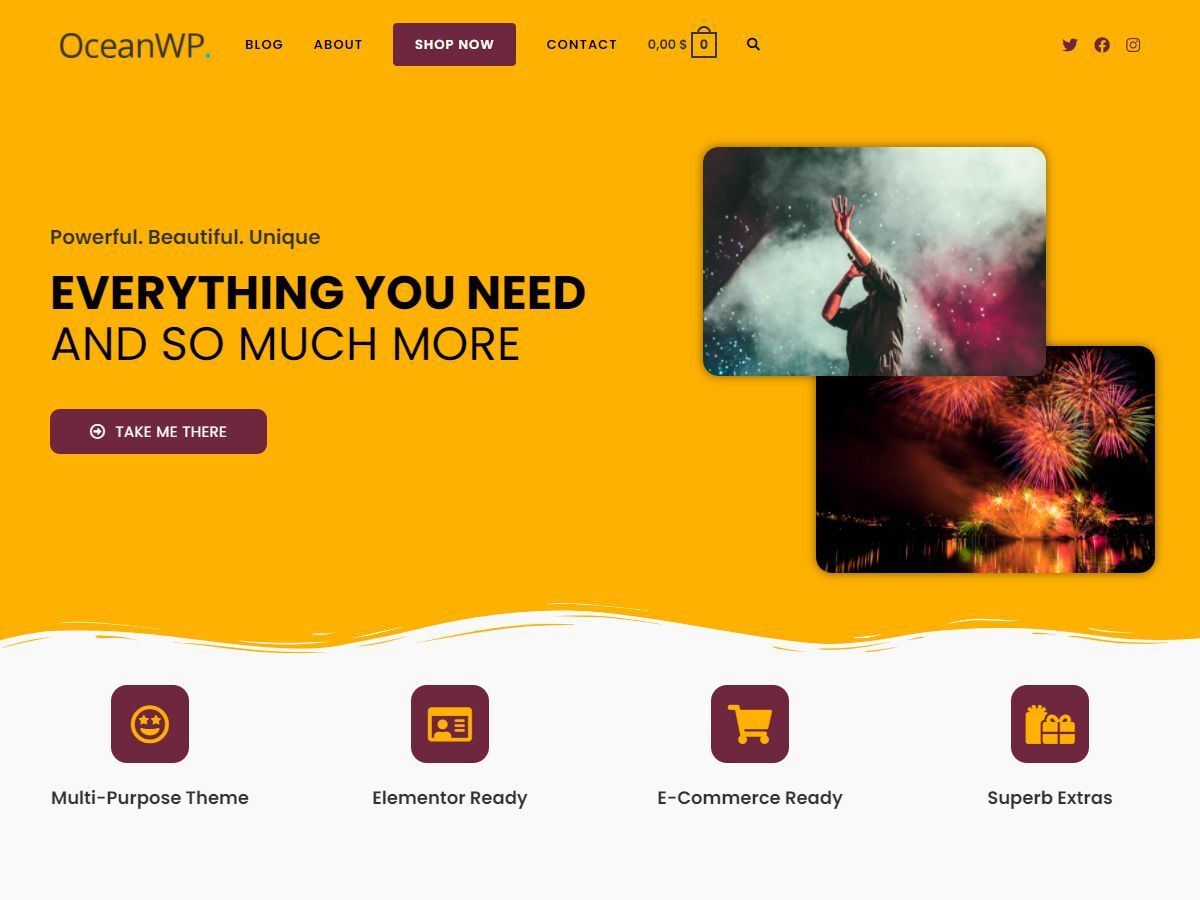
OceanWP is a versatile and highly customizable free WordPress theme that’s perfect for any type of website, from blogs and portfolios to eCommerce stores. It comes with a range of demo sites that can be imported with just one click, making it easy to get started. OceanWP is fully responsive, ensuring your website looks great on all devices, and it’s optimized for speed and performance. The theme is also WooCommerce-ready, with built-in features like a quick view, native cart popup, and product wishlist to enhance the shopping experience. OceanWP offers extensive customization options, including multiple header styles, blog layouts, and typography settings, all accessible through the WordPress Customizer. It’s also compatible with popular page builders, giving you even more flexibility in designing your site.
- One-Click Demo Import: Access to over 200 free and premium demo sites that can be imported with a single click, making setup quick and easy.
- WooCommerce Ready: Built-in features like a quick view, native cart popup, and product wishlist to enhance the eCommerce experience.
- Fully Responsive: Ensures your website looks great on desktops, tablets, and mobile devices with a mobile-first design approach.
- Extensive Customization Options: Offers multiple header styles, blog layouts, and typography settings, all customizable through the WordPress Customizer.
- Page Builder Compatibility: Works seamlessly with Elementor, Beaver Builder, and other popular page builders for advanced design control.
3. Neve
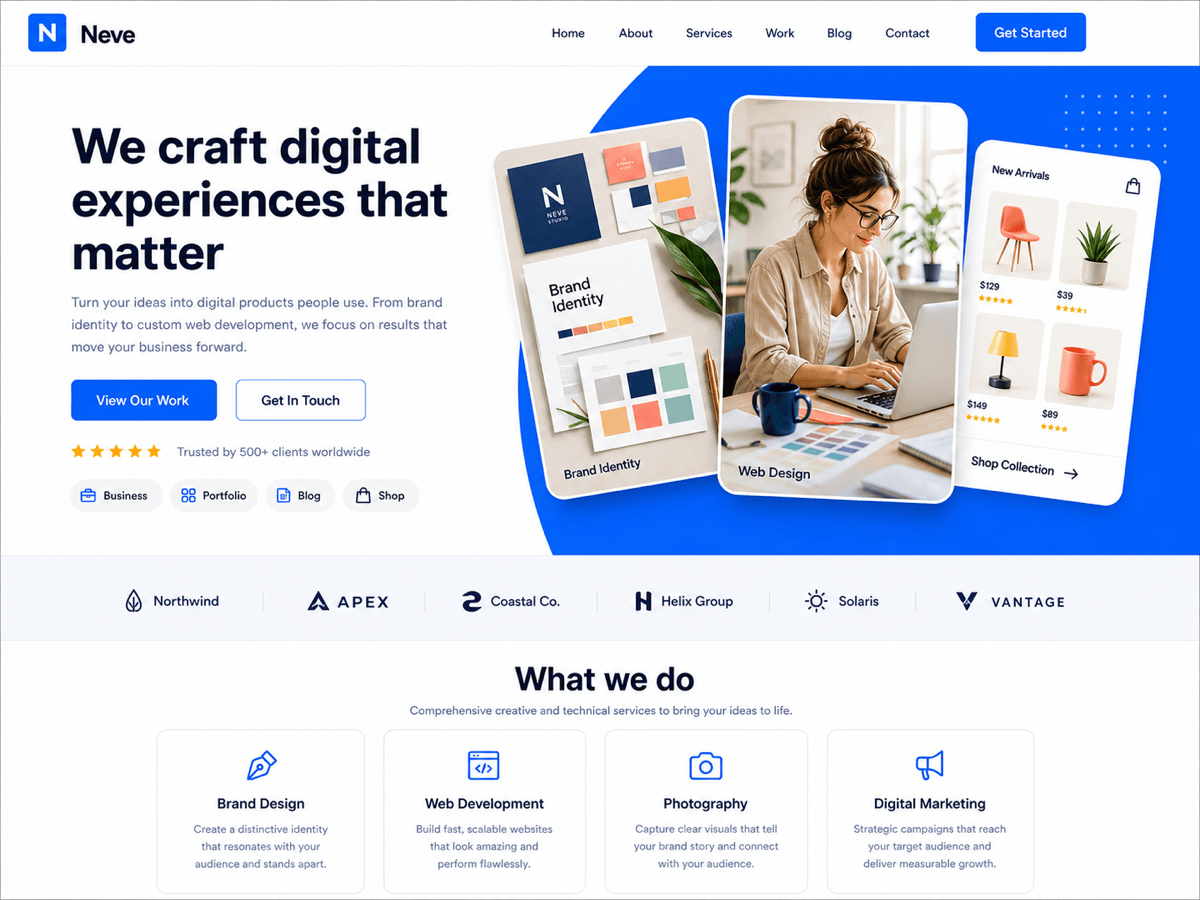
Neve is a super-fast, lightweight, and modern WordPress theme designed for performance and ease of use. It’s perfect for bloggers, small businesses, startups, and eCommerce stores, thanks to its seamless integration with WooCommerce. Neve is built with AMP (Accelerated Mobile Pages) compatibility, ensuring your site loads quickly on mobile devices. The theme offers a range of starter sites that can be imported with just one click, making it easy to get your website up and running in no time. Neve is also highly customizable, with options to adjust layouts, colors, and typography through the WordPress Customizer. It’s compatible with popular page builders like Elementor, Brizy, and Beaver Builder, giving you full control over your site’s design without needing to code.
- AMP Compatible: Built with Accelerated Mobile Pages (AMP) support to ensure fast loading times on mobile devices.
- One-Click Starter Sites: Access to over 100 free and premium starter sites that can be imported with a single click for quick setup.
- WooCommerce Integration: Fully compatible with WooCommerce, making it easy to set up an online store with a professional look.
- Lightweight and Fast: Optimized for speed with a minimal file size, ensuring your website performs well and ranks higher in search engines.
- Page Builder Friendly: Works seamlessly with Elementor, Brizy, Beaver Builder, and other page builders for advanced customization.
4. Hestia

Hestia is a modern, one-page WordPress theme designed for businesses, startups, and creative professionals. It’s a versatile theme that works well for portfolios, online stores, and corporate websites. Hestia is fully compatible with WooCommerce, making it easy to set up an eCommerce store with a sleek and professional design. The theme comes with a live customizer that allows you to see changes in real-time, making it easy to tweak layouts, colors, and typography. Hestia also offers a range of starter sites that can be imported with just one click, saving you time on design. It’s built with a responsive design, ensuring your website looks great on all devices, and it’s optimized for speed and performance. Hestia is also SEO-friendly, helping your website rank higher in search engine results.
- One-Page Design: Ideal for businesses and startups, with a clean, modern one-page layout that keeps visitors engaged.
- WooCommerce Ready: Fully compatible with WooCommerce, allowing you to create a professional online store with ease.
- Live Customizer: See changes in real-time with the WordPress Customizer, making it easy to tweak your site’s design.
- Responsive and Mobile-Friendly: Ensures your website looks great on all devices, from desktops to smartphones.
- SEO Optimized: Built with clean code and schema markup to help your website rank higher in search engine results.
5. GeneratePress

GeneratePress is a lightweight and highly customizable WordPress theme that’s perfect for bloggers, businesses, and developers. It’s built with a focus on speed and performance, ensuring your website loads quickly and ranks well in search engines. GeneratePress is fully compatible with popular page builders like Elementor and Beaver Builder, giving you full control over your site’s design. The theme offers a range of customization options, including multiple layout choices, color settings, and typography options, all accessible through the WordPress Customizer. GeneratePress is also WooCommerce-ready, making it a great choice for online stores. Its clean code and modular approach allow you to enable only the features you need, keeping your site lightweight and fast.
- Lightweight and Fast: Built for speed with a minimal file size, ensuring your website performs well and loads quickly.
- Modular Design: Enable only the features you need, keeping your site lightweight and optimized for performance.
- Page Builder Compatibility: Works seamlessly with Elementor, Beaver Builder, and other popular page builders for advanced customization.
- WooCommerce Ready: Fully compatible with WooCommerce, allowing you to create a professional online store with ease.
- SEO-Friendly: Built with clean code and schema markup to help your website rank higher in search engine results.
6. Sydney
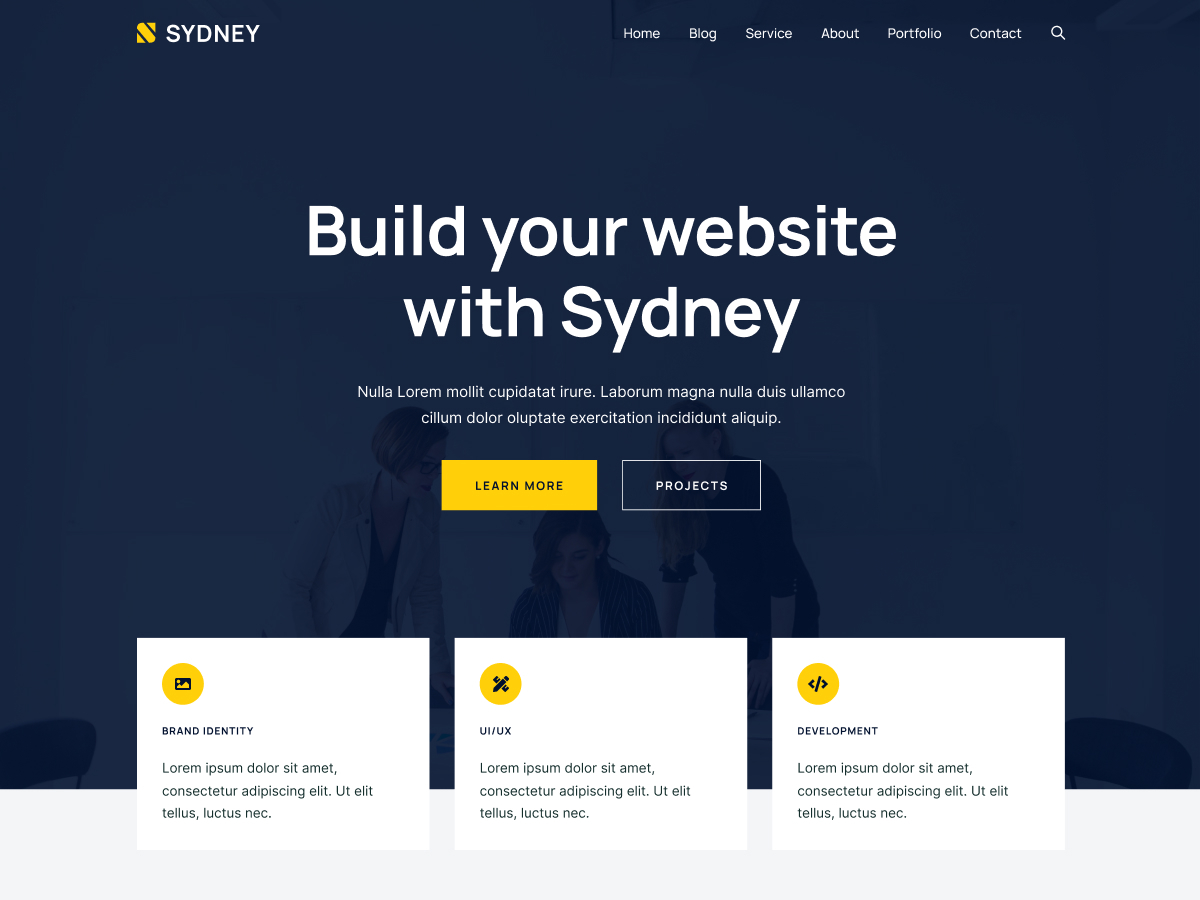
Sydney is a powerful business WordPress theme designed for companies and freelancers who want to create a professional online presence. It offers a range of customization options, including access to all Google Fonts, full-color control, and layout options. Sydney is fully compatible with Elementor, allowing you to create stunning pages with drag-and-drop ease. The theme comes with a range of pre-built templates that can be imported with just one click, making it easy to get started. Sydney is also WooCommerce-ready, making it a great choice for online stores. Its responsive design ensures your website looks great on all devices, and its SEO-friendly structure helps your site rank higher in search engine results. Sydney is perfect for businesses, agencies, and freelancers looking for a modern and professional theme.
- Business-Focused Design: Ideal for companies and freelancers, with a professional and modern design that builds credibility.
- Elementor Compatibility: Works seamlessly with Elementor, allowing you to create stunning pages with drag-and-drop ease.
- One-Click Demo Import: Access to pre-built templates that can be imported with a single click, saving time on design.
- WooCommerce Ready: Fully compatible with WooCommerce, making it easy to set up an online store with a professional look.
- Responsive and Mobile-Friendly: Ensures your website looks great on all devices, from desktops to smartphones.
7. ColorMag

ColorMag is a vibrant and feature-rich WordPress theme designed specifically for news, magazine, and blogging websites. It offers a range of customization options, including multiple layout choices, color schemes, and typography settings. ColorMag is fully responsive, ensuring your website looks great on all devices, and it’s optimized for speed and performance. The theme comes with a built-in breaking news ticker, featured post sliders, and multiple widget areas, making it easy to create a dynamic and engaging news site. ColorMag is also WooCommerce-ready, allowing you to monetize your content with an online store. Its SEO-friendly structure helps your website rank higher in search engine results, and its compatibility with popular page builders like Elementor gives you full control over your site’s design.
- News and Magazine Layout: Designed specifically for news and magazine websites, with features like a breaking news ticker and featured post sliders.
- Fully Responsive: Ensures your website looks great on all devices, from desktops to smartphones.
- WooCommerce Ready: Fully compatible with WooCommerce, allowing you to monetize your content with an online store.
- Multiple Widget Areas: Offers multiple widget areas to customize your site’s layout and add dynamic content.
- SEO-Friendly: Built with clean code and schema markup to help your website rank higher in search engine results.
8. Zakra
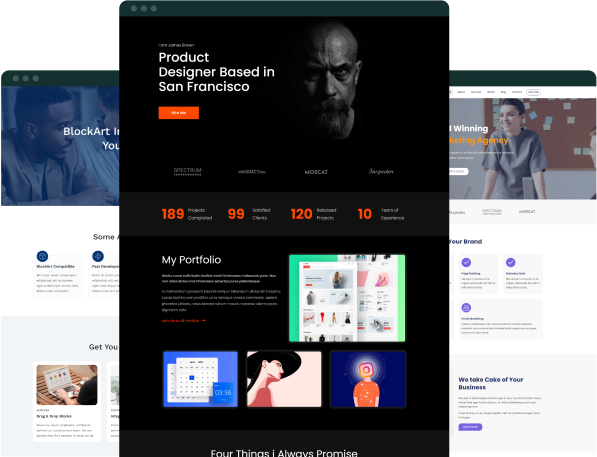
Zakra is a modern and flexible WordPress theme that’s perfect for any type of website, from blogs and portfolios to business sites and online stores. It offers a range of starter templates that can be imported with just one click, making it easy to get your website up and running quickly. Zakra is fully responsive, ensuring your site looks great on all devices, and it’s optimized for speed and performance. The theme is also WooCommerce-ready, with built-in features to enhance the shopping experience. Zakra is highly customizable, with options to tweak layouts, colors, and typography through the WordPress Customizer. It’s also compatible with popular page builders like Elementor, giving you full control over your site’s design without needing to code.
- One-Click Starter Templates: Access to over 50 free and premium starter templates that can be imported with a single click for quick setup.
- WooCommerce Ready: Fully compatible with WooCommerce, allowing you to create a professional online store with ease.
- Fully Responsive: Ensures your website looks great on all devices, from desktops to smartphones.
- Page Builder Compatibility: Works seamlessly with Elementor and other popular page builders for advanced customization.
- SEO-Friendly: Built with clean code and schema markup to help your website rank higher in search engine results.
9. Ashe

Ashe is a beautiful and elegant WordPress theme designed for bloggers, writers, and creative professionals. It offers a clean and minimalist design that puts your content front and center, making it perfect for personal blogs, lifestyle blogs, and portfolios. Ashe is fully responsive, ensuring your website looks great on all devices, and it’s optimized for speed and performance. The theme comes with a range of customization options, including multiple layout choices, color schemes, and typography settings. Ashe is also WooCommerce-ready, allowing you to monetize your blog with an online store. Its SEO-friendly structure helps your website rank higher in search engine results, and its compatibility with popular page builders like Elementor gives you full control over your site’s design. Ashe is perfect for anyone looking for a simple yet powerful theme to showcase their content.
- Minimalist and Elegant Design: Ideal for bloggers and writers, with a clean and minimalist design that puts your content first.
- Fully Responsive: Ensures your website looks great on all devices, from desktops to smartphones.
- WooCommerce Ready: Fully compatible with WooCommerce, allowing you to monetize your blog with an online store.
- Multiple Layout Options: Offers multiple layout choices, including grid and list views, to customize your blog’s appearance.
- SEO-Friendly: Built with clean code and schema markup to help your website rank higher in search engine results.
10. Customify
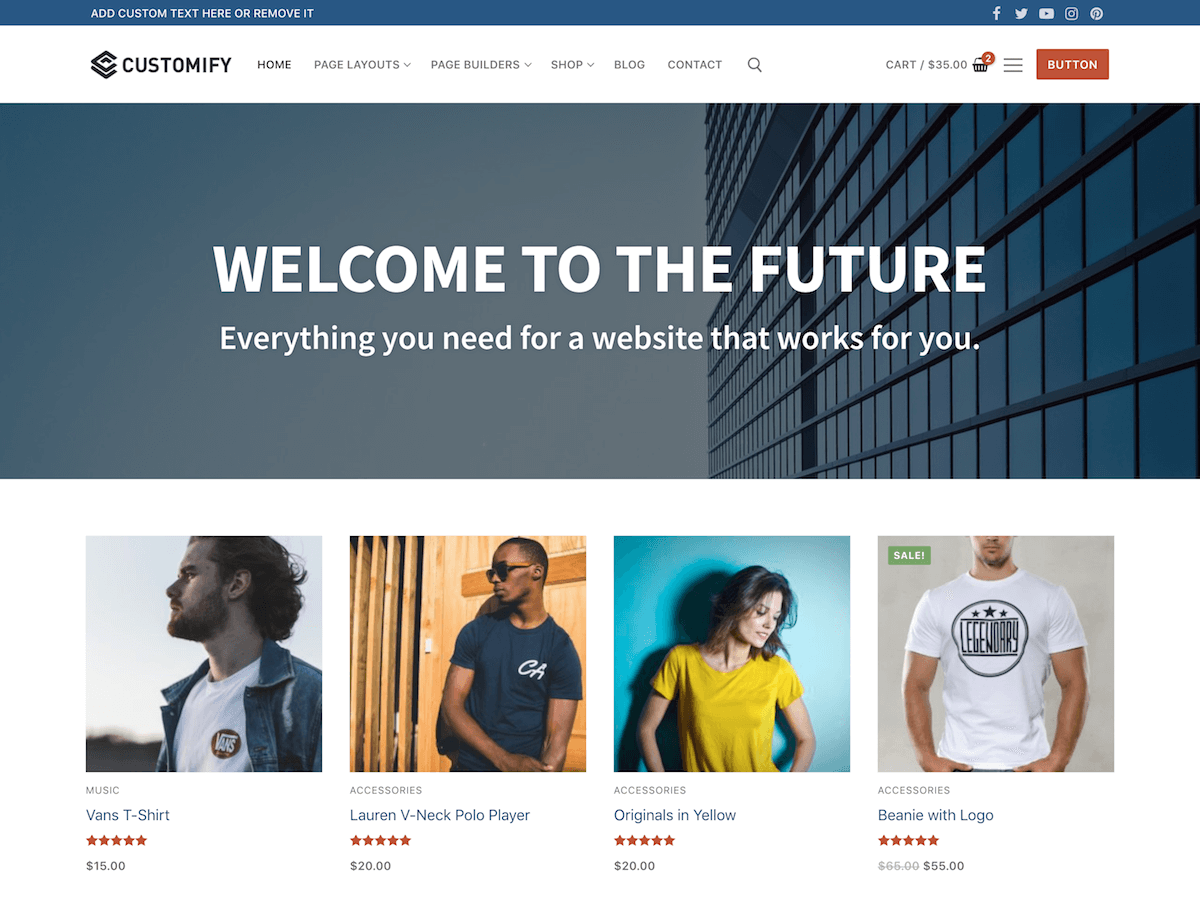
Customify is a highly customizable and lightweight WordPress theme designed for speed and flexibility. It’s perfect for any type of website, from blogs and portfolios to business sites and online stores. Customify offers a range of starter sites that can be imported with just one click, making it easy to get your website up and running quickly. The theme is fully responsive, ensuring your site looks great on all devices, and it’s optimized for speed and performance. Customify is also WooCommerce-ready, with built-in features to enhance the shopping experience. It’s highly customizable, with options to tweak layouts, colors, and typography through the WordPress Customizer. Customify is also compatible with popular page builders like Elementor, giving you full control over your site’s design without needing to code.
- One-Click Starter Sites: Access to a range of starter sites that can be imported with a single click for quick setup.
- WooCommerce Ready: Fully compatible with WooCommerce, allowing you to create a professional online store with ease.
- Fully Responsive: Ensures your website looks great on all devices, from desktops to smartphones.
- Page Builder Compatibility: Works seamlessly with Elementor and other popular page builders for advanced customization.
- SEO-Friendly: Built with clean code and schema markup to help your website rank higher in search engine results.
Frequently Asked Questions
What are the benefits of using a free WordPress theme?
Free WordPress themes offer several benefits, especially for beginners or those on a tight budget. They provide a cost-effective way to create a professional-looking website without spending money on premium themes. Many free themes are lightweight and optimized for speed, which can improve your site’s performance and SEO rankings. They also often come with essential features like responsive design, customization options, and compatibility with popular plugins. Additionally, free themes are a great way to experiment with different designs and functionalities before committing to a premium theme. However, it’s important to choose a well-coded and regularly updated theme to ensure security and compatibility with the latest WordPress versions.
How do I choose the best free WordPress theme for my website?
Choosing the best free WordPress theme depends on your website’s purpose and your specific needs. Start by identifying the type of website you’re building—whether it’s a blog, business site, portfolio, or online store. Look for themes that are designed for your niche, as they’ll likely have the features and layouts you need. Check the theme’s ratings and reviews to ensure it’s well-received by other users. Pay attention to the theme’s customization options, as you’ll want flexibility in design. Ensure the theme is responsive, SEO-friendly, and compatible with popular plugins like WooCommerce or page builders. Finally, check the theme’s update history to ensure it’s actively maintained and secure.
Are free WordPress themes safe to use?
Free WordPress themes can be safe to use, but it’s important to download them from reputable sources like the official WordPress theme repository or trusted theme developers. Themes from the WordPress repository are reviewed for security and quality before being listed, which reduces the risk of malware or vulnerabilities. However, not all free themes are created equal. Some may contain poorly written code, lack updates, or have hidden malicious scripts. To ensure safety, always check the theme’s ratings, reviews, and update history. Avoid themes from untrusted third-party websites, as they may pose security risks. Additionally, consider using a security plugin to scan your theme for vulnerabilities.
Can I use a free WordPress theme for an eCommerce store?
Yes, you can use a free WordPress theme for an eCommerce store, but it’s important to choose a theme that’s fully compatible with WooCommerce. Many free themes, like Astra, OceanWP, and Neve, are WooCommerce-ready and offer built-in features to enhance the shopping experience, such as product grids, quick view options, and cart popups. However, free themes may lack some advanced eCommerce features found in premium themes, such as advanced product filters, wishlist functionality, or dedicated checkout layouts. If your store requires these features, you may need to use additional plugins or consider upgrading to a premium theme. Always test the theme’s compatibility with WooCommerce before launching your store.
How do I install a free WordPress theme?
Installing a free WordPress theme is a straightforward process. First, log in to your WordPress dashboard and navigate to Appearance > Themes. Click the Add New button at the top of the page. You can browse the WordPress theme repository directly from your dashboard or use the search bar to find a specific theme. Once you’ve found a theme you like, hover over it and click the Install button. After the theme is installed, click the Activate button to make it live on your website. If you’ve downloaded a theme from an external source, you can upload it by clicking the Upload Theme button and selecting the theme’s ZIP file. After uploading, click Install Now and then Activate to apply the theme to your site.
What are the limitations of free WordPress themes?
While free WordPress themes offer many benefits, they also come with some limitations. Free themes often have fewer customization options compared to premium themes, which can restrict your ability to create a unique design. They may also lack advanced features, such as built-in page builders, premium support, or dedicated customer service. Free themes are sometimes less frequently updated, which can lead to compatibility issues with the latest WordPress versions or plugins. Additionally, free themes may include branding or links to the developer’s website, which can be removed only by upgrading to a premium version. If your website requires advanced functionality or a highly customized design, a premium theme may be a better investment.
Can I switch from a free WordPress theme to a premium one later?
Yes, you can switch from a free WordPress theme to a premium one at any time. The process is similar to installing a free theme. First, purchase and download the premium theme from the developer’s website. Then, log in to your WordPress dashboard, navigate to Appearance > Themes, and click the Add New button. Upload the premium theme’s ZIP file and click Install Now. Once installed, activate the new theme. Before switching, it’s a good idea to back up your website and test the new theme on a staging site to ensure compatibility with your existing content and plugins. Some premium themes may require additional setup, such as importing demo content or configuring settings, so be sure to follow the developer’s instructions.