best crm for wordpress


If you’re running a WordPress site and need a CRM, you’re probably looking for something that integrates smoothly without overcomplicating your workflow. The right CRM should sync with your existing tools, automate repetitive tasks, and help you manage customer relationships without requiring a steep learning curve. Not all CRMs play nice with WordPress, though, so it’s worth narrowing down the options that actually work well with the platform.
The best CRM for WordPress depends on what you need—whether it’s lead tracking, email marketing, or just keeping customer data organized. Some plugins offer basic CRM functionality, while others are full-fledged systems that connect to your site via APIs or extensions. The key is finding one that balances features with usability, so you’re not stuck with a bloated tool that slows down your site or requires constant maintenance.
I’ve put together a list below of the best CRM options for WordPress, based on integration ease, feature sets, and real-world performance. These aren’t just random picks—they’re the ones that actually deliver without making your life harder.
📋 Table of Contents
1. HubSpot CRM
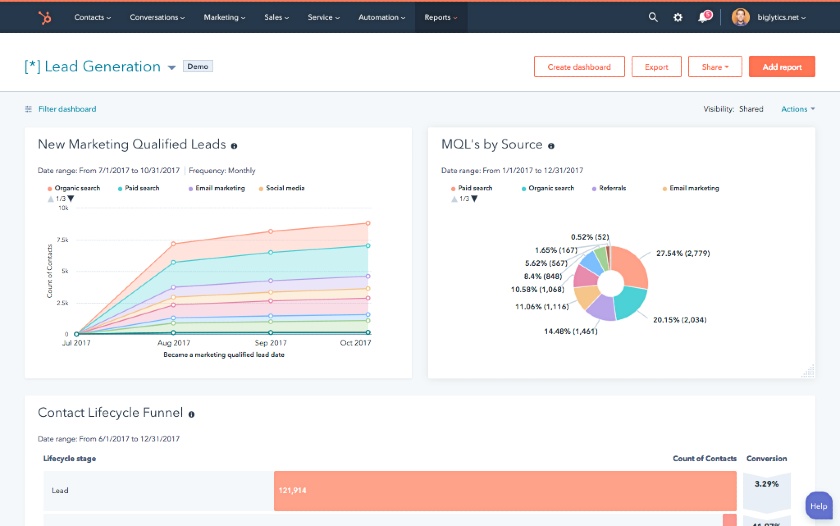
HubSpot CRM is one of the most popular and user-friendly customer relationship management tools available, especially for WordPress users. It offers a seamless integration with WordPress through its official plugin, allowing businesses to manage contacts, track interactions, and automate marketing efforts without leaving their website. HubSpot CRM is particularly well-suited for small to medium-sized businesses looking for a free, scalable solution that grows with their needs. The platform provides a robust set of features, including email tracking, deal pipelines, and live chat, all of which can be customized to fit your workflow. Its intuitive dashboard makes it easy to monitor sales activities, customer interactions, and marketing campaigns in one place. HubSpot also offers advanced tools like marketing automation, analytics, and customer support features, making it a comprehensive solution for businesses aiming to streamline their operations.
- Free Plan Available: HubSpot CRM offers a free plan with essential features like contact management, email tracking, and deal pipelines, making it accessible for startups and small businesses.
- WordPress Integration: The HubSpot WordPress plugin allows you to sync contacts, track form submissions, and manage live chat directly from your WordPress dashboard.
- Marketing Automation: Automate email campaigns, lead nurturing, and follow-ups with HubSpot’s powerful marketing automation tools, which integrate seamlessly with WordPress.
- Analytics and Reporting: Track the performance of your sales and marketing efforts with detailed analytics and customizable reports to measure ROI and customer engagement.
- Live Chat and Chatbots: Engage visitors in real-time with live chat and AI-powered chatbots, which can be embedded on your WordPress site to capture leads and provide instant support.
2. Zoho CRM
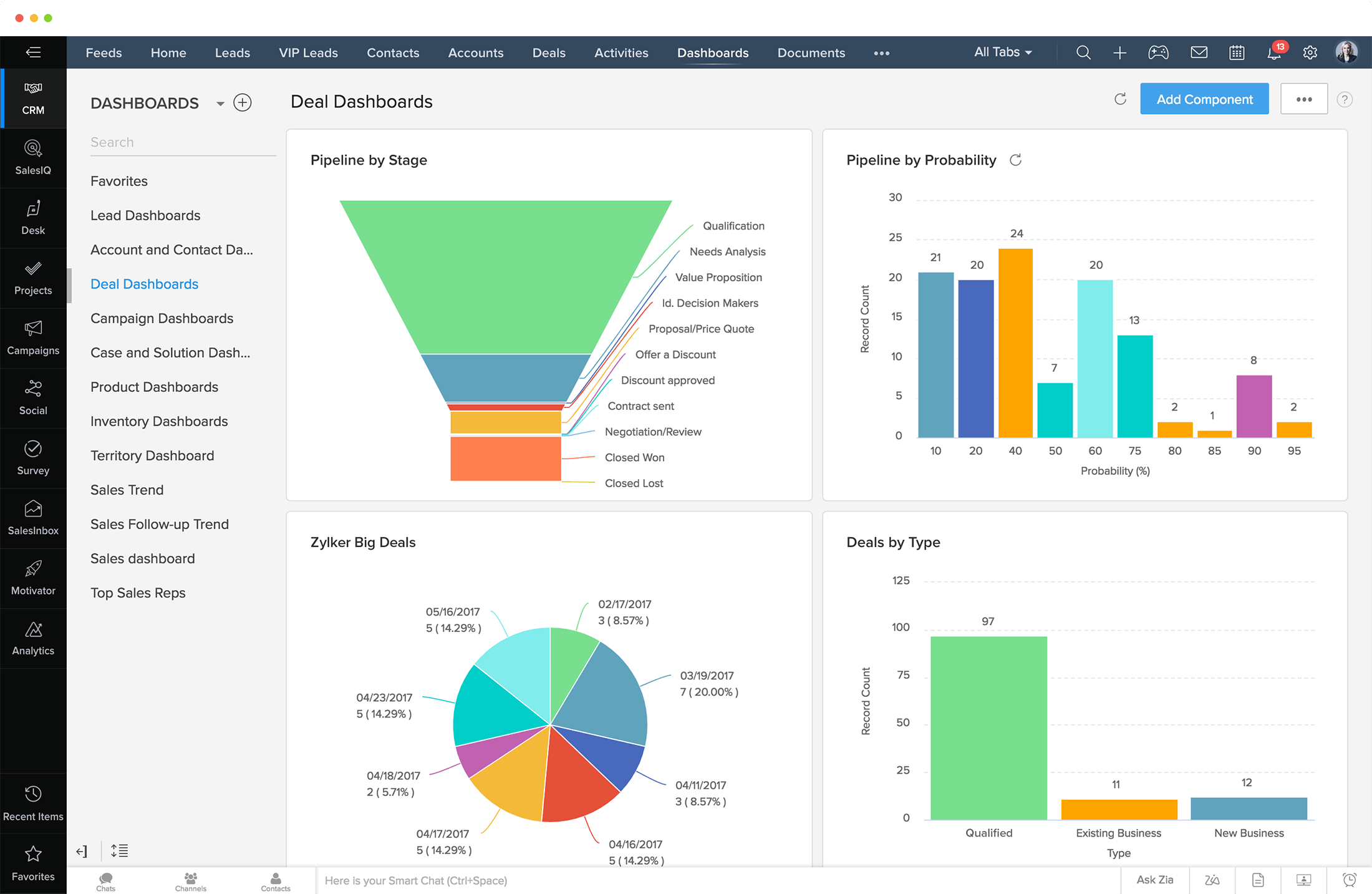
Zoho CRM is a powerful and affordable CRM solution that integrates seamlessly with WordPress, making it an excellent choice for businesses of all sizes. Known for its flexibility and customization options, Zoho CRM allows you to tailor the platform to your specific needs, whether you’re managing sales, marketing, or customer support. The Zoho CRM WordPress plugin enables you to capture leads from your website, track visitor interactions, and sync data between your CRM and WordPress site. Zoho CRM also offers AI-powered insights through its Zia assistant, which helps predict sales trends, identify leads, and automate routine tasks. With features like workflow automation, multichannel communication, and detailed analytics, Zoho CRM is a versatile tool that can scale with your business. It’s particularly popular among small businesses and startups due to its competitive pricing and robust feature set.
- AI-Powered Assistant (Zia): Zia, Zoho CRM’s AI assistant, provides predictive analytics, lead scoring, and automation suggestions to help you make data-driven decisions.
- WordPress Integration: The Zoho CRM WordPress plugin allows you to capture leads from forms, track visitor activity, and sync data between your website and CRM.
- Workflow Automation: Automate repetitive tasks like lead assignment, follow-up emails, and deal updates with customizable workflows to save time and improve efficiency.
- Multichannel Communication: Engage with customers across email, social media, live chat, and phone, all from within the Zoho CRM dashboard.
- Customizable Dashboards: Create personalized dashboards to monitor key metrics, sales pipelines, and customer interactions in real-time.
3. Salesforce Essentials
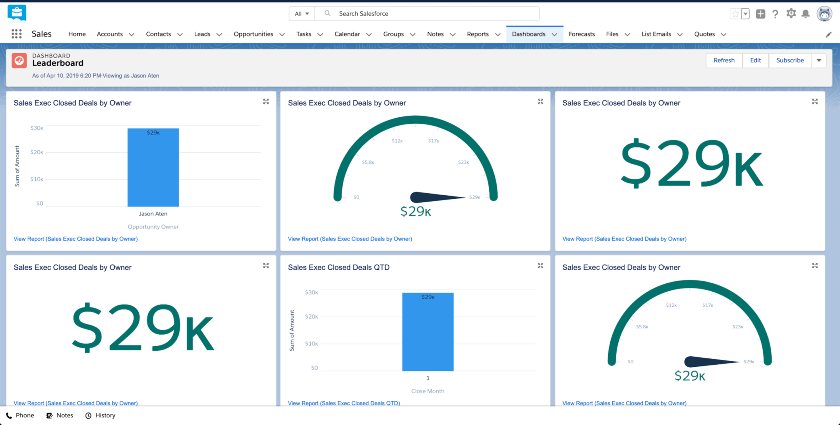
Salesforce Essentials is a simplified version of the world’s leading CRM platform, designed specifically for small businesses and startups. It offers a user-friendly interface and powerful features that help businesses manage sales, customer service, and marketing efforts from a single platform. The Salesforce WordPress plugin allows you to connect your website to the CRM, enabling seamless lead capture, contact management, and sales tracking. Salesforce Essentials is known for its scalability, making it a great choice for businesses that plan to grow quickly. It includes features like email integration, opportunity tracking, and customer support tools, all of which can be customized to fit your business needs. While it’s more expensive than some other CRMs, Salesforce Essentials provides a robust set of tools that can help businesses streamline their operations and improve customer relationships.
- Lead and Opportunity Management: Track leads, manage sales pipelines, and close deals faster with Salesforce’s intuitive opportunity management tools.
- WordPress Integration: The Salesforce WordPress plugin allows you to sync contacts, track form submissions, and manage customer data directly from your website.
- Email Integration: Sync your email with Salesforce to track customer interactions, send personalized emails, and automate follow-ups.
- Customer Support Tools: Manage customer inquiries, track support cases, and provide timely responses with Salesforce’s built-in customer service features.
- Mobile App: Access your CRM data on the go with the Salesforce mobile app, which allows you to manage leads, contacts, and deals from anywhere.
4. ActiveCampaign
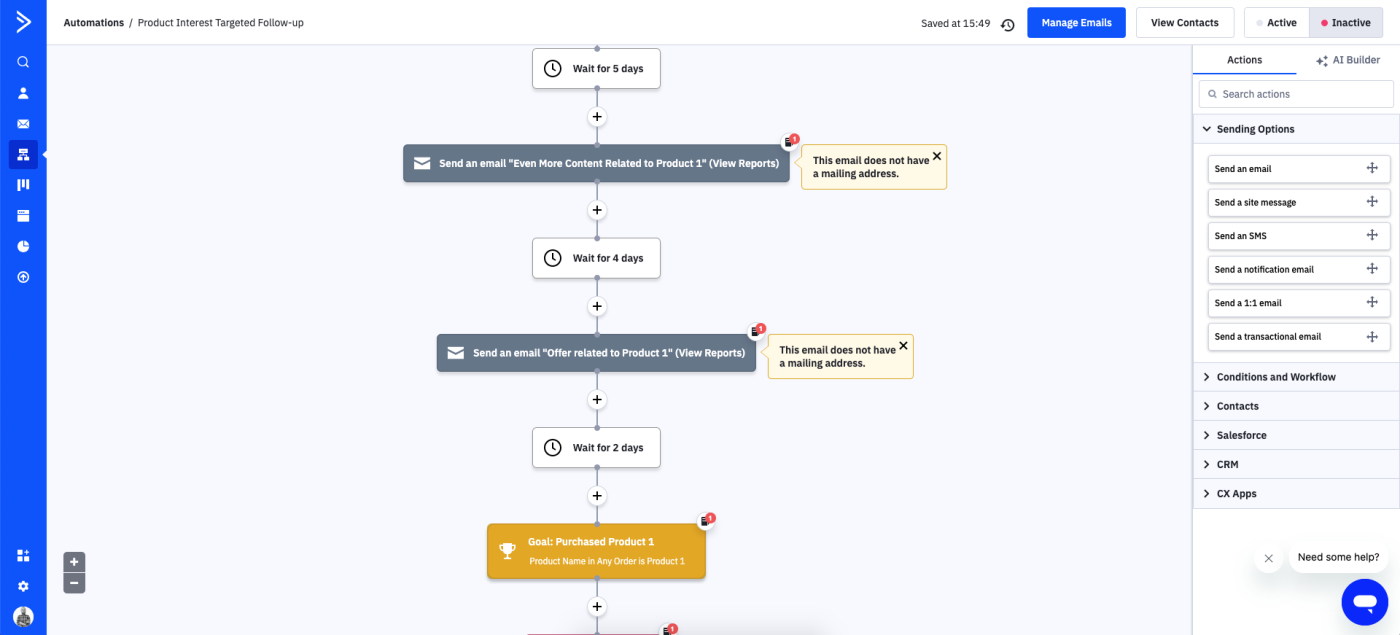
ActiveCampaign is a powerful CRM and marketing automation platform that integrates seamlessly with WordPress, making it an excellent choice for businesses looking to automate their marketing and sales processes. Unlike traditional CRMs, ActiveCampaign focuses on combining email marketing, automation, and CRM features into a single platform. The ActiveCampaign WordPress plugin allows you to capture leads from your website, track visitor behavior, and automate follow-up sequences. It’s particularly well-suited for eCommerce businesses, bloggers, and digital marketers who want to nurture leads and convert them into customers. ActiveCampaign’s automation builder is one of the most advanced in the industry, allowing you to create complex workflows that trigger based on user behavior, such as website visits, email opens, or form submissions. With features like lead scoring, dynamic content, and detailed analytics, ActiveCampaign helps businesses deliver personalized experiences to their customers.
- Marketing Automation: Create advanced automation workflows that trigger based on user behavior, such as website visits, email opens, or form submissions, to nurture leads and drive conversions.
- WordPress Integration: The ActiveCampaign WordPress plugin allows you to capture leads, track visitor activity, and sync data between your website and CRM.
- Lead Scoring: Assign scores to leads based on their interactions with your website and emails, helping you prioritize high-value prospects.
- Dynamic Content: Personalize emails and website content based on user behavior, preferences, and past interactions to improve engagement.
- Detailed Analytics: Track the performance of your marketing campaigns, automation workflows, and sales efforts with comprehensive analytics and reporting tools.
5. Agile CRM
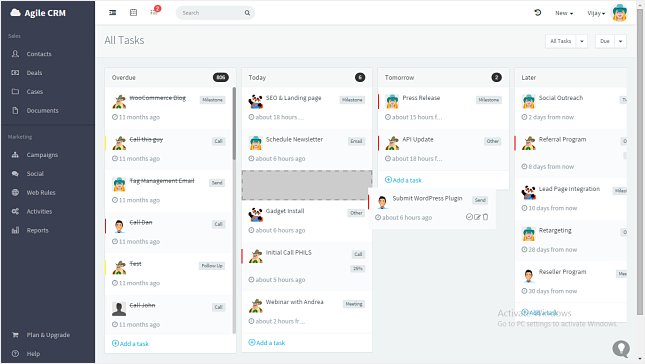
Agile CRM is an all-in-one CRM platform designed for small to medium-sized businesses, offering a wide range of features at an affordable price. It integrates seamlessly with WordPress through its plugin, allowing you to capture leads, track customer interactions, and automate marketing campaigns directly from your website. Agile CRM stands out for its combination of sales, marketing, and customer service tools in a single platform. It includes features like contact management, email marketing, telephony, and helpdesk support, making it a versatile solution for businesses looking to streamline their operations. Agile CRM also offers advanced automation tools, such as workflow builders and lead scoring, to help you nurture leads and close deals faster. Its user-friendly interface and competitive pricing make it a popular choice among startups and growing businesses.
- All-in-One Platform: Agile CRM combines sales, marketing, and customer service tools into a single platform, eliminating the need for multiple software solutions.
- WordPress Integration: The Agile CRM WordPress plugin allows you to capture leads from forms, track visitor activity, and sync data between your website and CRM.
- Marketing Automation: Automate email campaigns, lead nurturing, and follow-ups with Agile CRM’s powerful automation tools, which integrate seamlessly with WordPress.
- Telephony and Helpdesk: Manage customer calls and support tickets directly from the CRM, with features like call recording, voicemail, and ticket tracking.
- Lead Scoring and Segmentation: Assign scores to leads based on their behavior and segment them into groups for targeted marketing campaigns.
6. WP Fusion
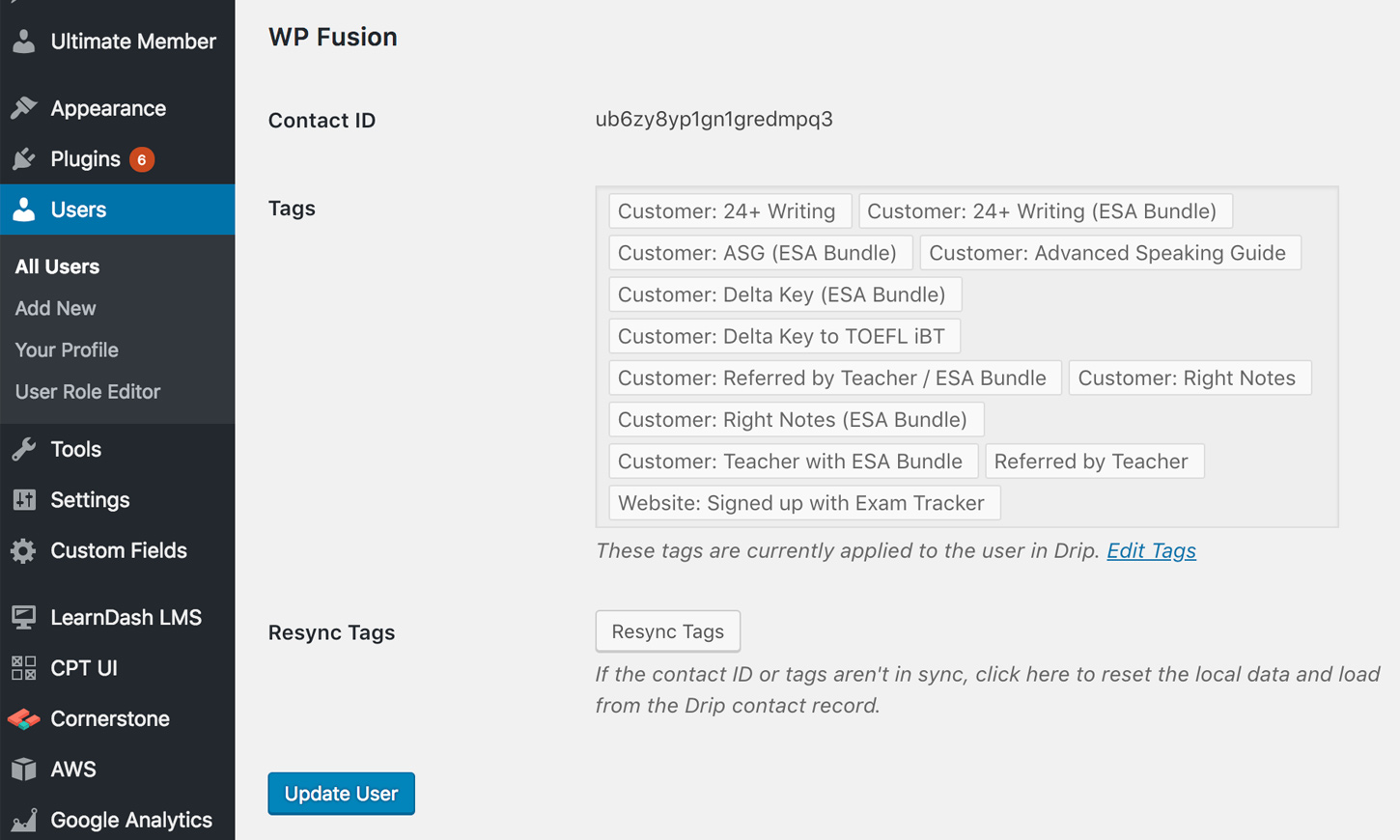
WP Fusion is a unique WordPress plugin that connects your website to a wide range of CRM platforms, including HubSpot, ActiveCampaign, Salesforce, and more. Unlike traditional CRMs, WP Fusion acts as a bridge between your WordPress site and your chosen CRM, allowing you to sync data, automate workflows, and personalize user experiences. It’s an excellent choice for businesses that already use a CRM but want to enhance their WordPress site’s functionality. WP Fusion supports over 40 CRM and marketing automation platforms, making it one of the most versatile tools for WordPress users. With features like lead capture, user segmentation, and automation triggers, WP Fusion helps businesses create a seamless experience for their customers. It’s particularly popular among membership site owners, eCommerce stores, and digital marketers who want to leverage their CRM data to improve engagement and conversions.
- CRM Integration: Connect your WordPress site to over 40 CRM and marketing automation platforms, including HubSpot, ActiveCampaign, and Salesforce.
- Lead Capture and Sync: Capture leads from forms, membership sites, and eCommerce stores, and sync them automatically to your CRM for follow-up.
- User Segmentation: Segment users based on their behavior, tags, or custom fields in your CRM, and deliver personalized content and offers.
- Automation Triggers: Set up automation workflows that trigger based on user actions, such as form submissions, purchases, or logins, to streamline your marketing efforts.
- Membership and eCommerce Support: Integrate with popular membership plugins like MemberPress and eCommerce platforms like WooCommerce to manage customer data and automate workflows.
7. Groundhogg
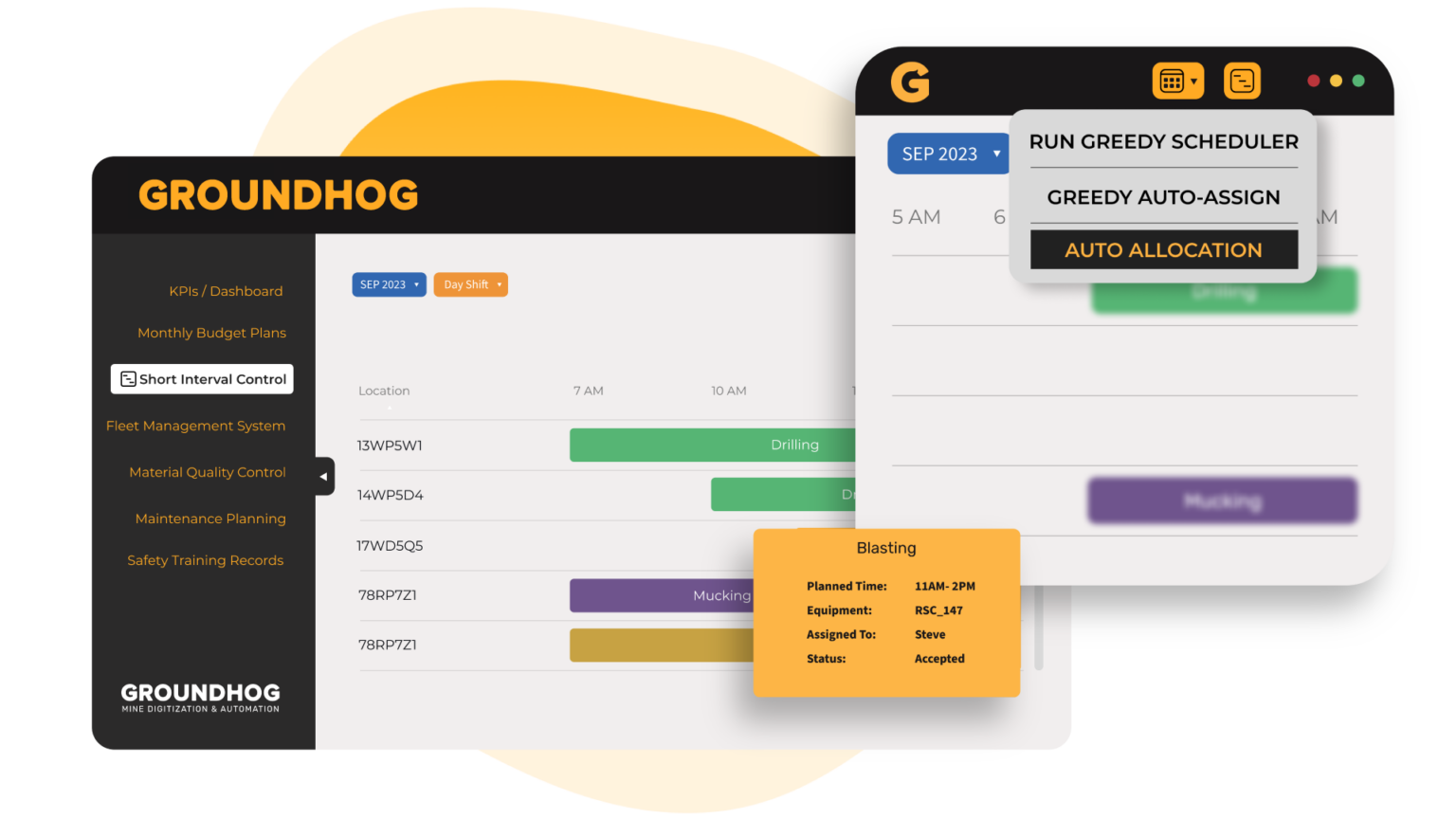
Groundhogg is a WordPress-native CRM and marketing automation plugin designed specifically for businesses that want to manage their customer relationships without leaving their website. Unlike external CRMs, Groundhogg is built directly into WordPress, making it a lightweight and cost-effective solution for small businesses, bloggers, and eCommerce stores. It offers features like contact management, email marketing, automation workflows, and lead scoring, all within the familiar WordPress dashboard. Groundhogg is particularly well-suited for businesses that want to avoid the complexity and cost of third-party CRM platforms. It integrates seamlessly with popular WordPress plugins like WooCommerce, Gravity Forms, and LearnDash, allowing you to capture leads, automate follow-ups, and track customer interactions without any technical expertise. With its user-friendly interface and affordable pricing, Groundhogg is an excellent choice for businesses looking for a simple yet powerful CRM solution.
- WordPress-Native CRM: Groundhogg is built directly into WordPress, eliminating the need for external CRM platforms and reducing complexity.
- Marketing Automation: Create automation workflows that trigger based on user behavior, such as form submissions, purchases, or email opens, to nurture leads and drive conversions.
- Email Marketing: Design and send personalized email campaigns directly from your WordPress dashboard, with features like drag-and-drop builders and A/B testing.
- Lead Scoring: Assign scores to leads based on their interactions with your website and emails, helping you prioritize high-value prospects.
- WooCommerce Integration: Sync customer data, track purchases, and automate follow-ups for eCommerce stores with seamless WooCommerce integration.
8. FluentCRM
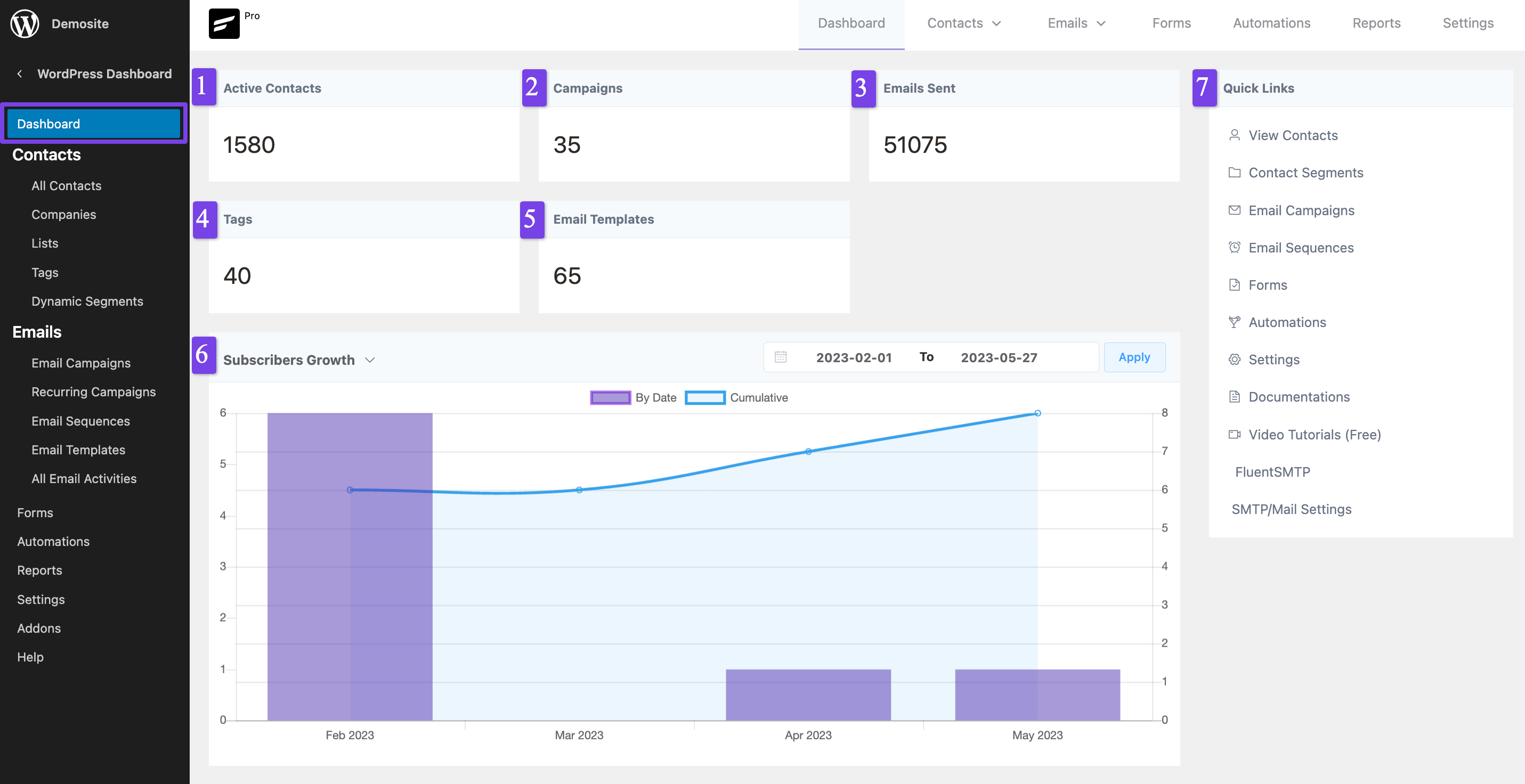
FluentCRM is a self-hosted email marketing and CRM plugin for WordPress, designed to help businesses manage their customer relationships and marketing campaigns without relying on third-party services. It’s an excellent choice for businesses that want full control over their data and prefer a lightweight, WordPress-native solution. FluentCRM offers features like contact management, email marketing, automation workflows, and lead segmentation, all within the WordPress dashboard. It integrates seamlessly with popular WordPress plugins like WooCommerce, LearnDash, and LifterLMS, making it a versatile tool for eCommerce stores, membership sites, and online course creators. FluentCRM’s automation builder is particularly powerful, allowing you to create complex workflows that trigger based on user behavior, such as form submissions, purchases, or email opens. With its affordable pricing and user-friendly interface, FluentCRM is a great alternative to traditional CRM platforms.
- Self-Hosted CRM: FluentCRM is a self-hosted solution, giving you full control over your data and eliminating the need for third-party services.
- Email Marketing: Design and send personalized email campaigns directly from your WordPress dashboard, with features like drag-and-drop builders and A/B testing.
- Automation Workflows: Create advanced automation workflows that trigger based on user behavior, such as form submissions, purchases, or email opens, to nurture leads and drive conversions.
- Lead Segmentation: Segment your contacts based on their behavior, tags, or custom fields, and deliver personalized content and offers to improve engagement.
- WooCommerce Integration: Sync customer data, track purchases, and automate follow-ups for eCommerce stores with seamless WooCommerce integration.
9. Jetpack CRM
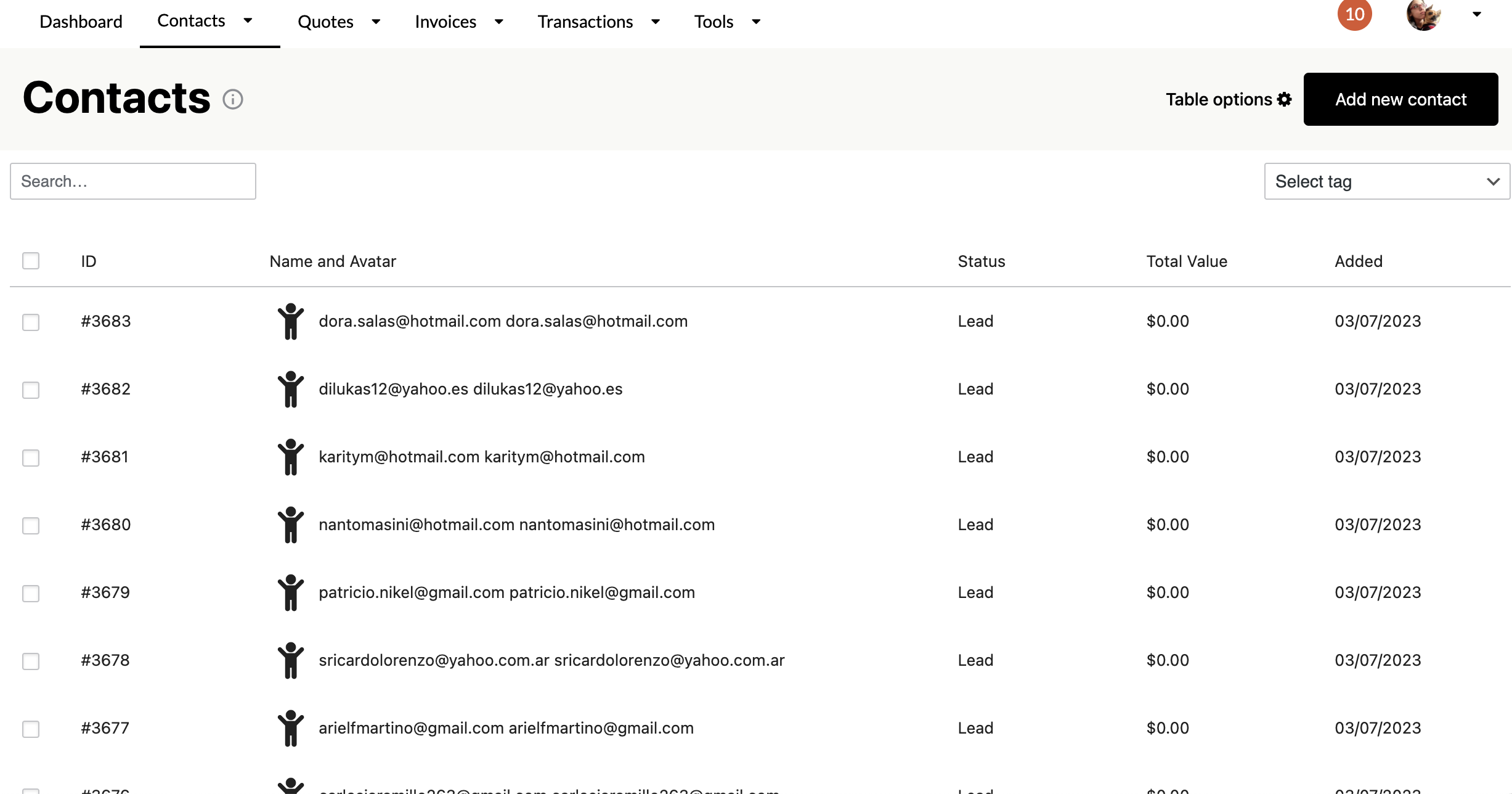
Jetpack CRM is a lightweight and user-friendly CRM plugin for WordPress, developed by the team behind Jetpack and WooCommerce. It’s designed to help small businesses and freelancers manage their customer relationships without the complexity of traditional CRM platforms. Jetpack CRM offers features like contact management, deal tracking, invoicing, and email marketing, all within the WordPress dashboard. It integrates seamlessly with popular WordPress plugins like WooCommerce, Gravity Forms, and Contact Form 7, making it easy to capture leads and track customer interactions. Jetpack CRM is particularly well-suited for solopreneurs, freelancers, and small businesses that want a simple yet effective CRM solution. Its affordable pricing and intuitive interface make it a popular choice among WordPress users who want to avoid the learning curve of more complex CRMs.
- Contact Management: Store and organize customer data, including contact details, interactions, and notes, all within the WordPress dashboard.
- Deal Tracking: Manage sales pipelines, track deals, and monitor progress with Jetpack CRM’s intuitive deal tracking tools.
- Invoicing: Create and send professional invoices directly from your WordPress dashboard, with features like payment tracking and reminders.
- Email Marketing: Design and send personalized email campaigns to your contacts, with features like templates, scheduling, and analytics.
- WooCommerce Integration: Sync customer data, track purchases, and automate follow-ups for eCommerce stores with seamless WooCommerce integration.
10. Bitrix24
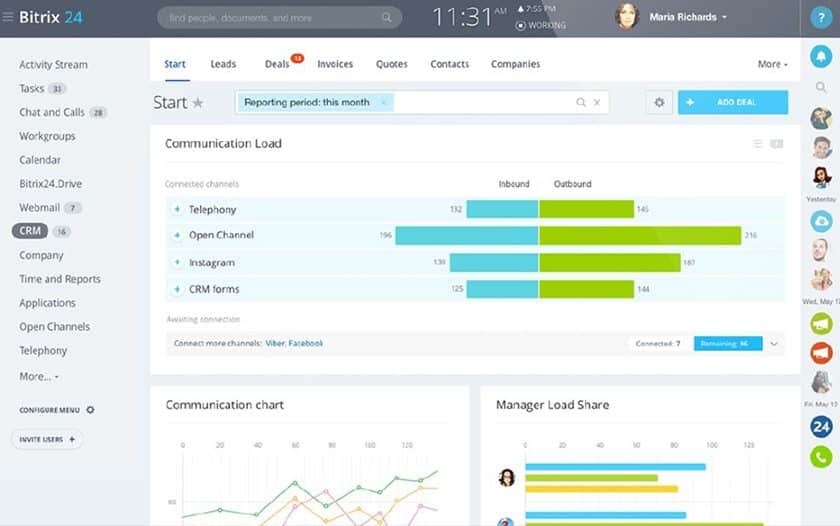
Bitrix24 is a comprehensive CRM and collaboration platform that offers a wide range of features for businesses of all sizes. It integrates seamlessly with WordPress through its plugin, allowing you to capture leads, manage customer interactions, and automate marketing campaigns directly from your website. Bitrix24 stands out for its all-in-one approach, combining CRM, project management, communication tools, and marketing automation into a single platform. It’s particularly well-suited for businesses that need a robust solution for managing sales, customer support, and team collaboration. Bitrix24 offers features like contact management, deal tracking, email marketing, and telephony, all of which can be customized to fit your business needs. Its free plan makes it accessible for startups and small businesses, while its advanced features cater to larger organizations. With its user-friendly interface and competitive pricing, Bitrix24 is a popular choice among businesses looking for a versatile CRM solution.
- All-in-One Platform: Bitrix24 combines CRM, project management, communication tools, and marketing automation into a single platform, eliminating the need for multiple software solutions.
- WordPress Integration: The Bitrix24 WordPress plugin allows you to capture leads from forms, track visitor activity, and sync data between your website and CRM.
- Telephony and Live Chat: Engage with customers through built-in telephony, live chat, and video conferencing tools, all from within the Bitrix24 dashboard.
- Project Management: Manage tasks, projects, and team collaboration with Bitrix24’s built-in project management tools, including Gantt charts and Kanban boards.
- Free Plan Available: Bitrix24 offers a free plan with essential features like contact management, deal tracking, and email marketing, making it accessible for startups and small businesses.
Frequently Asked Questions
What is a CRM, and why do I need one for my WordPress site?
A CRM, or Customer Relationship Management system, is a tool that helps businesses manage their interactions with customers, leads, and prospects. It allows you to store customer data, track interactions, automate marketing campaigns, and improve customer relationships. For WordPress users, a CRM is essential because it helps you capture leads from your website, nurture them through automated workflows, and convert them into paying customers. Without a CRM, you risk losing valuable leads and missing out on opportunities to grow your business. A good CRM for WordPress will integrate seamlessly with your website, allowing you to manage everything from a single dashboard.
How do I choose the best CRM for my WordPress site?
Choosing the best CRM for your WordPress site depends on several factors, including your business size, budget, and specific needs. Here are some key considerations to keep in mind: 1) Integration: Ensure the CRM integrates seamlessly with WordPress and other tools you use, such as email marketing platforms or eCommerce plugins. 2) Features: Look for features that align with your business goals, such as lead capture, automation, analytics, and customer support tools. 3) Ease of Use: Choose a CRM with an intuitive interface that doesn’t require a steep learning curve. 4) Scalability: Select a CRM that can grow with your business, offering advanced features as your needs evolve. 5) Pricing: Consider your budget and choose a CRM that offers the best value for money, whether it’s a free plan or a paid subscription. By evaluating these factors, you can find a CRM that fits your business perfectly.
Can I use a free CRM for my WordPress site?
Yes, many CRMs offer free plans that are suitable for small businesses, startups, and freelancers. Free CRMs like HubSpot CRM, Zoho CRM, and Bitrix24 provide essential features like contact management, lead capture, and basic automation tools. However, free plans often come with limitations, such as a cap on the number of contacts or users, restricted features, or branding from the CRM provider. If your business is just starting out, a free CRM can be a great way to get started without incurring additional costs. As your business grows, you can upgrade to a paid plan to access advanced features and remove limitations.
How do I integrate a CRM with my WordPress site?
Integrating a CRM with your WordPress site is typically straightforward, especially if the CRM offers a dedicated WordPress plugin. Here’s a general step-by-step process: 1) Install the CRM Plugin: Search for the CRM’s official plugin in the WordPress plugin directory and install it. 2) Connect Your CRM Account: After installing the plugin, you’ll need to connect it to your CRM account by entering your API key or logging in. 3) Configure Settings: Customize the plugin settings to match your business needs, such as mapping form fields to CRM fields or setting up automation rules. 4) Test the Integration: Submit a test form or lead capture to ensure data is syncing correctly between your WordPress site and the CRM. 5) Monitor and Optimize: Regularly check the integration to ensure it’s working smoothly and make adjustments as needed. Most CRMs provide detailed documentation and support to help you through the integration process.
What are the benefits of using a WordPress-native CRM like Groundhogg or FluentCRM?
WordPress-native CRMs like Groundhogg and FluentCRM offer several benefits for businesses that want to manage their customer relationships without leaving their WordPress dashboard. Here are some key advantages: 1) Seamless Integration: Since these CRMs are built specifically for WordPress, they integrate seamlessly with your website and other WordPress plugins, reducing the need for third-party tools. 2) Cost-Effective: WordPress-native CRMs are often more affordable than external CRM platforms, making them a great choice for small businesses and startups. 3) Full Data Control: With a self-hosted CRM, you have full control over your data, eliminating concerns about privacy or reliance on external services. 4) Lightweight and Fast: WordPress-native CRMs are designed to be lightweight, ensuring they don’t slow down your website or require extensive server resources. 5) Customization: These CRMs offer flexible customization options, allowing you to tailor the platform to your specific business needs. If you prefer a simple, all-in-one solution that stays within the WordPress ecosystem, a WordPress-native CRM is an excellent choice.
Can I use a CRM for eCommerce on my WordPress site?
Absolutely! Many CRMs are designed to work seamlessly with eCommerce platforms like WooCommerce, allowing you to manage customer data, track purchases, and automate follow-ups. CRMs like HubSpot, ActiveCampaign, and FluentCRM offer robust eCommerce integrations that help you capture leads, segment customers, and personalize marketing campaigns. For example, you can use a CRM to send abandoned cart emails, recommend products based on past purchases, or offer discounts to loyal customers. By integrating a CRM with your eCommerce store, you can improve customer retention, increase sales, and streamline your marketing efforts. Look for a CRM that offers specific eCommerce features, such as order tracking, customer segmentation, and automation workflows tailored to online stores.
What is the best CRM for a small business using WordPress?
The best CRM for a small business using WordPress depends on your specific needs, but here are some top recommendations: 1) HubSpot CRM: A free, user-friendly CRM with essential features like contact management, email tracking, and automation. It’s ideal for startups and small businesses looking for a scalable solution. 2) Zoho CRM: A flexible and affordable CRM with AI-powered insights, workflow automation, and multichannel communication tools. 3) Groundhogg: A WordPress-native CRM that offers marketing automation, lead scoring, and WooCommerce integration at an affordable price. 4) Jetpack CRM: A lightweight and easy-to-use CRM designed specifically for WordPress, with features like contact management, deal tracking, and invoicing. 5) Bitrix24: A comprehensive CRM with project management, telephony, and collaboration tools, making it a great all-in-one solution for small businesses. Each of these CRMs offers unique features, so consider your budget, business goals, and technical expertise when making your choice.