
best wordpress file protection plugin


WordPress is a powerful platform, but its popularity makes it a prime target for hackers and malicious bots. One of the most overlooked vulnerabilities is file protection—unsecured directories, exposed uploads, and unchecked file permissions can leave your site wide open to attacks. A good file protection plugin doesn’t just block unauthorized access; it also monitors, logs, and prevents suspicious activity before it becomes a problem. Whether you’re running a small blog or a high-traffic business site, locking down your files should be a priority, not an afterthought.
The right plugin can save you from headaches like brute-force attacks, hotlinking, and unauthorized file downloads. Some tools focus on hardening core directories, while others offer granular control over who can access what. The best options strike a balance between security and usability, ensuring your site stays protected without breaking functionality. If you’re serious about keeping your WordPress files secure, you need a solution that’s reliable, regularly updated, and easy to configure.
I’ve assembled a list below of the best options for WordPress file protection plugins.
📋 Table of Contents
1. Wordfence Security

Wordfence Security is one of the most popular and comprehensive security plugins for WordPress, offering robust file protection among its many features. It’s designed to safeguard your website from malware, hacking attempts, and unauthorized file changes. Wordfence includes a powerful firewall, malware scanner, and real-time threat defense feed, making it a top choice for both beginners and advanced users. The plugin is particularly notable for its ability to monitor file integrity, ensuring that core WordPress files, themes, and plugins remain untampered. It also provides detailed logs of file changes, helping you track and revert unauthorized modifications quickly. Wordfence is ideal for website owners who want an all-in-one security solution with strong file protection capabilities.
- File Integrity Monitoring: Scans and monitors WordPress core files, themes, and plugins for unauthorized changes, alerting you immediately if any modifications are detected.
- Malware Scanner: Performs deep scans of your website’s files to detect malware, backdoors, and other malicious code, ensuring your site remains clean and secure.
- Firewall Protection: Includes a web application firewall (WAF) that blocks malicious traffic and hacking attempts before they can reach your files or database.
- Real-Time Threat Defense Feed: Uses a constantly updated threat intelligence feed to protect your site against the latest security vulnerabilities and attack patterns.
- Two-Factor Authentication (2FA): Adds an extra layer of security to your login process, preventing unauthorized access to your WordPress dashboard and files.
2. Sucuri Security

Sucuri Security is a cloud-based security platform that offers comprehensive file protection for WordPress websites. It’s known for its ability to detect and mitigate security threats, including malware, DDoS attacks, and unauthorized file changes. Sucuri’s file integrity monitoring feature scans your website’s files and alerts you to any suspicious modifications, ensuring that your site remains secure. The plugin also includes a website firewall that filters malicious traffic before it reaches your server, reducing the risk of file corruption or data breaches. Sucuri is an excellent choice for businesses and high-traffic websites that need enterprise-level security without the complexity. Its user-friendly dashboard makes it easy to monitor security events and take action when needed.
- File Integrity Monitoring: Continuously scans your WordPress files for changes and alerts you if any unauthorized modifications are detected.
- Website Firewall (WAF): Blocks malicious traffic and attacks before they can reach your website, protecting your files and database from harm.
- Malware Removal: Offers professional malware removal services to clean infected files and restore your website to a secure state.
- DDoS Protection: Mitigates distributed denial-of-service (DDoS) attacks to ensure your website remains accessible and your files stay protected.
- Security Activity Auditing: Logs all security-related events, including file changes, login attempts, and firewall activity, for easy monitoring and analysis.
3. iThemes Security
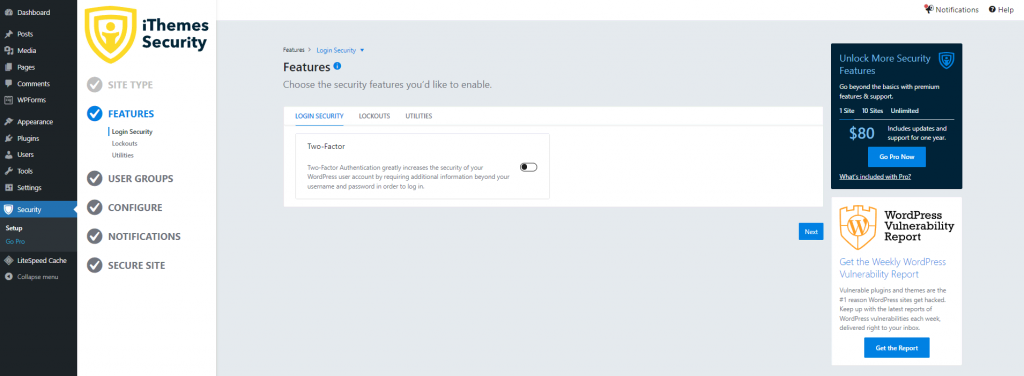
iThemes Security is a powerful WordPress plugin that focuses on protecting your website’s files and overall security. It offers over 30 ways to secure your site, including file change detection, malware scanning, and brute force protection. One of its standout features is the ability to hide your WordPress login page, reducing the risk of unauthorized access to your files. iThemes Security also includes a file integrity checker that monitors your WordPress core files, themes, and plugins for changes, alerting you to any suspicious activity. The plugin is user-friendly and highly customizable, making it suitable for both beginners and experienced users. It’s particularly useful for website owners who want a comprehensive security solution without the need for technical expertise.
- File Change Detection: Monitors your WordPress files for unauthorized changes and alerts you immediately if any modifications are detected.
- Brute Force Protection: Blocks repeated login attempts from malicious users, preventing unauthorized access to your files and dashboard.
- Hide Login & Admin: Allows you to change the default WordPress login URL, making it harder for hackers to find and target your site.
- Malware Scanning: Scans your website for malware and vulnerabilities, ensuring your files remain clean and secure.
- Database Backups: Automatically creates backups of your WordPress database, allowing you to restore your site quickly in case of a security breach.
4. All In One WP Security & Firewall

All In One WP Security & Firewall is a free, user-friendly plugin that provides robust file protection and security features for WordPress websites. It’s designed to be easy to use while offering advanced security measures, such as file integrity monitoring, firewall protection, and brute force attack prevention. The plugin includes a file change detection system that scans your WordPress files and alerts you to any unauthorized modifications. It also offers a range of security hardening options, such as disabling file editing in the WordPress dashboard and protecting your .htaccess and wp-config.php files. All In One WP Security & Firewall is ideal for small to medium-sized websites that need a cost-effective yet powerful security solution.
- File Integrity Monitoring: Scans your WordPress files for changes and alerts you if any unauthorized modifications are detected, ensuring your site remains secure.
- Firewall Protection: Includes a basic firewall that blocks malicious traffic and common security threats before they can harm your files.
- Brute Force Attack Prevention: Protects your login page from brute force attacks by limiting login attempts and enforcing strong password policies.
- File Permissions Checker: Scans your file permissions and recommends changes to ensure your files are not accessible to unauthorized users.
- Database Security: Offers tools to secure your WordPress database, including prefix changes and backup options, to protect your data from attacks.
5. BulletProof Security
BulletProof Security is a comprehensive WordPress security plugin that focuses on protecting your website’s files and database from hackers and malware. It offers a range of features, including file monitoring, malware scanning, and firewall protection, to keep your site secure. One of its standout features is the .htaccess file protection, which helps secure your website’s root directory and prevent unauthorized access. BulletProof Security also includes a login security module that protects against brute force attacks and enforces strong password policies. The plugin is highly customizable, making it suitable for both beginners and advanced users. It’s particularly useful for website owners who want a no-nonsense security solution with strong file protection capabilities.
- File Monitoring: Monitors your WordPress files for changes and alerts you to any unauthorized modifications, ensuring your site remains secure.
- Malware Scanner: Scans your website for malware, backdoors, and other malicious code, helping you keep your files clean and safe.
- .htaccess File Protection: Secures your website’s root directory by protecting the .htaccess file from unauthorized access and modifications.
- Login Security: Protects your login page from brute force attacks and enforces strong password policies to prevent unauthorized access.
- Database Backup & Restore: Automatically creates backups of your WordPress database, allowing you to restore your site quickly in case of a security breach.
6. MalCare Security
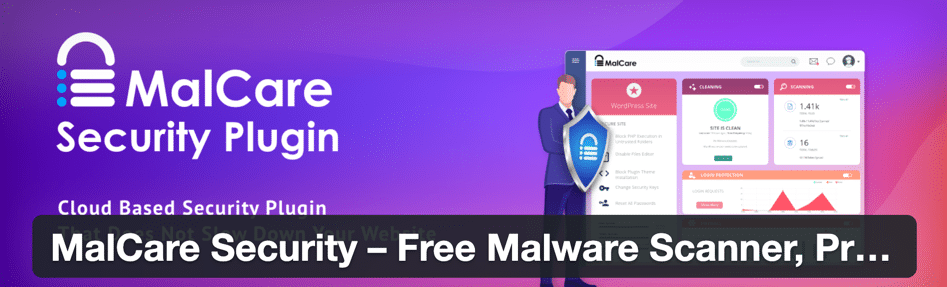
MalCare Security is a powerful WordPress security plugin that offers advanced file protection and malware removal capabilities. It’s designed to detect and clean malware from your website’s files quickly and efficiently, using a cloud-based scanner that doesn’t slow down your site. MalCare also includes a website firewall that blocks malicious traffic and attacks before they can reach your files. One of its standout features is the one-click malware removal, which allows you to clean infected files without the need for technical expertise. The plugin is ideal for website owners who want a hassle-free security solution with strong file protection and malware removal capabilities. It’s particularly useful for businesses and e-commerce websites that need to maintain high levels of security.
- Cloud-Based Malware Scanner: Scans your website’s files for malware and vulnerabilities using a cloud-based system, ensuring fast and accurate detection without slowing down your site.
- One-Click Malware Removal: Allows you to clean infected files with a single click, making it easy to remove malware without technical expertise.
- Website Firewall: Blocks malicious traffic and attacks before they can reach your website, protecting your files and database from harm.
- Login Protection: Protects your login page from brute force attacks and enforces strong password policies to prevent unauthorized access.
- Automated Security Scans: Performs regular security scans of your website’s files and alerts you to any suspicious activity or vulnerabilities.
7. Shield Security
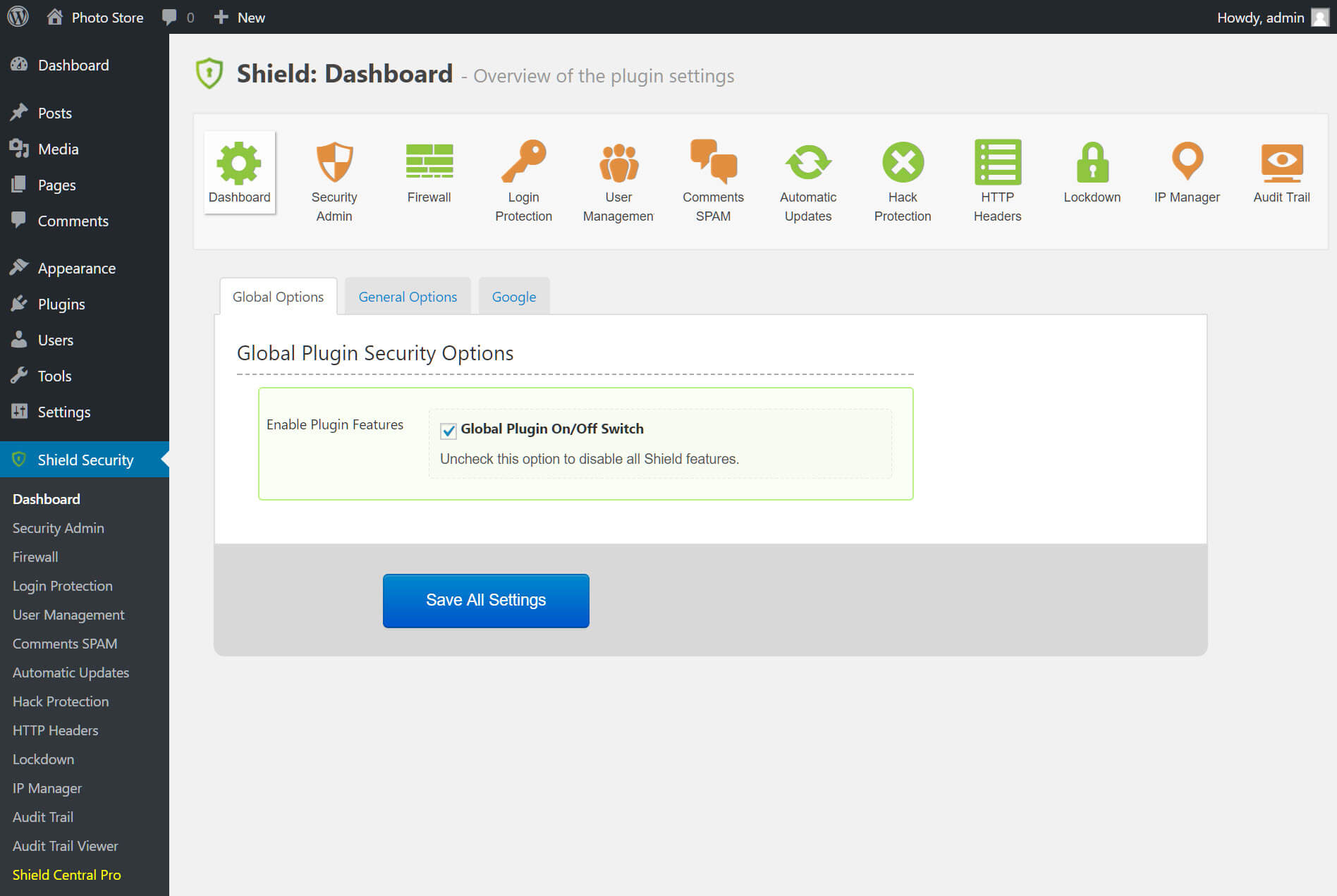
Shield Security is a lightweight yet powerful WordPress security plugin that offers robust file protection and security features. It’s designed to be easy to use while providing advanced security measures, such as file integrity monitoring, malware scanning, and firewall protection. Shield Security includes a file change detection system that scans your WordPress files and alerts you to any unauthorized modifications. It also offers a range of security hardening options, such as disabling file editing in the WordPress dashboard and protecting your .htaccess and wp-config.php files. The plugin is ideal for small to medium-sized websites that need a simple yet effective security solution. Its user-friendly interface makes it accessible to beginners, while its advanced features cater to experienced users.
- File Integrity Monitoring: Scans your WordPress files for changes and alerts you if any unauthorized modifications are detected, ensuring your site remains secure.
- Malware Scanner: Performs regular scans of your website’s files to detect malware, backdoors, and other malicious code.
- Firewall Protection: Includes a basic firewall that blocks malicious traffic and common security threats before they can harm your files.
- Brute Force Protection: Protects your login page from brute force attacks by limiting login attempts and enforcing strong password policies.
- Security Hardening: Offers a range of security hardening options, such as disabling file editing in the WordPress dashboard and protecting critical files like .htaccess and wp-config.php.
8. SecuPress

SecuPress is a comprehensive WordPress security plugin that offers robust file protection and a wide range of security features. It’s designed to be user-friendly while providing advanced security measures, such as file integrity monitoring, malware scanning, and firewall protection. SecuPress includes a file change detection system that scans your WordPress files and alerts you to any unauthorized modifications. It also offers a range of security hardening options, such as disabling file editing in the WordPress dashboard and protecting your .htaccess and wp-config.php files. The plugin is ideal for website owners who want a powerful yet easy-to-use security solution. Its intuitive interface makes it accessible to beginners, while its advanced features cater to experienced users.
- File Integrity Monitoring: Scans your WordPress files for changes and alerts you if any unauthorized modifications are detected, ensuring your site remains secure.
- Malware Scanner: Performs regular scans of your website’s files to detect malware, backdoors, and other malicious code.
- Firewall Protection: Includes a basic firewall that blocks malicious traffic and common security threats before they can harm your files.
- Brute Force Protection: Protects your login page from brute force attacks by limiting login attempts and enforcing strong password policies.
- Security Hardening: Offers a range of security hardening options, such as disabling file editing in the WordPress dashboard and protecting critical files like .htaccess and wp-config.php.
9. WP Cerber Security
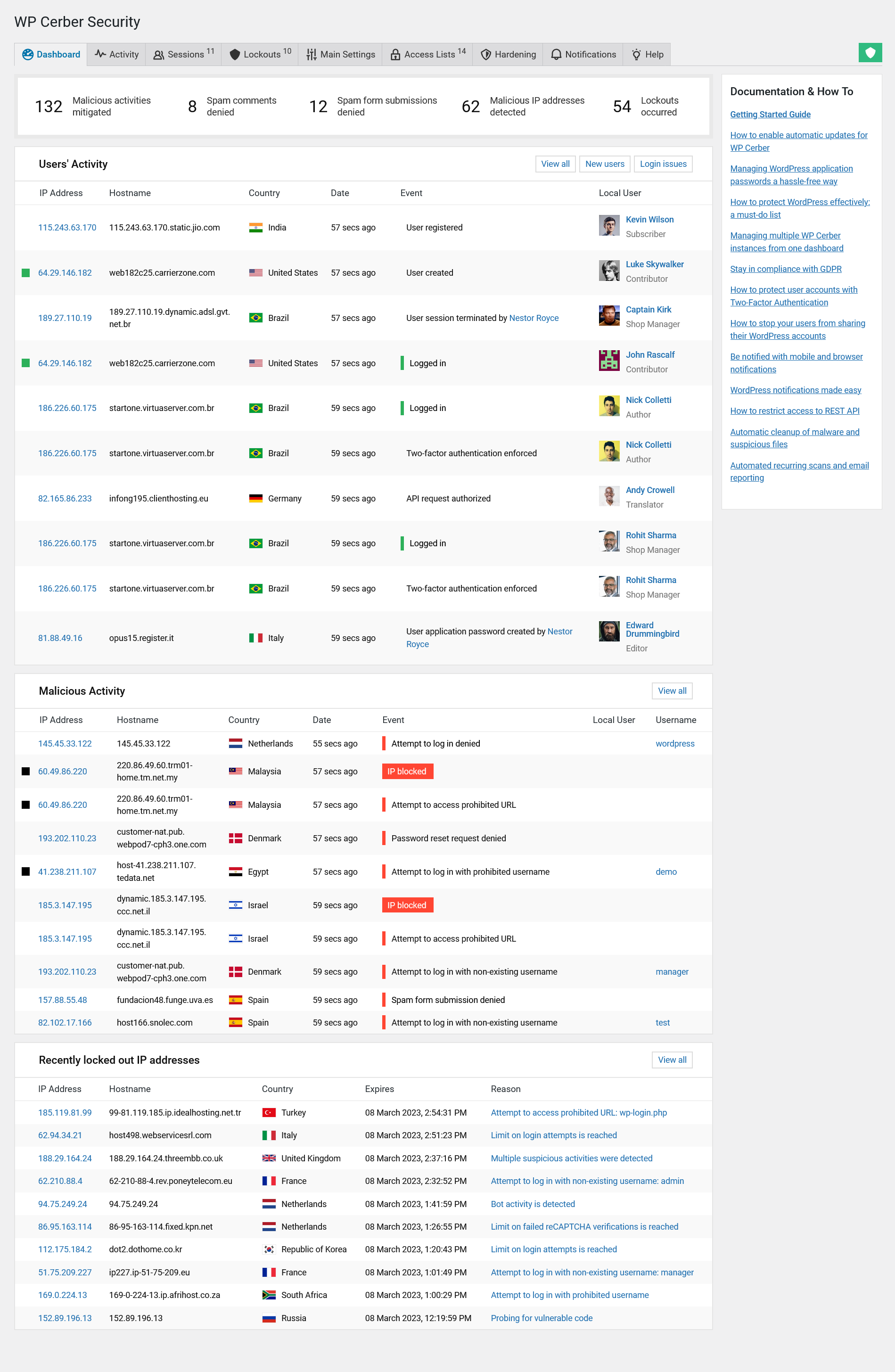
WP Cerber Security is a powerful WordPress security plugin that offers robust file protection and a wide range of security features. It’s designed to protect your website from malware, hacking attempts, and unauthorized file changes. WP Cerber includes a file integrity monitoring system that scans your WordPress files and alerts you to any unauthorized modifications. It also offers a range of security hardening options, such as disabling file editing in the WordPress dashboard and protecting your .htaccess and wp-config.php files. The plugin is ideal for website owners who want a comprehensive security solution with strong file protection capabilities. Its user-friendly interface makes it accessible to beginners, while its advanced features cater to experienced users.
- File Integrity Monitoring: Scans your WordPress files for changes and alerts you if any unauthorized modifications are detected, ensuring your site remains secure.
- Malware Scanner: Performs regular scans of your website’s files to detect malware, backdoors, and other malicious code.
- Firewall Protection: Includes a basic firewall that blocks malicious traffic and common security threats before they can harm your files.
- Brute Force Protection: Protects your login page from brute force attacks by limiting login attempts and enforcing strong password policies.
- Security Hardening: Offers a range of security hardening options, such as disabling file editing in the WordPress dashboard and protecting critical files like .htaccess and wp-config.php.
10. Defender Security
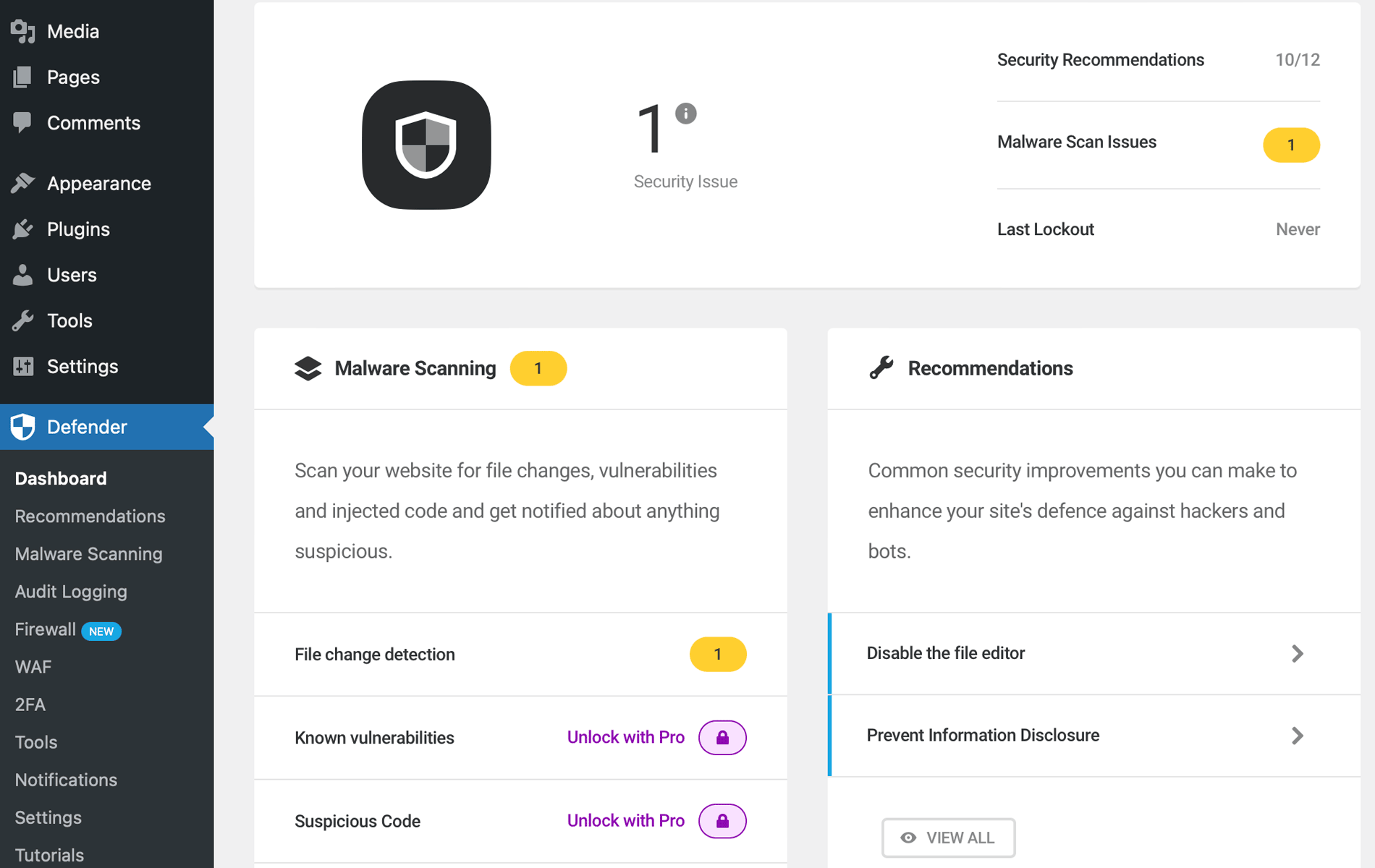
Defender Security is a comprehensive WordPress security plugin that offers robust file protection and a wide range of security features. It’s designed to protect your website from malware, hacking attempts, and unauthorized file changes. Defender includes a file integrity monitoring system that scans your WordPress files and alerts you to any unauthorized modifications. It also offers a range of security hardening options, such as disabling file editing in the WordPress dashboard and protecting your .htaccess and wp-config.php files. The plugin is ideal for website owners who want a powerful yet easy-to-use security solution. Its intuitive interface makes it accessible to beginners, while its advanced features cater to experienced users. Defender is particularly useful for websites that need enterprise-level security without the complexity.
- File Integrity Monitoring: Scans your WordPress files for changes and alerts you if any unauthorized modifications are detected, ensuring your site remains secure.
- Malware Scanner: Performs regular scans of your website’s files to detect malware, backdoors, and other malicious code.
- Firewall Protection: Includes a basic firewall that blocks malicious traffic and common security threats before they can harm your files.
- Brute Force Protection: Protects your login page from brute force attacks by limiting login attempts and enforcing strong password policies.
- Security Hardening: Offers a range of security hardening options, such as disabling file editing in the WordPress dashboard and protecting critical files like .htaccess and wp-config.php.
11. Security Ninja

Security Ninja is a lightweight yet powerful WordPress security plugin that offers robust file protection and a wide range of security features. It’s designed to be easy to use while providing advanced security measures, such as file integrity monitoring, malware scanning, and firewall protection. Security Ninja includes a file change detection system that scans your WordPress files and alerts you to any unauthorized modifications. It also offers a range of security hardening options, such as disabling file editing in the WordPress dashboard and protecting your .htaccess and wp-config.php files. The plugin is ideal for small to medium-sized websites that need a simple yet effective security solution. Its user-friendly interface makes it accessible to beginners, while its advanced features cater to experienced users.
- File Integrity Monitoring: Scans your WordPress files for changes and alerts you if any unauthorized modifications are detected, ensuring your site remains secure.
- Malware Scanner: Performs regular scans of your website’s files to detect malware, backdoors, and other malicious code.
- Firewall Protection: Includes a basic firewall that blocks malicious traffic and common security threats before they can harm your files.
- Brute Force Protection: Protects your login page from brute force attacks by limiting login attempts and enforcing strong password policies.
- Security Hardening: Offers a range of security hardening options, such as disabling file editing in the WordPress dashboard and protecting critical files like .htaccess and wp-config.php.
Frequently Asked Questions
Why do I need a file protection plugin for WordPress?
A file protection plugin is essential for WordPress because it helps safeguard your website’s files from unauthorized access, malware, and hacking attempts. WordPress websites are frequent targets for cybercriminals due to their popularity, and without proper protection, your files can be modified, deleted, or infected with malicious code. A file protection plugin monitors your files for changes, alerts you to suspicious activity, and helps you recover quickly if your site is compromised. It also provides additional security layers, such as firewall protection and brute force attack prevention, to keep your website safe and secure.
What features should I look for in a WordPress file protection plugin?
When choosing a WordPress file protection plugin, look for features like file integrity monitoring, malware scanning, firewall protection, brute force attack prevention, and security hardening options. File integrity monitoring scans your files for unauthorized changes and alerts you immediately if any modifications are detected. Malware scanning helps detect and remove malicious code from your files. Firewall protection blocks malicious traffic before it can reach your website. Brute force attack prevention protects your login page from repeated login attempts. Security hardening options, such as disabling file editing in the WordPress dashboard and protecting critical files like .htaccess and wp-config.php, add extra layers of security to your website.
Are free file protection plugins effective?
Free file protection plugins can be effective for basic security needs, especially for small websites or blogs with limited traffic. Many free plugins offer essential features like file integrity monitoring, malware scanning, and brute force protection. However, free plugins may lack advanced features like real-time threat defense feeds, professional malware removal services, or enterprise-level firewall protection. If your website handles sensitive data or has high traffic, investing in a premium file protection plugin may be worth the cost for added security and peace of mind.
How often should I scan my WordPress files for malware?
It’s recommended to scan your WordPress files for malware at least once a week, especially if your website is frequently updated or has high traffic. Many file protection plugins offer automated scanning schedules, allowing you to set up daily, weekly, or monthly scans. If your website handles sensitive data or processes online transactions, consider scanning your files more frequently, such as daily or even in real-time. Regular scans help detect and remove malware quickly, reducing the risk of data breaches or website downtime.
Can a file protection plugin slow down my WordPress website?
Some file protection plugins can slow down your WordPress website, especially if they perform resource-intensive tasks like real-time scanning or firewall protection. However, many modern plugins are designed to be lightweight and efficient, minimizing their impact on your website’s performance. To avoid slowdowns, choose a plugin that offers cloud-based scanning or optimized performance settings. You can also schedule scans during low-traffic periods to reduce the impact on your website’s speed. If performance is a concern, test the plugin on a staging site before deploying it to your live website.
What should I do if my WordPress files are infected with malware?
If your WordPress files are infected with malware, the first step is to isolate your website to prevent further damage. Many file protection plugins offer one-click malware removal or professional malware removal services to clean infected files. If your plugin doesn’t include this feature, you can manually remove the malware by restoring your website from a clean backup or using a malware removal tool. After cleaning your files, update all plugins, themes, and WordPress core to the latest versions to patch any vulnerabilities. Finally, strengthen your website’s security by enabling features like firewall protection, brute force attack prevention, and file integrity monitoring.
How can I prevent unauthorized file changes in WordPress?
To prevent unauthorized file changes in WordPress, use a file protection plugin that offers file integrity monitoring and security hardening options. File integrity monitoring scans your files for changes and alerts you immediately if any unauthorized modifications are detected. Security hardening options, such as disabling file editing in the WordPress dashboard and protecting critical files like .htaccess and wp-config.php, add extra layers of security to your website. Additionally, limit user permissions to only those who need access to your files, and enforce strong password policies to prevent unauthorized access. Regularly updating your plugins, themes, and WordPress core also helps patch vulnerabilities that could be exploited to modify your files.


