
best wordpress security plugins

WordPress powers over 40% of all websites, which makes it a prime target for hackers and malicious attacks. If you run a WordPress site, security isn’t optional—it’s a necessity. The right security plugins can harden your site against brute force attacks, malware, and vulnerabilities without requiring deep technical knowledge. The best ones offer real-time monitoring, firewall protection, and automated threat detection, so you don’t have to constantly babysit your site.
Not all security plugins are created equal, though. Some are bloated with unnecessary features, while others lack essential protections. The key is finding a balance between robust security and performance—because a slow site is almost as bad as a hacked one. Below, I’ve assembled a list of the best WordPress security plugins that actually work, based on real-world testing and user feedback.
📋 Table of Contents
1. Wordfence Security

Wordfence Security is one of the most popular and comprehensive WordPress security plugins available. It offers a robust suite of tools designed to protect your website from malware, brute force attacks, and other security threats. Wordfence includes an endpoint firewall and malware scanner that were built specifically for WordPress, making it highly effective at identifying and blocking malicious traffic. The plugin is suitable for both beginners and advanced users, thanks to its user-friendly interface and detailed security reports. Wordfence also provides real-time threat intelligence, which keeps your site protected against the latest vulnerabilities and attack patterns. With over 4 million active installations, it’s a trusted choice for website owners looking to enhance their security posture.
- Firewall Protection: Wordfence includes a powerful endpoint firewall that filters out malicious traffic before it reaches your site. It uses real-time threat intelligence to block known attackers and malicious IPs.
- Malware Scanner: The built-in malware scanner checks your WordPress core files, themes, and plugins for malware, backdoors, and other security vulnerabilities. It also compares your files with the official WordPress repository to detect any unauthorized changes.
- Login Security: Wordfence offers features like two-factor authentication (2FA), login attempt limiting, and CAPTCHA to protect against brute force attacks. It also monitors and blocks suspicious login attempts in real time.
- Live Traffic Monitoring: This feature allows you to see real-time traffic on your site, including human visitors, bots, and potential attackers. It helps you identify and block malicious activity as it happens.
- Security Alerts: Wordfence sends email alerts for critical security events, such as failed login attempts, file changes, or malware detections. You can customize these alerts to suit your needs.
2. Sucuri Security
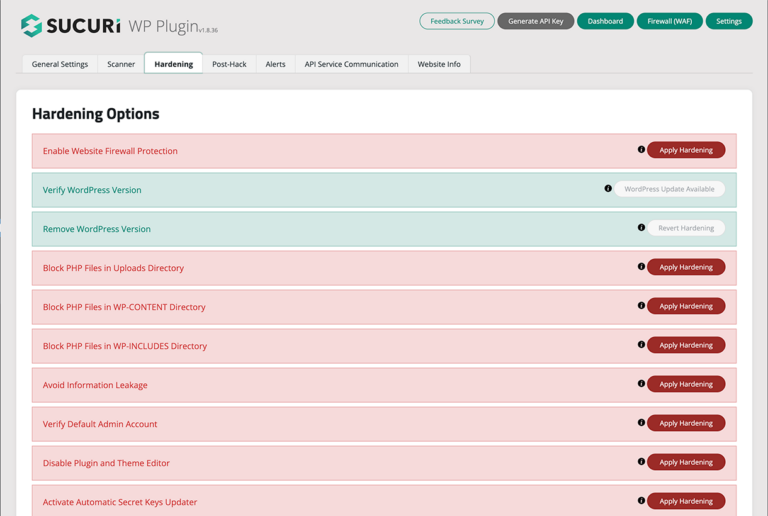
Sucuri Security is a cloud-based security platform that offers a comprehensive suite of tools to protect your WordPress site. Unlike traditional plugins, Sucuri operates at the DNS level, which means it can block attacks before they even reach your server. This makes it highly effective against DDoS attacks, malware infections, and other security threats. Sucuri’s plugin provides features like malware scanning, file integrity monitoring, and security hardening. It also includes a website firewall (WAF) that filters malicious traffic and improves site performance through caching. Sucuri is ideal for businesses and website owners who need enterprise-level security without the complexity. The plugin is easy to set up and integrates seamlessly with WordPress.
- Website Firewall (WAF): Sucuri’s cloud-based firewall blocks malicious traffic at the DNS level, protecting your site from DDoS attacks, brute force attempts, and other threats. It also includes performance optimization features like caching.
- Malware Removal: Sucuri offers professional malware removal services as part of its premium plans. Their security experts will clean your site and restore it to a safe state if it’s compromised.
- File Integrity Monitoring: This feature monitors your WordPress core files, themes, and plugins for unauthorized changes. If any modifications are detected, you’ll receive an alert so you can investigate.
- Security Activity Auditing: Sucuri logs all security-related events on your site, such as login attempts, file changes, and plugin updates. This helps you track suspicious activity and maintain a secure environment.
- Blacklist Monitoring: Sucuri checks if your site has been blacklisted by search engines or security authorities like Google Safe Browsing. If your site is blacklisted, they’ll help you remove it from the list.
3. iThemes Security
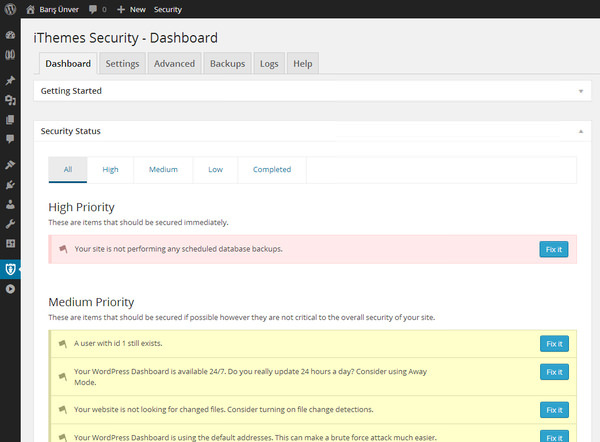
iThemes Security, formerly known as Better WP Security, is a powerful plugin designed to address common WordPress vulnerabilities. It offers over 30 security features to protect your site from brute force attacks, malware, and unauthorized access. iThemes Security is known for its user-friendly interface and one-click security hardening options, making it accessible to beginners. The plugin includes features like two-factor authentication, file change detection, and database backups. It also provides a security dashboard that gives you an overview of your site’s security status. iThemes Security is a great choice for website owners who want a comprehensive yet easy-to-use security solution. The plugin is regularly updated to address new threats and vulnerabilities.
- Brute Force Protection: iThemes Security limits login attempts and bans IP addresses that try to guess your password. It also enforces strong password policies to prevent unauthorized access.
- Two-Factor Authentication (2FA): This feature adds an extra layer of security to your login process by requiring a second form of authentication, such as a code sent to your mobile device.
- File Change Detection: iThemes Security monitors your WordPress files for unauthorized changes. If any modifications are detected, you’ll receive an email alert so you can take action.
- Database Backups: The plugin includes a built-in backup tool that allows you to schedule automatic backups of your WordPress database. This ensures you can restore your site if it’s compromised.
- Security Dashboard: The security dashboard provides a centralized view of your site’s security status, including active threats, login attempts, and recommended actions to improve security.
4. All In One WP Security & Firewall

All In One WP Security & Firewall is a free, user-friendly plugin that offers a wide range of security features to protect your WordPress site. It’s designed to be accessible to beginners while still providing advanced security options for experienced users. The plugin includes features like login security, file integrity monitoring, and firewall protection. It also offers a unique security points system that grades your site’s security level and provides recommendations for improvement. All In One WP Security & Firewall is a great choice for website owners who want a free, comprehensive security solution without sacrificing functionality. The plugin is regularly updated to address new threats and vulnerabilities.
- User Account Security: This feature allows you to enforce strong passwords, detect and block suspicious login attempts, and monitor user activity. It also includes a password strength tool to help users create secure passwords.
- Firewall Protection: The plugin includes a basic firewall that filters out malicious traffic and blocks common attack patterns. It also allows you to customize firewall rules to suit your site’s needs.
- File Integrity Monitoring: All In One WP Security & Firewall monitors your WordPress files for unauthorized changes. If any modifications are detected, you’ll receive an alert so you can investigate.
- Security Points System: The plugin grades your site’s security level based on the features you’ve enabled. It provides recommendations for improving your score and enhancing your site’s security.
- Database Security: This feature allows you to schedule automatic backups of your WordPress database and change the default database prefix to make it harder for attackers to target your site.
5. MalCare Security

MalCare Security is a cloud-based security plugin that offers advanced malware scanning, removal, and protection for WordPress sites. Unlike traditional plugins, MalCare uses artificial intelligence to detect and block malware, making it highly effective against even the most sophisticated threats. The plugin includes a one-click malware removal tool, which allows you to clean your site instantly if it’s infected. MalCare also offers a website firewall, login protection, and security hardening features. It’s ideal for website owners who want a hassle-free security solution that doesn’t require technical expertise. The plugin is lightweight and won’t slow down your site, making it a great choice for performance-conscious users.
- AI-Powered Malware Scanner: MalCare uses artificial intelligence to detect and block malware, including zero-day threats. Its scanner is cloud-based, so it won’t slow down your site.
- One-Click Malware Removal: If your site is infected, MalCare’s one-click malware removal tool will clean it instantly. This feature is included in all premium plans.
- Website Firewall: MalCare’s firewall blocks malicious traffic and protects your site from brute force attacks, DDoS attacks, and other threats. It also includes IP blocking and country blocking features.
- Login Protection: The plugin includes features like two-factor authentication (2FA), CAPTCHA, and login attempt limiting to protect against brute force attacks.
- Security Hardening: MalCare offers a range of security hardening features, such as disabling file editing, blocking PHP execution in untrusted folders, and hiding your WordPress version.
6. BulletProof Security
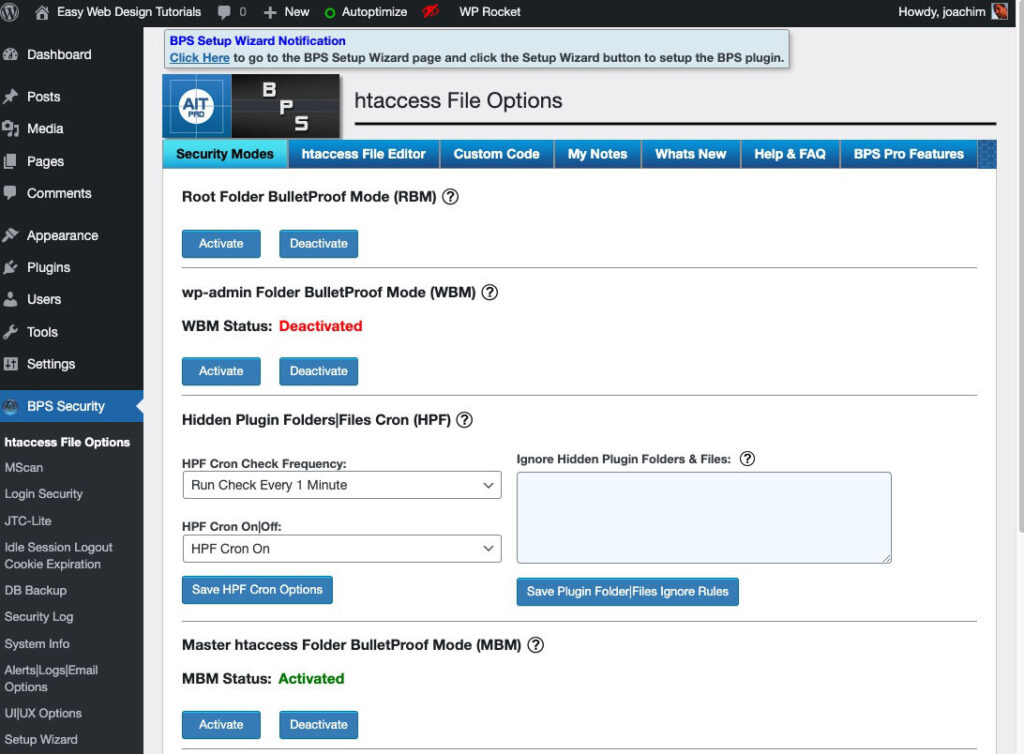
BulletProof Security is a powerful WordPress security plugin that offers a wide range of features to protect your site from malware, brute force attacks, and other threats. The plugin includes a firewall, malware scanner, and login security features. It also offers advanced security hardening options, such as .htaccess file protection and database security. BulletProof Security is known for its robust protection and detailed security logs, which help you monitor and respond to threats. The plugin is suitable for both beginners and advanced users, thanks to its one-click setup wizard and customizable security settings. BulletProof Security is a great choice for website owners who want a comprehensive security solution with minimal setup.
- Firewall Protection: BulletProof Security includes a powerful firewall that filters out malicious traffic and blocks common attack patterns. It also offers .htaccess file protection to secure your site’s root directory.
- Malware Scanner: The plugin includes a malware scanner that checks your WordPress files for malicious code. It also monitors your site for unauthorized changes and alerts you if any are detected.
- Login Security: BulletProof Security offers features like login attempt limiting, CAPTCHA, and two-factor authentication (2FA) to protect against brute force attacks.
- Database Security: This feature allows you to schedule automatic backups of your WordPress database and change the default database prefix to make it harder for attackers to target your site.
- Security Logs: BulletProof Security logs all security-related events on your site, such as login attempts, file changes, and plugin updates. This helps you track suspicious activity and maintain a secure environment.
7. SecuPress
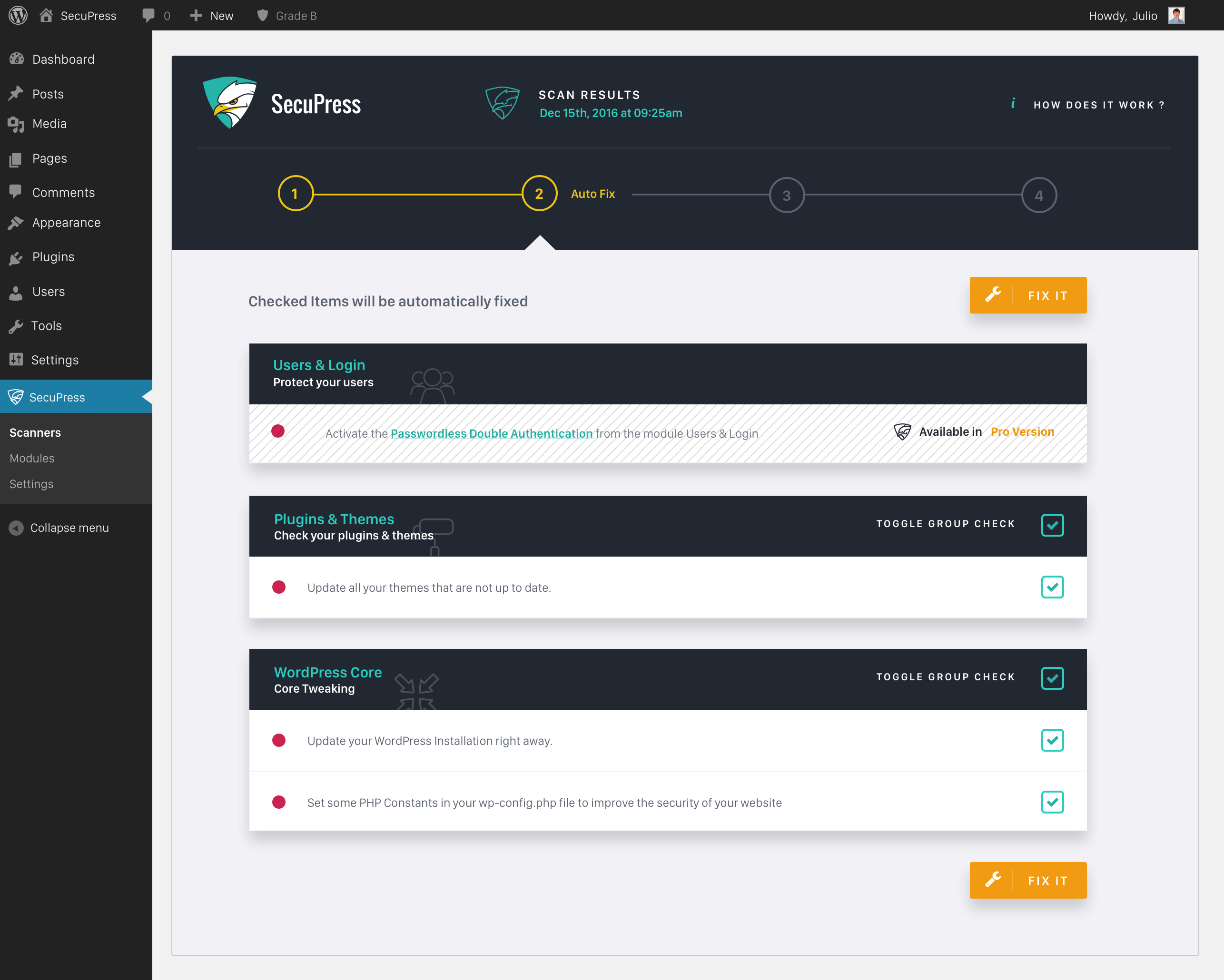
SecuPress is a user-friendly WordPress security plugin that offers a wide range of features to protect your site from malware, brute force attacks, and other threats. The plugin includes a firewall, malware scanner, and login security features. It also offers a unique security grading system that evaluates your site’s security level and provides recommendations for improvement. SecuPress is designed to be accessible to beginners while still offering advanced security options for experienced users. The plugin is regularly updated to address new threats and vulnerabilities, making it a reliable choice for website owners who want a comprehensive security solution.
- Firewall Protection: SecuPress includes a firewall that filters out malicious traffic and blocks common attack patterns. It also offers IP blocking and country blocking features to enhance your site’s security.
- Malware Scanner: The plugin includes a malware scanner that checks your WordPress files for malicious code. It also monitors your site for unauthorized changes and alerts you if any are detected.
- Login Security: SecuPress offers features like login attempt limiting, CAPTCHA, and two-factor authentication (2FA) to protect against brute force attacks. It also enforces strong password policies.
- Security Grading System: The plugin evaluates your site’s security level and provides a grade based on the features you’ve enabled. It also offers recommendations for improving your score and enhancing your site’s security.
- Database Security: SecuPress allows you to schedule automatic backups of your WordPress database and change the default database prefix to make it harder for attackers to target your site.
8. Jetpack Security
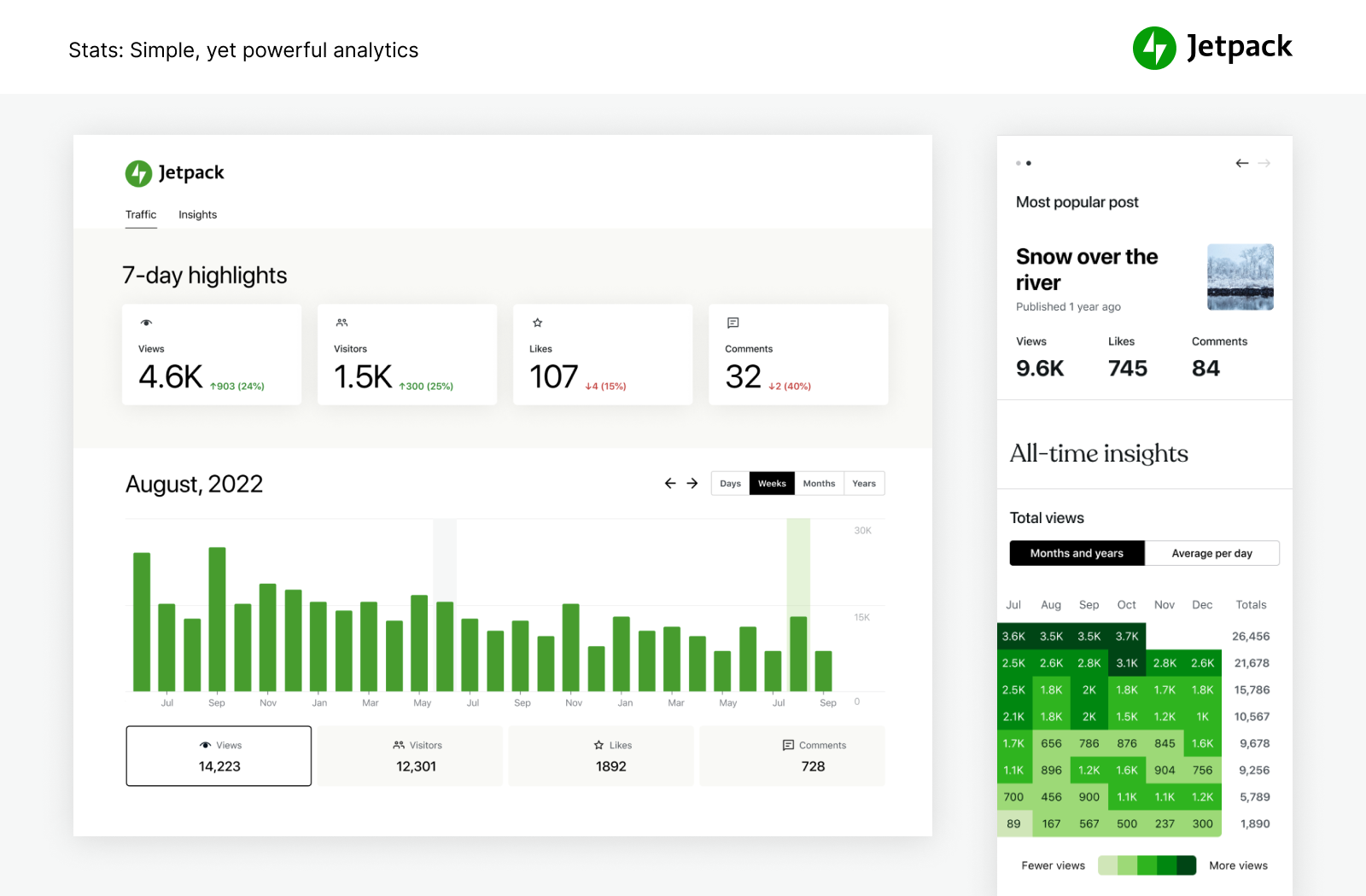
Jetpack Security is a comprehensive security plugin developed by Automattic, the company behind WordPress.com. It offers a wide range of features to protect your site from malware, brute force attacks, and other threats. Jetpack includes a website firewall, malware scanner, and login security features. It also offers automated backups, spam protection, and downtime monitoring. Jetpack is designed to be user-friendly and integrates seamlessly with WordPress, making it a great choice for beginners. The plugin is regularly updated to address new threats and vulnerabilities, ensuring your site remains secure. Jetpack Security is ideal for website owners who want a hassle-free security solution with minimal setup.
- Website Firewall: Jetpack’s firewall filters out malicious traffic and blocks common attack patterns. It also includes IP blocking and country blocking features to enhance your site’s security.
- Malware Scanner: The plugin includes a malware scanner that checks your WordPress files for malicious code. It also monitors your site for unauthorized changes and alerts you if any are detected.
- Automated Backups: Jetpack offers automated backups of your WordPress site, including files and databases. You can restore your site to a previous state with just one click if it’s compromised.
- Spam Protection: The plugin includes Akismet Anti-Spam, which filters out spam comments and form submissions. This helps keep your site clean and reduces the risk of malicious content.
- Downtime Monitoring: Jetpack monitors your site for downtime and alerts you if it goes offline. This helps you respond quickly to any issues and minimize downtime.
9. WP Cerber Security
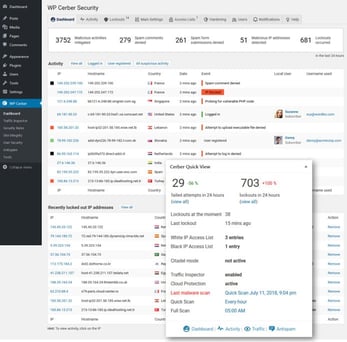
WP Cerber Security is a powerful WordPress security plugin that offers a wide range of features to protect your site from malware, brute force attacks, and other threats. The plugin includes a firewall, malware scanner, and login security features. It also offers advanced security hardening options, such as limiting login attempts, blocking suspicious IPs, and monitoring file changes. WP Cerber Security is known for its robust protection and detailed security logs, which help you monitor and respond to threats. The plugin is suitable for both beginners and advanced users, thanks to its user-friendly interface and customizable security settings. WP Cerber Security is a great choice for website owners who want a comprehensive security solution with minimal setup.
- Firewall Protection: WP Cerber Security includes a powerful firewall that filters out malicious traffic and blocks common attack patterns. It also offers IP blocking and country blocking features to enhance your site’s security.
- Malware Scanner: The plugin includes a malware scanner that checks your WordPress files for malicious code. It also monitors your site for unauthorized changes and alerts you if any are detected.
- Login Security: WP Cerber Security offers features like login attempt limiting, CAPTCHA, and two-factor authentication (2FA) to protect against brute force attacks. It also enforces strong password policies.
- Traffic Inspector: This feature monitors all incoming traffic to your site and blocks suspicious requests. It helps you identify and block malicious bots and attackers in real time.
- Security Logs: WP Cerber Security logs all security-related events on your site, such as login attempts, file changes, and plugin updates. This helps you track suspicious activity and maintain a secure environment.
10. Shield Security
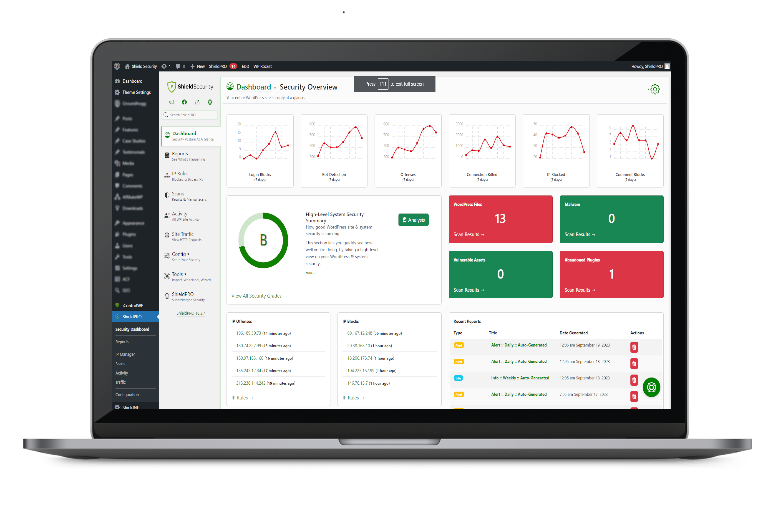
Shield Security is a lightweight yet powerful WordPress security plugin that offers a wide range of features to protect your site from malware, brute force attacks, and other threats. The plugin includes a firewall, malware scanner, and login security features. It also offers advanced security hardening options, such as limiting login attempts, blocking suspicious IPs, and monitoring file changes. Shield Security is designed to be user-friendly and integrates seamlessly with WordPress, making it a great choice for beginners. The plugin is regularly updated to address new threats and vulnerabilities, ensuring your site remains secure. Shield Security is ideal for website owners who want a hassle-free security solution with minimal setup.
- Firewall Protection: Shield Security includes a firewall that filters out malicious traffic and blocks common attack patterns. It also offers IP blocking and country blocking features to enhance your site’s security.
- Malware Scanner: The plugin includes a malware scanner that checks your WordPress files for malicious code. It also monitors your site for unauthorized changes and alerts you if any are detected.
- Login Security: Shield Security offers features like login attempt limiting, CAPTCHA, and two-factor authentication (2FA) to protect against brute force attacks. It also enforces strong password policies.
- Automatic IP Blocking: This feature automatically blocks IP addresses that exhibit suspicious behavior, such as repeated failed login attempts or malicious requests.
- Security Dashboard: The security dashboard provides a centralized view of your site’s security status, including active threats, login attempts, and recommended actions to improve security.
Frequently Asked Questions
Why do I need a WordPress security plugin?
WordPress is a popular platform, which makes it a common target for hackers and malicious bots. A security plugin helps protect your site from threats like malware, brute force attacks, and unauthorized access. It also provides features like firewalls, malware scanning, and login security to keep your site safe. Without a security plugin, your site is more vulnerable to attacks, which can lead to data breaches, downtime, and loss of reputation. Investing in a good security plugin is a proactive way to safeguard your website and ensure it remains secure.
Are free WordPress security plugins effective?
Free WordPress security plugins can be effective for basic protection, but they often lack advanced features like real-time malware scanning, professional malware removal, and cloud-based firewalls. Free plugins are a good starting point for small websites or blogs with limited traffic. However, if your site handles sensitive data or has high traffic, investing in a premium security plugin is recommended. Premium plugins offer more comprehensive protection, better support, and regular updates to address new threats. Ultimately, the effectiveness of a security plugin depends on your site’s needs and the level of protection you require.
How do I choose the best WordPress security plugin for my site?
Choosing the best WordPress security plugin depends on your site’s specific needs. Here are some factors to consider: 1) Features: Look for a plugin that offers the features you need, such as malware scanning, firewall protection, and login security. 2) Ease of Use: If you’re a beginner, choose a plugin with a user-friendly interface and one-click setup options. 3) Performance: Some security plugins can slow down your site. Look for lightweight plugins that won’t impact performance. 4) Support: Premium plugins often offer better support, including professional malware removal and 24/7 assistance. 5) Pricing: Consider your budget and whether the plugin offers a free version or a free trial. Read reviews and compare plugins to find the one that best fits your needs.
Can I use multiple WordPress security plugins at the same time?
It’s generally not recommended to use multiple WordPress security plugins at the same time, as they can conflict with each other and cause performance issues. For example, running two firewalls or malware scanners simultaneously can lead to false positives, slow down your site, or even break functionality. Instead, choose one comprehensive security plugin that meets all your needs. If you need additional features, look for a plugin that offers them as part of its core functionality or as add-ons. If you must use multiple plugins, ensure they complement each other and don’t overlap in functionality.
How often should I scan my WordPress site for malware?
The frequency of malware scans depends on your site’s traffic, content, and security needs. For most websites, scanning once a week is sufficient. However, if your site handles sensitive data or has high traffic, consider scanning daily or even in real time. Many security plugins offer automated scanning, which allows you to schedule scans at regular intervals. Regular scanning helps detect and remove malware before it can cause damage. Additionally, always scan your site after making significant changes, such as installing new plugins or themes, to ensure no vulnerabilities have been introduced.
What should I do if my WordPress site is hacked?
If your WordPress site is hacked, follow these steps to recover it: 1) Stay Calm: Panicking can lead to hasty decisions. Take a deep breath and assess the situation. 2) Take Your Site Offline: Put your site in maintenance mode or take it offline to prevent further damage. 3) Identify the Issue: Use a security plugin to scan your site for malware and identify the source of the hack. 4) Restore from Backup: If you have a recent backup, restore your site to a clean state. 5) Remove Malware: Use a security plugin or hire a professional to remove the malware. 6) Update Everything: Update WordPress, plugins, and themes to their latest versions to patch vulnerabilities. 7) Change Passwords: Reset all passwords, including WordPress admin, FTP, and database passwords. 8) Monitor Your Site: Keep an eye on your site for any suspicious activity and take steps to prevent future attacks.
Do WordPress security plugins slow down my site?
Some WordPress security plugins can slow down your site, especially if they include resource-intensive features like real-time scanning or cloud-based firewalls. However, many modern security plugins are designed to be lightweight and optimized for performance. To minimize the impact on your site’s speed, choose a plugin that offers performance-friendly features, such as scheduled scans instead of real-time scanning. Additionally, ensure your hosting provider is reliable and can handle the additional load. Regularly monitor your site’s performance and adjust your security settings as needed to balance protection and speed.


