
best plugin for wordpress security


WordPress powers over 40% of all websites, which makes it a prime target for hackers and malicious attacks. If you’re running a site on this platform, security isn’t optional—it’s a necessity. The right plugin can harden your defenses, block brute-force attempts, scan for vulnerabilities, and keep your data safe without requiring deep technical knowledge. The problem is, there are hundreds of security plugins out there, and not all of them deliver what they promise. Some slow down your site, others overwhelm you with false positives, and a few just don’t do enough to justify their cost.
The best WordPress security plugins strike a balance between protection, performance, and usability. They should offer real-time monitoring, malware scanning, firewall protection, and login security without bogging down your server or requiring constant tweaking. You don’t need a dozen overlapping features—just reliable tools that actually stop threats before they become problems. The good news is, a few plugins stand out from the rest by doing exactly that.
I’ve tested and compared the top options to cut through the noise. Below is a list of the best plugins for WordPress security, based on effectiveness, ease of use, and real-world performance.
📋 Table of Contents
1. Wordfence Security

Wordfence Security is one of the most popular and comprehensive WordPress security plugins available. It offers a robust suite of tools designed to protect your website from malware, brute force attacks, and other common threats. Wordfence is particularly well-suited for both beginners and advanced users, thanks to its user-friendly interface and powerful features. The plugin includes an endpoint firewall and malware scanner that were built specifically for WordPress, ensuring that your site remains secure without slowing it down. Wordfence also provides real-time threat defense, blocking malicious traffic before it can harm your site. With over 4 million active installations, it’s a trusted choice for website owners looking to enhance their security posture.
- Firewall Protection: Wordfence includes a Web Application Firewall (WAF) that identifies and blocks malicious traffic in real-time. It’s regularly updated to protect against the latest threats.
- Malware Scanner: The built-in malware scanner checks your core files, themes, and plugins for malware, bad URLs, backdoors, SEO spam, and code injections.
- Login Security: Features like two-factor authentication (2FA), login attempt limiting, and CAPTCHA help prevent brute force attacks and unauthorized access.
- Live Traffic Monitoring: Monitor visits and hack attempts in real-time, including origin, IP address, and the type of attack being attempted.
- Country Blocking: Block traffic from specific countries known for high levels of malicious activity, reducing the risk of attacks.
2. Sucuri Security
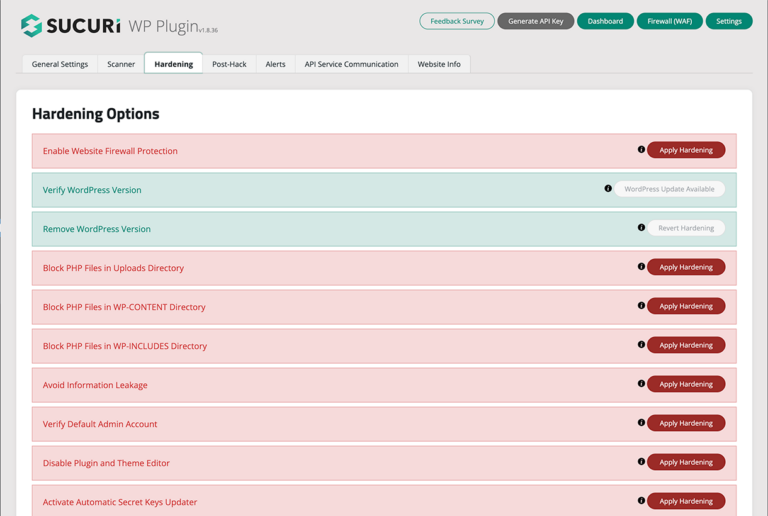
Sucuri Security is a cloud-based security platform that offers a powerful WordPress plugin to protect your website from a wide range of threats. Unlike some other plugins, Sucuri provides both a plugin and a cloud-based firewall, which means your site is protected even before malicious traffic reaches your server. This makes it an excellent choice for businesses and high-traffic websites that need enterprise-level security. The plugin includes features like malware scanning, blacklist monitoring, and security hardening. Sucuri also offers a website firewall (WAF) that blocks DDoS attacks, brute force attempts, and other malicious activities. If your site is already compromised, Sucuri’s team can clean it up and restore it to a safe state.
- Website Firewall (WAF): Sucuri’s cloud-based firewall filters malicious traffic before it reaches your site, protecting against DDoS, brute force, and other attacks.
- Malware Removal: If your site is hacked, Sucuri’s team will clean it up and remove malware, ensuring your site is restored to a safe state.
- Security Activity Auditing: Tracks all security-related events on your site, including file changes, login attempts, and user activity.
- Blacklist Monitoring: Monitors your site’s status on major blacklists (like Google Safe Browsing) and helps you get removed if blacklisted.
- Performance Optimization: Sucuri’s CDN improves site speed and performance while also providing an additional layer of security.
3. iThemes Security
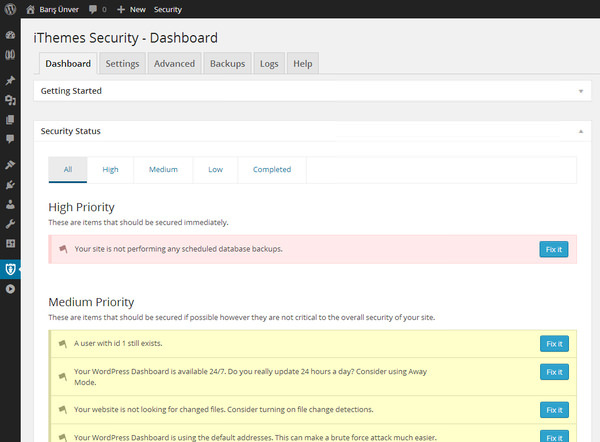
iThemes Security (formerly Better WP Security) is a comprehensive WordPress security plugin that focuses on fixing common vulnerabilities and hardening your site against attacks. It’s designed to be easy to use, making it a great choice for beginners who want a straightforward way to secure their WordPress site. The plugin offers over 30 ways to protect your site, including brute force protection, file change detection, and database backups. iThemes Security also includes a powerful malware scanner and two-factor authentication to add an extra layer of security to your login process. With its intuitive dashboard, you can quickly see your site’s security status and take action to improve it.
- Brute Force Protection: Limits login attempts and bans users who try to guess passwords, preventing brute force attacks.
- File Change Detection: Monitors your site for unexpected file changes, which could indicate a security breach.
- Two-Factor Authentication (2FA): Adds an extra layer of security to your login process by requiring a second form of authentication.
- Database Backups: Automatically creates backups of your WordPress database, ensuring you can restore your site if something goes wrong.
- Security Grade Report: Provides a security grade for your site and offers actionable recommendations to improve it.
4. All In One WP Security & Firewall

All In One WP Security & Firewall is a free, user-friendly plugin that provides a comprehensive set of security features to protect your WordPress site. It’s designed to be easy to use, even for beginners, while still offering advanced features for more experienced users. The plugin includes a firewall, brute force protection, and a malware scanner, among other tools. One of its standout features is the security points grading system, which evaluates your site’s security and provides recommendations for improvement. The plugin also includes a visual security meter that shows your site’s security strength at a glance. With over 900,000 active installations, it’s a popular choice for those looking for a free, all-in-one security solution.
- Security Points Grading System: Evaluates your site’s security and provides a score along with recommendations for improvement.
- User Account Security: Monitors and protects user accounts, including detecting weak passwords and enforcing strong password policies.
- Firewall Protection: Includes a basic firewall to block malicious traffic and protect against common attacks.
- Brute Force Protection: Limits login attempts and locks out users who try to guess passwords.
- File System Security: Monitors your site’s files for changes and protects critical files from unauthorized access.
5. MalCare Security

MalCare Security is a powerful WordPress security plugin that focuses on malware detection and removal. It uses advanced algorithms to scan your site for malware, even hidden or complex threats that other scanners might miss. One of MalCare’s standout features is its one-click malware removal, which allows you to clean your site instantly without needing technical expertise. The plugin also includes a firewall, login protection, and vulnerability scanning to keep your site secure. MalCare is cloud-based, which means it doesn’t slow down your site while scanning. It’s an excellent choice for website owners who want a hassle-free way to keep their site safe from malware and other threats.
- One-Click Malware Removal: Removes malware from your site with a single click, without requiring technical knowledge.
- Advanced Malware Scanner: Uses AI-powered algorithms to detect even hidden or complex malware that other scanners might miss.
- Website Firewall: Blocks malicious traffic and protects your site from attacks like SQL injections and XSS.
- Login Protection: Includes brute force protection and CAPTCHA to secure your login page.
- Vulnerability Scanning: Scans your site for vulnerabilities in plugins, themes, and core files, and provides recommendations for fixing them.
6. BulletProof Security
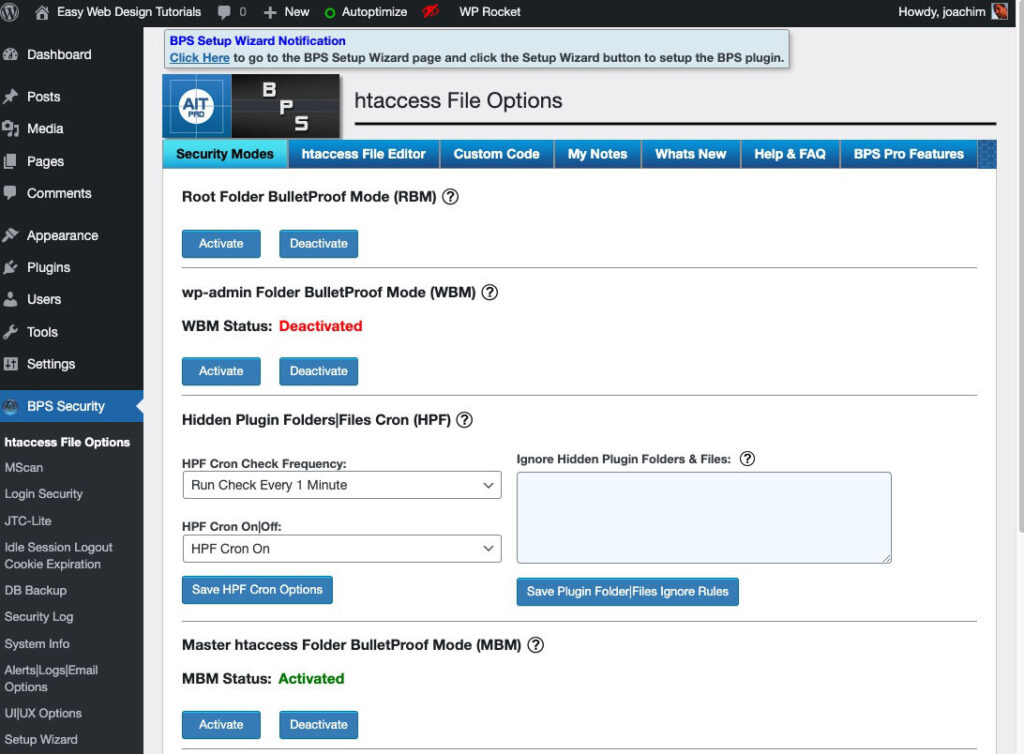
BulletProof Security is a robust WordPress security plugin that offers a wide range of features to protect your site from various threats. It includes a firewall, malware scanner, and login security tools, among other features. One of its standout features is the .htaccess website security protection, which helps secure your site at the server level. BulletProof Security also includes a maintenance mode, which allows you to take your site offline while making updates or fixing issues. The plugin is designed for both beginners and advanced users, with a setup wizard that makes it easy to configure. With its comprehensive feature set, BulletProof Security is a great choice for those who want a high level of control over their site’s security.
- One-Click Setup Wizard: Makes it easy to configure the plugin, even for beginners.
- .htaccess Security Protection: Secures your site at the server level by protecting critical .htaccess files.
- Malware Scanner: Scans your site for malware and other security threats.
- Login Security & Monitoring: Includes brute force protection, login attempt limiting, and CAPTCHA to secure your login page.
- Maintenance Mode: Allows you to take your site offline while making updates or fixing issues.
7. SecuPress
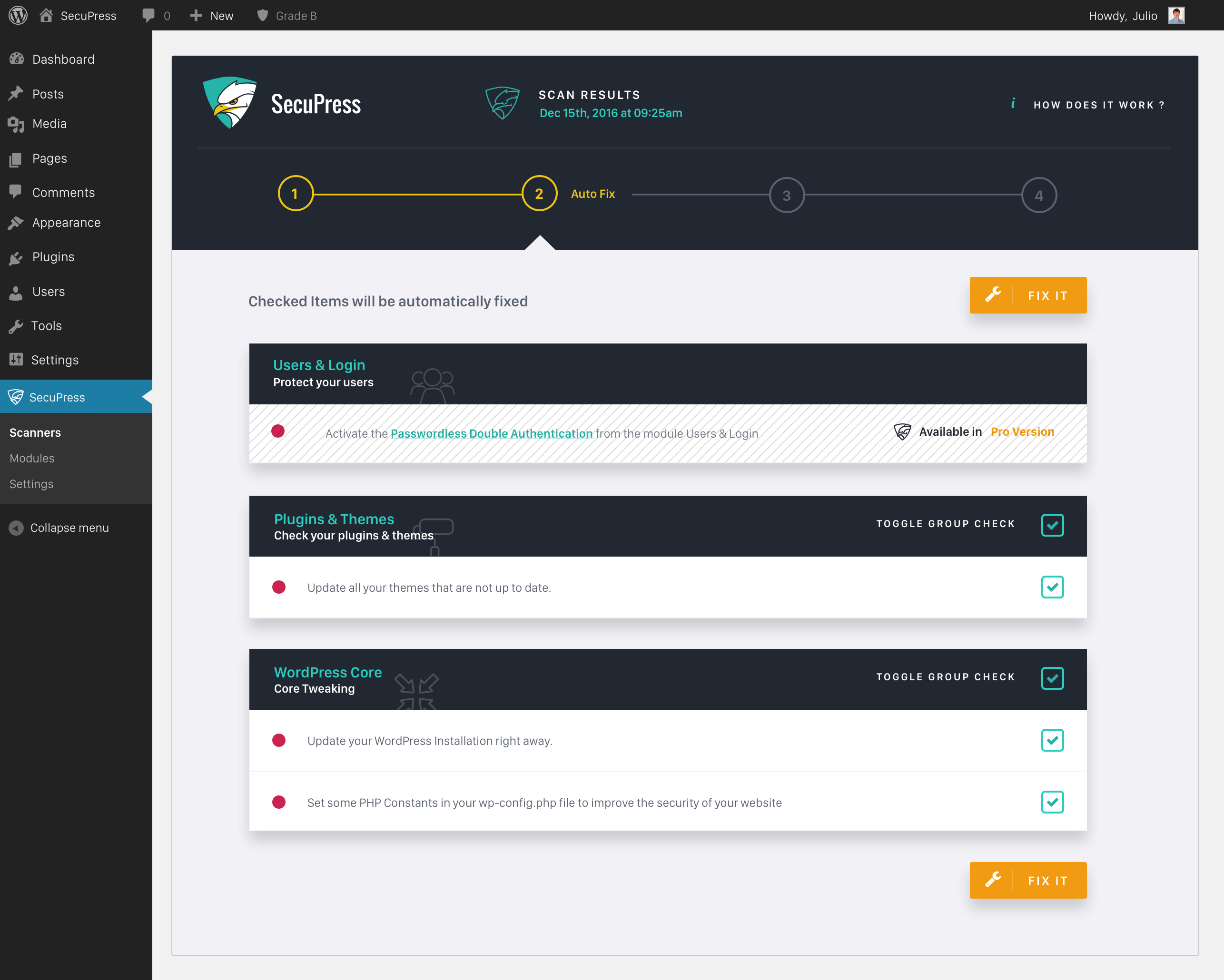
SecuPress is a user-friendly WordPress security plugin that offers a comprehensive set of tools to protect your site. It includes features like malware scanning, firewall protection, and brute force attack prevention. One of SecuPress’s standout features is its intuitive dashboard, which makes it easy to see your site’s security status and take action to improve it. The plugin also includes a security audit tool that checks your site for vulnerabilities and provides recommendations for fixing them. SecuPress is designed to be easy to use, making it a great choice for beginners who want a straightforward way to secure their WordPress site. It also offers a pro version with additional features like scheduled scans and automatic malware removal.
- Malware Scanner: Scans your site for malware and other security threats, with the option to automatically remove them in the pro version.
- Firewall Protection: Blocks malicious traffic and protects your site from common attacks.
- Brute Force Protection: Limits login attempts and locks out users who try to guess passwords.
- Security Audit: Checks your site for vulnerabilities and provides recommendations for fixing them.
- Two-Factor Authentication (2FA): Adds an extra layer of security to your login process by requiring a second form of authentication.
8. Defender Security
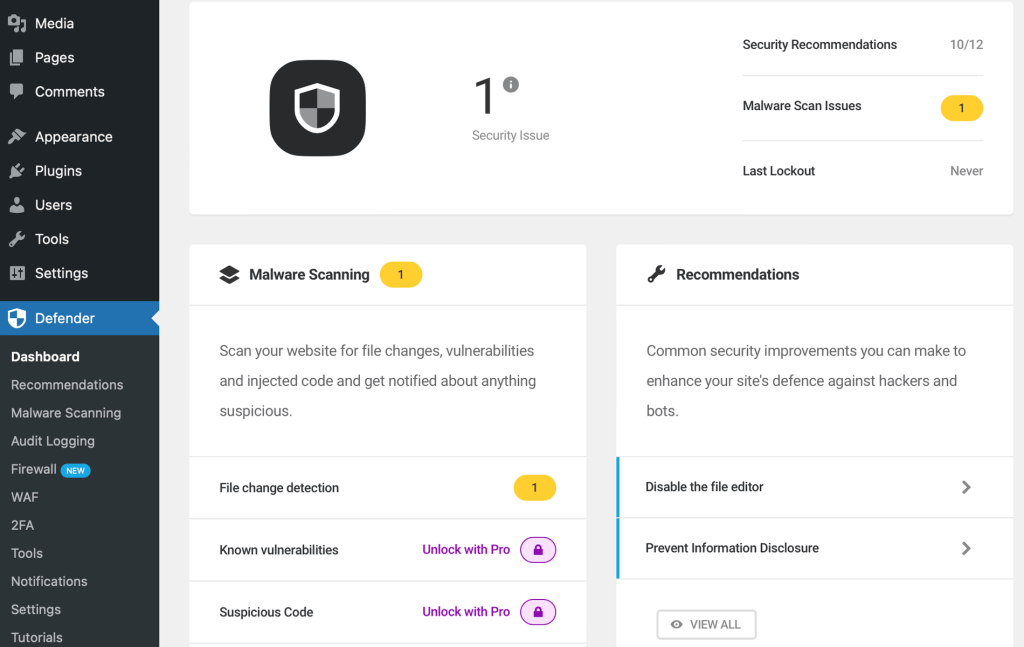
Defender Security is a powerful WordPress security plugin developed by WPMU DEV. It offers a wide range of features to protect your site from malware, brute force attacks, and other threats. Defender includes a malware scanner, firewall, and login security tools, among other features. One of its standout features is the security tweaks tool, which provides a list of recommended security improvements for your site. Defender also includes two-factor authentication (2FA) and IP blocking to add an extra layer of security to your login process. The plugin is designed to be easy to use, with a clean and intuitive interface that makes it simple to configure and manage your site’s security.
- Malware Scanner: Scans your site for malware and other security threats, with the option to automatically remove them.
- Firewall Protection: Blocks malicious traffic and protects your site from common attacks.
- Two-Factor Authentication (2FA): Adds an extra layer of security to your login process by requiring a second form of authentication.
- Security Tweaks: Provides a list of recommended security improvements for your site, making it easy to harden your security.
- IP Blocking: Allows you to block specific IP addresses or ranges to prevent malicious traffic from accessing your site.
9. Jetpack Security
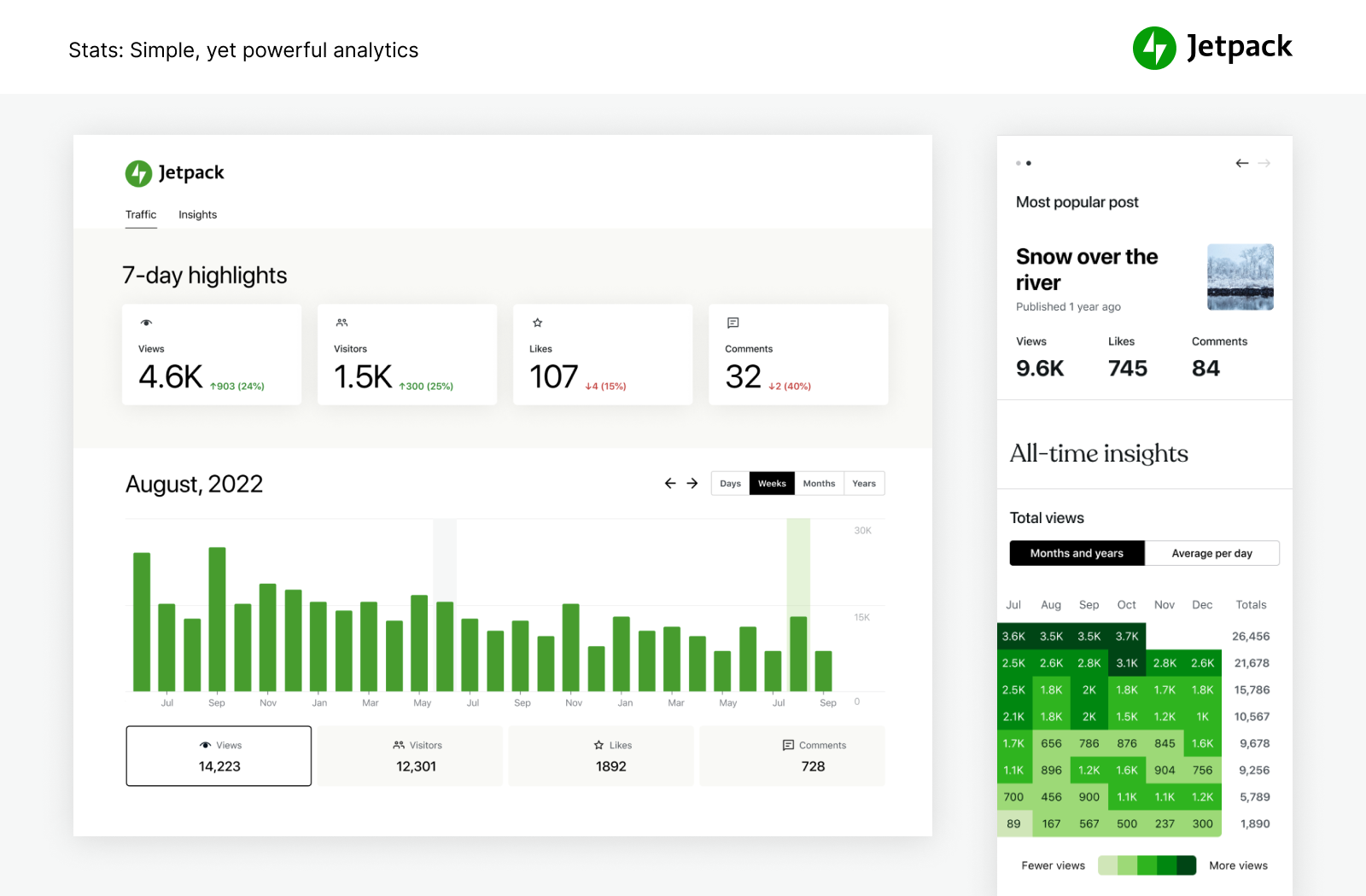
Jetpack Security is a comprehensive security solution for WordPress sites, developed by Automattic, the company behind WordPress.com. It offers a wide range of features, including malware scanning, brute force protection, and spam filtering. Jetpack is particularly well-suited for beginners, thanks to its user-friendly interface and seamless integration with WordPress. One of its standout features is the real-time backup and restore functionality, which ensures that you can quickly recover your site if something goes wrong. Jetpack also includes a website firewall and downtime monitoring to keep your site secure and online. With its all-in-one approach, Jetpack is a great choice for those who want a simple and effective way to secure their WordPress site.
- Malware Scanning: Scans your site for malware and other security threats, with automatic fixes for known issues.
- Brute Force Protection: Limits login attempts and blocks malicious traffic to prevent brute force attacks.
- Real-Time Backups: Automatically backs up your site in real-time, ensuring you can restore it quickly if something goes wrong.
- Spam Filtering: Blocks spam comments and form submissions to keep your site clean and secure.
- Downtime Monitoring: Monitors your site for downtime and alerts you if your site goes offline.
10. Shield Security

Shield Security is a lightweight yet powerful WordPress security plugin that focuses on simplicity and effectiveness. It offers a range of features to protect your site from malware, brute force attacks, and other threats, without slowing down your site. Shield Security includes a firewall, malware scanner, and login security tools, among other features. One of its standout features is the automatic IP blocking, which blocks malicious traffic before it can harm your site. The plugin also includes a security admin area, which allows you to control who has access to your site’s security settings. With its focus on performance and ease of use, Shield Security is a great choice for those who want a no-fuss way to secure their WordPress site.
- Automatic IP Blocking: Blocks malicious traffic automatically, preventing attacks before they can harm your site.
- Malware Scanner: Scans your site for malware and other security threats, with the option to automatically remove them.
- Firewall Protection: Blocks malicious traffic and protects your site from common attacks.
- Login Security: Includes brute force protection, two-factor authentication (2FA), and CAPTCHA to secure your login page.
- Security Admin Area: Allows you to control who has access to your site’s security settings, adding an extra layer of protection.
Frequently Asked Questions
Why do I need a security plugin for WordPress?
WordPress is the most popular content management system in the world, which makes it a prime target for hackers and malicious actors. A security plugin helps protect your site from common threats like malware, brute force attacks, and SQL injections. Without a security plugin, your site is more vulnerable to hacking, data breaches, and other security issues that can harm your reputation and business. Additionally, many security plugins offer features like firewalls, malware scanning, and login protection, which provide an extra layer of security to keep your site safe.
Are free security plugins enough to protect my WordPress site?
Free security plugins can provide a good level of protection for many WordPress sites, especially smaller or personal websites. However, they may lack some advanced features found in premium plugins, such as real-time malware removal, automatic backups, or advanced firewall protection. If your site handles sensitive data, processes payments, or has high traffic, investing in a premium security plugin is often worth the cost. Premium plugins typically offer more comprehensive protection, better support, and additional features that can help keep your site secure.
How do I choose the best security plugin for my WordPress site?
Choosing the best security plugin for your WordPress site depends on your specific needs and budget. Start by identifying the key features you need, such as malware scanning, firewall protection, or brute force attack prevention. Consider whether you need a free or premium plugin, and look for one that is regularly updated and well-reviewed by other users. It’s also a good idea to choose a plugin that is easy to use and offers good customer support. Finally, test the plugin on a staging site before deploying it to your live site to ensure it works well with your setup.
Can I use multiple security plugins on my WordPress site?
While it’s technically possible to use multiple security plugins on your WordPress site, it’s generally not recommended. Running multiple security plugins can lead to conflicts, performance issues, and even security vulnerabilities. For example, two plugins might try to modify the same files or settings, causing errors or leaving gaps in your security. Instead, choose one comprehensive security plugin that meets all your needs. If you need additional features, look for a plugin that offers them as part of its core functionality or as add-ons.
What are the most common security threats to WordPress sites?
WordPress sites face a variety of security threats, but some of the most common include brute force attacks, where hackers try to guess your login credentials; malware infections, which can harm your site or steal data; SQL injections, where attackers exploit vulnerabilities in your database; and cross-site scripting (XSS), where malicious scripts are injected into your site. Other threats include phishing attacks, DDoS attacks, and vulnerabilities in outdated plugins or themes. Using a security plugin can help protect your site from these and other threats by providing features like firewalls, malware scanning, and login protection.
How often should I scan my WordPress site for malware?
The frequency of malware scans depends on the nature of your site and how often it’s updated. For most sites, running a malware scan at least once a week is a good practice. However, if your site handles sensitive data, processes payments, or has high traffic, you may want to scan it daily or even in real-time. Many security plugins offer scheduled scans, which allow you to automate the process and ensure your site is regularly checked for malware. Additionally, it’s a good idea to run a scan after making significant changes to your site, such as installing new plugins or themes.
What should I do if my WordPress site is hacked?
If your WordPress site is hacked, the first step is to stay calm and act quickly. Start by taking your site offline to prevent further damage, either by putting it in maintenance mode or using a plugin like WP Maintenance Mode. Next, identify the source of the hack by checking your site’s files, database, and logs for suspicious activity. Many security plugins, like Wordfence or Sucuri, offer malware removal tools that can help clean your site. If you’re not comfortable doing this yourself, consider hiring a professional security service to clean and restore your site. Once your site is clean, update all your plugins, themes, and WordPress core to the latest versions, and change all your passwords. Finally, implement additional security measures, such as a firewall and two-factor authentication, to prevent future attacks.


