
best faq plugin for wordpress


If you run a WordPress site, you’ve probably dealt with the same questions over and over. Customers, clients, or visitors keep asking about shipping policies, return procedures, or how to use a product. Answering these manually wastes time and creates inconsistency. A good FAQ plugin solves this by organizing answers in one place, reducing support requests, and improving user experience.
Not all FAQ plugins are the same. Some are bloated with features you don’t need, while others lack basic customization. The right one should be lightweight, easy to set up, and flexible enough to match your site’s design. It should also support search functionality, accordion layouts, and maybe even schema markup for better SEO.
I’ve tested a lot of them over the years, and most fall short in one way or another. Below, I’ve put together a list of the best options for a WordPress FAQ plugin. These are the ones that actually work without slowing down your site or requiring a degree in coding to set up.
📋 Table of Contents
1. Heroic FAQs
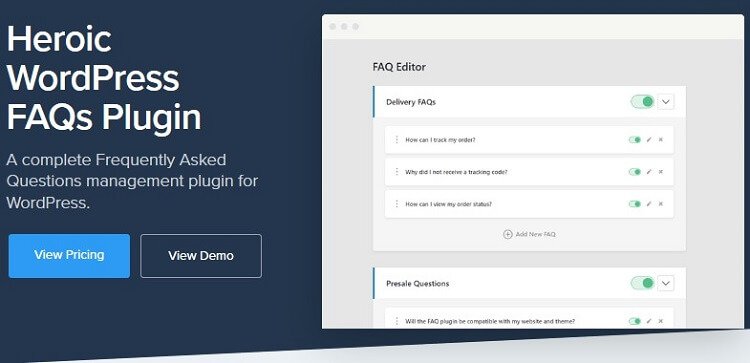
Heroic FAQs is a premium WordPress plugin designed to create beautiful, user-friendly FAQ sections with minimal effort. It stands out for its sleek design options and seamless integration with popular page builders like Elementor and Beaver Builder. The plugin is ideal for businesses, bloggers, and e-commerce sites that want to reduce customer support queries by providing clear, accessible answers. Heroic FAQs also includes analytics to track which questions are viewed most often, helping you refine your content strategy over time. Its drag-and-drop interface makes it easy to organize and reorder FAQs without any coding knowledge. The plugin is particularly well-suited for users who prioritize aesthetics and functionality in equal measure.
- Drag-and-Drop Builder: Easily organize and reorder FAQs with a simple drag-and-drop interface, making it effortless to keep your content structured.
- Page Builder Integration: Works seamlessly with Elementor, Beaver Builder, and other popular page builders, allowing you to design FAQs within your existing workflow.
- Analytics Dashboard: Track which FAQs are viewed most often to identify common customer questions and improve your content strategy.
- Customizable Design: Choose from multiple pre-designed templates or customize colors, fonts, and layouts to match your brand’s style.
- Search Functionality: Includes a built-in search bar to help users quickly find answers without scrolling through long lists of questions.
2. Ultimate FAQ
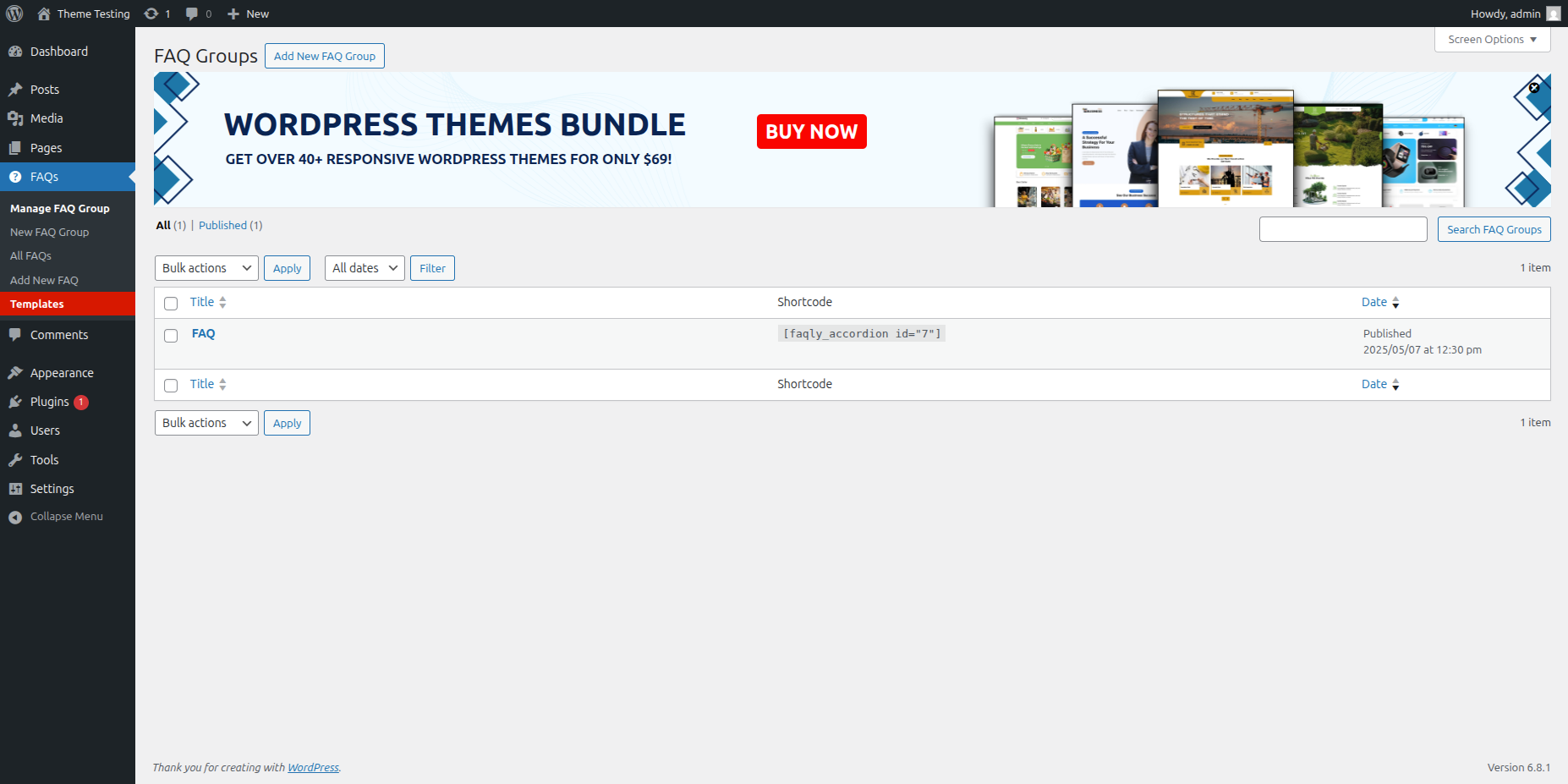
Ultimate FAQ is one of the most popular free FAQ plugins for WordPress, with over 100,000 active installations. It offers a straightforward way to create and manage FAQs with features like shortcodes, categories, and customizable styling. The plugin is perfect for beginners and small businesses looking for a no-frills solution to display FAQs on their website. Ultimate FAQ also includes a search function and the ability to import/export FAQs, making it easy to migrate content between sites. While the free version covers the basics, the premium version unlocks advanced features like WooCommerce integration and analytics. It’s a great choice for users who want a reliable, lightweight plugin without a steep learning curve.
- Shortcode Support: Use shortcodes to display FAQs anywhere on your site, including posts, pages, and widgets.
- Categories and Tags: Organize FAQs into categories and tags for better navigation and filtering.
- Customizable Styling: Adjust colors, fonts, and layouts to match your site’s design without writing any code.
- Search Functionality: Built-in search bar helps users quickly find answers to their questions.
- Import/Export: Easily migrate FAQs between sites using the import/export feature, saving time and effort.
3. FAQ Schema
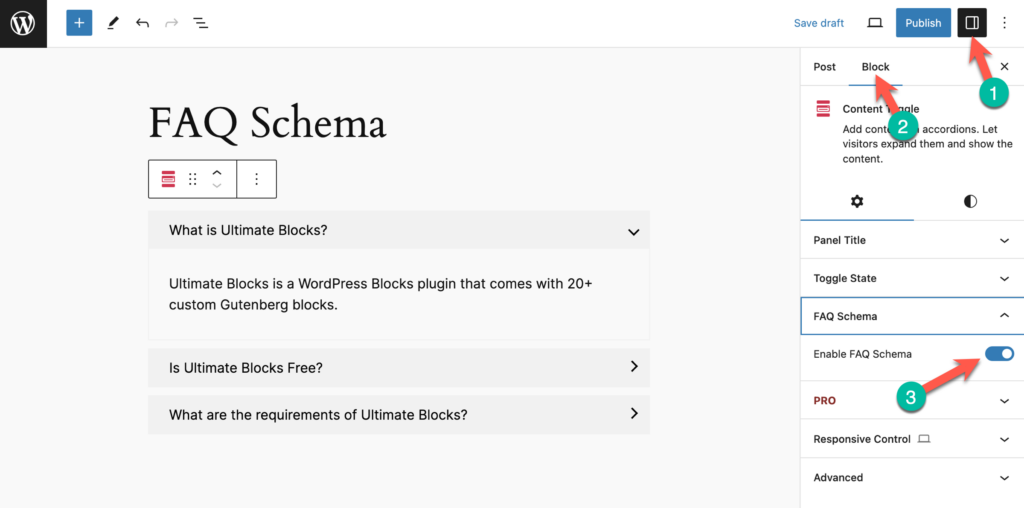
FAQ Schema is a lightweight WordPress plugin focused on improving SEO by adding structured data to your FAQs. It automatically generates FAQPage schema markup, which helps search engines like Google display your FAQs as rich snippets in search results. This can significantly boost your click-through rates and visibility. The plugin is ideal for businesses and bloggers who want to enhance their SEO efforts without dealing with complex technical setups. FAQ Schema works with any WordPress theme and integrates seamlessly with other plugins. While it doesn’t offer advanced design customization, its simplicity and SEO benefits make it a must-have for users prioritizing search engine performance.
- SEO-Friendly Schema Markup: Automatically adds FAQPage schema to your FAQs, helping them appear as rich snippets in Google search results.
- Lightweight and Fast: Minimal code ensures your site’s performance isn’t impacted, making it ideal for speed-conscious users.
- Works with Any Theme: Compatible with all WordPress themes, so you don’t need to worry about design conflicts.
- Shortcode Support: Use shortcodes to display FAQs anywhere on your site, including posts, pages, and widgets.
- Gutenberg Block: Includes a dedicated Gutenberg block for easy integration with the WordPress block editor.
4. WP Responsive FAQ with Category
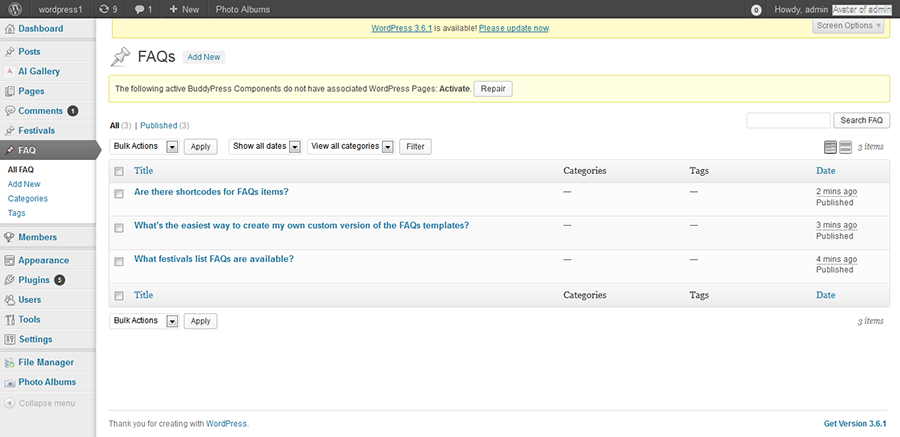
WP Responsive FAQ with Category is a free plugin that focuses on creating responsive, mobile-friendly FAQ sections. It allows you to categorize FAQs and display them in an accordion or list format, making it easy for users to navigate. The plugin is particularly useful for websites with a large number of FAQs, as it helps organize content into logical groups. It also includes a search function and customizable styling options, so you can match the FAQs to your site’s design. While it lacks some advanced features found in premium plugins, its simplicity and responsiveness make it a solid choice for users who need a straightforward solution.
- Responsive Design: Ensures your FAQs look great on all devices, from desktops to smartphones.
- Category Support: Organize FAQs into categories for better navigation and user experience.
- Accordion and List Views: Choose between accordion or list formats to display your FAQs, depending on your preference.
- Search Functionality: Built-in search bar helps users quickly find answers without scrolling through long lists.
- Customizable Styling: Adjust colors, fonts, and layouts to match your site’s design without coding.
5. Arconix FAQ

Arconix FAQ is a lightweight and easy-to-use plugin for creating simple FAQ sections on your WordPress site. It offers basic features like shortcode support, custom post types, and toggle functionality to hide or show answers. The plugin is ideal for users who need a no-frills solution without unnecessary bells and whistles. While it doesn’t include advanced features like analytics or page builder integration, its simplicity makes it a great choice for beginners or small websites. Arconix FAQ is also developer-friendly, with hooks and filters available for customization. If you’re looking for a plugin that does one thing well without overwhelming you with options, this is a solid pick.
- Shortcode Support: Use shortcodes to display FAQs anywhere on your site, including posts, pages, and widgets.
- Toggle Functionality: Answers can be hidden or shown with a simple click, making it easy for users to navigate.
- Custom Post Type: FAQs are stored as a custom post type, keeping them separate from regular posts and pages.
- Developer-Friendly: Includes hooks and filters for developers who want to customize the plugin’s functionality.
- Lightweight: Minimal code ensures your site’s performance isn’t impacted, making it ideal for speed-conscious users.
6. Helpie FAQ

Helpie FAQ is a powerful and flexible plugin that offers a wide range of features for creating dynamic FAQ sections. It includes advanced options like user-submitted questions, voting on answers, and analytics to track engagement. The plugin is perfect for community-driven sites, forums, or businesses that want to encourage user interaction. Helpie FAQ also integrates with popular page builders like Elementor and Divi, making it easy to design FAQs within your existing workflow. Its robust feature set and customization options make it a top choice for users who need more than just a basic FAQ plugin. While it may be overkill for simple sites, it’s an excellent option for those who want to create an interactive knowledge base.
- User-Submitted Questions: Allow users to submit their own questions, which can be moderated and answered by admins.
- Voting on Answers: Users can vote on answers to help identify the most helpful responses, improving the overall quality of your FAQs.
- Analytics Dashboard: Track engagement metrics like views, votes, and user submissions to refine your content strategy.
- Page Builder Integration: Works seamlessly with Elementor, Divi, and other popular page builders for easy design customization.
- Customizable Design: Choose from multiple templates or customize colors, fonts, and layouts to match your brand’s style.
7. FAQ by 10Web

FAQ by 10Web is a feature-rich plugin that offers a wide range of customization options for creating professional FAQ sections. It includes features like accordion and toggle layouts, search functionality, and customizable styling. The plugin is ideal for businesses and e-commerce sites that want to create visually appealing FAQs without coding. FAQ by 10Web also supports shortcodes and Gutenberg blocks, making it easy to integrate with your existing content. While the free version covers the basics, the premium version unlocks advanced features like WooCommerce integration and analytics. It’s a great choice for users who want a balance between functionality and ease of use.
- Accordion and Toggle Layouts: Choose between accordion or toggle formats to display your FAQs, depending on your preference.
- Search Functionality: Built-in search bar helps users quickly find answers without scrolling through long lists.
- Customizable Styling: Adjust colors, fonts, and layouts to match your site’s design without writing any code.
- Shortcode and Gutenberg Support: Use shortcodes or Gutenberg blocks to display FAQs anywhere on your site.
- WooCommerce Integration: Premium version includes WooCommerce integration, making it ideal for e-commerce sites.
8. TinyMCE FAQ
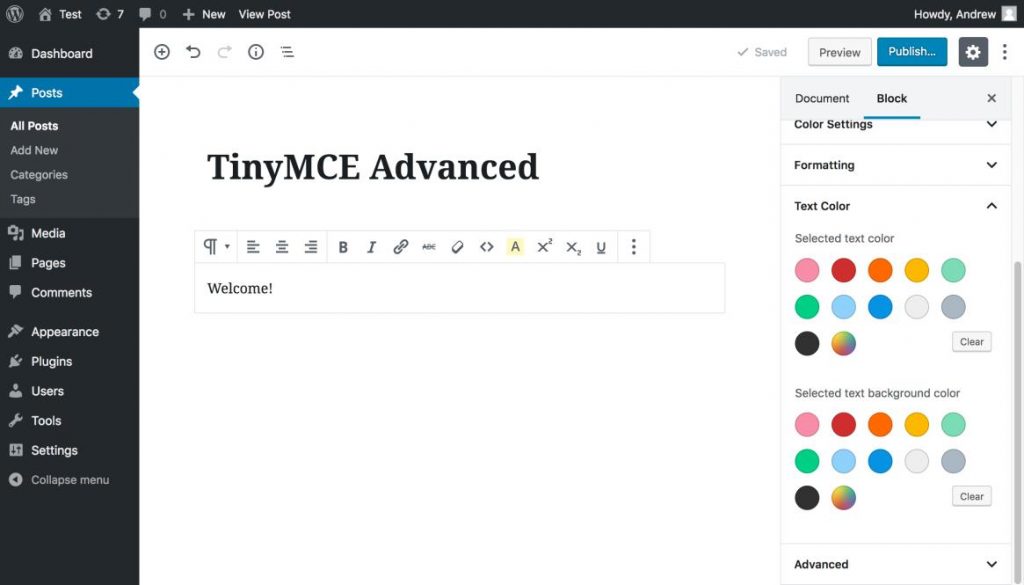
TinyMCE FAQ is a simple and lightweight plugin that integrates seamlessly with the WordPress editor. It allows you to create FAQs using the familiar TinyMCE editor, making it easy to format text, add images, and style your content. The plugin is ideal for users who want a no-frills solution that works within the WordPress ecosystem. While it lacks advanced features like analytics or page builder integration, its simplicity and ease of use make it a great choice for beginners or small websites. TinyMCE FAQ is also developer-friendly, with hooks and filters available for customization. If you’re looking for a plugin that does one thing well without overwhelming you with options, this is a solid pick.
- TinyMCE Editor Integration: Create and format FAQs using the familiar WordPress editor, making it easy to add text, images, and styling.
- Shortcode Support: Use shortcodes to display FAQs anywhere on your site, including posts, pages, and widgets.
- Lightweight: Minimal code ensures your site’s performance isn’t impacted, making it ideal for speed-conscious users.
- Developer-Friendly: Includes hooks and filters for developers who want to customize the plugin’s functionality.
- Custom Post Type: FAQs are stored as a custom post type, keeping them separate from regular posts and pages.
9. KnowAll

KnowAll is a premium knowledge base plugin from HeroThemes that includes robust FAQ functionality. It’s designed to create comprehensive help centers, documentation, and FAQ sections with features like search, analytics, and user feedback. KnowAll is ideal for businesses, SaaS companies, and support teams that need a powerful tool to manage customer inquiries. The plugin includes a drag-and-drop builder, customizable templates, and integration with popular page builders like Elementor. While it’s more expensive than standalone FAQ plugins, its advanced features and professional design make it a top choice for users who need a complete knowledge base solution.
- Drag-and-Drop Builder: Easily create and organize FAQs with a simple drag-and-drop interface, making it effortless to keep your content structured.
- Search Functionality: Built-in search bar with advanced filtering helps users quickly find answers to their questions.
- Analytics Dashboard: Track engagement metrics like views, searches, and user feedback to refine your content strategy.
- User Feedback: Allow users to rate answers and provide feedback, helping you identify areas for improvement.
- Page Builder Integration: Works seamlessly with Elementor, Beaver Builder, and other popular page builders for easy design customization.
10. Echo Knowledge Base
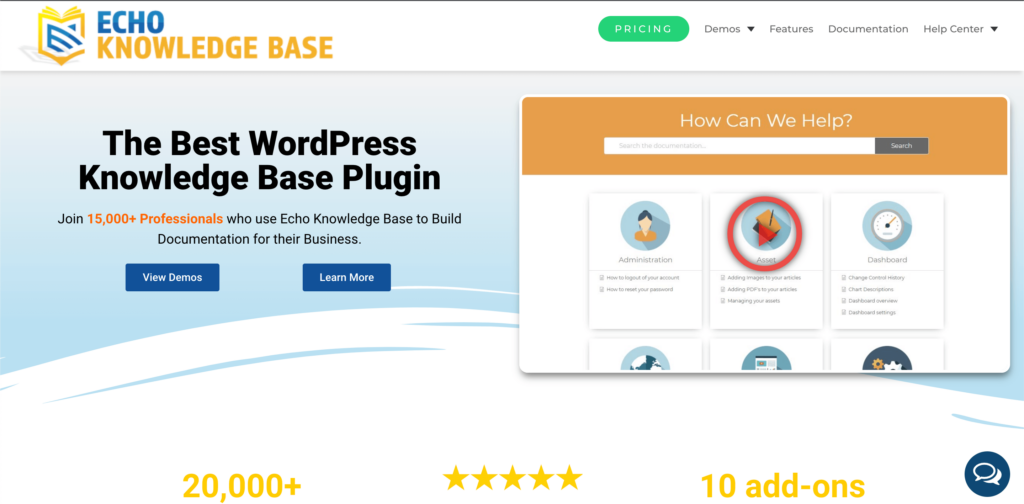
Echo Knowledge Base is a versatile plugin that combines FAQ and knowledge base functionality into one powerful tool. It offers features like search, categories, and customizable layouts to create a professional help center for your users. The plugin is ideal for businesses, support teams, and SaaS companies that need a centralized place to store and manage documentation. Echo Knowledge Base includes a drag-and-drop builder, analytics, and integration with popular page builders like Elementor. While the free version covers the basics, the premium version unlocks advanced features like user feedback and WooCommerce integration. It’s a great choice for users who want a flexible and scalable solution for their FAQ and documentation needs.
- Drag-and-Drop Builder: Easily create and organize FAQs and knowledge base articles with a simple drag-and-drop interface.
- Search Functionality: Built-in search bar with advanced filtering helps users quickly find answers to their questions.
- Categories and Tags: Organize content into categories and tags for better navigation and user experience.
- Customizable Layouts: Choose from multiple templates or customize colors, fonts, and layouts to match your brand’s style.
- User Feedback: Allow users to rate articles and provide feedback, helping you identify areas for improvement.
Frequently Asked Questions
What is the best FAQ plugin for WordPress?
The best FAQ plugin for WordPress depends on your specific needs. If you’re looking for a free, lightweight solution, Ultimate FAQ or FAQ Schema are great choices. For users who need advanced features like analytics, user submissions, or page builder integration, Heroic FAQs or Helpie FAQ are excellent options. If you’re running an e-commerce site, FAQ by 10Web or Echo Knowledge Base with WooCommerce integration might be the best fit. Consider your budget, technical skills, and the features you need before making a decision.
Are there any free FAQ plugins for WordPress?
Yes, there are several high-quality free FAQ plugins for WordPress. Some of the best options include Ultimate FAQ, FAQ Schema, WP Responsive FAQ with Category, Arconix FAQ, and TinyMCE FAQ. These plugins offer basic features like shortcode support, customizable styling, and search functionality. While they may lack advanced features found in premium plugins, they’re perfect for users who need a simple, no-cost solution for displaying FAQs on their site.
How do I add an FAQ section to my WordPress site?
Adding an FAQ section to your WordPress site is straightforward with the right plugin. Here’s a step-by-step guide: 1) Install and activate your chosen FAQ plugin from the WordPress plugin directory or a third-party source. 2) Navigate to the plugin’s settings or FAQ section in your WordPress dashboard. 3) Create your FAQs by adding questions and answers, and organize them into categories if needed. 4) Use the plugin’s shortcode, Gutenberg block, or page builder integration to display the FAQs on your desired page. 5) Customize the design to match your site’s style using the plugin’s built-in options. Most plugins offer detailed documentation to help you get started.
Can I customize the design of my FAQ section?
Yes, most FAQ plugins for WordPress offer customization options to help you match the design of your FAQ section to your site’s branding. Features like customizable colors, fonts, and layouts are common in both free and premium plugins. Some plugins, like Heroic FAQs and Helpie FAQ, also include pre-designed templates that you can use as a starting point. If you’re using a page builder like Elementor or Divi, many plugins integrate seamlessly, allowing you to design your FAQs within the page builder’s interface. For advanced customization, you can also use custom CSS or hire a developer to tweak the plugin’s code.
Do FAQ plugins improve SEO?
Yes, FAQ plugins can improve your site’s SEO, especially if they include schema markup. Plugins like FAQ Schema automatically add FAQPage schema to your FAQs, which helps search engines like Google display your content as rich snippets in search results. This can increase your click-through rates and visibility. Additionally, well-organized FAQs can reduce bounce rates and improve user engagement, both of which are positive signals for SEO. To maximize the SEO benefits, make sure your FAQs are well-written, relevant, and address common user questions. Including keywords naturally in your questions and answers can also help improve your search rankings.
Can I use an FAQ plugin with WooCommerce?
Yes, many FAQ plugins are compatible with WooCommerce and offer specific features for e-commerce sites. Plugins like FAQ by 10Web and Echo Knowledge Base include WooCommerce integration, allowing you to display product-specific FAQs on your product pages. This can help reduce customer support queries and improve the shopping experience. Some plugins also allow you to categorize FAQs by product type or topic, making it easier for users to find relevant information. If you’re running a WooCommerce store, look for a plugin that offers seamless integration and e-commerce-specific features.
What features should I look for in an FAQ plugin?
When choosing an FAQ plugin for WordPress, consider the following features based on your needs: 1) Ease of Use: Look for a plugin with a user-friendly interface and drag-and-drop functionality. 2) Customization: Ensure the plugin offers design options like customizable colors, fonts, and layouts. 3) Search Functionality: A built-in search bar helps users quickly find answers. 4) SEO Features: Plugins with schema markup can improve your search engine visibility. 5) Integration: Check if the plugin works with your page builder, WooCommerce, or other tools. 6) Analytics: Advanced plugins offer analytics to track user engagement and refine your content. 7) Support: Look for plugins with good documentation and customer support. Consider your budget and whether you need a free or premium solution.


