
best wordpress site builder


Choosing the right WordPress site builder can save you hours of frustration and help you create a professional website without needing to code. The best builders offer drag-and-drop functionality, responsive design options, and seamless integration with WordPress plugins, making them ideal for both beginners and experienced users. Whether you’re building a blog, business site, or online store, the right tool should balance ease of use with customization flexibility.
Not all WordPress site builders are created equal. Some prioritize speed and simplicity, while others focus on advanced design features or e-commerce capabilities. The key is finding one that aligns with your specific needs—whether that’s pre-built templates, real-time editing, or robust SEO tools. Performance, support, and pricing also play a major role in the decision.
I’ve tested and compared the top WordPress site builders to narrow down the best options. Below is the list of the most reliable and efficient choices available right now.
📋 Table of Contents
1. Elementor
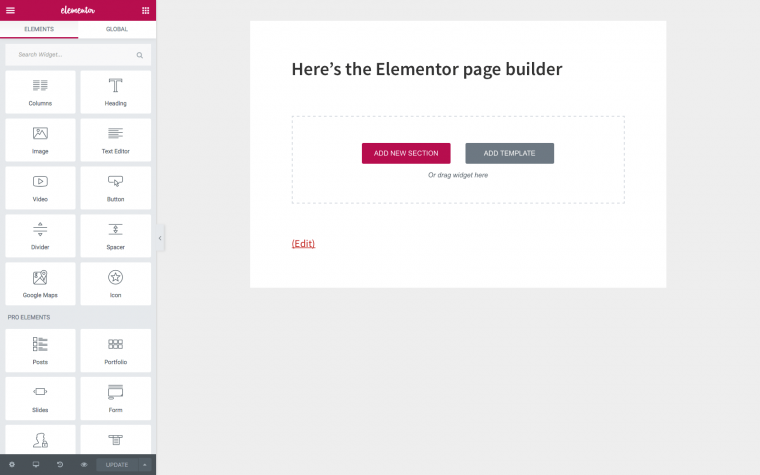
Elementor is one of the most popular WordPress site builders, known for its drag-and-drop interface and real-time editing capabilities. It’s a favorite among both beginners and professionals because it eliminates the need for coding while offering advanced design features. With Elementor, you can create stunning websites, landing pages, and even eCommerce stores without touching a single line of code. It integrates seamlessly with WordPress and offers a vast library of pre-designed templates and widgets to speed up your workflow. Whether you’re building a personal blog or a business website, Elementor provides the flexibility and power to bring your vision to life. Its active community and extensive documentation make it easy to find support and inspiration.
- Drag-and-Drop Editor: Build your website visually with a live preview, making it easy to see changes in real time.
- Template Library: Access hundreds of pre-designed templates for pages, blocks, and pop-ups to jumpstart your design.
- Responsive Design: Ensure your site looks great on all devices with mobile, tablet, and desktop previews.
- Theme Builder: Customize every part of your WordPress theme, including headers, footers, and archive pages.
- WooCommerce Integration: Design and customize your online store with dedicated WooCommerce widgets and templates.
2. Divi Builder

Divi Builder is a powerful and versatile WordPress site builder developed by Elegant Themes. It offers a front-end visual editor that allows you to design your website in real time, making it accessible for users of all skill levels. Divi is known for its modular design system, which lets you add, arrange, and customize content elements with ease. One of its standout features is the ability to save and reuse layouts, sections, and modules across different projects, saving you time and effort. Divi also includes a built-in split-testing tool, Divi Leads, which helps optimize your site’s performance. With its extensive library of pre-made layouts and robust customization options, Divi is a great choice for designers, agencies, and business owners looking to create professional websites without coding.
- Visual Drag-and-Drop Editor: Design your site in real time with a user-friendly interface that requires no coding.
- Pre-Made Layouts: Choose from over 200 full website packs and 2,000+ pre-made layouts to get started quickly.
- Global Elements: Save and reuse elements like headers, footers, and modules across your entire site.
- Divi Leads: Optimize your site with built-in A/B testing to improve conversion rates.
- Responsive Editing: Customize how your site looks on different devices with dedicated controls.
3. Beaver Builder
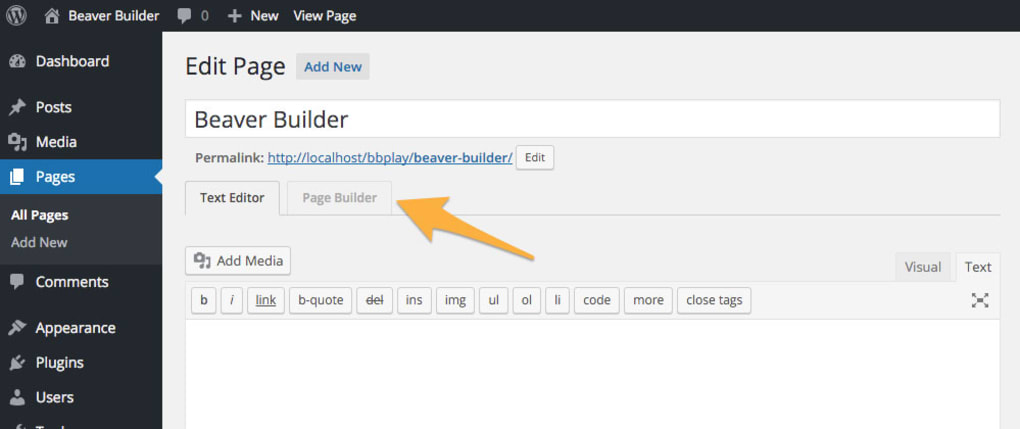
Beaver Builder is a flexible and reliable WordPress page builder that’s perfect for both beginners and developers. It offers a clean, intuitive drag-and-drop interface that makes it easy to create custom layouts without any coding knowledge. One of Beaver Builder’s biggest strengths is its compatibility with almost any WordPress theme, ensuring that your designs remain intact even if you switch themes. It also includes a front-end editor, so you can see your changes in real time. Beaver Builder is lightweight and optimized for speed, which helps improve your site’s performance. It’s a great choice for agencies and freelancers because it allows you to save and reuse templates, modules, and rows across multiple projects. With its focus on simplicity and reliability, Beaver Builder is a solid option for anyone looking to build a professional WordPress site.
- Front-End Drag-and-Drop Editor: Build and edit your site in real time with a live preview of your changes.
- Theme Compatibility: Works seamlessly with most WordPress themes, ensuring your designs stay intact.
- Pre-Made Templates: Access a library of pre-designed templates to speed up your workflow.
- Saved Modules and Rows: Save and reuse your favorite modules and rows across different pages or sites.
- Developer-Friendly: Offers clean code and hooks for developers to extend functionality.
4. Brizy

Brizy is a modern and intuitive WordPress site builder designed to make website creation as simple as possible. It features a clean, minimalist interface that’s easy to navigate, even for beginners. Brizy stands out for its focus on speed and efficiency, allowing you to build pages quickly with its drag-and-drop editor and pre-made blocks. One of its unique features is the ability to edit text directly on the page, which streamlines the design process. Brizy also offers a cloud-based version, Brizy Cloud, which lets you create and host websites without needing a WordPress installation. With its growing library of templates and integrations with popular tools like WooCommerce and Mailchimp, Brizy is a great choice for small businesses, freelancers, and marketers looking for a hassle-free website builder.
- Inline Editing: Edit text directly on the page without opening a separate panel, making the process faster and more intuitive.
- Pre-Made Blocks: Choose from a library of pre-designed blocks to quickly build your pages.
- Global Styling: Apply consistent styling across your entire site with global colors, fonts, and settings.
- Brizy Cloud: Create and host websites without WordPress using Brizy’s cloud-based platform.
- WooCommerce Integration: Design and customize your online store with dedicated WooCommerce blocks.
5. Oxygen

Oxygen is a powerful WordPress site builder designed for developers and advanced users who want complete control over their website’s design and functionality. Unlike other page builders, Oxygen replaces your WordPress theme entirely, giving you full control over every aspect of your site’s layout and styling. It offers a visual drag-and-drop editor with advanced features like dynamic data integration, custom CSS, and JavaScript controls. Oxygen is particularly popular among developers because it generates clean, lightweight code that doesn’t bloat your site. It’s also highly customizable, allowing you to create unique designs without being limited by pre-made templates. While Oxygen has a steeper learning curve than other builders, it’s an excellent choice for those who want to build highly customized, performance-optimized websites.
- Visual Drag-and-Drop Editor: Design your site with a live preview and full control over every element.
- Theme Replacement: Oxygen replaces your WordPress theme, giving you complete control over your site’s design.
- Dynamic Data Integration: Connect your site to custom fields, post types, and other dynamic data sources.
- Custom CSS and JavaScript: Add custom code to any element for advanced customization.
- Lightweight Code: Oxygen generates clean, optimized code that improves site performance.
6. Visual Composer
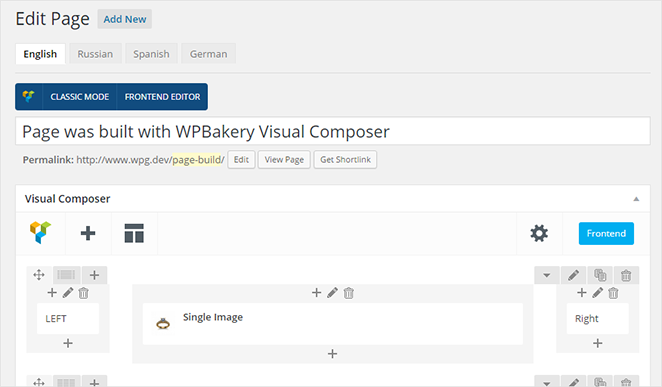
Visual Composer is a versatile WordPress site builder that offers both a front-end and back-end editor, making it suitable for users of all skill levels. It’s known for its flexibility and extensive library of elements, templates, and add-ons. Visual Composer works with any WordPress theme and allows you to customize every part of your site, including headers, footers, and sidebars. One of its standout features is the ability to create dynamic content using custom fields and post types. Visual Composer also includes a built-in popup builder and integrations with popular tools like WooCommerce, Yoast SEO, and Google Fonts. With its robust feature set and regular updates, Visual Composer is a great choice for businesses, agencies, and developers looking to create professional websites without coding.
- Front-End and Back-End Editor: Choose between a visual front-end editor or a traditional back-end editor for flexibility.
- Header, Footer, and Sidebar Builder: Customize every part of your site, including headers, footers, and sidebars.
- Dynamic Content: Create dynamic content using custom fields, post types, and other data sources.
- Popup Builder: Design and display pop-ups to engage visitors and boost conversions.
- Template Library: Access hundreds of pre-designed templates and elements to speed up your workflow.
7. Thrive Architect
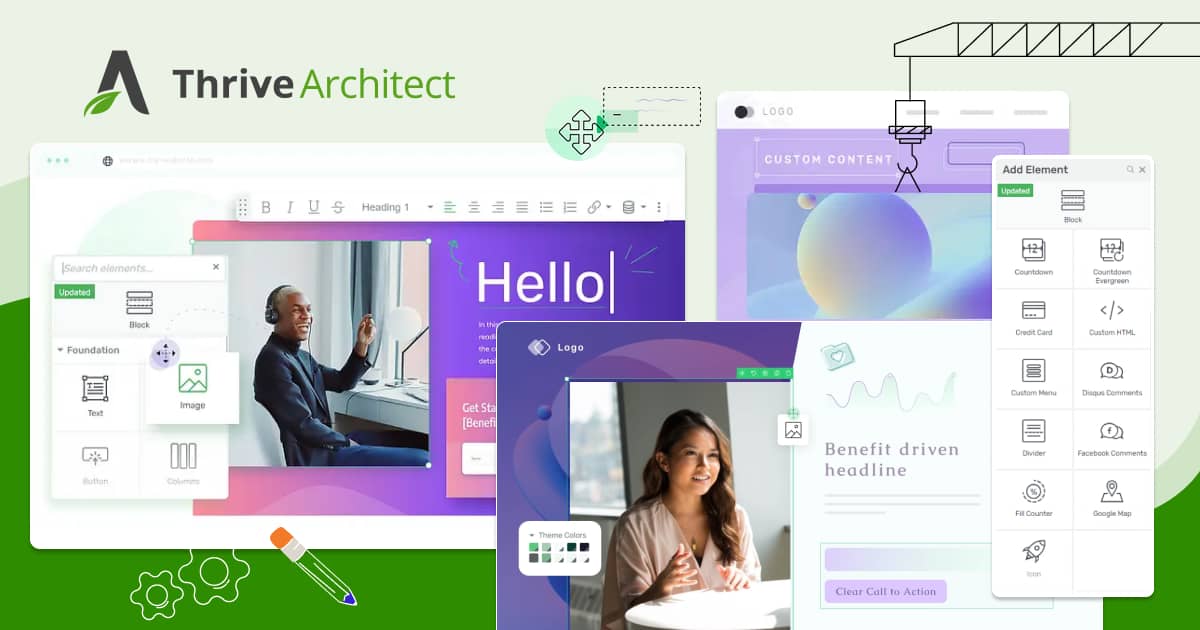
Thrive Architect is a WordPress page builder designed specifically for marketers and business owners who want to create high-converting websites. It focuses on helping you build landing pages, sales pages, and blog posts that drive conversions. Thrive Architect includes a drag-and-drop editor with a wide range of conversion-focused elements, such as countdown timers, lead generation forms, and testimonials. It also integrates seamlessly with other Thrive Themes products, like Thrive Leads and Thrive Quiz Builder, to create a complete marketing ecosystem. With its pre-designed templates and easy-to-use interface, Thrive Architect is a great choice for anyone looking to build a website that generates leads and sales. It’s particularly popular among online entrepreneurs, coaches, and small business owners.
- Conversion-Focused Elements: Access a library of elements designed to boost conversions, such as countdown timers and lead generation forms.
- Pre-Designed Templates: Choose from over 300 landing page templates to create high-converting pages quickly.
- Inline Text Editing: Edit text directly on the page for a faster and more intuitive design process.
- Mobile Responsive Design: Ensure your site looks great on all devices with dedicated mobile editing controls.
- Integration with Thrive Suite: Seamlessly integrate with other Thrive Themes products for a complete marketing solution.
8. SeedProd
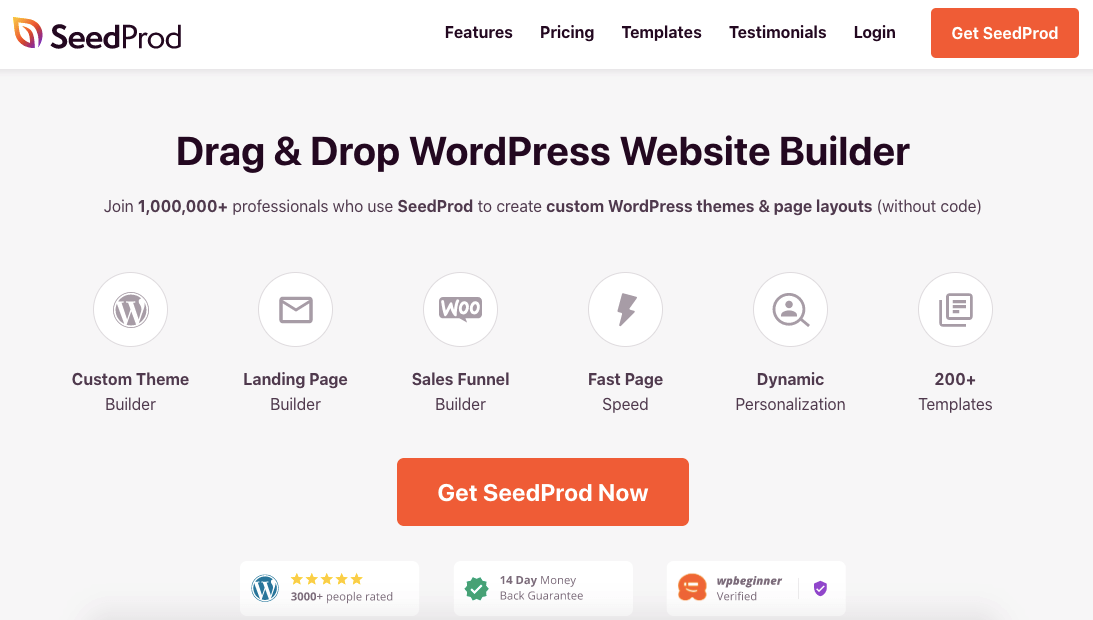
SeedProd is a powerful WordPress page builder that’s best known for its coming soon and maintenance mode pages. However, it’s also a full-fledged site builder that allows you to create custom landing pages, sales pages, and even entire websites. SeedProd offers a drag-and-drop editor with a wide range of pre-designed templates and blocks, making it easy to build professional-looking pages without any coding. One of its standout features is its integration with popular email marketing services like Mailchimp, ConvertKit, and ActiveCampaign, allowing you to grow your email list directly from your landing pages. SeedProd is also lightweight and optimized for speed, ensuring your site loads quickly. It’s a great choice for marketers, small businesses, and anyone looking to create high-converting pages with minimal effort.
- Drag-and-Drop Editor: Build your pages visually with a live preview and easy-to-use interface.
- Pre-Made Templates: Choose from over 150 landing page templates to get started quickly.
- Coming Soon and Maintenance Mode: Create professional coming soon and maintenance mode pages to engage visitors.
- Email Marketing Integrations: Connect with popular email marketing services to grow your list directly from your pages.
- Access Controls: Restrict access to your pages based on user roles or login status.
9. WPBakery Page Builder
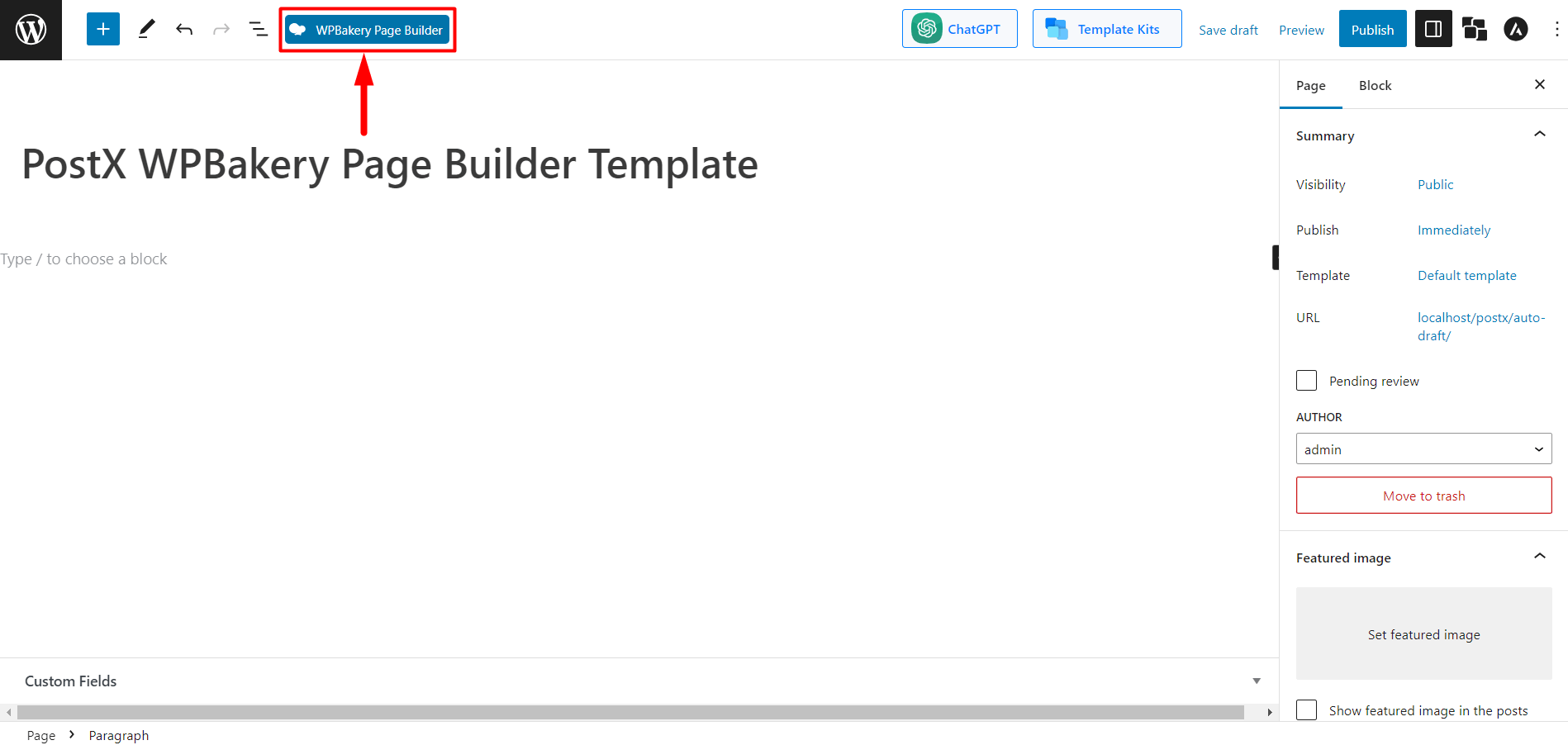
WPBakery Page Builder, formerly known as Visual Composer, is one of the oldest and most widely used WordPress page builders. It offers both a front-end and back-end editor, giving you the flexibility to design your site in the way that works best for you. WPBakery is known for its extensive library of elements and templates, as well as its compatibility with most WordPress themes. It’s a popular choice among developers and agencies because it allows for deep customization and integrates well with other plugins. While WPBakery’s interface can feel a bit outdated compared to newer builders, it remains a reliable and powerful tool for creating custom WordPress sites. It’s particularly well-suited for users who need a builder that works seamlessly with existing themes and plugins.
- Front-End and Back-End Editor: Choose between a visual front-end editor or a traditional back-end editor for flexibility.
- Extensive Element Library: Access over 50 content elements to build your pages, including sliders, tabs, and accordions.
- Template Library: Choose from hundreds of pre-designed templates to speed up your workflow.
- Theme Compatibility: Works with most WordPress themes, ensuring your designs stay intact.
- Developer-Friendly: Offers hooks and filters for developers to extend functionality and create custom elements.
10. SiteOrigin Page Builder

SiteOrigin Page Builder is a free and lightweight WordPress page builder that’s perfect for users who want a simple, no-frills solution. It offers a drag-and-drop interface with a live preview, making it easy to create custom layouts without any coding. SiteOrigin is known for its compatibility with most WordPress themes and its focus on performance, ensuring your site remains fast and responsive. While it doesn’t have as many advanced features as some of the other builders on this list, it’s a great choice for beginners and small businesses looking for a straightforward and reliable tool. SiteOrigin also offers a premium version, SiteOrigin Premium, which includes additional widgets, templates, and support. With its simplicity and ease of use, SiteOrigin Page Builder is a solid option for anyone looking to create a basic but professional WordPress site.
- Drag-and-Drop Editor: Build your pages visually with a live preview and easy-to-use interface.
- Live Editing: See your changes in real time as you build your pages.
- Widget Bundle: Access a collection of useful widgets to enhance your site’s functionality.
- History Browser: Undo and redo changes with a built-in history browser.
- Theme Compatibility: Works seamlessly with most WordPress themes, ensuring your designs stay intact.
Frequently Asked Questions
What is the best WordPress site builder for beginners?
For beginners, Elementor and Brizy are two of the best WordPress site builders because of their intuitive drag-and-drop interfaces and extensive template libraries. Both builders offer real-time editing, which makes it easy to see your changes as you make them. Elementor has a larger community and more third-party integrations, while Brizy is known for its simplicity and speed. Both options provide free versions, so you can try them out before committing to a paid plan. If you’re looking for a builder that’s easy to use and doesn’t require any coding knowledge, either of these would be a great choice.
Can I use a WordPress site builder with any theme?
Most WordPress site builders are designed to work with any theme, but some offer better compatibility than others. Builders like Beaver Builder, Divi Builder, and WPBakery Page Builder are known for their broad theme compatibility, ensuring that your designs remain intact even if you switch themes. However, some builders, like Oxygen, replace your theme entirely, giving you full control over your site’s design. Before choosing a builder, it’s a good idea to check its compatibility with your current theme or any themes you plan to use in the future. This will help you avoid any potential conflicts or design issues.
Are WordPress site builders SEO-friendly?
Yes, most WordPress site builders are designed to be SEO-friendly, but the level of optimization can vary depending on the builder you choose. Builders like Elementor, Divi, and Beaver Builder generate clean, lightweight code that helps improve your site’s performance and search engine rankings. Many builders also integrate with popular SEO plugins like Yoast SEO and Rank Math, allowing you to optimize your content for search engines. However, it’s important to note that the quality of your SEO ultimately depends on how you use the builder. For example, you’ll still need to focus on creating high-quality content, optimizing images, and using proper heading structures to maximize your SEO efforts.
Do WordPress site builders slow down my website?
Some WordPress site builders can slow down your website if they generate bloated or inefficient code. However, many modern builders, like Beaver Builder, Oxygen, and Brizy, are optimized for speed and performance. These builders generate clean, lightweight code that minimizes the impact on your site’s loading times. To ensure your site remains fast, it’s important to choose a builder that prioritizes performance and to follow best practices like optimizing images, using a caching plugin, and minimizing the use of unnecessary scripts. Additionally, using a high-quality hosting provider can help mitigate any potential slowdowns caused by your site builder.
Can I switch between WordPress site builders?
Switching between WordPress site builders is possible, but it can be a bit challenging depending on the builders involved. Some builders, like Elementor and Beaver Builder, use shortcodes to embed content, which can break if you switch to a different builder. Others, like Oxygen, replace your theme entirely, making it difficult to switch without rebuilding your site. If you’re considering switching builders, it’s a good idea to back up your site first and test the new builder on a staging site. This will allow you to see how your content translates to the new builder and make any necessary adjustments before going live.
Which WordPress site builder is best for eCommerce?
If you’re building an eCommerce site with WordPress, Elementor and Divi Builder are two of the best options because of their seamless integration with WooCommerce. Both builders offer dedicated WooCommerce widgets and templates, allowing you to customize every aspect of your online store. Elementor’s WooCommerce Builder lets you design product pages, shop pages, and checkout pages with a drag-and-drop interface. Divi also offers a range of WooCommerce modules and pre-made layouts to help you create a professional online store. Additionally, builders like Brizy and Visual Composer also offer WooCommerce integration, making them solid choices for eCommerce sites.
Is it worth paying for a premium WordPress site builder?
Whether it’s worth paying for a premium WordPress site builder depends on your needs and budget. Free builders like Elementor (free version) and SiteOrigin Page Builder offer basic functionality, but premium versions unlock advanced features like theme builders, dynamic content, and additional templates. If you’re building a professional website, an online store, or a site with complex functionality, a premium builder can save you time and provide the tools you need to create a high-quality site. Premium builders also often include priority support, regular updates, and access to exclusive features. If you’re just starting out or building a simple site, a free builder may be sufficient, but for more advanced projects, a premium builder is usually worth the investment.


