
best seo tools for wordpress


If you run a WordPress site, you know SEO isn’t optional—it’s how you get traffic. The right tools can save you time, fix technical issues, and help you rank higher without guesswork. The problem is, there are too many plugins and platforms out there, and not all of them deliver. Some slow down your site, others overcomplicate things, and a few just don’t work as advertised.
The best SEO tools for WordPress do three things well: they’re reliable, they integrate smoothly with your site, and they give you actionable data—not just noise. You don’t need a dozen plugins to get results, but you do need the right ones. Whether you’re fixing broken links, optimizing content, or tracking rankings, the tools you choose should make the process easier, not harder.
I’ve tested the most popular options, cut the ones that don’t measure up, and put together a list of the best SEO tools for WordPress that actually work. Here’s what you should be using.
📋 Table of Contents
1. Yoast SEO
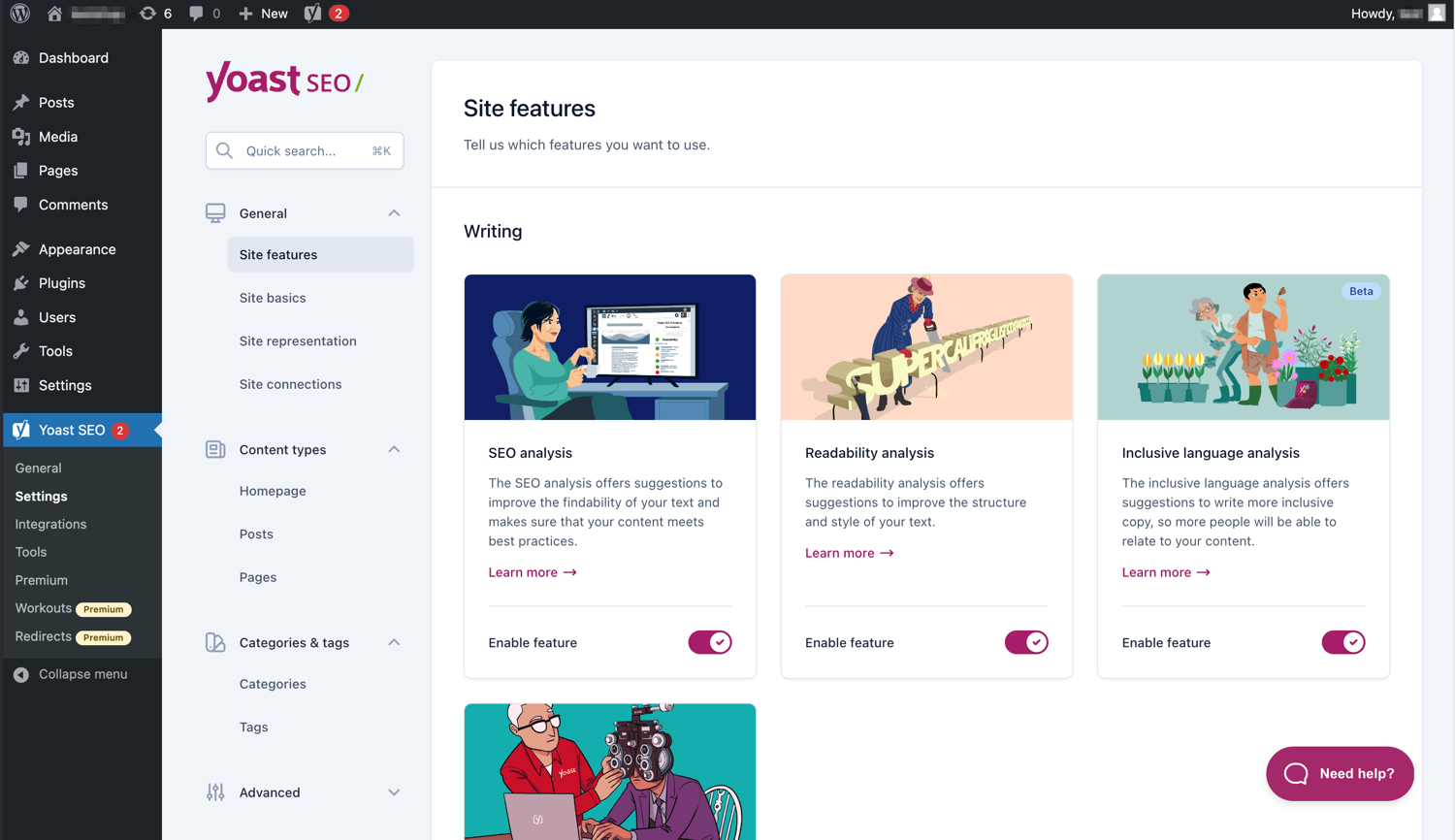
Yoast SEO is one of the most popular and comprehensive SEO plugins for WordPress, trusted by millions of users worldwide. It helps you optimize your content for search engines by providing real-time suggestions for improving readability and keyword usage. Whether you’re a beginner or an experienced marketer, Yoast SEO simplifies the process of making your site more visible in search results. The plugin also includes features like XML sitemaps, breadcrumb navigation, and schema markup to enhance your site’s structure and performance. Yoast SEO is particularly useful for bloggers, small business owners, and content creators who want to ensure their posts rank well without needing deep technical knowledge.
- SEO Analysis: Provides real-time feedback on your content’s SEO performance, including keyword density, meta descriptions, and readability scores.
- Readability Check: Analyzes your content for readability, suggesting improvements like shorter sentences, subheadings, and transition words.
- XML Sitemaps: Automatically generates XML sitemaps to help search engines crawl and index your site more efficiently.
- Breadcrumb Navigation: Adds breadcrumb trails to your site, improving user experience and helping search engines understand your site’s structure.
- Schema Markup: Includes built-in schema.org integration to enhance your search results with rich snippets, such as star ratings and event details.
2. All in One SEO Pack

All in One SEO Pack is a powerful and user-friendly SEO plugin for WordPress that has been around since 2007. It offers a wide range of features to help you optimize your site for search engines, including XML sitemaps, meta tags, and social media integration. The plugin is designed to be accessible for beginners while still offering advanced features for experienced users. One of its standout features is the ability to automatically generate meta tags and optimize titles for better search engine visibility. All in One SEO Pack also includes support for WooCommerce, making it a great choice for e-commerce sites. It’s ideal for bloggers, small businesses, and developers who want a reliable, all-in-one SEO solution.
- Automatic Meta Tags: Automatically generates meta tags for your posts and pages, saving you time and ensuring consistency.
- XML Sitemap Support: Creates and submits XML sitemaps to search engines, improving your site’s crawlability.
- Social Media Integration: Allows you to control how your content appears on social media platforms like Facebook and Twitter.
- WooCommerce Support: Optimizes product pages and categories for e-commerce sites, helping you rank higher in product searches.
- Advanced Canonical URLs: Helps prevent duplicate content issues by automatically setting canonical URLs for your pages.
3. Rank Math
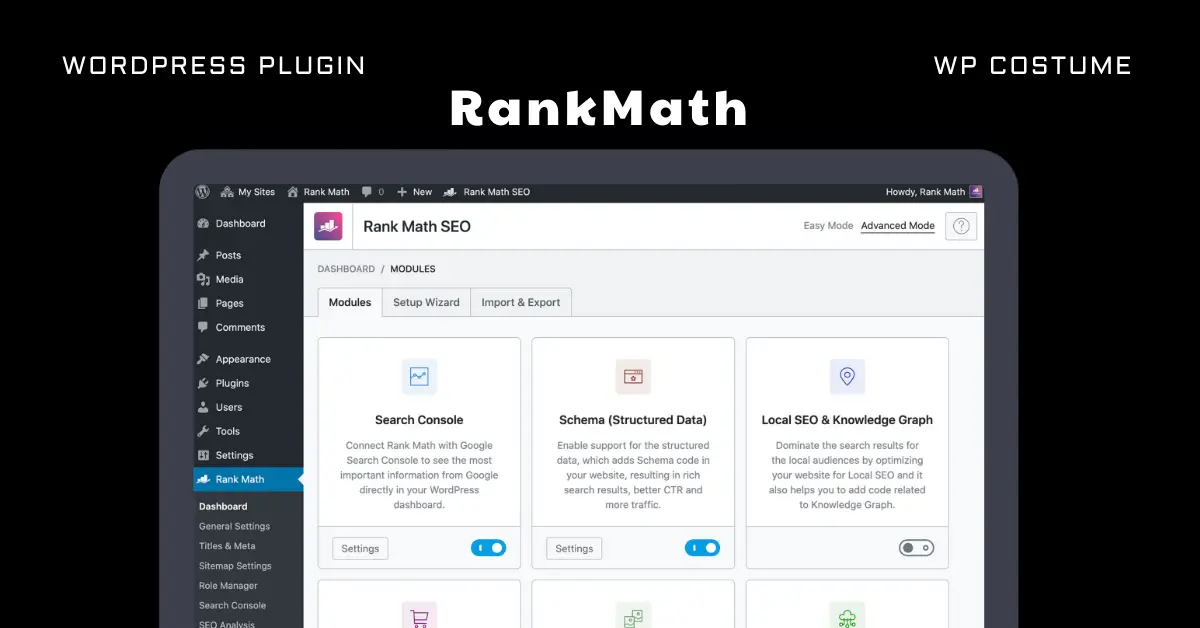
Rank Math is a relatively new but rapidly growing SEO plugin for WordPress that has gained popularity for its ease of use and powerful features. It offers a modular approach, allowing you to enable or disable features based on your needs. Rank Math includes built-in suggestions for improving your content, keyword optimization, and schema markup. One of its standout features is the integration with Google Search Console, which provides valuable insights directly in your WordPress dashboard. The plugin also includes a 404 monitor, redirection manager, and local SEO tools, making it a versatile choice for bloggers, businesses, and developers. Rank Math is particularly appealing for those who want a modern, feature-rich SEO tool without the complexity of some older plugins.
- Google Search Console Integration: Displays Google Search Console data directly in your WordPress dashboard, helping you track your site’s performance.
- Keyword Optimization: Provides real-time suggestions for optimizing your content for up to five focus keywords per post.
- Schema Markup: Includes built-in schema.org support with over 20 schema types, helping you create rich snippets for better search visibility.
- 404 Monitor and Redirections: Tracks 404 errors and allows you to set up redirects to fix broken links, improving user experience and SEO.
- Local SEO: Optimizes your site for local searches by adding business information, maps, and other local SEO elements.
4. SEOPress
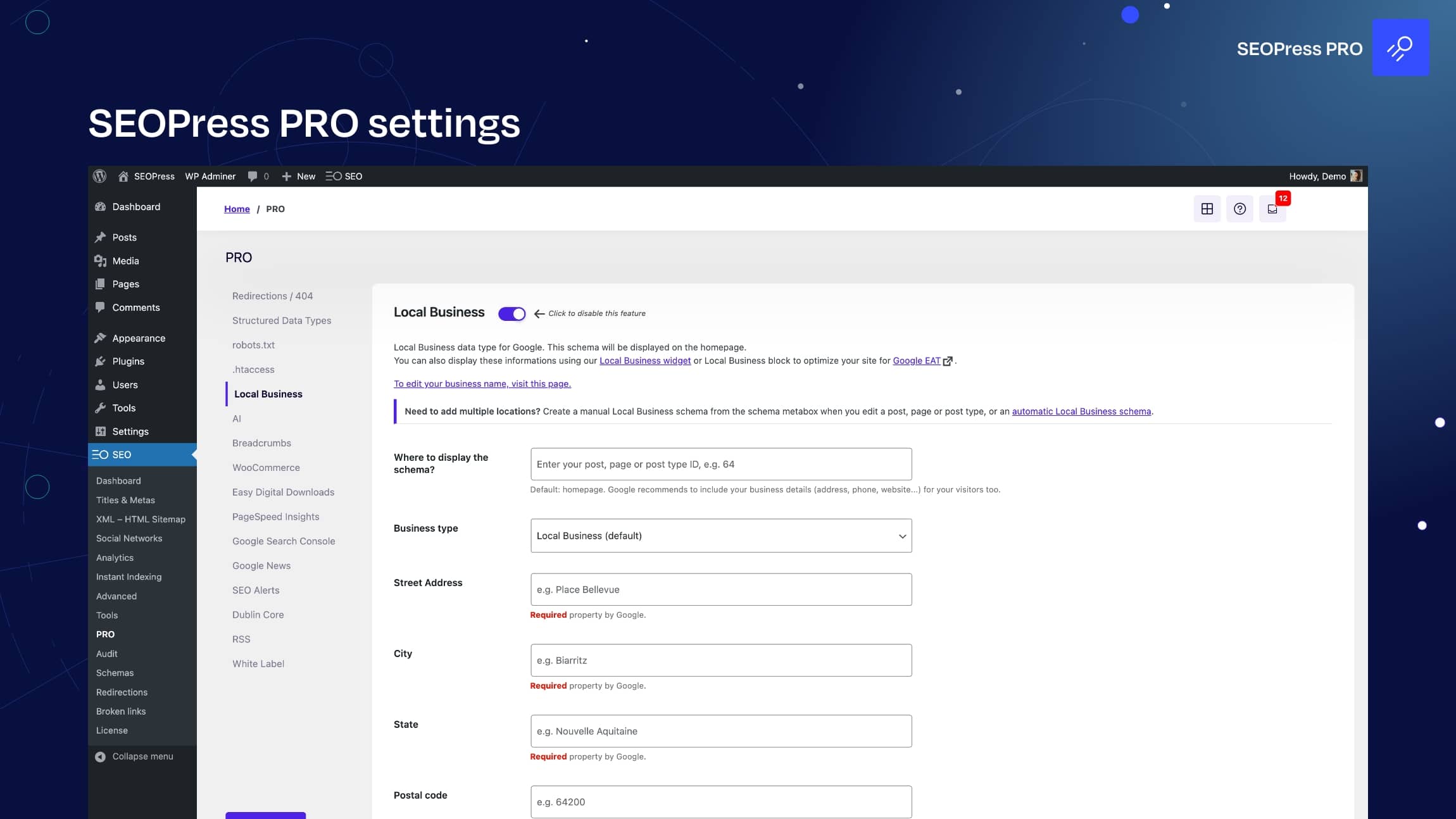
SEOPress is a lightweight yet powerful SEO plugin for WordPress that offers a wide range of features without slowing down your site. It includes everything you need to optimize your content, such as meta title and description editing, XML sitemaps, and social media integration. SEOPress also offers advanced features like Google Analytics integration, breadcrumb navigation, and schema markup. One of its unique selling points is its white-label option, which allows agencies to rebrand the plugin for their clients. SEOPress is ideal for bloggers, small businesses, and agencies who want a fast, reliable, and customizable SEO solution. The plugin is also fully compatible with WooCommerce, making it a great choice for e-commerce sites.
- Meta Title and Description Editor: Allows you to easily edit meta titles and descriptions for your posts and pages to improve search engine visibility.
- XML and HTML Sitemaps: Generates both XML and HTML sitemaps to help search engines crawl and index your site more effectively.
- Google Analytics Integration: Connects your site to Google Analytics and displays key metrics directly in your WordPress dashboard.
- Schema Markup: Supports multiple schema types, including articles, events, and products, to enhance your search results with rich snippets.
- White-Label Option: Allows agencies to rebrand the plugin for their clients, making it a great choice for professional SEO services.
5. The SEO Framework
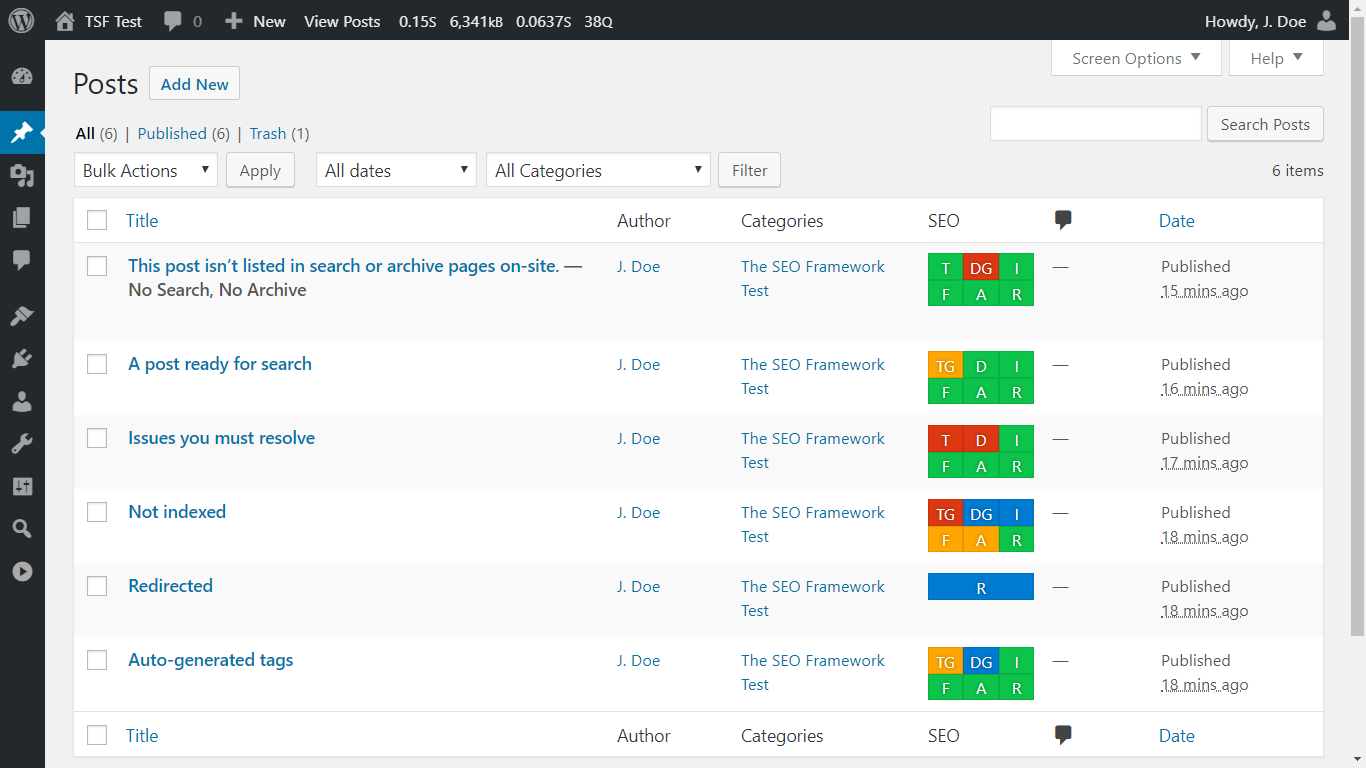
The SEO Framework is a lightweight and fast SEO plugin for WordPress that focuses on automation and simplicity. Unlike some other plugins, it doesn’t include unnecessary bloat, making it a great choice for users who want a no-fuss SEO solution. The plugin automatically generates meta tags, optimizes titles, and creates XML sitemaps without requiring manual input. It also includes features like social media integration, schema markup, and AMP support. The SEO Framework is particularly well-suited for bloggers, developers, and businesses who want a plugin that works out of the box without overwhelming them with options. Its clean interface and focus on performance make it a standout choice for those who prioritize speed and efficiency.
- Automated SEO: Automatically generates meta tags, titles, and descriptions based on your content, reducing the need for manual input.
- Lightweight and Fast: Designed to be lightweight, ensuring it doesn’t slow down your site while still providing powerful SEO features.
- Schema Markup: Includes built-in schema.org support to enhance your search results with rich snippets.
- Social Media Integration: Allows you to control how your content appears on social media platforms, improving engagement and click-through rates.
- AMP Support: Optimizes your site for Accelerated Mobile Pages (AMP), improving mobile performance and search rankings.
6. MonsterInsights
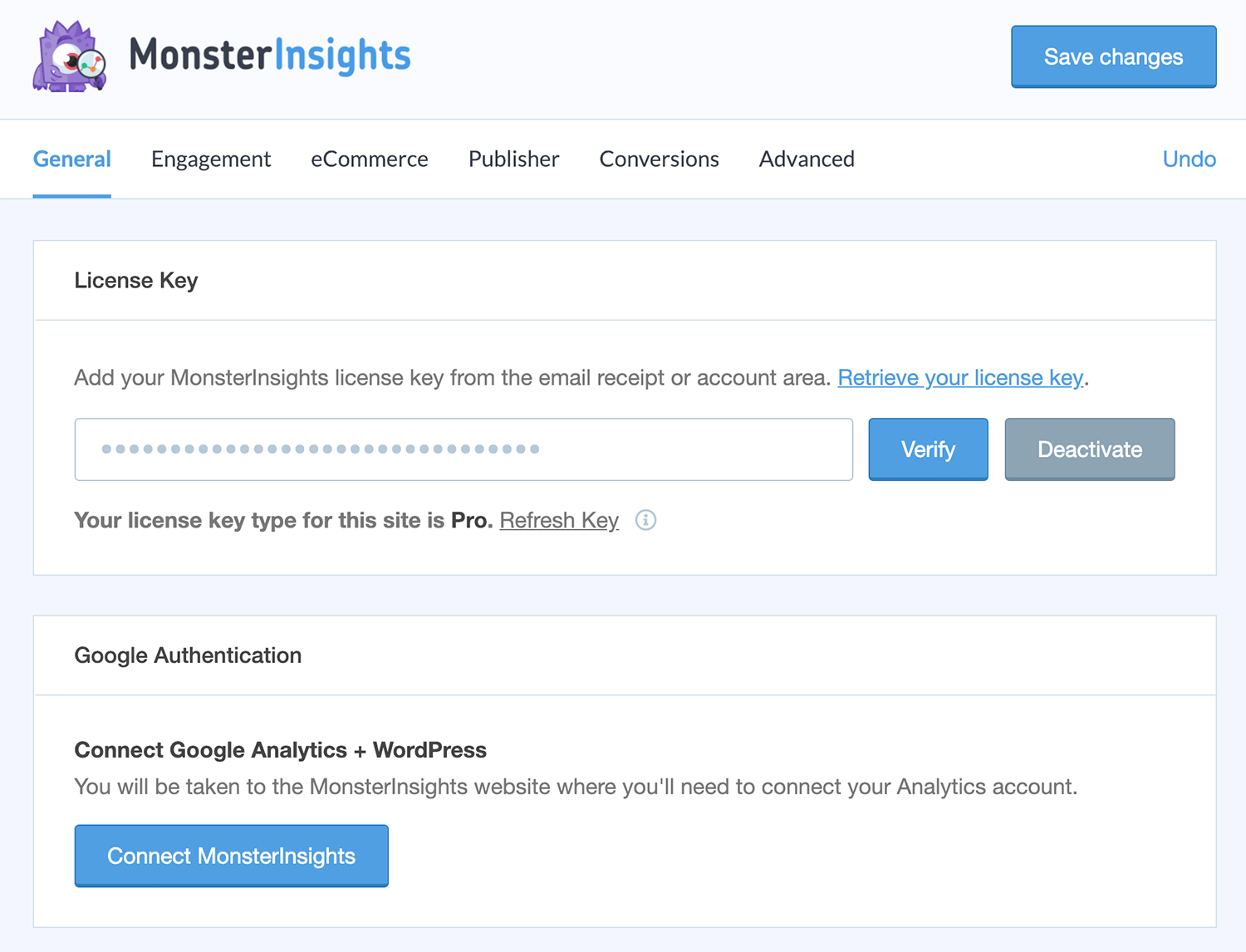
MonsterInsights is the most popular Google Analytics plugin for WordPress, making it easy to connect your site to Google Analytics and track your traffic and performance. While not a traditional SEO plugin, MonsterInsights provides valuable insights that can help you optimize your site for search engines. The plugin displays key metrics directly in your WordPress dashboard, such as traffic sources, top-performing content, and user behavior. It also includes features like e-commerce tracking, form conversion tracking, and custom dimensions. MonsterInsights is ideal for bloggers, marketers, and business owners who want to make data-driven decisions to improve their SEO and overall site performance. Its user-friendly interface makes it accessible even for those with no technical experience.
- Google Analytics Dashboard: Displays Google Analytics data directly in your WordPress dashboard, making it easy to track your site’s performance.
- E-Commerce Tracking: Tracks e-commerce metrics like revenue, conversion rates, and top products, helping you optimize your online store.
- Form Conversion Tracking: Monitors form submissions and conversions, providing insights into how users interact with your forms.
- Custom Dimensions: Allows you to track custom metrics like logged-in users, authors, and categories, giving you deeper insights into your audience.
- EU Compliance: Includes features to help you comply with GDPR and other privacy regulations, ensuring your tracking is legal and ethical.
7. Broken Link Checker
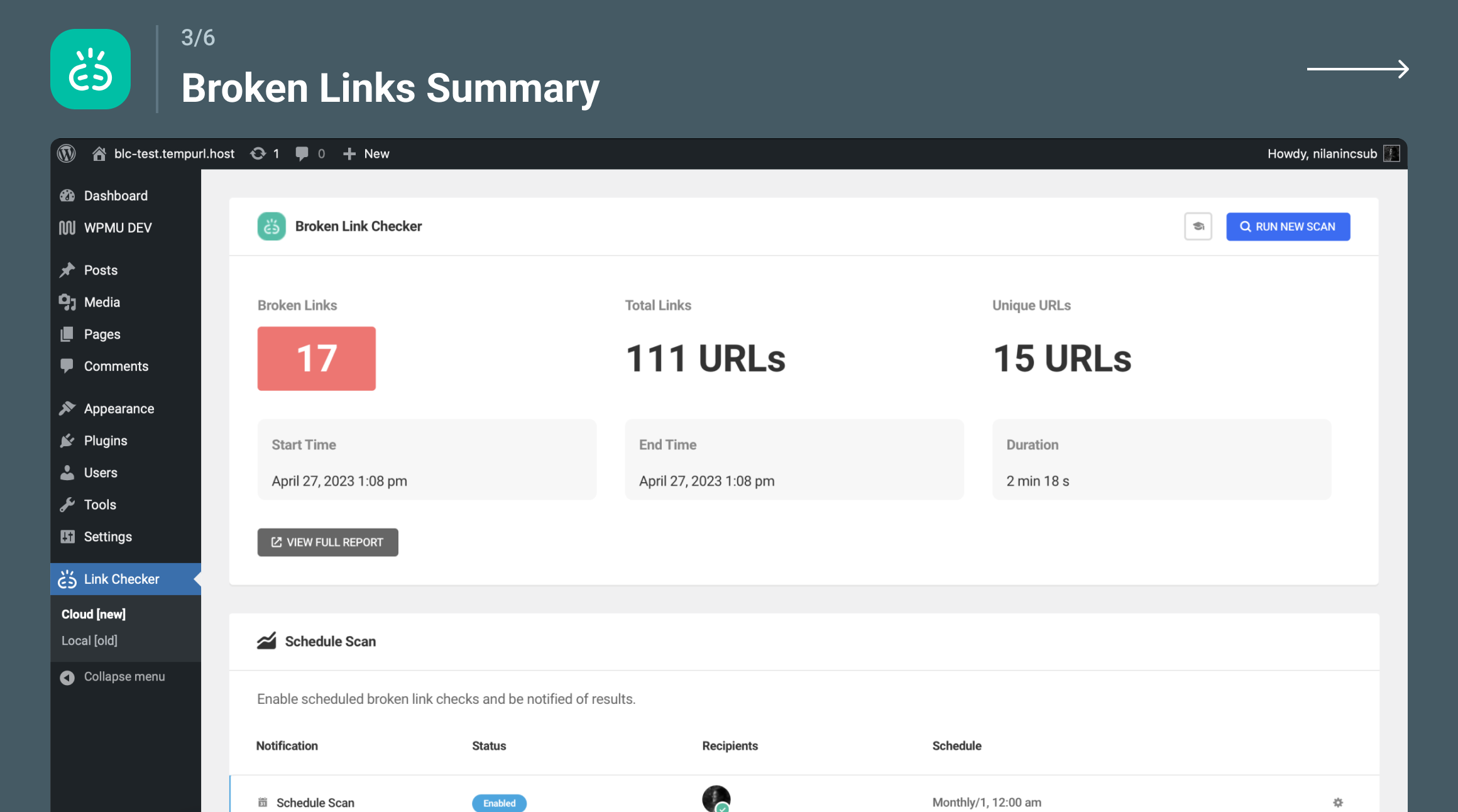
Broken Link Checker is a must-have plugin for WordPress users who want to maintain a healthy and SEO-friendly site. This plugin scans your site for broken links and missing images, then notifies you so you can fix them quickly. Broken links can harm your search engine rankings and frustrate visitors, so keeping them in check is crucial for SEO. The plugin also allows you to edit links directly from its dashboard, saving you time and effort. Broken Link Checker is particularly useful for large sites with lots of content, as it helps you stay on top of link maintenance without manually checking each page. It’s a simple but powerful tool for bloggers, businesses, and developers who want to ensure their site remains user-friendly and search engine optimized.
- Automatic Link Scanning: Scans your site for broken links and missing images, notifying you of any issues via email or the WordPress dashboard.
- Direct Link Editing: Allows you to edit or remove broken links directly from the plugin’s dashboard, saving you time and effort.
- Customizable Notifications: Lets you choose how and when you receive notifications about broken links, ensuring you stay informed without being overwhelmed.
- Search and Filter: Provides search and filter options to help you quickly find and fix broken links based on criteria like URL or status code.
- Prevents Search Engines from Following Broken Links: Automatically adds nofollow tags to broken links, preventing search engines from crawling them and protecting your SEO.
8. Redirection
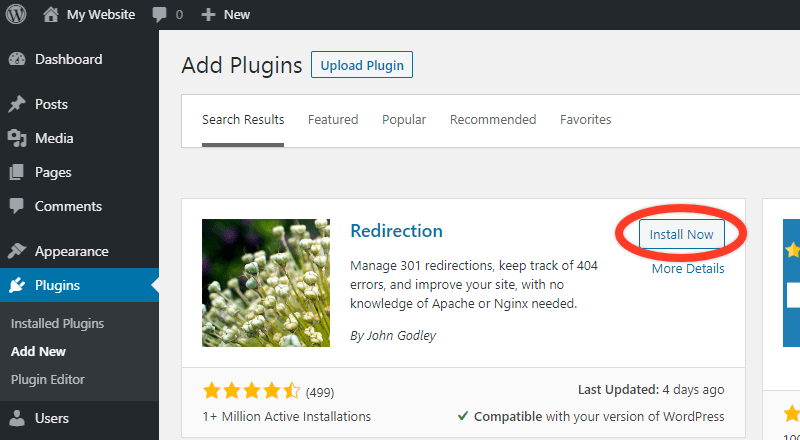
Redirection is a powerful and easy-to-use plugin for managing 301 redirects and tracking 404 errors on your WordPress site. Redirects are essential for maintaining SEO when you change URLs, delete pages, or restructure your site. The plugin allows you to set up redirects manually or automatically, and it logs all 404 errors so you can address them promptly. Redirection also includes advanced features like conditional redirects, which allow you to redirect users based on criteria like login status or browser type. This plugin is ideal for bloggers, businesses, and developers who want to ensure their site remains SEO-friendly even after making changes to their content or structure. Its intuitive interface makes it accessible for users of all skill levels.
- 301 Redirect Management: Allows you to easily set up and manage 301 redirects to preserve SEO value when changing or deleting URLs.
- 404 Error Tracking: Logs all 404 errors on your site, helping you identify and fix broken links that could harm your SEO.
- Conditional Redirects: Enables you to set up redirects based on conditions like user login status, browser type, or referrer, providing more control over user experience.
- Automatic Redirects: Automatically creates redirects when you change a post or page URL, reducing the risk of broken links.
- Import and Export: Allows you to import and export redirects, making it easy to migrate settings between sites or back up your configurations.
9. WP Rocket
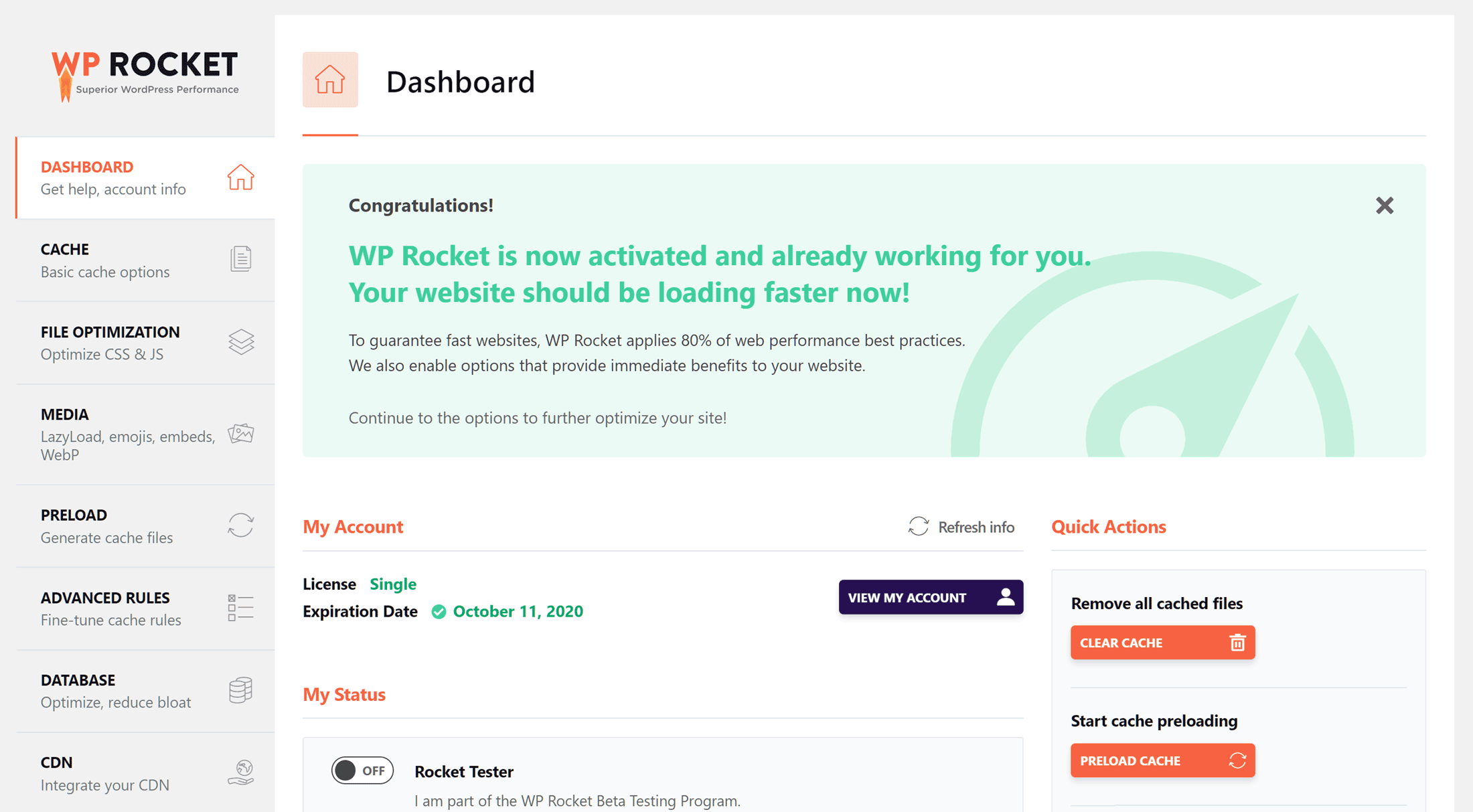
WP Rocket is a premium caching plugin for WordPress that helps improve your site’s speed and performance, which is a critical factor for SEO. While not an SEO plugin in the traditional sense, WP Rocket plays a vital role in optimizing your site for search engines by reducing load times and improving user experience. The plugin includes features like page caching, browser caching, and GZIP compression, all of which help your site load faster. It also offers lazy loading for images, minification of CSS and JavaScript files, and database optimization. WP Rocket is ideal for bloggers, businesses, and developers who want a simple yet powerful solution for improving their site’s performance. Its user-friendly interface makes it accessible even for those with no technical experience.
- Page Caching: Creates static HTML files of your pages to reduce server load and improve load times, which is crucial for SEO.
- Browser Caching: Stores static files in visitors’ browsers, reducing the need to reload them on subsequent visits and speeding up your site.
- GZIP Compression: Compresses your site’s files to reduce their size, improving load times and reducing bandwidth usage.
- Lazy Loading: Delays the loading of images and videos until they are visible on the screen, improving initial load times and user experience.
- Database Optimization: Cleans up your WordPress database by removing unnecessary data like post revisions, spam comments, and transients, improving performance.
10. Schema Pro

Schema Pro is a premium WordPress plugin that simplifies the process of adding schema markup to your site. Schema markup is a form of structured data that helps search engines understand your content better, leading to enhanced search results with rich snippets. Schema Pro supports over 20 schema types, including articles, events, products, and local businesses, making it a versatile tool for any type of website. The plugin allows you to add schema markup without writing any code, using a simple point-and-click interface. Schema Pro is ideal for bloggers, businesses, and developers who want to improve their search visibility and click-through rates. Its user-friendly design makes it accessible even for those with no technical experience, while its advanced features cater to more experienced users.
- 20+ Schema Types: Supports a wide range of schema types, including articles, events, products, and local businesses, to enhance your search results.
- No-Code Setup: Allows you to add schema markup to your site without writing any code, using a simple point-and-click interface.
- Automatic Schema Markup: Automatically applies schema markup to your content based on predefined rules, saving you time and effort.
- Custom Field Support: Lets you map schema properties to custom fields, giving you more control over how your data is structured.
- Compatibility with Other Plugins: Works seamlessly with popular SEO plugins like Yoast SEO and Rank Math, ensuring your schema markup is optimized for search engines.
11. Slim SEO
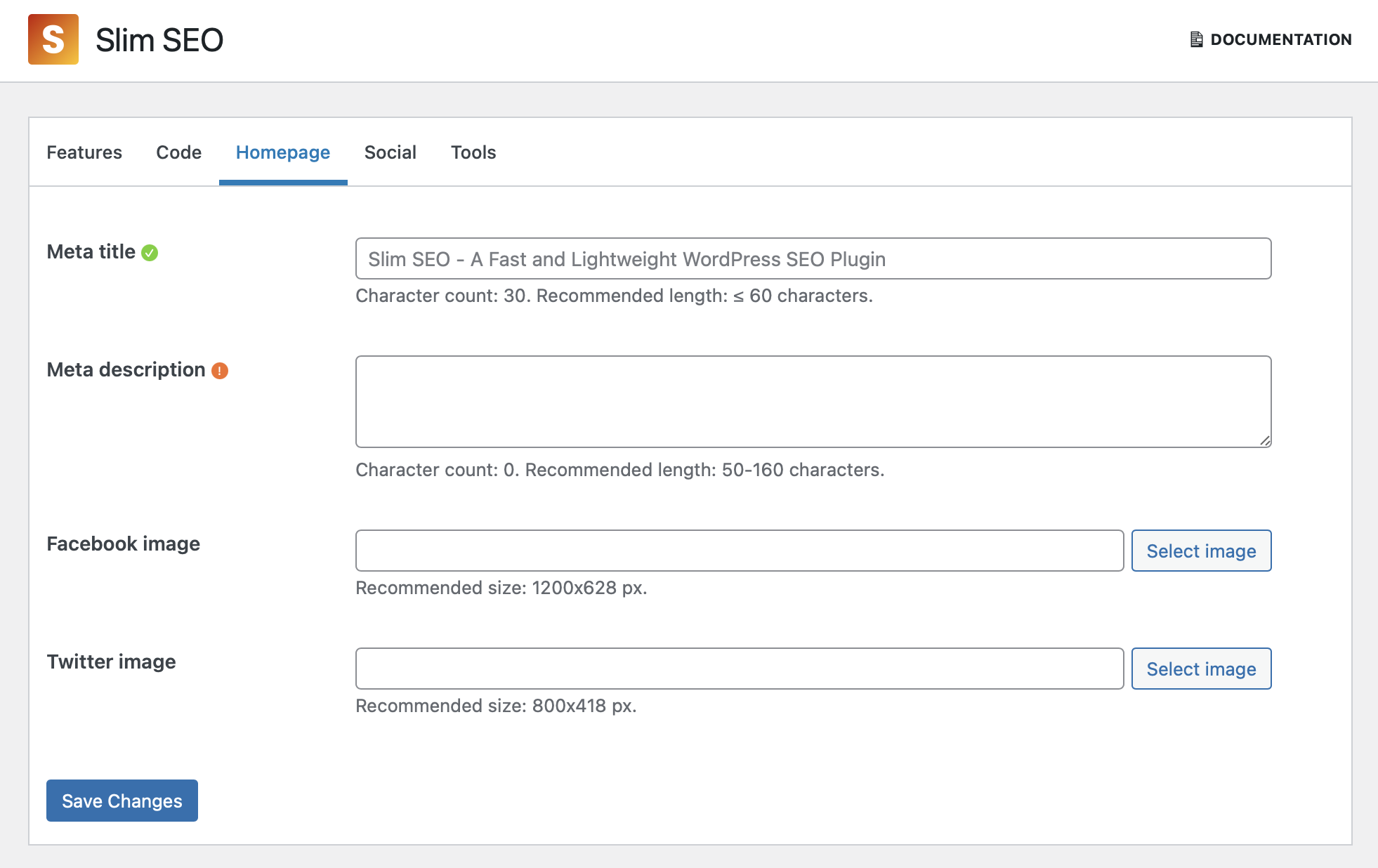
Slim SEO is a lightweight and fast SEO plugin for WordPress that focuses on simplicity and automation. Unlike some other SEO plugins, Slim SEO doesn’t overwhelm you with complex settings or options. Instead, it automatically handles essential SEO tasks like generating meta tags, creating XML sitemaps, and adding schema markup. The plugin is designed to work out of the box, making it a great choice for beginners or users who want a hassle-free SEO solution. Slim SEO also includes features like breadcrumb navigation, social media integration, and support for custom post types. It’s ideal for bloggers, small businesses, and developers who want a plugin that gets the job done without slowing down their site or requiring constant tweaking.
- Automated Meta Tags: Automatically generates meta titles and descriptions for your posts and pages, ensuring they are optimized for search engines.
- XML Sitemaps: Creates XML sitemaps to help search engines crawl and index your site more efficiently.
- Schema Markup: Includes built-in schema.org support to enhance your search results with rich snippets.
- Breadcrumb Navigation: Adds breadcrumb trails to your site, improving user experience and helping search engines understand your site’s structure.
- Social Media Integration: Allows you to control how your content appears on social media platforms, improving engagement and click-through rates.
Frequently Asked Questions
What is the best SEO plugin for WordPress?
The best SEO plugin for WordPress depends on your specific needs. Yoast SEO and Rank Math are two of the most popular options, offering a wide range of features for both beginners and advanced users. Yoast SEO is known for its user-friendly interface and comprehensive SEO analysis, while Rank Math is praised for its modular approach and Google Search Console integration. If you’re looking for a lightweight option, Slim SEO or The SEO Framework might be better choices. Ultimately, the best plugin is the one that fits your workflow and provides the features you need to optimize your site effectively.
Do I need an SEO plugin for WordPress?
While WordPress is SEO-friendly out of the box, an SEO plugin can significantly enhance your site’s search engine visibility. Plugins like Yoast SEO, Rank Math, and All in One SEO Pack provide tools to optimize your content, generate XML sitemaps, and manage meta tags, which are essential for improving your rankings. Without an SEO plugin, you would need to manually handle these tasks, which can be time-consuming and error-prone. If you’re serious about SEO, using a plugin is highly recommended to ensure your site is fully optimized for search engines.
Are free SEO plugins enough for WordPress?
Free SEO plugins like Yoast SEO, Rank Math, and All in One SEO Pack offer a robust set of features that are sufficient for most users. These plugins include essential tools like meta tag optimization, XML sitemaps, and readability analysis, which can help you improve your search engine rankings. However, if you need advanced features like local SEO, WooCommerce integration, or white-label options, you might consider upgrading to a premium version. For most bloggers and small businesses, free SEO plugins provide everything they need to get started with SEO.
How do SEO plugins improve my WordPress site’s performance?
SEO plugins improve your WordPress site’s performance by optimizing your content for search engines, which can lead to higher rankings and more organic traffic. They help you create better meta titles and descriptions, generate XML sitemaps for easier crawling, and add schema markup for rich snippets. Additionally, plugins like Broken Link Checker and Redirection help you maintain a healthy site by fixing broken links and managing redirects. By using these tools, you can ensure your site is user-friendly, fast, and optimized for search engines, which ultimately improves your overall performance.
Can I use multiple SEO plugins on my WordPress site?
It’s generally not recommended to use multiple SEO plugins on your WordPress site, as they can conflict with each other and cause issues. For example, having two plugins that generate XML sitemaps or manage meta tags can lead to duplicate content or errors. Instead, choose one comprehensive SEO plugin that meets your needs and stick with it. If you need additional functionality, look for plugins that complement your primary SEO tool, such as Schema Pro for schema markup or MonsterInsights for Google Analytics integration.
What are the key features to look for in an SEO plugin?
When choosing an SEO plugin for WordPress, look for features that help you optimize your content and improve your search engine rankings. Key features include meta title and description editing, XML sitemap generation, readability analysis, and schema markup. Other useful features are social media integration, Google Analytics support, and tools for managing redirects and broken links. If you run an e-commerce site, look for WooCommerce support. Additionally, consider the plugin’s ease of use, performance impact, and whether it offers a free version or premium upgrades for advanced features.
How do I choose the right SEO plugin for my WordPress site?
Choosing the right SEO plugin for your WordPress site depends on your specific needs and skill level. If you’re a beginner, look for a plugin with a user-friendly interface and automated features, like Yoast SEO or Slim SEO. If you’re more experienced, you might prefer a plugin with advanced options, like Rank Math or SEOPress. Consider the features you need, such as schema markup, local SEO, or WooCommerce support. Also, check the plugin’s performance impact and whether it offers a free version or premium upgrades. Reading reviews and testing a few plugins can help you find the best fit for your site.


