
best wordpress plugin to clean up old themes


Keeping your WordPress site running smoothly means regularly cleaning up unused themes. Over time, old themes pile up, taking up space and potentially creating security risks if they’re not updated. Even if you’re not actively using them, outdated themes can slow down your site and clutter your dashboard. The good news is that there are plugins designed specifically to help you remove these unnecessary files efficiently.
Instead of manually deleting themes one by one—which can be time-consuming and risky if you accidentally remove the wrong one—these plugins automate the process. They scan your site, identify inactive or outdated themes, and let you remove them in bulk with just a few clicks. Some even go further by cleaning up leftover files and database entries that manual deletion might miss.
If you’re looking for a straightforward way to declutter your WordPress installation, here are the best options for cleaning up old themes.
📋 Table of Contents
1. WP-Optimize

WP-Optimize is a powerful all-in-one plugin that helps you clean up your WordPress database, compress images, and remove unnecessary data, including old themes. It’s a favorite among WordPress users because it simplifies the process of keeping your site lean and fast. The plugin is particularly useful for site owners who want to improve performance without diving into technical details. WP-Optimize scans your site for unused themes, plugins, and other clutter, allowing you to delete them with just a few clicks. It also optimizes your database tables, which can significantly speed up your site. Whether you’re a beginner or an experienced developer, WP-Optimize makes it easy to maintain a clean and efficient WordPress installation.
- Theme Cleanup: Easily identify and remove old or unused themes from your WordPress installation with a simple interface.
- Database Optimization: Optimize your database tables to improve site speed and reduce bloat, which is especially useful after removing old themes.
- Image Compression: Compress images to reduce file sizes without losing quality, helping your site load faster.
- Scheduled Cleanups: Set up automatic cleanups to regularly remove unnecessary data, including old themes, without manual intervention.
- Multisite Support: Works seamlessly with WordPress Multisite installations, making it ideal for network administrators.
2. Advanced Database Cleaner

Advanced Database Cleaner is a specialized plugin designed to help you clean up and optimize your WordPress database, including the removal of old themes. This plugin is perfect for users who want granular control over their database cleanup process. It allows you to scan for and delete orphaned data, such as old theme files, post revisions, and spam comments, which can clutter your database and slow down your site. The plugin also offers a preview feature, so you can see exactly what will be deleted before committing to the cleanup. This makes it a great choice for those who want to avoid accidentally removing important data. Advanced Database Cleaner is particularly useful for developers and site administrators who manage multiple WordPress sites.
- Orphaned Data Removal: Identify and remove orphaned data, including old themes, that are no longer linked to any active content.
- Preview Before Deletion: Preview the data that will be deleted before executing the cleanup, ensuring you don’t remove anything important.
- Scheduled Cleanups: Set up automatic cleanups to run at specified intervals, keeping your database optimized without manual effort.
- Multisite Compatibility: Works with WordPress Multisite, allowing network administrators to clean up multiple sites from a single dashboard.
- Custom Tables Support: Clean up custom database tables created by themes or plugins, ensuring no leftover data remains after removal.
3. WP Reset
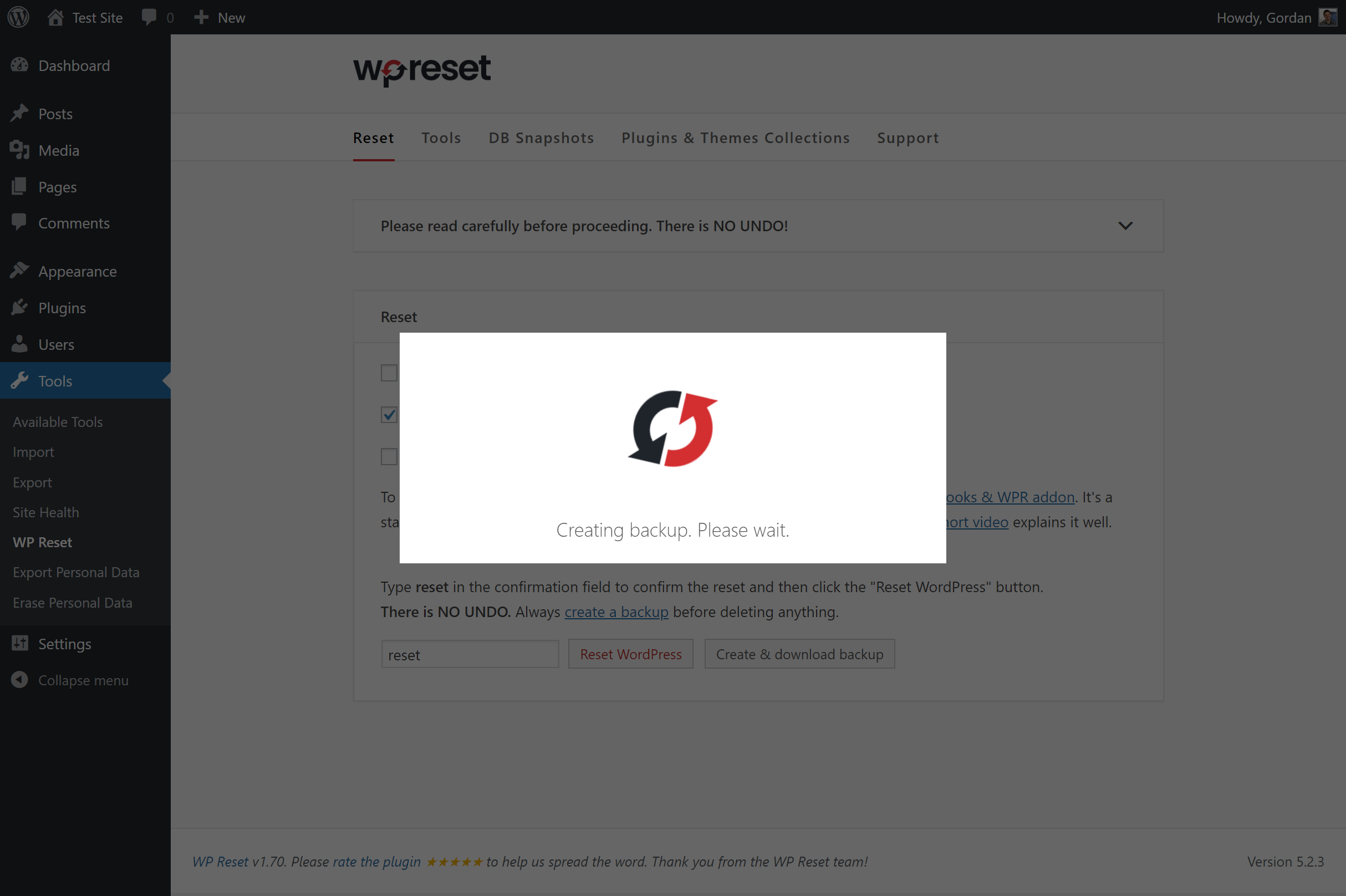
WP Reset is a versatile plugin that allows you to reset your WordPress site to its default state, including the removal of old themes and plugins. It’s an excellent tool for developers and site owners who frequently test new themes or plugins and need a quick way to clean up their site. WP Reset offers a one-click reset feature that removes all customizations, themes, and plugins, leaving you with a fresh WordPress installation. This plugin is also useful for troubleshooting, as it allows you to revert your site to a clean state without reinstalling WordPress manually. WP Reset is particularly popular among developers who need to test new setups without the hassle of manual cleanup.
- One-Click Reset: Reset your entire WordPress site to its default state, including the removal of all themes and plugins, with a single click.
- Selective Reset Options: Choose to reset only specific elements, such as themes, plugins, or customizations, without affecting the entire site.
- Database Snapshots: Create snapshots of your database before making changes, allowing you to restore your site if something goes wrong.
- Post-Reset Tools: Reinstall default themes and plugins automatically after a reset, saving you time and effort.
- Multisite Support: Works with WordPress Multisite, enabling network administrators to reset individual sites or the entire network.
4. Perfmatters
Perfmatters is a lightweight performance optimization plugin that helps you clean up and speed up your WordPress site, including the removal of old themes. Unlike other plugins that focus solely on database cleanup, Perfmatters takes a holistic approach to performance by disabling unnecessary features, scripts, and styles that can slow down your site. It includes a feature to remove old themes and plugins, as well as options to disable emojis, embeds, and other elements that add unnecessary bloat. Perfmatters is ideal for site owners who want to improve their site’s speed without sacrificing functionality. It’s particularly useful for those who have tested multiple themes and want to ensure their site remains fast and efficient.
- Theme and Plugin Cleanup: Easily remove old or unused themes and plugins to reduce clutter and improve site performance.
- Script Manager: Disable unnecessary scripts and styles on a per-page basis, reducing load times and improving user experience.
- Database Optimization: Optimize your database by removing post revisions, spam comments, and other unnecessary data.
- Disable Unused Features: Turn off features like emojis, embeds, and XML-RPC to reduce bloat and improve security.
- Lightweight and Fast: Designed to be lightweight, ensuring it doesn’t add unnecessary overhead to your site.
5. WP Sweep

WP Sweep is a simple yet effective plugin designed to clean up your WordPress database, including the removal of old themes and other unnecessary data. It’s a great choice for users who want a straightforward tool to keep their site running smoothly. WP Sweep scans your database for unused data, such as old theme files, post revisions, and spam comments, and allows you to delete them with a single click. The plugin is lightweight and easy to use, making it ideal for beginners who may not be familiar with database management. WP Sweep also provides detailed information about the data it finds, so you can make informed decisions about what to delete. It’s a must-have tool for anyone looking to maintain a clean and efficient WordPress site.
- One-Click Cleanup: Remove old themes, post revisions, and other unnecessary data with a single click, making cleanup effortless.
- Detailed Reports: View detailed reports of the data that will be deleted, so you can avoid removing important files.
- Database Optimization: Optimize your database tables to improve site speed and reduce bloat after cleaning up old data.
- Lightweight and Fast: Designed to be lightweight, ensuring it doesn’t slow down your site during the cleanup process.
- No Technical Knowledge Required: User-friendly interface makes it easy for beginners to clean up their site without needing technical expertise.
6. Optimize Database after Deleting Revisions
Optimize Database after Deleting Revisions is a specialized plugin that focuses on cleaning up your WordPress database after removing old themes, plugins, and post revisions. It’s an excellent tool for site owners who want to ensure their database remains optimized and free of unnecessary data. The plugin allows you to delete old revisions, spam comments, and unused tags, as well as optimize your database tables for better performance. It also includes a feature to remove old themes and plugins, making it a comprehensive solution for database cleanup. The plugin is easy to use and offers a preview of the data that will be deleted, so you can avoid removing important files. It’s a great choice for anyone looking to maintain a fast and efficient WordPress site.
- Post Revision Cleanup: Delete old post revisions to reduce database bloat and improve site performance.
- Theme and Plugin Removal: Remove old or unused themes and plugins to keep your site clean and efficient.
- Database Table Optimization: Optimize your database tables to improve speed and reduce the size of your database.
- Preview Before Deletion: Preview the data that will be deleted before executing the cleanup, ensuring you don’t remove important files.
- Scheduled Cleanups: Set up automatic cleanups to run at specified intervals, keeping your database optimized without manual effort.
7. WP Clean Up Optimizer
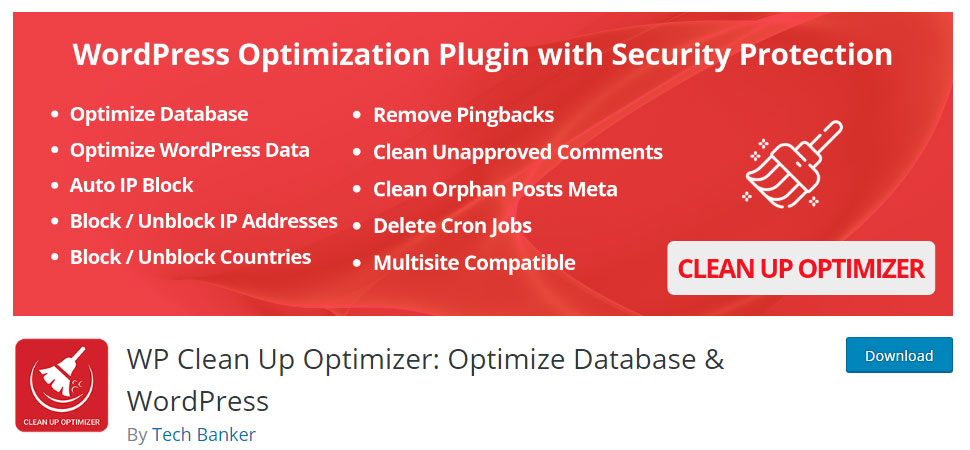
WP Clean Up Optimizer is a comprehensive plugin designed to help you clean up and optimize your WordPress site, including the removal of old themes. It offers a wide range of features to improve site performance, such as database optimization, spam comment removal, and the deletion of unused themes and plugins. The plugin is particularly useful for site owners who want a single tool to handle all their cleanup needs. WP Clean Up Optimizer also includes a feature to schedule automatic cleanups, so you can keep your site running smoothly without manual intervention. It’s a great choice for both beginners and experienced users who want to maintain a fast and efficient WordPress site.
- Theme and Plugin Cleanup: Easily remove old or unused themes and plugins to reduce clutter and improve site performance.
- Database Optimization: Optimize your database tables to improve speed and reduce the size of your database.
- Spam Comment Removal: Delete spam comments to keep your database clean and improve site performance.
- Scheduled Cleanups: Set up automatic cleanups to run at specified intervals, ensuring your site remains optimized without manual effort.
- Multisite Support: Works with WordPress Multisite, allowing network administrators to clean up multiple sites from a single dashboard.
8. WP Rocket

WP Rocket is a premium caching plugin that also includes features to help you clean up and optimize your WordPress site, including the removal of old themes. While its primary focus is on caching and speed optimization, WP Rocket also offers database cleanup tools to remove unnecessary data, such as old themes, post revisions, and spam comments. The plugin is known for its ease of use and effectiveness in improving site performance. WP Rocket is ideal for site owners who want a comprehensive solution for both caching and cleanup. It’s particularly useful for those who have tested multiple themes and want to ensure their site remains fast and efficient without the need for multiple plugins.
- Database Cleanup: Remove old themes, post revisions, and spam comments to keep your database clean and optimized.
- Caching and Speed Optimization: Improve site speed with advanced caching features, including page caching, browser caching, and GZIP compression.
- Lazy Loading: Enable lazy loading for images and videos to improve page load times and user experience.
- Scheduled Cleanups: Set up automatic database cleanups to run at specified intervals, ensuring your site remains optimized without manual effort.
- User-Friendly Interface: Easy-to-use interface makes it simple for beginners to optimize their site without technical knowledge.
9. Clean Up Booster
Clean Up Booster is a powerful plugin designed to help you clean up and optimize your WordPress site, including the removal of old themes. It offers a wide range of features to improve site performance, such as database optimization, spam comment removal, and the deletion of unused themes and plugins. The plugin is particularly useful for site owners who want a single tool to handle all their cleanup needs. Clean Up Booster also includes a feature to schedule automatic cleanups, so you can keep your site running smoothly without manual intervention. It’s a great choice for both beginners and experienced users who want to maintain a fast and efficient WordPress site. The plugin is lightweight and easy to use, making it ideal for those who want a hassle-free cleanup process.
- Theme and Plugin Cleanup: Easily remove old or unused themes and plugins to reduce clutter and improve site performance.
- Database Optimization: Optimize your database tables to improve speed and reduce the size of your database.
- Spam Comment Removal: Delete spam comments to keep your database clean and improve site performance.
- Scheduled Cleanups: Set up automatic cleanups to run at specified intervals, ensuring your site remains optimized without manual effort.
- Multisite Support: Works with WordPress Multisite, allowing network administrators to clean up multiple sites from a single dashboard.
10. WP-DBManager

WP-DBManager is a popular plugin that helps you manage and optimize your WordPress database, including the removal of old themes and other unnecessary data. It’s a great tool for site owners who want to keep their database clean and efficient. WP-DBManager allows you to repair, optimize, and backup your database, as well as delete old themes, post revisions, and spam comments. The plugin also includes a feature to schedule automatic database optimizations, so you can keep your site running smoothly without manual intervention. WP-DBManager is particularly useful for developers and site administrators who manage multiple WordPress sites and need a reliable tool for database management.
- Database Optimization: Optimize your database tables to improve speed and reduce the size of your database.
- Theme and Plugin Cleanup: Remove old or unused themes and plugins to reduce clutter and improve site performance.
- Database Backup and Restore: Backup and restore your database with ease, ensuring you can recover your site if something goes wrong.
- Scheduled Optimizations: Set up automatic database optimizations to run at specified intervals, keeping your site optimized without manual effort.
- Multisite Support: Works with WordPress Multisite, allowing network administrators to manage multiple sites from a single dashboard.
Frequently Asked Questions
Why should I clean up old themes in WordPress?
Cleaning up old themes in WordPress is essential for several reasons. First, old themes can take up valuable space on your server, leading to slower site performance. Second, unused themes may contain vulnerabilities that hackers can exploit, posing a security risk to your site. Third, removing old themes helps keep your WordPress installation organized and easier to manage. Finally, a clean site with only the necessary themes and plugins runs more efficiently, providing a better user experience for your visitors. Regularly cleaning up old themes is a best practice for maintaining a fast, secure, and well-organized WordPress site.
How often should I clean up old themes in WordPress?
The frequency of cleaning up old themes depends on how often you test or switch themes. If you frequently experiment with new themes, it’s a good idea to clean up old ones every few months. For most site owners, a quarterly cleanup is sufficient to keep their site running smoothly. However, if you manage multiple sites or frequently update your themes, you may want to clean up old themes more often, such as monthly. Using a plugin with scheduled cleanups can automate this process, ensuring your site remains optimized without manual effort.
Can I delete the default WordPress themes like Twenty Twenty-One?
Yes, you can delete the default WordPress themes like Twenty Twenty-One, but it’s generally recommended to keep at least one default theme installed as a fallback. WordPress may use the default theme if your active theme encounters an issue, such as a fatal error. If you decide to delete a default theme, make sure you have another reliable theme installed and activated. Additionally, some plugins or customizations may rely on default themes for compatibility, so it’s a good idea to test your site after removing them.
What happens if I delete a theme that’s currently in use?
If you delete a theme that’s currently active on your site, WordPress will automatically switch to the default theme (e.g., Twenty Twenty-Four). This can cause your site to look different or break if the default theme doesn’t support the same features or customizations as your previous theme. To avoid this, always switch to a different theme before deleting the one you no longer need. This ensures a smooth transition and prevents any unexpected changes to your site’s appearance or functionality.
Are there any risks to cleaning up old themes?
Cleaning up old themes is generally safe, but there are a few risks to be aware of. First, if you delete a theme that’s being used as a parent theme for a child theme, it can break your site’s design. Second, some plugins or customizations may rely on specific themes, so removing them could cause compatibility issues. Third, if you delete a theme without backing up your site, you may lose customizations or settings associated with that theme. To minimize risks, always back up your site before cleaning up old themes and test your site after making changes.
Can I recover a deleted theme in WordPress?
Once a theme is deleted from your WordPress site, it cannot be recovered unless you have a backup. If you accidentally delete a theme, you can restore it by reinstalling the theme from the WordPress theme repository or uploading a backup of your site. This is why it’s crucial to back up your site before cleaning up old themes. Many backup plugins, such as UpdraftPlus or BackupBuddy, allow you to create and restore backups easily, ensuring you can recover your site if something goes wrong.
Do I need a plugin to clean up old themes, or can I do it manually?
You can clean up old themes manually by navigating to the Appearance > Themes section in your WordPress dashboard and deleting the themes you no longer need. However, using a plugin offers several advantages. Plugins like WP-Optimize or Advanced Database Cleaner can automate the cleanup process, remove associated database entries, and optimize your site for better performance. They also provide additional features, such as scheduled cleanups and database optimization, which can save you time and effort. While manual cleanup is possible, using a plugin is often more efficient and thorough.


