
best live chat plugin for wordpress


If you run a WordPress site, adding a live chat plugin can make a real difference in how you engage with visitors. The right tool lets you answer questions in real time, reduce bounce rates, and convert more leads without forcing users to dig through contact forms or wait for email replies. Not all live chat plugins are built the same, though. Some are clunky, slow, or packed with features you’ll never use, while others integrate smoothly and actually improve your workflow.
The best live chat plugins for WordPress balance ease of use with functionality. You want something that loads fast, works on mobile, and doesn’t bog down your site. Some even offer automation, chatbots, or CRM integrations if you need to scale support. The key is finding a plugin that fits your needs—whether you’re a solo blogger, an e-commerce store, or a growing business—without overcomplicating things.
I’ve assembled a list below of the best options for live chat plugins on WordPress. Each has its strengths, so you can pick the one that aligns with your goals.
📋 Table of Contents
1. Tidio
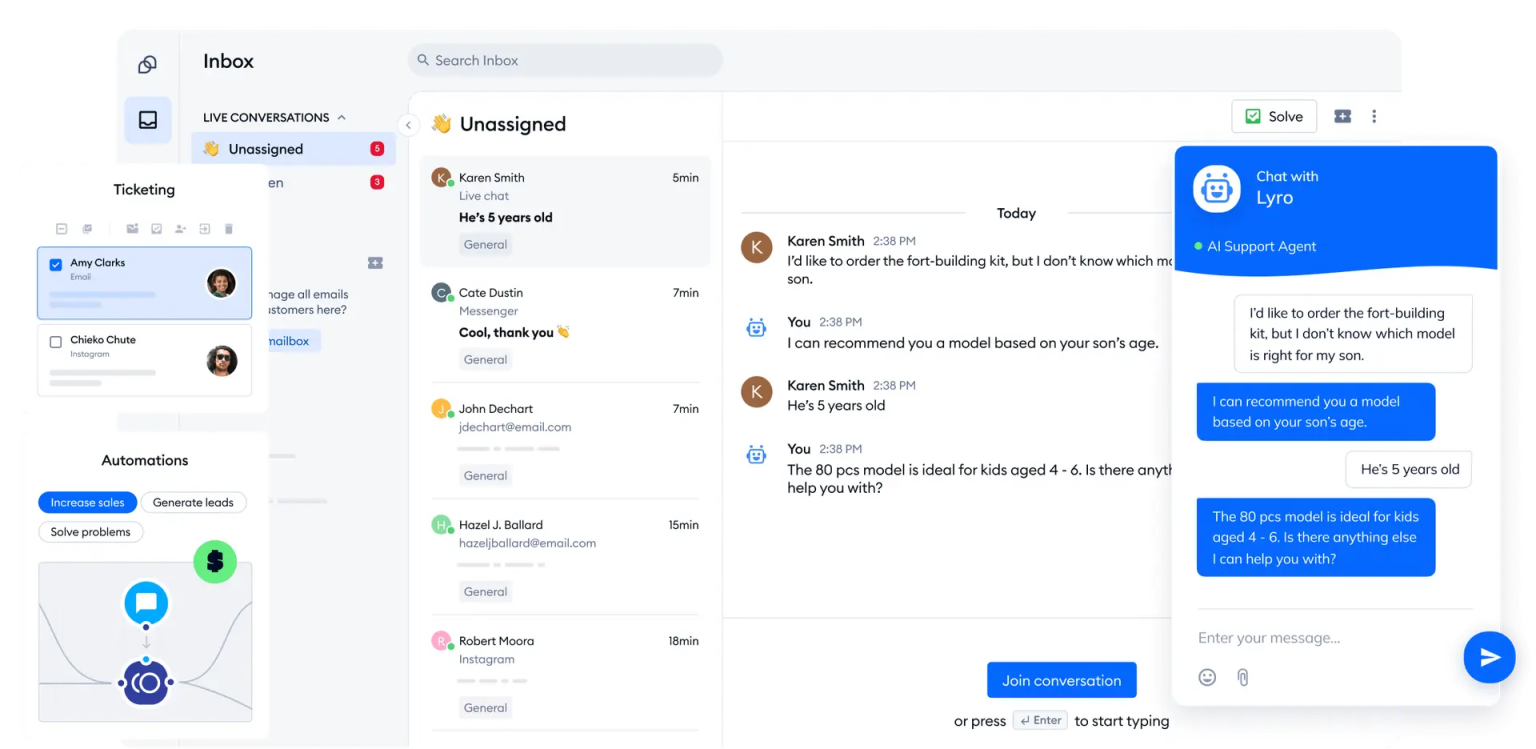
Tidio is one of the most popular live chat plugins for WordPress, known for its ease of use and powerful features. It combines live chat, chatbots, and email marketing into a single platform, making it a versatile choice for businesses of all sizes. Tidio is particularly well-suited for eCommerce stores, as it integrates seamlessly with WooCommerce and other major eCommerce platforms. The plugin offers a free plan with basic features, while premium plans unlock advanced automation, AI-driven chatbots, and more. Tidio’s intuitive dashboard allows you to manage conversations, track visitor behavior, and even automate responses to common queries, saving you time and improving customer engagement.
- AI-Powered Chatbots: Tidio’s Lyro AI chatbot can handle up to 70% of customer inquiries automatically, reducing the need for human intervention. It learns from past interactions to provide more accurate responses over time.
- Multi-Channel Support: Communicate with customers via live chat, email, Facebook Messenger, and even WhatsApp, all from a single dashboard. This ensures you never miss a message, no matter where your customers reach out.
- WooCommerce Integration: Tidio integrates seamlessly with WooCommerce, allowing you to track cart abandonment, recover lost sales, and provide personalized product recommendations during chat sessions.
- Visitor Tracking and Analytics: Monitor visitor behavior in real-time, see which pages they’re browsing, and proactively engage with them based on their actions. Detailed analytics help you understand customer needs and improve your support strategy.
- Customizable Chat Widget: The chat widget is fully customizable to match your brand’s look and feel. You can adjust colors, positions, and even add custom greetings or triggers to engage visitors at the right moment.
2. LiveChat
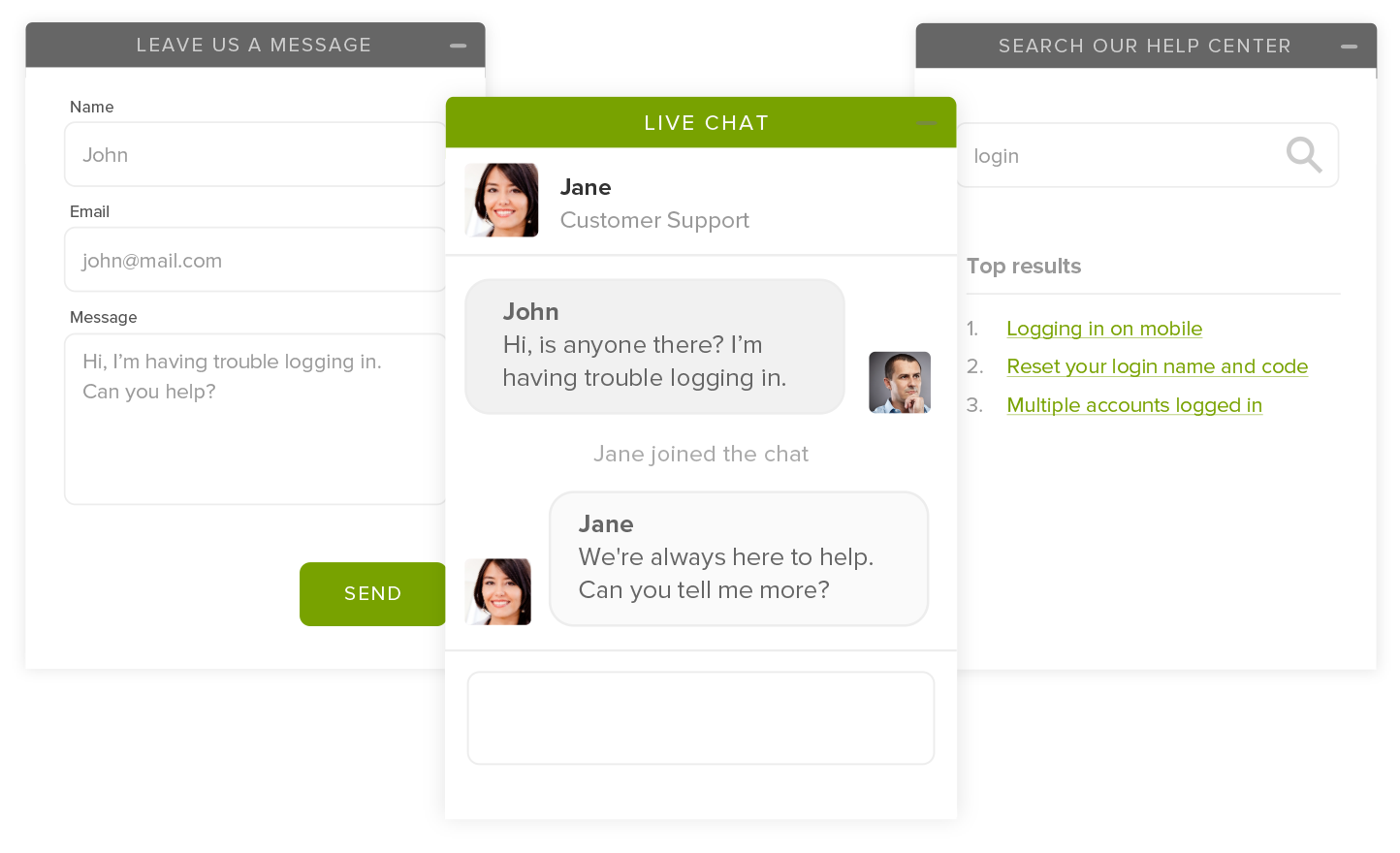
LiveChat is a premium live chat solution designed for businesses that prioritize customer support and sales. It’s a robust plugin that offers a sleek, professional chat interface with advanced features like ticketing, chat transcripts, and detailed reporting. LiveChat is ideal for medium to large businesses, eCommerce stores, and agencies that need a scalable solution. The plugin integrates with over 200 tools, including CRM systems, email marketing platforms, and help desk software, making it a versatile choice for businesses with complex workflows. While LiveChat doesn’t offer a free plan, its 14-day free trial allows you to test all its features before committing.
- Advanced Ticketing System: Convert chat conversations into support tickets and track them until resolution. This ensures no customer query falls through the cracks, even if your team is offline.
- Chat Transcripts and History: Automatically save chat transcripts and access them anytime. This is useful for training agents, resolving disputes, or reviewing past interactions for quality assurance.
- Real-Time Visitor Monitoring: See what visitors are typing before they hit send, allowing your agents to prepare responses in advance. You can also view their browsing history and location to provide more personalized support.
- Integrations with 200+ Tools: LiveChat integrates with popular tools like HubSpot, Salesforce, Mailchimp, and Zapier, allowing you to streamline workflows and automate tasks like lead capture and follow-ups.
- Customizable Chat Widgets: Design the chat widget to match your brand’s style. You can add custom greetings, eye-catchers, and even target specific visitor segments with tailored messages.
3. Zendesk Answer Bot + Chat

Zendesk is a well-known name in the customer support industry, and its live chat solution is no exception. The Zendesk Answer Bot and Chat plugin combines AI-driven automation with human support, making it a powerful tool for businesses that want to scale their customer service. The Answer Bot can handle routine queries, while human agents can step in for more complex issues. Zendesk is best suited for larger businesses or enterprises that need a comprehensive support system with features like ticketing, knowledge base integration, and advanced analytics. While it’s on the pricier side, its robust feature set justifies the cost for businesses with high support volumes.
- AI-Powered Answer Bot: The Answer Bot uses machine learning to provide instant responses to common questions by pulling answers from your knowledge base or FAQs. This reduces the workload on your support team.
- Unified Support Dashboard: Manage live chat, email, phone, and social media support from a single dashboard. This ensures a seamless experience for both agents and customers.
- Advanced Reporting and Analytics: Track key metrics like response times, customer satisfaction scores, and agent performance. Use these insights to optimize your support strategy and improve customer experience.
- Knowledge Base Integration: Connect your live chat to your knowledge base, allowing agents to quickly share relevant articles or guides during conversations. This speeds up resolution times and empowers customers to find answers on their own.
- Customizable Chat Widgets: Tailor the chat widget to match your brand’s design. You can also set up proactive triggers to engage visitors based on their behavior, such as time spent on a page or cart abandonment.
4. HubSpot Live Chat
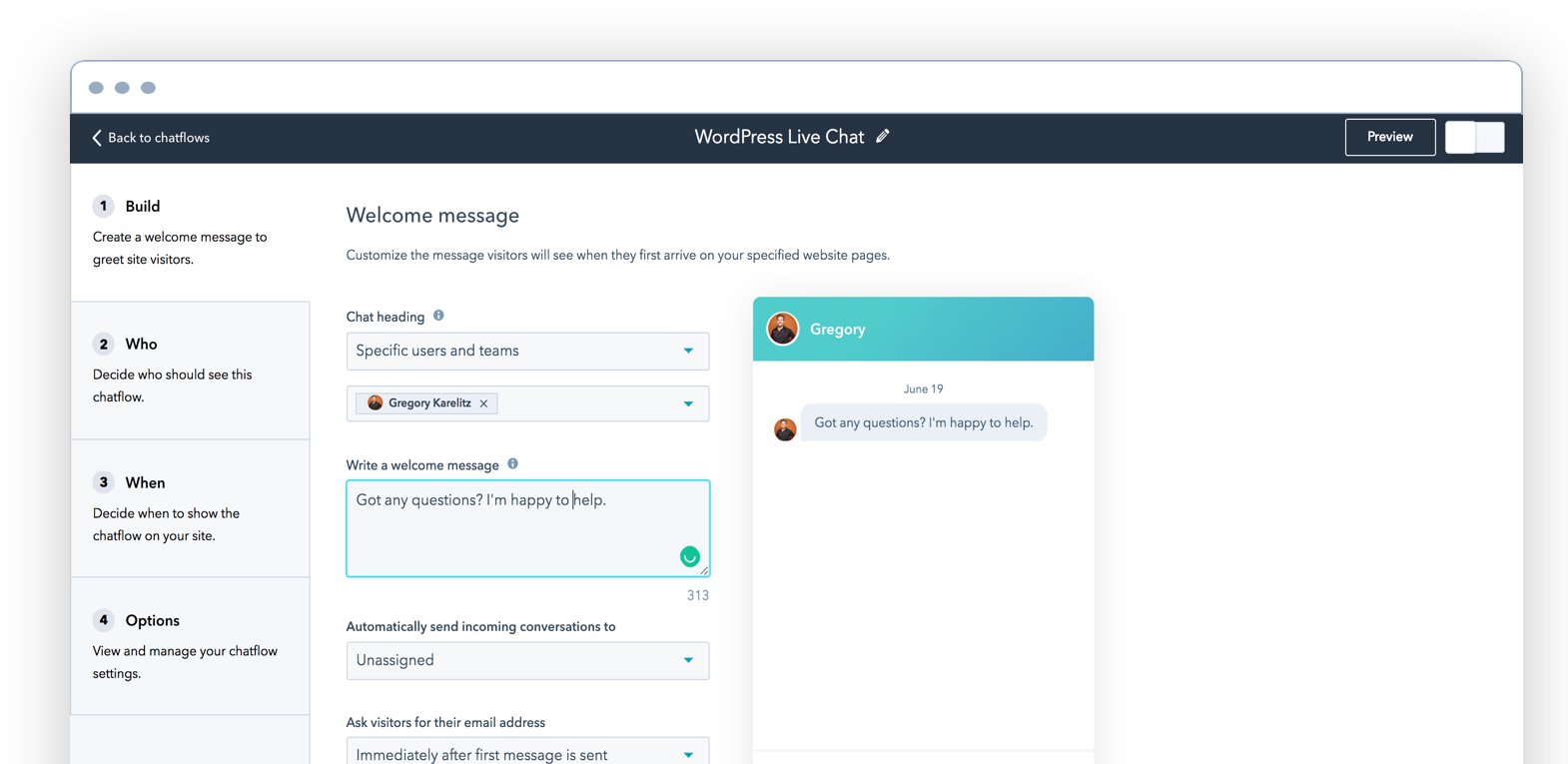
HubSpot Live Chat is a free, easy-to-use plugin that integrates seamlessly with HubSpot’s CRM and marketing tools. It’s an excellent choice for small businesses, startups, and marketers who want to capture leads, nurture relationships, and provide real-time support without switching between multiple platforms. The plugin allows you to create chatbots for automated responses, route conversations to the right team members, and track customer interactions in your CRM. While the free version is feature-rich, upgrading to HubSpot’s premium plans unlocks advanced automation, reporting, and integrations with other marketing tools.
- Free CRM Integration: All chat conversations are automatically logged in HubSpot’s free CRM, allowing you to track customer interactions, segment leads, and personalize follow-ups based on their behavior.
- Customizable Chatbots: Create chatbots to handle common queries, qualify leads, or book meetings without any coding. The visual bot builder makes it easy to design workflows that match your business needs.
- Automated Lead Capture: Use live chat to capture leads and automatically add them to your CRM. You can also set up automated email sequences to nurture leads after the chat ends.
- Team Inbox for Collaboration: Route conversations to the right team members based on their expertise or availability. The team inbox ensures no message is missed, even if multiple agents are handling different chats.
- Mobile App for On-the-Go Support: Respond to chats from anywhere using HubSpot’s mobile app. This is especially useful for small business owners or remote teams who need to stay connected with customers.
5. Intercom
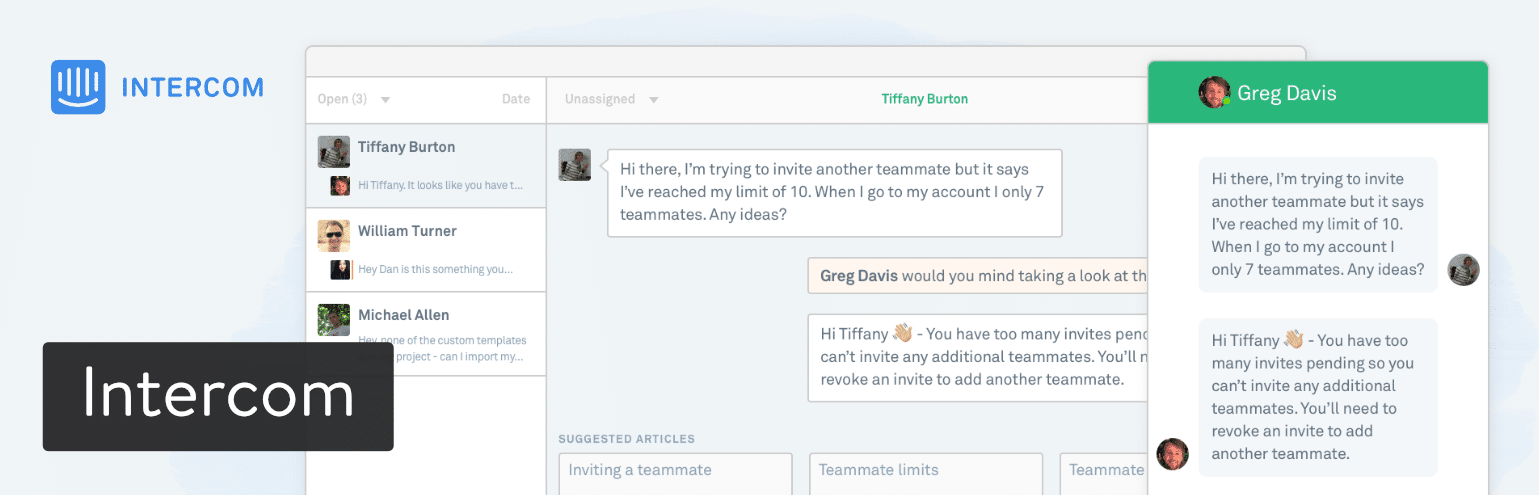
Intercom is a premium customer messaging platform that goes beyond traditional live chat. It’s designed for businesses that want to provide personalized, scalable support across multiple channels, including live chat, email, and in-app messaging. Intercom’s strength lies in its automation and AI capabilities, which allow you to engage customers at every stage of their journey. The plugin is best suited for SaaS companies, eCommerce stores, and enterprises that need a sophisticated solution for customer engagement. While Intercom is one of the more expensive options, its advanced features and integrations make it a worthwhile investment for businesses focused on growth and retention.
- Custom Bots for Automation: Intercom’s custom bots can handle everything from lead qualification to customer support. You can design bots to answer FAQs, route conversations, or even upsell products based on customer behavior.
- Multi-Channel Messaging: Engage customers via live chat, email, SMS, and in-app messages from a single platform. This ensures a consistent experience across all touchpoints.
- Advanced Segmentation and Targeting: Segment customers based on their behavior, demographics, or purchase history, and deliver personalized messages to each group. This increases engagement and conversion rates.
- In-App Messaging for SaaS: If you run a SaaS business, Intercom’s in-app messaging allows you to onboard users, announce new features, and reduce churn by engaging them directly within your product.
- Detailed Customer Profiles: Every customer interaction is logged in their profile, giving your team a complete view of their history with your business. This helps agents provide more personalized and efficient support.
6. Olark

Olark is a user-friendly live chat plugin that focuses on simplicity and effectiveness. It’s a great choice for small to medium-sized businesses that want a no-frills solution for real-time customer support. Olark offers features like chat transcripts, visitor tracking, and customizable chat widgets, all wrapped in an intuitive interface. The plugin also includes automation tools, such as canned responses and chatbots, to help you respond to customers faster. Olark integrates with popular tools like Salesforce, HubSpot, and Mailchimp, making it easy to connect with your existing workflows. While it lacks some of the advanced features of premium plugins, its affordability and ease of use make it a solid option for businesses on a budget.
- Real-Time Visitor Insights: See what pages visitors are browsing, their location, and their past interactions with your site. This helps you provide more relevant and personalized support.
- Canned Responses: Save time by creating pre-written responses to common questions. Agents can quickly insert these responses during chats, reducing response times and improving efficiency.
- Automated Chatbots: Set up chatbots to greet visitors, answer FAQs, or collect lead information. Olark’s bots are easy to configure and can handle basic queries without human intervention.
- Chat Transcripts and Reports: Automatically save chat transcripts and generate reports to analyze customer interactions. Use these insights to identify trends, improve support, and train your team.
- Customizable Chat Widget: Design the chat widget to match your brand’s colors and style. You can also set up proactive triggers to engage visitors based on their behavior, such as time spent on a page.
7. Chaty
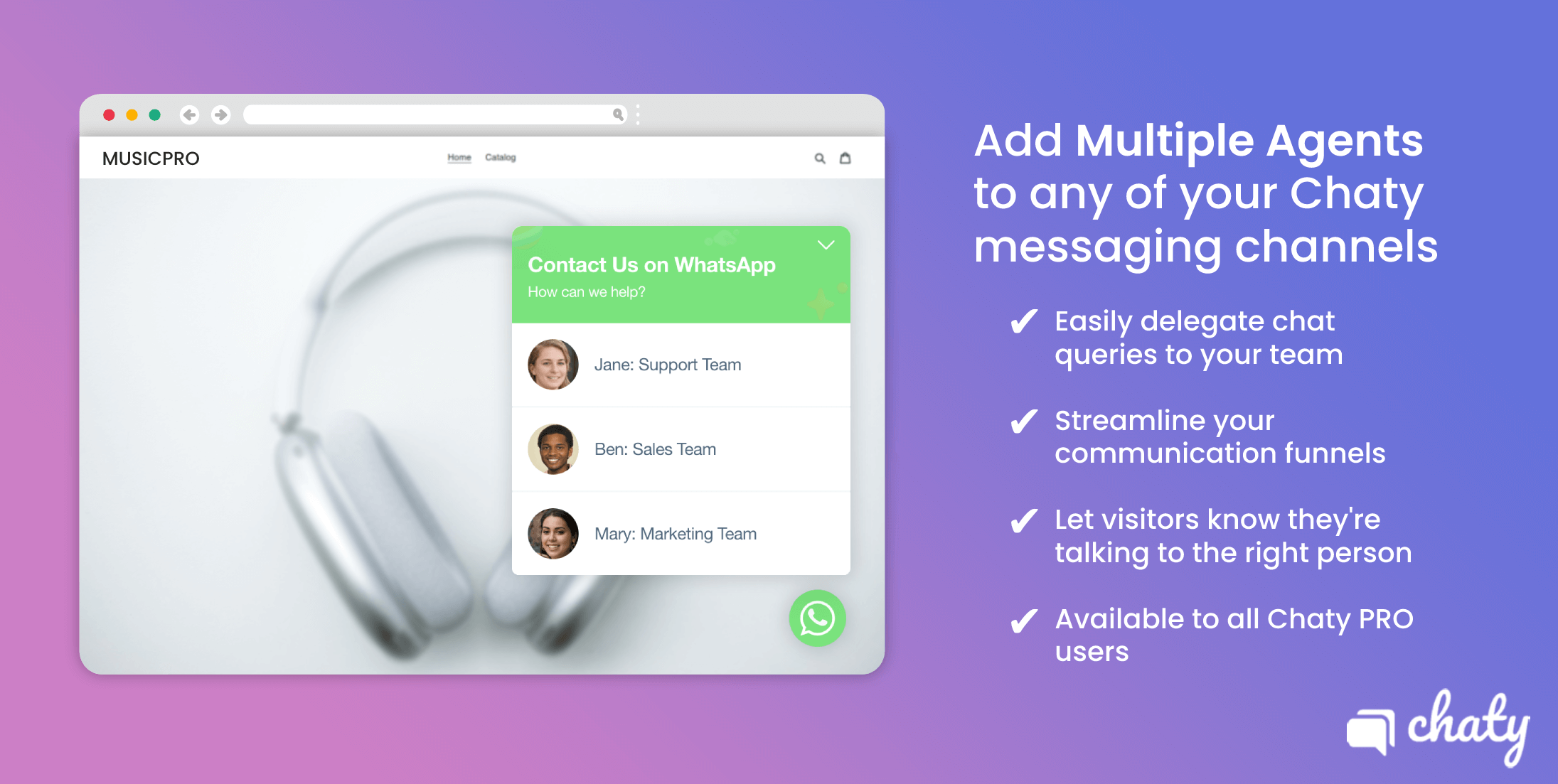
Chaty is a unique live chat plugin that allows you to connect with customers across multiple messaging platforms, including WhatsApp, Facebook Messenger, Telegram, and more. It’s an excellent choice for businesses that want to offer customers their preferred communication channels without cluttering their website with multiple chat widgets. Chaty’s floating widget can display icons for all your messaging apps, making it easy for visitors to choose how they want to contact you. The plugin is lightweight, easy to set up, and offers a free plan with basic features. Premium plans unlock advanced customization, analytics, and integrations with tools like Zapier and Google Analytics.
- Multi-Channel Support: Connect with customers via WhatsApp, Facebook Messenger, Telegram, Viber, Skype, and more, all from a single floating widget. This ensures you never miss a message, no matter where your customers prefer to chat.
- Customizable Floating Widget: Design the widget to match your brand’s style, including colors, positions, and animations. You can also choose which messaging apps to display and set up triggers to show the widget at specific times.
- Proactive Chat Triggers: Set up automated triggers to engage visitors based on their behavior, such as time spent on a page or exit intent. This helps you capture leads and reduce bounce rates.
- Google Analytics Integration: Track chat interactions in Google Analytics to measure their impact on conversions, bounce rates, and other key metrics. This helps you optimize your chat strategy for better results.
- Lightweight and Fast: Chaty is designed to be lightweight, ensuring it doesn’t slow down your website. It’s also mobile-friendly, providing a seamless experience for visitors on all devices.
8. 3CX Live Chat

3CX Live Chat is a free, open-source plugin that offers a simple yet effective way to add live chat to your WordPress site. It’s part of the 3CX communication suite, which includes VoIP, video conferencing, and team messaging. The plugin is ideal for small businesses, freelancers, and startups that need a basic live chat solution without the bells and whistles of premium tools. 3CX Live Chat allows you to manage conversations from a web-based dashboard, set up automated greetings, and even transfer chats to other team members. While it lacks advanced features like chatbots or CRM integrations, its simplicity and cost-effectiveness make it a great choice for budget-conscious users.
- Free and Open-Source: 3CX Live Chat is completely free to use, with no hidden costs or limitations. It’s also open-source, meaning you can customize it to fit your specific needs.
- Web-Based Dashboard: Manage all your chat conversations from a simple, web-based dashboard. You can see active chats, visitor details, and even transfer conversations to other team members.
- Automated Greetings: Set up automated greetings to welcome visitors when they land on your site. You can customize the message and trigger it based on visitor behavior, such as time spent on a page.
- Mobile-Friendly: The chat widget is fully responsive, ensuring a seamless experience for visitors on mobile devices. You can also respond to chats from your phone using the 3CX mobile app.
- Part of the 3CX Suite: If you use 3CX for VoIP or team messaging, you can integrate live chat with your existing communication tools. This creates a unified platform for all your customer interactions.
9. Pure Chat
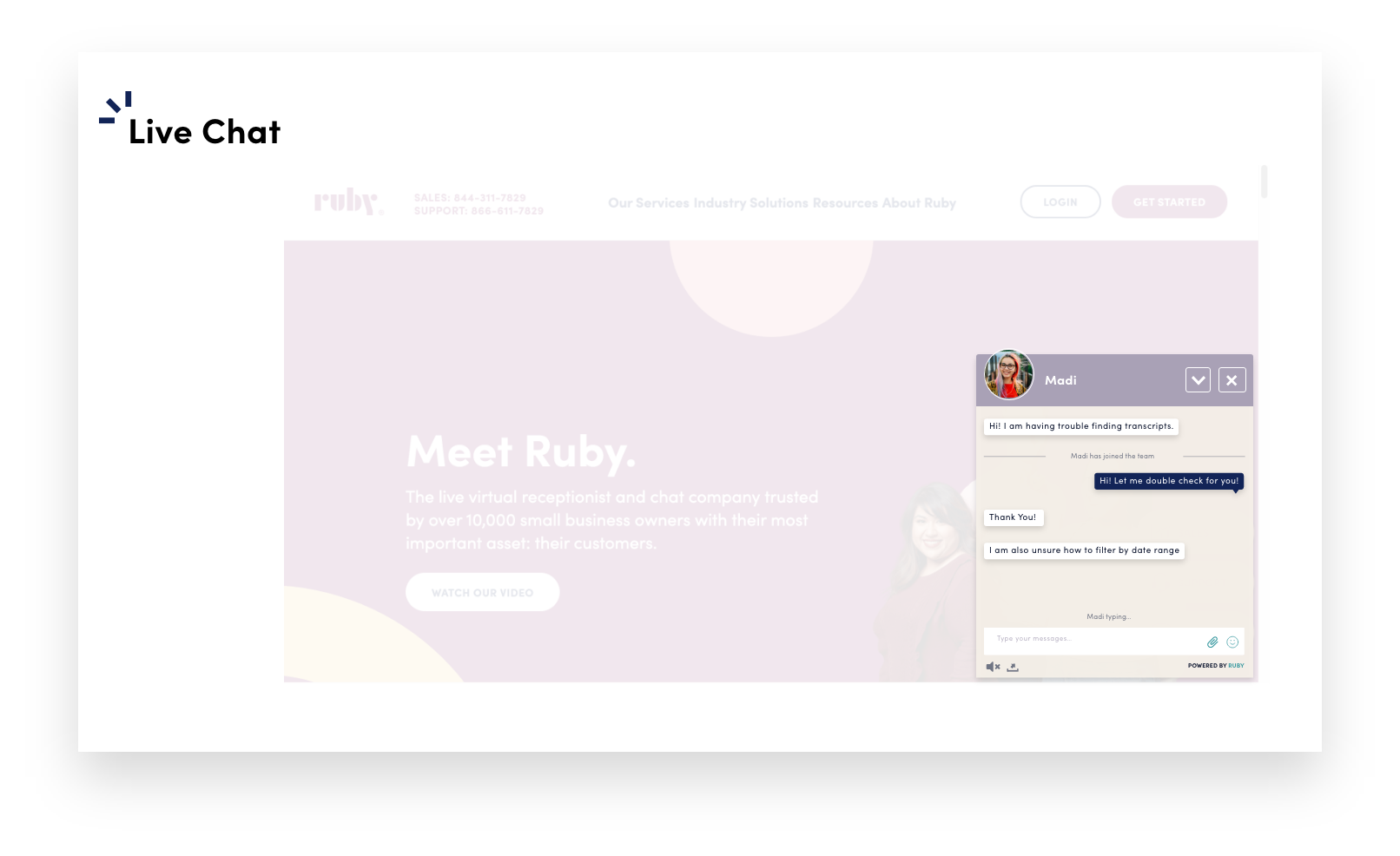
Pure Chat is a straightforward live chat plugin designed for small businesses and startups. It offers a clean, intuitive interface with features like unlimited chats, visitor tracking, and customizable chat widgets. Pure Chat is particularly popular among service-based businesses, such as agencies, consultants, and freelancers, who need a simple way to engage with potential clients. The plugin also includes basic automation tools, such as canned responses and chat transcripts, to help you streamline your support process. While Pure Chat doesn’t offer advanced features like AI chatbots or CRM integrations, its affordability and ease of use make it a solid choice for businesses that need a no-frills solution.
- Unlimited Chats: Pure Chat offers unlimited chats on all its plans, making it a cost-effective option for businesses with high chat volumes. You won’t have to worry about hitting a limit or paying extra for additional chats.
- Visitor Tracking: See what pages visitors are browsing, their location, and their past interactions with your site. This helps you provide more personalized and relevant support.
- Canned Responses: Save time by creating pre-written responses to common questions. Agents can quickly insert these responses during chats, reducing response times and improving efficiency.
- Customizable Chat Widget: Design the chat widget to match your brand’s colors and style. You can also set up proactive triggers to engage visitors based on their behavior, such as time spent on a page.
- Mobile App for On-the-Go Support: Respond to chats from anywhere using Pure Chat’s mobile app. This is especially useful for small business owners or remote teams who need to stay connected with customers.
10. Crisp

Crisp is a modern, all-in-one customer messaging platform that combines live chat, email, and team collaboration tools. It’s designed for businesses that want to centralize their customer communications and provide a seamless experience across multiple channels. Crisp offers features like chatbots, knowledge base integration, and advanced analytics, making it a versatile choice for startups, eCommerce stores, and SaaS companies. The plugin is easy to set up and offers a free plan with basic features, while premium plans unlock advanced automation, CRM integrations, and more. Crisp’s sleek interface and powerful features make it a strong contender in the live chat space.
- All-in-One Messaging Platform: Manage live chat, email, and team collaboration from a single dashboard. Crisp’s unified inbox ensures you never miss a message, no matter where it comes from.
- AI-Powered Chatbots: Create chatbots to handle common queries, qualify leads, or even book meetings. Crisp’s bots are easy to set up and can be customized to match your brand’s tone and style.
- Knowledge Base Integration: Connect your live chat to your knowledge base, allowing agents to quickly share relevant articles or guides during conversations. This speeds up resolution times and empowers customers to find answers on their own.
- Advanced Analytics and Reporting: Track key metrics like response times, customer satisfaction scores, and agent performance. Use these insights to optimize your support strategy and improve customer experience.
- Customizable Chat Widget: Design the chat widget to match your brand’s colors and style. You can also set up proactive triggers to engage visitors based on their behavior, such as time spent on a page or exit intent.
Frequently Asked Questions
What is the best live chat plugin for WordPress?
The best live chat plugin for WordPress depends on your specific needs. If you’re a small business or startup, HubSpot Live Chat or Chaty might be the best fit due to their affordability and ease of use. For eCommerce stores, Tidio or LiveChat are excellent choices because of their WooCommerce integration and advanced automation features. Larger businesses or enterprises might prefer Intercom or Zendesk for their scalability and comprehensive support tools. Consider factors like budget, features, and integrations when choosing the right plugin for your site.
Are there any free live chat plugins for WordPress?
Yes, there are several free live chat plugins for WordPress. Some of the best options include HubSpot Live Chat, 3CX Live Chat, and Chaty. These plugins offer basic features like live chat, visitor tracking, and customizable widgets at no cost. However, keep in mind that free plans often come with limitations, such as a cap on the number of chats or agents. If you need advanced features like chatbots, CRM integrations, or analytics, you may need to upgrade to a paid plan.
How do I add live chat to my WordPress site?
Adding live chat to your WordPress site is a straightforward process. First, choose a live chat plugin that fits your needs and install it from the WordPress plugin directory or the plugin’s official website. Once installed, activate the plugin and follow the setup instructions. Most plugins will guide you through configuring the chat widget, setting up automated greetings, and connecting to your preferred messaging channels. Some plugins, like Tidio or LiveChat, also offer step-by-step tutorials or customer support to help you get started. After setup, test the chat widget to ensure it’s working correctly and customize it to match your brand’s style.
Can I use live chat plugins for customer support?
Absolutely! Live chat plugins are a fantastic tool for customer support. They allow you to provide real-time assistance to visitors, answer their questions, and resolve issues quickly. Many live chat plugins also include features like chat transcripts, canned responses, and visitor tracking, which help streamline your support process. Some plugins, like Zendesk or Intercom, even offer advanced tools like ticketing systems, knowledge base integration, and AI chatbots to enhance your support capabilities. Using a live chat plugin can improve customer satisfaction, reduce response times, and ultimately boost your business’s reputation.
Do live chat plugins work with WooCommerce?
Yes, many live chat plugins are designed to work seamlessly with WooCommerce. Plugins like Tidio, LiveChat, and Zendesk offer dedicated WooCommerce integrations that allow you to track cart abandonment, recover lost sales, and provide personalized product recommendations during chat sessions. These integrations can also sync customer data between your chat and WooCommerce store, giving you a complete view of each customer’s journey. If you run an online store, choosing a live chat plugin with WooCommerce support can help you increase conversions, reduce cart abandonment, and provide better customer service.
What are the benefits of using a live chat plugin on my website?
Using a live chat plugin on your website offers several benefits. First, it allows you to provide real-time support to visitors, which can improve customer satisfaction and increase conversions. Live chat also enables you to engage with visitors proactively, offering assistance before they even ask for it. This can help reduce bounce rates and keep visitors on your site longer. Additionally, live chat plugins often include features like chatbots, canned responses, and visitor tracking, which can streamline your support process and save you time. Finally, live chat can help you capture leads, nurture relationships, and build trust with your audience, ultimately driving more sales and growth for your business.
How do I choose the right live chat plugin for my business?
Choosing the right live chat plugin for your business involves considering several factors. Start by identifying your specific needs, such as the size of your business, your budget, and the features you require. For example, if you run an eCommerce store, look for a plugin with WooCommerce integration and cart abandonment tracking. If you’re a small business or startup, prioritize affordability and ease of use. Next, consider the plugin’s integrations with other tools you use, such as CRM systems, email marketing platforms, or help desk software. Finally, read reviews and test out free trials to see which plugin offers the best user experience and customer support. Taking the time to evaluate your options will help you find the perfect live chat plugin for your business.


