best schema plugin for wordpress


If you run a WordPress site, adding schema markup is one of the smartest moves you can make for SEO. Schema helps search engines understand your content better, which can lead to richer search results, higher click-through rates, and improved rankings. The problem is, manually coding schema is time-consuming and prone to errors. That’s where schema plugins come in—they automate the process, making it easy to implement structured data without touching a line of code.
Not all schema plugins are created equal, though. Some are bloated with unnecessary features, while others lack the flexibility or support you need. The best options strike a balance between ease of use, customization, and performance. You want something that integrates seamlessly with your site, updates regularly, and doesn’t slow down your pages. Below, I’ve assembled a list of the best schema plugins for WordPress to help you pick the right one for your needs.
📋 Table of Contents
1. Schema Pro

Schema Pro is one of the most popular and powerful schema markup plugins for WordPress, developed by Brainstorm Force, the team behind Astra Theme. It simplifies the process of adding structured data to your website without requiring any coding knowledge. Schema Pro supports over 20 schema types, including Article, Local Business, Product, Recipe, and more, making it a versatile choice for bloggers, businesses, and eCommerce sites. The plugin uses a point-and-click interface, allowing users to map schema fields to existing content or custom fields effortlessly. It also ensures that your schema markup is valid and optimized for search engines, helping improve your site’s visibility in rich snippets and other enhanced search results. Schema Pro is particularly well-suited for users who want a hassle-free way to implement advanced schema types without dealing with complex configurations.
- 20+ Schema Types: Supports a wide range of schema types, including Article, Local Business, Product, Recipe, Event, and more, covering most use cases for blogs, businesses, and online stores.
- Automatic Field Mapping: Allows you to map schema fields to your existing content (e.g., post title, featured image, author) with a simple point-and-click interface, eliminating the need for manual coding.
- Real-Time Testing: Integrates with Google’s Rich Results Test tool, enabling you to validate your schema markup directly from the plugin dashboard to ensure it’s error-free.
- Custom Field Support: Works seamlessly with custom fields and popular page builders like Elementor, Beaver Builder, and Divi, giving you flexibility in how you structure your data.
- Lightweight and Fast: Optimized for performance, ensuring that adding schema markup doesn’t slow down your website, which is crucial for SEO and user experience.
2. Rank Math SEO
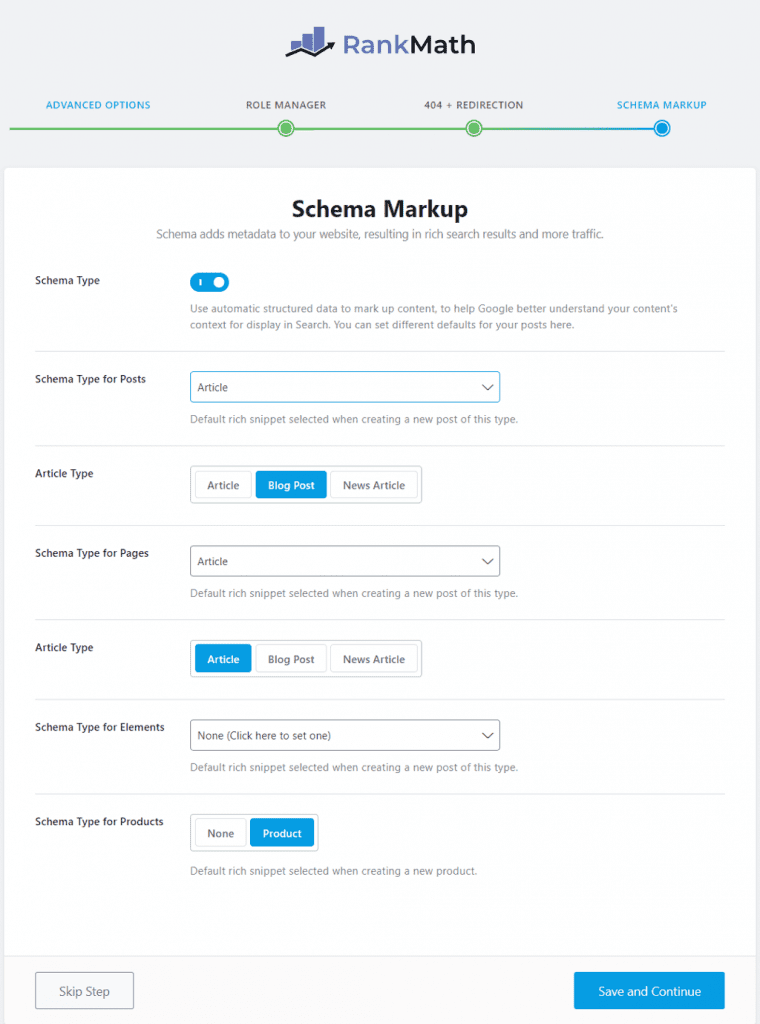
Rank Math SEO is a comprehensive SEO plugin for WordPress that includes built-in schema markup functionality, making it a great all-in-one solution for users who want to optimize their site for search engines. Unlike standalone schema plugins, Rank Math integrates schema generation directly into its SEO workflow, allowing you to add structured data while optimizing your content for keywords, meta tags, and more. The plugin supports over 20 schema types, including FAQ, HowTo, Review, and Local Business, and offers a user-friendly interface for customizing schema settings. Rank Math also includes advanced features like automatic schema generation for posts and pages, schema validation, and compatibility with WooCommerce. It’s an excellent choice for users who want a single plugin to handle both SEO and schema markup without needing additional tools.
- Built-In Schema Generator: Offers a dedicated schema module within the plugin, allowing you to add and customize schema markup without leaving the WordPress editor.
- 20+ Schema Types: Supports a wide variety of schema types, including FAQ, HowTo, Review, Local Business, and more, catering to different content types and industries.
- Automatic Schema for Posts: Automatically generates schema markup for your posts and pages based on their content, saving you time and ensuring consistency.
- WooCommerce Integration: Includes specialized schema types for eCommerce sites, such as Product schema, to help improve visibility in Google Shopping and rich snippets.
- Schema Validator: Integrates with Google’s Rich Results Test tool to validate your schema markup and identify errors before publishing.
3. All In One Schema Rich Snippets

All In One Schema Rich Snippets is a free and user-friendly plugin designed to help WordPress users add schema markup to their content with minimal effort. Developed by Brainstorm Force, the same team behind Schema Pro, this plugin focuses on simplicity and ease of use, making it ideal for beginners or those who need basic schema functionality. It supports essential schema types like Review, Event, People, Product, Recipe, and more, allowing you to enhance your content’s appearance in search results with rich snippets. The plugin adds a meta box to your WordPress editor, where you can fill in the required fields for your chosen schema type. While it lacks some advanced features found in premium plugins, it’s a great starting point for users who want to experiment with schema markup without a financial commitment.
- Simple Interface: Provides a straightforward meta box in the WordPress editor, making it easy to add schema markup without technical knowledge.
- Essential Schema Types: Supports key schema types like Review, Event, People, Product, Recipe, and Software Application, covering common use cases for blogs and small businesses.
- Rich Snippet Preview: Shows a preview of how your content will appear in search results, helping you visualize the impact of your schema markup.
- Lightweight and Fast: Optimized for performance, ensuring that adding schema markup doesn’t negatively affect your site’s loading speed.
- Free to Use: Available at no cost, making it an accessible option for users who want to test schema markup without investing in a premium plugin.
4. WP SEO Structured Data Schema

WP SEO Structured Data Schema is a lightweight and flexible plugin that allows WordPress users to add structured data to their websites with ease. It supports a wide range of schema types, including Article, Local Business, Event, Product, and more, making it suitable for blogs, businesses, and eCommerce sites. The plugin offers both global and post-specific schema settings, giving you control over how structured data is applied across your site. One of its standout features is the ability to add custom schema types, which is particularly useful for advanced users who need to implement niche or custom schema markup. WP SEO Structured Data Schema also includes JSON-LD output, which is the preferred format for search engines like Google. It’s a great choice for users who want a balance between simplicity and customization.
- Global and Post-Specific Settings: Allows you to configure schema settings globally for your entire site or customize them for individual posts and pages.
- Custom Schema Types: Supports custom schema types, enabling advanced users to add niche or specialized structured data to their content.
- JSON-LD Output: Uses JSON-LD format, which is recommended by Google and other search engines for structured data implementation.
- Lightweight and Efficient: Designed to be lightweight, ensuring that adding schema markup doesn’t slow down your website.
- Compatibility with Other Plugins: Works well with other SEO plugins like Yoast SEO and Rank Math, allowing you to combine schema markup with other optimization efforts.
5. SEOPress
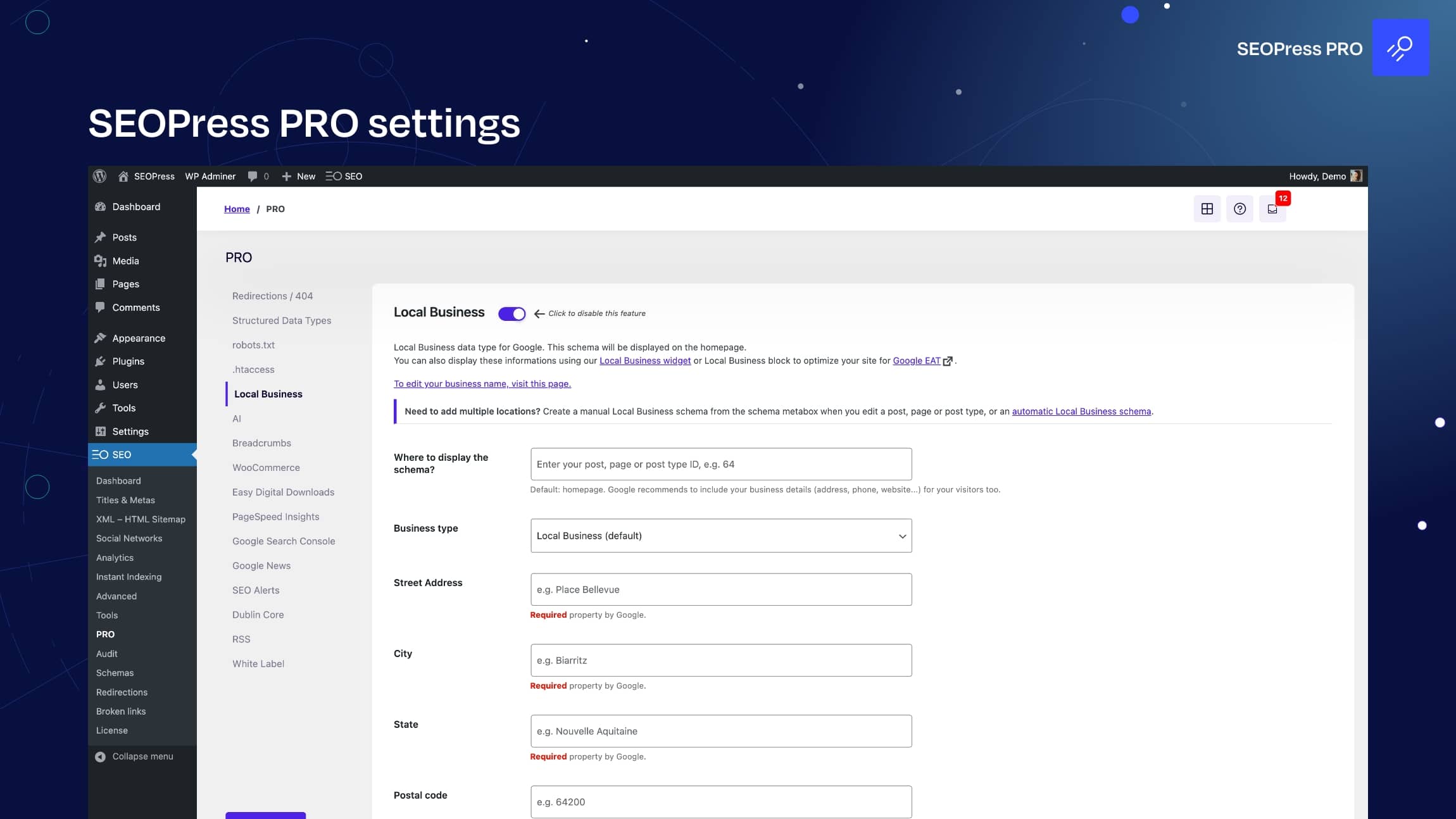
SEOPress is a powerful all-in-one SEO plugin for WordPress that includes robust schema markup functionality. It’s designed to be a lightweight and user-friendly alternative to other popular SEO plugins, offering a wide range of features to optimize your site for search engines. SEOPress supports over 20 schema types, including Article, Local Business, Product, Event, and FAQ, and allows you to customize schema settings for individual posts, pages, and custom post types. The plugin also includes automatic schema generation, which simplifies the process of adding structured data to your content. SEOPress is particularly well-suited for users who want a comprehensive SEO solution that includes schema markup without the complexity of more advanced plugins. It’s also compatible with WooCommerce, making it a great choice for eCommerce sites.
- Built-In Schema Generator: Offers a dedicated schema module within the plugin, allowing you to add and customize schema markup directly from the WordPress editor.
- 20+ Schema Types: Supports a wide variety of schema types, including Article, Local Business, Product, Event, FAQ, and more, catering to different content types and industries.
- Automatic Schema for Posts: Automatically generates schema markup for your posts and pages based on their content, saving you time and ensuring consistency.
- WooCommerce Integration: Includes specialized schema types for eCommerce sites, such as Product schema, to help improve visibility in Google Shopping and rich snippets.
- Schema Validator: Integrates with Google’s Rich Results Test tool to validate your schema markup and identify errors before publishing.
6. Structured Content

Structured Content is a free WordPress plugin designed to help users add schema markup to their content with ease. It focuses on simplicity and ease of use, making it an excellent choice for beginners or those who need basic schema functionality. The plugin supports essential schema types like Article, Event, Local Business, and more, and allows you to add structured data directly from the WordPress editor. Structured Content also includes a shortcode generator, which makes it easy to add schema markup to specific sections of your content. While it lacks some of the advanced features found in premium plugins, it’s a great starting point for users who want to experiment with schema markup without a financial commitment. The plugin is lightweight and optimized for performance, ensuring that adding schema markup doesn’t slow down your website.
- Simple Interface: Provides a user-friendly interface in the WordPress editor, making it easy to add schema markup without technical knowledge.
- Essential Schema Types: Supports key schema types like Article, Event, Local Business, and more, covering common use cases for blogs and small businesses.
- Shortcode Generator: Includes a shortcode generator, allowing you to add schema markup to specific sections of your content with ease.
- Lightweight and Fast: Optimized for performance, ensuring that adding schema markup doesn’t negatively affect your site’s loading speed.
- Free to Use: Available at no cost, making it an accessible option for users who want to test schema markup without investing in a premium plugin.
7. Schema & Structured Data for WP & AMP
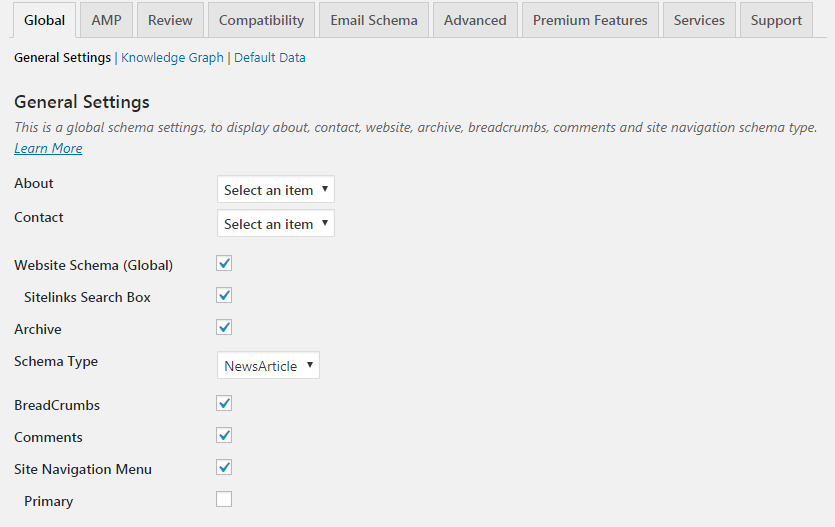
Schema & Structured Data for WP & AMP is a comprehensive plugin designed to help WordPress users add schema markup to their websites, including AMP (Accelerated Mobile Pages) support. The plugin supports over 35 schema types, including Article, Local Business, Event, Product, Recipe, and more, making it one of the most versatile schema plugins available. It offers both global and post-specific schema settings, allowing you to customize structured data for individual posts, pages, and custom post types. The plugin also includes conditional display fields, which let you control where and when schema markup is applied based on specific criteria. Additionally, it supports JSON-LD output, which is the preferred format for search engines like Google. Schema & Structured Data for WP & AMP is an excellent choice for users who need advanced schema functionality and AMP compatibility.
- 35+ Schema Types: Supports a wide range of schema types, including niche and specialized options, making it suitable for various content types and industries.
- AMP Support: Includes built-in support for Accelerated Mobile Pages (AMP), ensuring that your schema markup works seamlessly on mobile devices.
- Conditional Display Fields: Allows you to control where and when schema markup is applied based on specific criteria, such as post type, category, or custom fields.
- JSON-LD Output: Uses JSON-LD format, which is recommended by Google and other search engines for structured data implementation.
- Compatibility with Other Plugins: Works well with other SEO plugins and page builders, allowing you to combine schema markup with other optimization efforts.
8. Five Star Business Profile and Schema
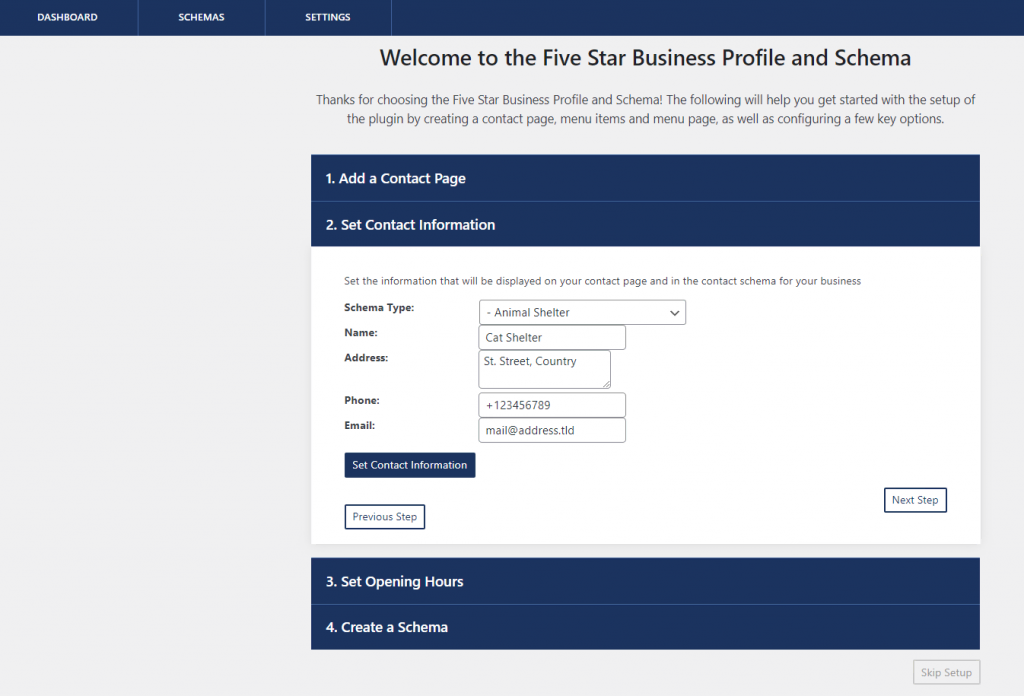
Five Star Business Profile and Schema is a specialized WordPress plugin designed to help local businesses add schema markup to their websites. It focuses on Local Business schema, allowing you to display essential business information like address, phone number, operating hours, and more in search results. The plugin also includes a business profile widget, which you can use to display your business details in a visually appealing way on your website. Five Star Business Profile and Schema is particularly well-suited for small businesses, restaurants, and service providers who want to improve their local SEO and visibility in Google’s local search results. The plugin is easy to use and includes features like schema validation and compatibility with popular page builders.
- Local Business Schema: Specializes in Local Business schema, allowing you to add essential business information like address, phone number, and operating hours to your website.
- Business Profile Widget: Includes a widget that displays your business details in a visually appealing way, making it easy for visitors to find your contact information.
- Schema Validation: Integrates with Google’s Rich Results Test tool to validate your schema markup and ensure it’s error-free.
- Compatibility with Page Builders: Works seamlessly with popular page builders like Elementor, Beaver Builder, and Divi, giving you flexibility in how you display your business information.
- Lightweight and Fast: Optimized for performance, ensuring that adding schema markup doesn’t slow down your website.
9. WP Review Pro
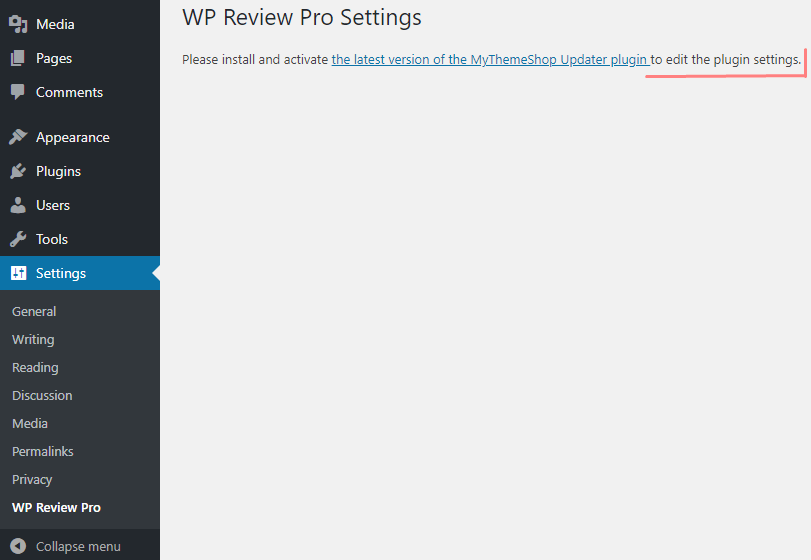
WP Review Pro is a premium WordPress plugin designed to help users add review schema markup to their websites. It’s particularly well-suited for bloggers, affiliate marketers, and eCommerce sites that publish product or service reviews. The plugin supports multiple review types, including star ratings, percentage ratings, and point-based ratings, and allows you to customize the appearance of your reviews to match your site’s design. WP Review Pro also includes built-in schema markup for reviews, ensuring that your content appears in rich snippets and other enhanced search results. Additionally, the plugin offers features like user-generated reviews, comparison tables, and compatibility with WooCommerce. It’s an excellent choice for users who want to enhance their review content with schema markup and improve their visibility in search results.
- Review Schema Markup: Includes built-in schema markup for reviews, ensuring that your content appears in rich snippets and other enhanced search results.
- Multiple Review Types: Supports star ratings, percentage ratings, and point-based ratings, giving you flexibility in how you display reviews on your site.
- Customizable Design: Allows you to customize the appearance of your reviews to match your site’s design, including colors, fonts, and layout options.
- User-Generated Reviews: Includes features for user-generated reviews, allowing visitors to submit their own ratings and comments.
- WooCommerce Integration: Works seamlessly with WooCommerce, making it easy to add review schema markup to your product pages.
10. KK Star Ratings
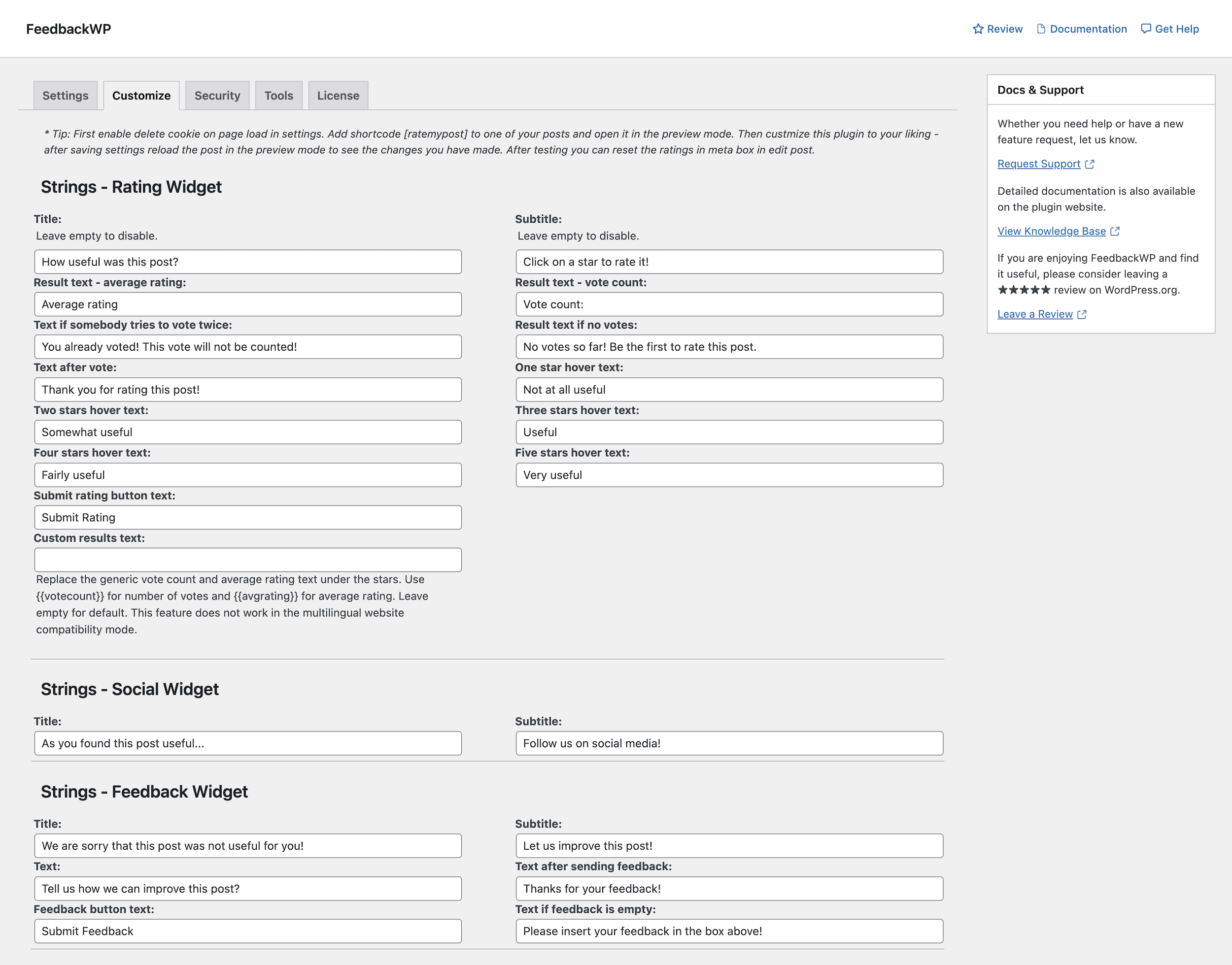
KK Star Ratings is a free and lightweight WordPress plugin designed to help users add star ratings and review schema markup to their websites. It’s particularly well-suited for bloggers, affiliate marketers, and small businesses that want to enhance their content with user-generated ratings. The plugin allows visitors to rate your posts, pages, or custom post types using a simple star rating system, and it automatically generates schema markup for these ratings. KK Star Ratings is easy to use and includes features like customizable star designs, rating thresholds, and compatibility with popular caching plugins. While it lacks some of the advanced features found in premium plugins, it’s a great starting point for users who want to experiment with review schema markup without a financial commitment.
- Star Rating System: Allows visitors to rate your posts, pages, or custom post types using a simple star rating system, enhancing user engagement.
- Review Schema Markup: Automatically generates schema markup for user-generated ratings, helping your content appear in rich snippets and other enhanced search results.
- Customizable Star Designs: Offers multiple star designs and customization options, allowing you to match the ratings to your site’s design.
- Rating Thresholds: Allows you to set rating thresholds, ensuring that only high-quality ratings are displayed on your site.
- Compatibility with Caching Plugins: Works seamlessly with popular caching plugins like WP Rocket and W3 Total Cache, ensuring that your ratings load quickly and efficiently.
Frequently Asked Questions
What is schema markup, and why is it important for WordPress?
Schema markup is a form of structured data that helps search engines understand the content of your website more effectively. It uses a standardized vocabulary to provide additional context about your content, such as whether a page is a blog post, product review, event, or local business. For WordPress users, schema markup is important because it can improve your site’s visibility in search results by enabling rich snippets, which are enhanced search results that include additional information like star ratings, images, and prices. This can lead to higher click-through rates and better user engagement. Schema markup is also essential for voice search optimization, as it helps search engines provide more accurate answers to voice queries.
Do I need a schema plugin for WordPress, or can I add schema markup manually?
While it’s possible to add schema markup manually by editing your site’s HTML or using Google’s Structured Data Markup Helper, using a schema plugin for WordPress is highly recommended for most users. Schema plugins simplify the process by providing a user-friendly interface for adding and customizing structured data without requiring any coding knowledge. They also ensure that your schema markup is valid and optimized for search engines, reducing the risk of errors that could negatively impact your SEO. Additionally, schema plugins often include features like automatic schema generation, real-time testing, and compatibility with other plugins, making them a more efficient and reliable solution for most WordPress users.
What are the key features to look for in a schema plugin for WordPress?
When choosing a schema plugin for WordPress, there are several key features to consider. First, look for a plugin that supports a wide range of schema types, including Article, Local Business, Product, Event, and FAQ, to ensure it meets your specific needs. Second, consider whether the plugin offers automatic schema generation, which can save you time and ensure consistency across your site. Third, check if the plugin includes a schema validator, such as integration with Google’s Rich Results Test tool, to help you identify and fix errors before publishing. Other important features include compatibility with popular page builders like Elementor and Divi, support for custom fields, and performance optimization to ensure your site remains fast and responsive.
Can I use multiple schema plugins on my WordPress site?
While it’s technically possible to use multiple schema plugins on your WordPress site, it’s generally not recommended. Using multiple plugins can lead to conflicts, duplicate schema markup, and performance issues, which can negatively impact your SEO and user experience. Instead, choose a single schema plugin that meets all your needs and offers the features you require. If you need additional functionality, look for a plugin that integrates with other tools or offers add-ons to extend its capabilities. For example, some SEO plugins like Rank Math and SEOPress include built-in schema markup functionality, allowing you to handle both SEO and schema markup with a single plugin.
How do I test if my schema markup is working correctly?
Testing your schema markup is essential to ensure it’s working correctly and optimized for search engines. The easiest way to test your schema markup is by using Google’s Rich Results Test tool, which is a free online tool that analyzes your structured data and identifies any errors or warnings. To use the tool, simply enter the URL of the page you want to test or paste the schema markup code directly into the tool. The Rich Results Test tool will then display a report showing whether your schema markup is valid and eligible for rich results. Additionally, you can use Google Search Console to monitor your site’s performance in search results and identify any issues with your structured data. Many schema plugins also include built-in schema validators, allowing you to test your markup directly from the plugin dashboard.
Are there any free schema plugins for WordPress that are worth using?
Yes, there are several free schema plugins for WordPress that are worth using, especially if you’re just starting with structured data or have basic schema needs. Some of the best free schema plugins include All In One Schema Rich Snippets, WP SEO Structured Data Schema, Structured Content, and KK Star Ratings. These plugins offer essential schema types like Article, Local Business, Event, and Review, and provide user-friendly interfaces for adding and customizing schema markup. While free plugins may lack some advanced features found in premium options, they’re a great way to experiment with schema markup and improve your site’s SEO without a financial commitment. If you need more advanced functionality, you can always upgrade to a premium plugin later.
How does schema markup impact my site’s SEO?
Schema markup can have a significant impact on your site’s SEO by improving its visibility in search results and enhancing user engagement. When you add schema markup to your content, search engines like Google can better understand the context of your pages, which can lead to richer and more informative search results. For example, schema markup can enable rich snippets, which display additional information like star ratings, images, and prices directly in search results. This can make your listings more eye-catching and increase click-through rates. Additionally, schema markup is essential for voice search optimization, as it helps search engines provide more accurate answers to voice queries. While schema markup isn’t a direct ranking factor, it can indirectly improve your SEO by making your content more appealing to users and search engines alike.