
best wordpress search plugin


WordPress’s default search function is basic at best and frustrating at worst. It lacks accuracy, speed, and useful features like filtering or typo tolerance, which means visitors often leave without finding what they need. If your site has more than a handful of pages or products, the built-in search will start to feel like a dead end. The good news is that there are plugins built specifically to fix these problems, offering better relevance, faster results, and tools to customize how search works on your site.
The right plugin depends on what you need. Some focus on speed, others on advanced filtering, and a few even integrate with external services like Algolia or Elasticsearch for enterprise-level performance. Whether you run a blog, an e-commerce store, or a membership site, upgrading your search can improve user experience and keep people engaged longer. Below, I’ve put together a straightforward list of the best WordPress search plugins available right now.
📋 Table of Contents
1. Relevanssi
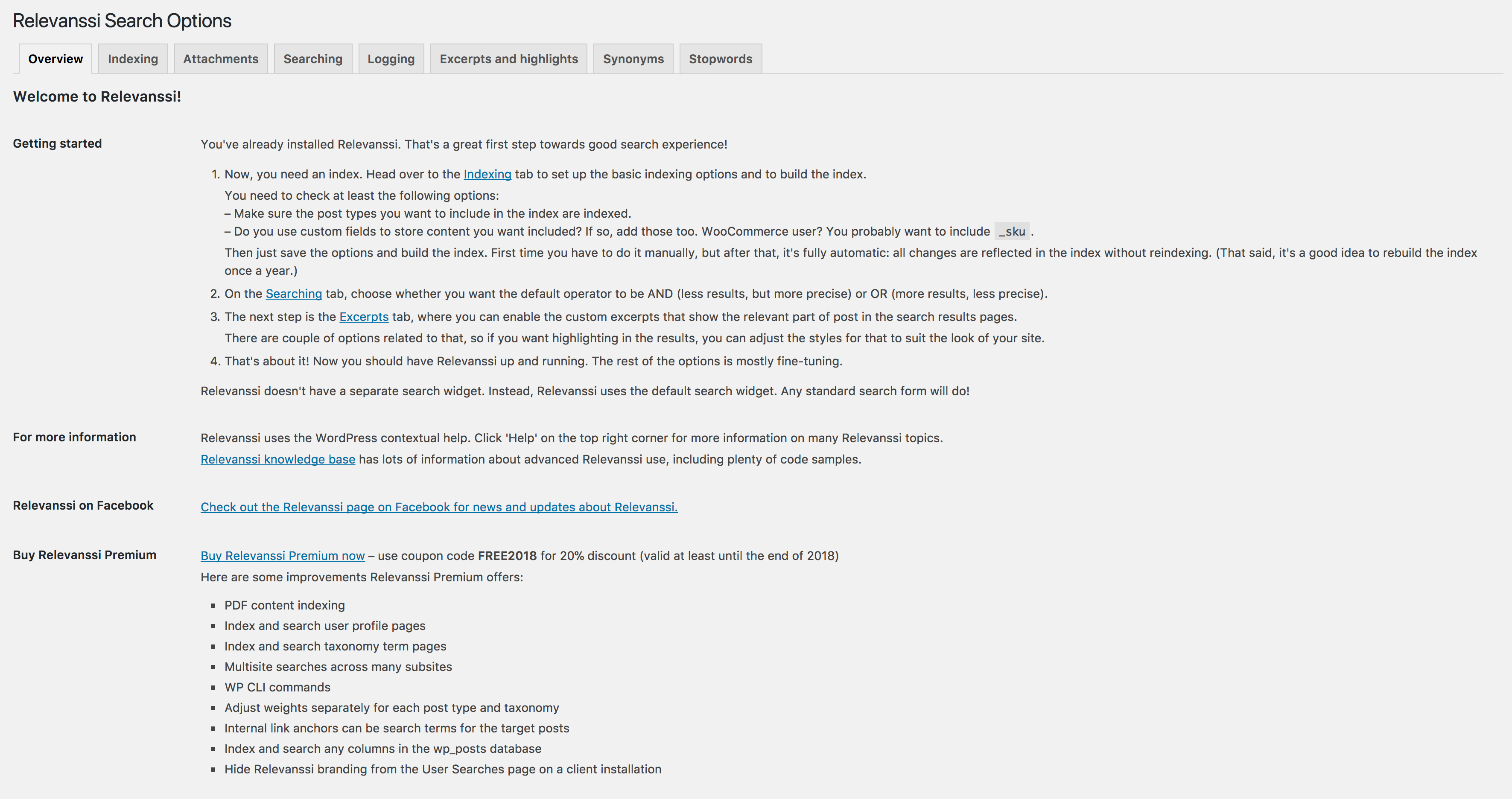
Relevanssi is one of the most popular WordPress search plugins, known for its powerful and customizable search functionality. Unlike the default WordPress search, which often returns irrelevant results, Relevanssi improves accuracy by indexing content more intelligently. It supports fuzzy matching, partial word searches, and even searches within PDFs and other document types if configured properly. This plugin is ideal for websites with large amounts of content, such as blogs, news sites, or e-commerce stores, where users need precise and fast search results. Relevanssi also offers advanced features like keyword highlighting, search term weighting, and the ability to exclude specific content from search results. It’s a great choice for site owners who want to enhance user experience without diving into complex coding.
- Fuzzy Matching: Finds results even if the search term is misspelled or only partially matches the content.
- PDF and Document Search: Allows users to search within PDFs and other document types uploaded to your WordPress media library.
- Keyword Highlighting: Highlights search terms in the results, making it easier for users to find what they’re looking for.
- Customizable Weighting: Lets you prioritize certain content types (e.g., titles, tags, or custom fields) in search results.
- Exclude Content: You can exclude specific posts, pages, or categories from appearing in search results.
2. SearchWP
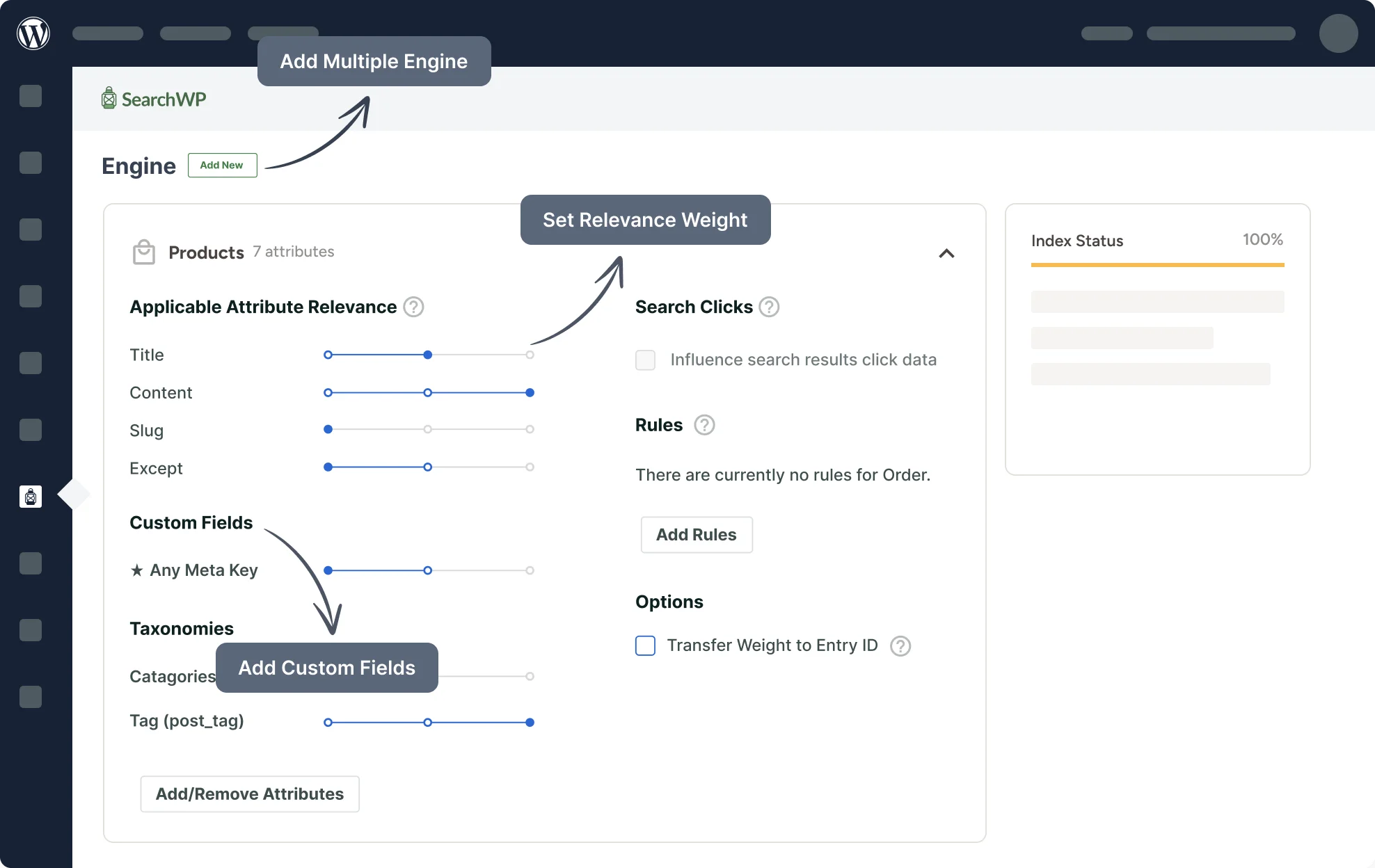
SearchWP is a premium WordPress search plugin designed to replace the default search with a more powerful and flexible solution. It’s particularly well-suited for sites with complex content structures, such as e-commerce stores, membership sites, or large blogs. SearchWP indexes all your content, including custom fields, taxonomies, and even file attachments like PDFs. One of its standout features is the ability to create custom search engines tailored to specific sections of your site. For example, you can set up a search engine that only looks through product descriptions or another that focuses on blog posts. The plugin also integrates seamlessly with popular page builders like Elementor and Divi, making it a versatile choice for almost any WordPress site.
- Custom Search Engines: Create multiple search engines for different sections of your site, each with unique settings.
- Advanced Indexing: Indexes custom fields, taxonomies, shortcodes, and even file attachments for comprehensive search results.
- Keyword Stemming: Understands variations of search terms (e.g., “run” and “running”) to return more relevant results.
- WooCommerce Integration: Enhances product search with features like SKU search, variable product support, and custom field indexing.
- Analytics and Insights: Tracks what users are searching for, helping you identify popular content and gaps in your site.
3. ElasticPress

ElasticPress is a powerful WordPress search plugin that leverages Elasticsearch, a highly scalable search engine, to deliver lightning-fast and accurate results. It’s an excellent choice for large websites with thousands of posts, products, or pages, where performance is critical. ElasticPress integrates seamlessly with WordPress and can index all your content, including custom post types, taxonomies, and even WooCommerce products. One of its biggest advantages is its ability to handle complex queries without slowing down your site. The plugin also supports features like fuzzy matching, synonyms, and faceted search, making it ideal for sites that need enterprise-level search capabilities. While it requires some technical setup, the performance benefits are well worth the effort.
- Elasticsearch Integration: Uses Elasticsearch for ultra-fast and scalable search results, even on large sites.
- Faceted Search: Allows users to filter search results by categories, tags, custom taxonomies, or other attributes.
- Synonym Support: Understands synonyms (e.g., “car” and “automobile”) to improve search relevance.
- WooCommerce Optimization: Enhances product search with features like SKU search, price filtering, and attribute-based filtering.
- Autocomplete and Suggestions: Provides real-time search suggestions as users type, improving the user experience.
4. Ajax Search for WordPress

Ajax Search for WordPress is a lightweight yet powerful plugin that enhances your site’s search functionality with real-time results. As users type their query, the plugin displays instant suggestions and results without requiring a page reload. This creates a seamless and modern search experience, similar to what you’d find on major platforms like Google or Amazon. The plugin is highly customizable, allowing you to adjust the layout, colors, and behavior of the search bar to match your site’s design. It also supports features like keyword highlighting, image previews in search results, and the ability to search within custom post types. Ajax Search is a great choice for site owners who want to improve user engagement without sacrificing performance.
- Real-Time Results: Displays search results instantly as users type, without page reloads.
- Customizable Layouts: Offers multiple pre-designed templates and the ability to customize colors, fonts, and animations.
- Image Previews: Shows thumbnail images in search results for a more visual experience.
- Keyword Highlighting: Highlights search terms in the results to make them easier to spot.
- Mobile-Friendly: Fully responsive and optimized for mobile devices.
5. FacetWP
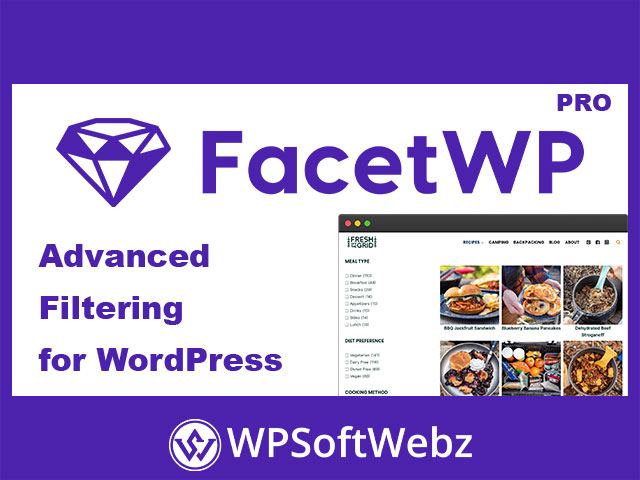
FacetWP is a unique WordPress search plugin that focuses on faceted search, allowing users to refine their search results using filters. This is particularly useful for e-commerce sites, directories, or any site with large amounts of categorized content. For example, users can filter products by price, color, size, or other attributes, making it easier to find exactly what they’re looking for. FacetWP integrates seamlessly with popular plugins like WooCommerce and Advanced Custom Fields, and it works well with page builders like Elementor. The plugin is highly customizable, with options to create custom filters, adjust the layout, and even add AJAX-powered live updates. If your site relies on categorized content, FacetWP is an excellent choice for improving search usability.
- Faceted Search: Allows users to filter search results by multiple attributes, such as categories, tags, or custom fields.
- WooCommerce Integration: Enhances product search with filters for price, attributes, ratings, and more.
- AJAX-Powered Updates: Updates search results in real-time as users apply filters, without page reloads.
- Custom Filter Logic: Create complex filter combinations using AND/OR logic for more precise results.
- Template Customization: Customize the appearance of filters and search results to match your site’s design.
6. Better Search
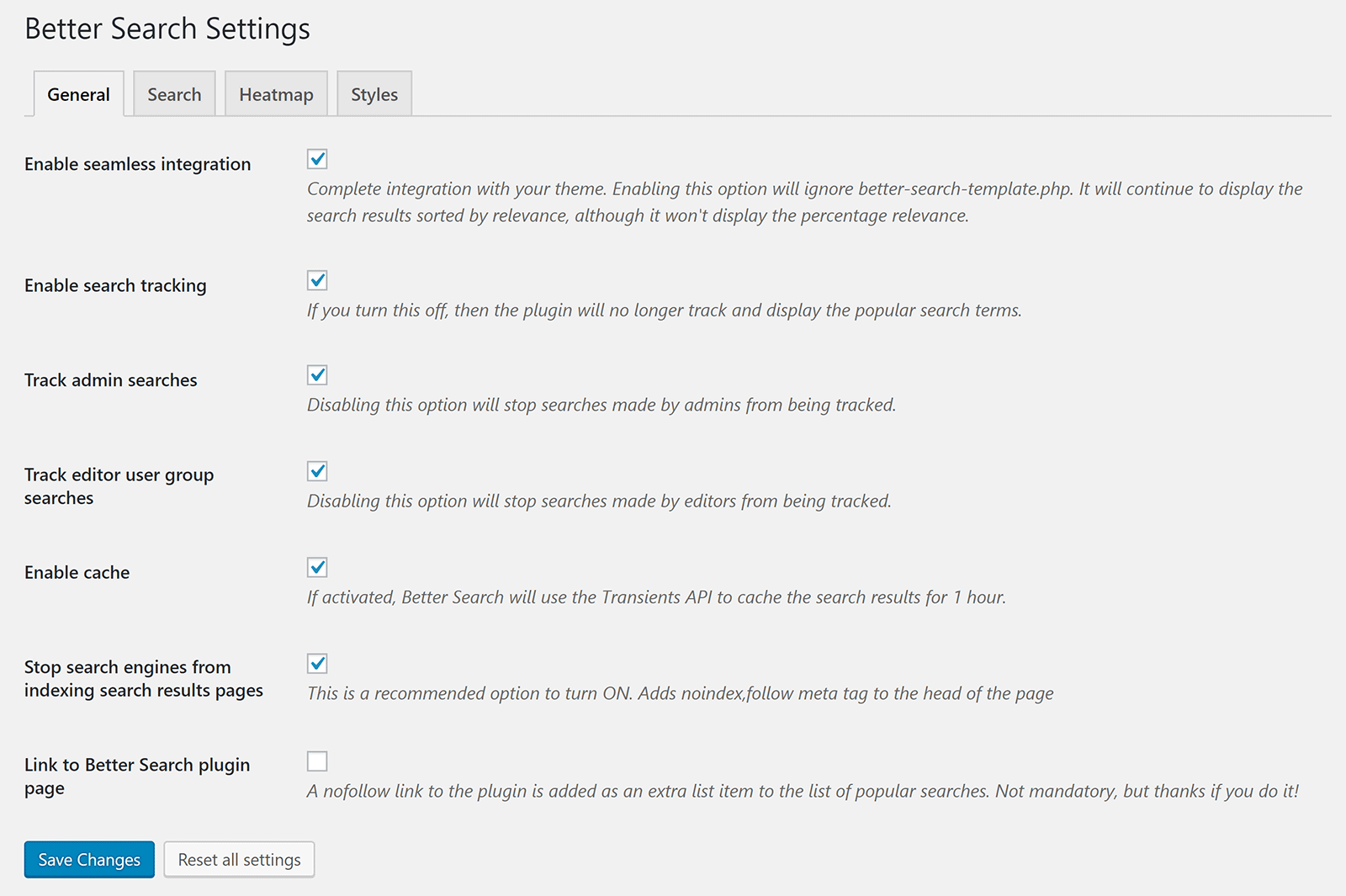
Better Search is a free WordPress plugin that improves upon the default search functionality by providing more relevant results. It replaces the standard WordPress search with a heatmap-based system, where search terms are weighted based on their frequency and relevance in your content. This ensures that the most relevant posts and pages appear at the top of the results. The plugin also includes features like keyword highlighting, search term tracking, and the ability to exclude specific content from search results. Better Search is a great choice for bloggers, small business owners, or anyone looking for a simple yet effective way to enhance their site’s search without spending money. It’s lightweight, easy to set up, and doesn’t require any technical expertise.
- Heatmap-Based Search: Prioritizes search results based on the frequency and relevance of search terms in your content.
- Keyword Highlighting: Highlights search terms in the results to make them easier to identify.
- Search Term Tracking: Logs popular search terms to help you understand what users are looking for.
- Exclude Content: Allows you to exclude specific posts, pages, or categories from search results.
- Customizable Templates: Offers multiple templates for displaying search results, with options to customize the layout.
7. Swiftype Search

Swiftype Search is a premium WordPress plugin that offers a cloud-based search solution for websites of all sizes. Unlike traditional plugins that rely on your server’s resources, Swiftype offloads the search processing to its own servers, ensuring fast and reliable results even for large sites. The plugin provides a highly customizable search experience, with features like autocomplete, typo tolerance, and the ability to search within PDFs and other document types. Swiftype also includes powerful analytics tools that track user search behavior, helping you optimize your content and improve the user experience. While it’s a paid solution, Swiftype is ideal for businesses or large websites that need a scalable and high-performance search solution without the hassle of managing it themselves.
- Cloud-Based Search: Offloads search processing to Swiftype’s servers, ensuring fast and reliable results.
- Autocomplete and Suggestions: Provides real-time search suggestions as users type, improving the search experience.
- Typo Tolerance: Understands and corrects common misspellings to return relevant results.
- PDF and Document Search: Allows users to search within PDFs and other document types uploaded to your site.
- Advanced Analytics: Tracks user search behavior to help you identify popular content and optimize your site.
8. WP Search with Algolia

WP Search with Algolia is a powerful WordPress plugin that integrates Algolia’s lightning-fast search technology into your site. Algolia is a hosted search service known for its speed, scalability, and advanced features like typo tolerance, synonyms, and personalized search results. The plugin replaces the default WordPress search with Algolia’s engine, providing instant results as users type. It also supports features like faceted search, geolocation-based results, and the ability to customize the ranking of search results. WP Search with Algolia is ideal for large websites, e-commerce stores, or any site where search performance is critical. While it requires an Algolia account, the plugin itself is free, making it a cost-effective solution for sites that need enterprise-level search capabilities.
- Instant Search Results: Displays results in real-time as users type, without page reloads.
- Typo Tolerance: Understands and corrects common misspellings to return relevant results.
- Faceted Search: Allows users to filter results by categories, tags, or custom attributes.
- Synonym Support: Understands synonyms (e.g., “car” and “automobile”) to improve search relevance.
- Custom Ranking: Lets you prioritize certain content types or attributes in search results.
9. Search & Filter Pro

Search & Filter Pro is a versatile WordPress plugin that enhances your site’s search and filtering capabilities. It’s particularly useful for sites with large amounts of categorized content, such as e-commerce stores, directories, or real estate listings. The plugin allows users to filter search results by multiple criteria, such as categories, tags, custom fields, or taxonomies. It also supports AJAX-powered updates, so users can refine their search without page reloads. Search & Filter Pro integrates seamlessly with popular plugins like WooCommerce and Advanced Custom Fields, and it works well with page builders like Elementor. The plugin is highly customizable, with options to adjust the layout, styling, and behavior of the search and filter forms. If you need a flexible and powerful search solution, Search & Filter Pro is a great choice.
- Advanced Filtering: Allows users to filter search results by multiple criteria, such as categories, tags, or custom fields.
- AJAX-Powered Updates: Updates search results in real-time as users apply filters, without page reloads.
- WooCommerce Integration: Enhances product search with filters for price, attributes, ratings, and more.
- Customizable Layouts: Offers multiple templates and the ability to customize the appearance of search and filter forms.
- Shortcode Support: Easily add search and filter forms to any page using shortcodes.
10. Ivory Search
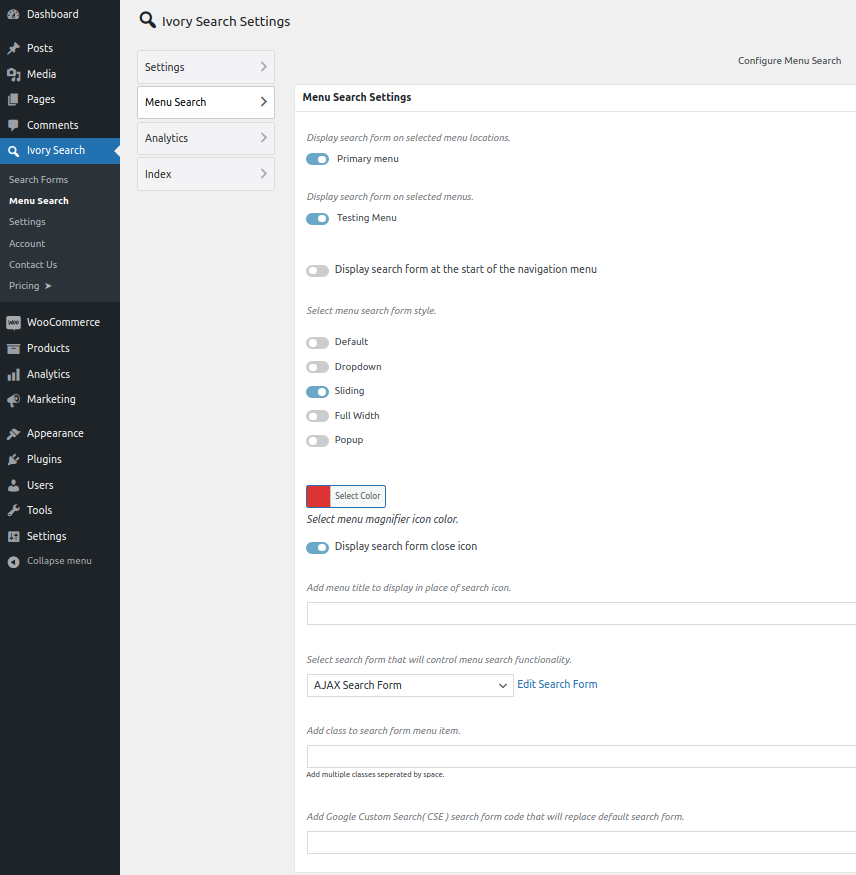
Ivory Search is a free WordPress plugin that enhances your site’s search functionality with a range of customizable options. It allows you to create multiple search forms, each with unique settings, and place them anywhere on your site using shortcodes or widgets. The plugin supports features like keyword highlighting, search term tracking, and the ability to exclude specific content from search results. Ivory Search also integrates with popular plugins like WooCommerce, allowing you to create custom search forms for products. One of its standout features is the ability to search within custom fields, taxonomies, and even file attachments. If you’re looking for a flexible and easy-to-use search plugin, Ivory Search is a great option.
- Multiple Search Forms: Create and customize multiple search forms, each with unique settings and placements.
- Keyword Highlighting: Highlights search terms in the results to make them easier to identify.
- Exclude Content: Allows you to exclude specific posts, pages, or categories from search results.
- WooCommerce Integration: Create custom search forms for products, with options to search by SKU, price, or attributes.
- Custom Field Search: Search within custom fields, taxonomies, and file attachments for comprehensive results.
Frequently Asked Questions
Why should I use a WordPress search plugin instead of the default search?
The default WordPress search is quite basic and often returns irrelevant results, especially on sites with large amounts of content. A dedicated search plugin improves accuracy, speed, and user experience by offering features like fuzzy matching, keyword highlighting, faceted search, and real-time results. These plugins can also index custom fields, taxonomies, and even file attachments, making them far more powerful than the default search. If your site relies on search functionality to help users find content, a plugin is a worthwhile investment.
Are there any free WordPress search plugins worth using?
Yes, there are several high-quality free WordPress search plugins available. Some of the best options include Relevanssi, Better Search, and Ivory Search. These plugins offer features like improved relevance, keyword highlighting, and the ability to exclude content from search results. While free plugins may not have all the advanced features of premium options, they’re a great starting point for small sites or bloggers looking to enhance their search functionality without spending money.
Which WordPress search plugin is best for WooCommerce?
For WooCommerce sites, SearchWP and FacetWP are two of the best options. SearchWP offers advanced indexing for products, including support for SKUs, variable products, and custom fields. It also integrates seamlessly with WooCommerce and provides analytics to track user search behavior. FacetWP, on the other hand, excels at faceted search, allowing users to filter products by price, attributes, ratings, and more. Both plugins are highly customizable and can significantly improve the shopping experience on your site.
How do I choose the right WordPress search plugin for my site?
Choosing the right search plugin depends on your site’s specific needs. Start by identifying what’s missing in your current search functionality. For example, if your site has a lot of content, look for a plugin with advanced indexing and relevance features like Relevanssi or SearchWP. If you run an e-commerce store, prioritize plugins with WooCommerce integration and faceted search, such as FacetWP or Search & Filter Pro. For large sites with high traffic, consider cloud-based solutions like Swiftype or Algolia. Also, think about your budget—free plugins like Better Search or Ivory Search are great for small sites, while premium options offer more features for larger or more complex sites.
Can I customize the appearance of my WordPress search results?
Yes, most WordPress search plugins allow you to customize the appearance of search results to match your site’s design. Plugins like Ajax Search for WordPress and Search & Filter Pro offer pre-designed templates and options to adjust colors, fonts, and layouts. Some plugins also provide shortcodes or widgets that let you place search forms and results anywhere on your site. If you’re comfortable with coding, you can further customize the appearance by editing the plugin’s CSS or using hooks and filters provided by the plugin.
Do WordPress search plugins slow down my site?
The impact on performance depends on the plugin and how it’s configured. Some plugins, like Relevanssi or SearchWP, index your content locally, which can use more server resources but generally doesn’t slow down your site if configured properly. Others, like ElasticPress or Swiftype, offload the search processing to external servers, reducing the load on your site. To minimize performance impact, choose a plugin that matches your site’s needs and follow best practices like caching, optimizing your database, and using a reliable hosting provider. Most modern search plugins are designed to be lightweight and efficient, so performance issues are rare if you’re using a reputable plugin.
How do I track what users are searching for on my WordPress site?
Many WordPress search plugins include built-in analytics or integrate with tools like Google Analytics to track user search behavior. For example, SearchWP and Swiftype provide detailed insights into popular search terms, click-through rates, and user behavior. You can also use plugins like Better Search or Ivory Search to log search terms directly in your WordPress dashboard. Tracking search data helps you understand what users are looking for, identify gaps in your content, and optimize your site to improve the user experience. If your plugin doesn’t include analytics, you can set up Google Analytics to track site search by enabling the “Site Search” feature in your Google Analytics account.


